E2E 가격 책정 프로젝트 간트 차트 템플릿
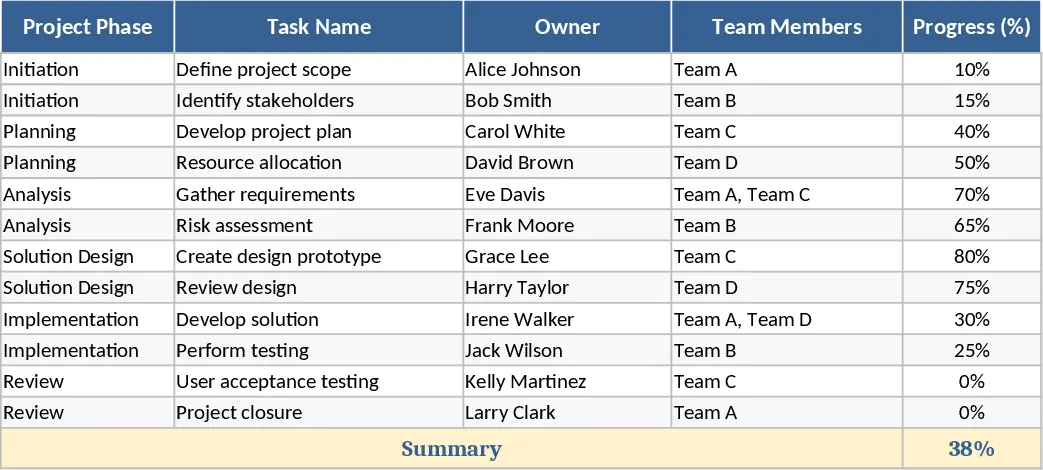
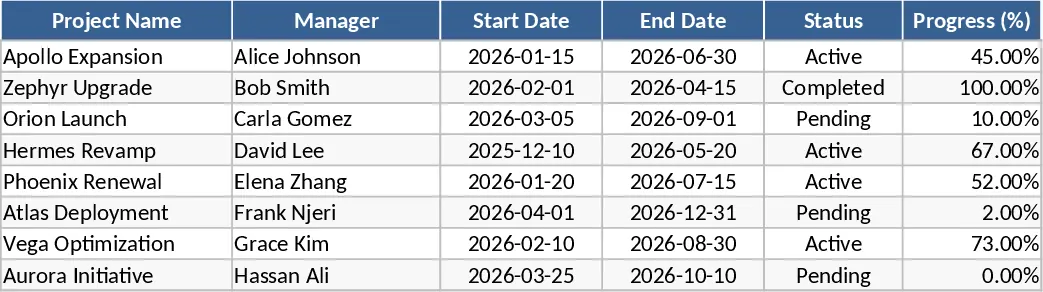
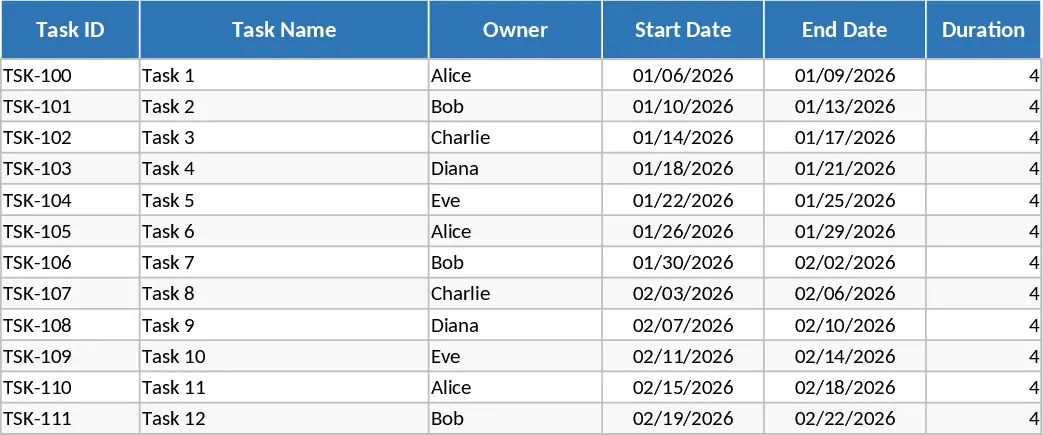
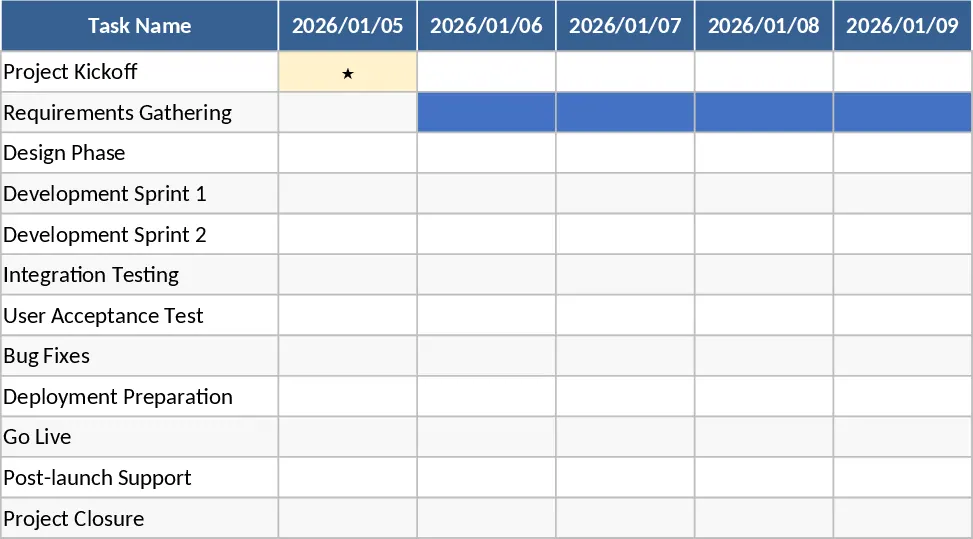
The E2E Pricing Project Gantt Chart is a professional-grade planning tool specifically tailored for complex pricing strategy implementations. Pricing projects are inherently cross-functional, involving finance, sales, marketing, and product teams. This template provides a centralized workspace to manage these moving parts through a structured six-phase approach. The layout is divided into a data entry section on the left—covering task descriptions, owners, and timelines—and a dynamic visual Gantt chart on the right that updates in real-time as you modify dates and progress percentages.
This template solves the common problem of fragmented communication and missed deadlines in long-term pricing projects. By categorizing work into six logical phases, such as Discovery, Analysis, Strategy Design, Implementation, and Review, it ensures that no critical step is overlooked. The inclusion of an owner column fosters accountability, while the progress field allows for instant status updates. The visual timeline provides a high-level view of the project health, making it easy to present to executives or stakeholders during status meetings without needing to build complex slides from scratch.
Designed for project managers, pricing analysts, and department heads, this tool is perfect for scenarios like annual price adjustments, new product launches, or transitioning to a subscription-based revenue model. It helps you track not just when a task is due, but how it fits into the broader project lifecycle, allowing for better resource allocation and risk management. The automated date calculations ensure that your timeline remains accurate even when project scopes shift.
How to use:
- Start by entering your project name and defining the core team members in the left-hand sidebar to establish clear roles and responsibilities.
- Populate the task list under the six project phases, assigning a specific owner and setting the planned start and end dates for each activity.
- Update the progress column regularly (0-100%) to see the Gantt bars fill in, providing a visual representation of completed versus pending work.
- Use the dynamic date range on the right to scroll through the project timeline and monitor upcoming milestones or potential overlaps in the schedule.
By using this template, you can expect significantly reduced time spent on manual chart creation and a more organized approach to complex pricing transitions, leading to better team alignment and faster project delivery.