근무시간·초과근무 급여 템플릿
Managing a growing team requires precision, especially when it comes to tracking billable hours and calculating overtime pay. This Employee Timesheet and Overtime Excel Template provides a professional and structured environment to log daily activities while automating the complex math behind labor costs. The workbook is divided into three functional areas: a centralized Employee database, a detailed daily Timesheet log, and a comprehensive Payroll Summary. By centralizing this data, you eliminate the need for scattered paper logs or manual calculators, ensuring that every minute worked is accounted for and every paycheck is accurate.
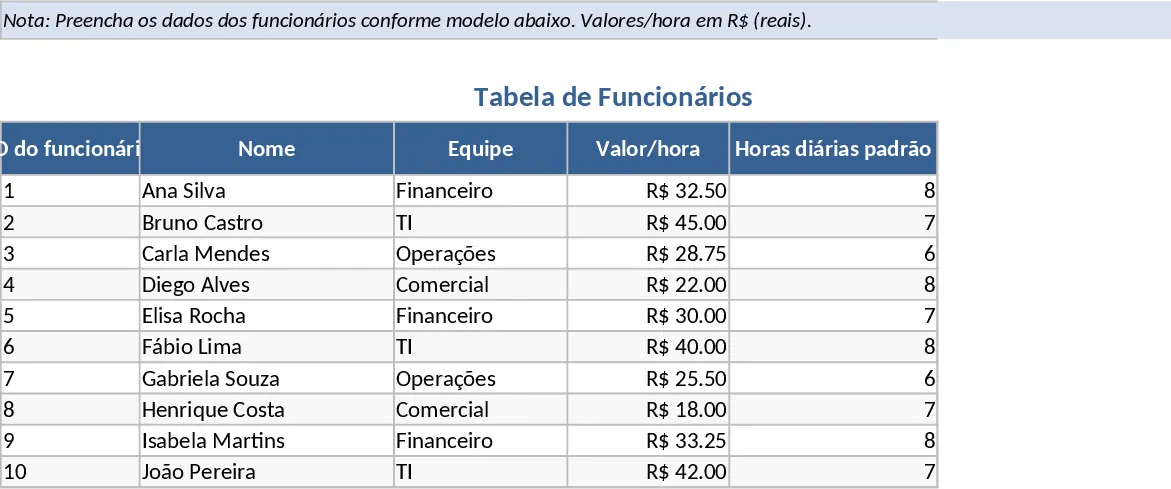
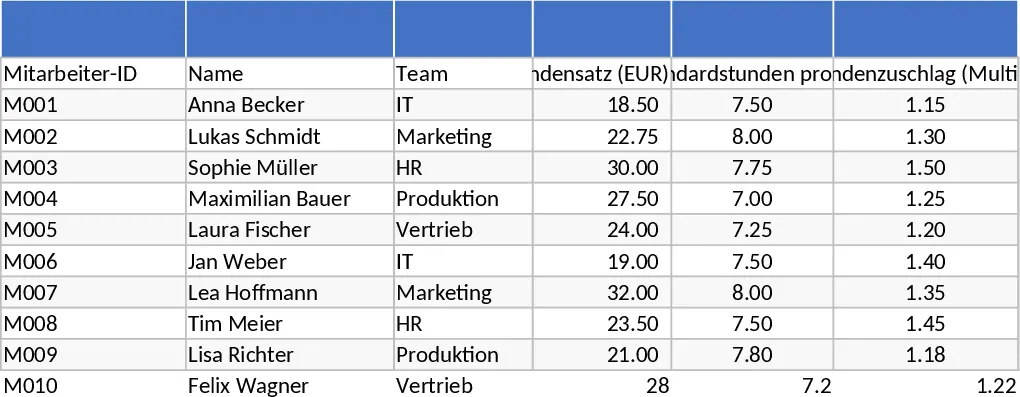
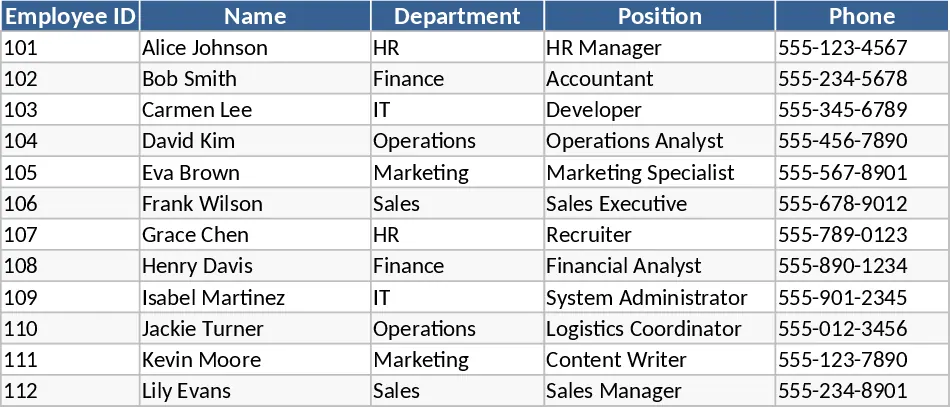
The foundation of the template is the Employees sheet. Here, you can manage your workforce's essential data, including unique Employee IDs, names, and team assignments. Crucially, this section allows you to set specific hourly rates and standard daily work hours for each individual. Since different roles might have different overtime policies, the template includes an Overtime Multiplier field, giving you the flexibility to handle time-and-a-half or double-time scenarios effortlessly. This setup ensures that the downstream calculations are always tailored to the specific contract terms of each staff member.
The Timesheet sheet is where the daily operational tracking happens. It features a user-friendly layout where dates, employee names (via convenient dropdown menus), and specific projects can be recorded. Users simply enter their start and end times along with any break minutes taken during the day. The template’s built-in logic immediately takes over, calculating the total hours worked and then splitting them into Regular Hours and Overtime Hours based on the standard daily limit defined in the employee profile. There is also a dedicated Notes section for each entry, allowing employees or managers to document specific tasks or reasons for overtime, which is invaluable for future audits or client billing.
For HR administrators, department heads, and small business owners, the Payroll Summary sheet is the ultimate time-saver. It aggregates all logged data into a clean, monthly view, calculating regular pay and overtime pay using the specific rates and multipliers assigned to each employee. This high-level overview helps in monitoring labor budgets, identifying high-workload periods, and preparing data for accounting software or tax filings. Instead of spending hours at the end of the month cross-referencing logs and punching numbers into a calculator, you get a real-time snapshot of your total labor expenditure.
This tool is particularly useful for businesses that operate on a shift basis or those that need to track time across multiple projects. It solves the common problem of overtime creep by making it clear exactly when and why extra hours are being logged. It also fosters transparency between management and staff, as there is a clear, documented trail of all hours worked and how the final pay figures were derived. Whether you are managing a retail team, a construction crew, or a remote office, this tool brings professional-grade tracking to a simple, accessible spreadsheet format.
How to use:
- Start in the Employees sheet by entering your team members' details, including their unique IDs, hourly rates, and standard daily hours (e.g., 8 hours). Ensure you set the correct overtime multiplier for each person.
- In the Timesheet sheet, use the dropdown menus to select an employee and record their daily start times, end times, and break durations. You can also specify which project they were working on for better cost allocation.
- The template will automatically calculate the regular and overtime hours for each entry. Review the Notes column if there are any discrepancies or special circumstances.
- Navigate to the Payroll Summary sheet to view the total hours and calculated pay for each employee across different months. This sheet provides a ready-to-use report that can be used to verify payroll before final processing.
Expected benefits: This template significantly reduces the risk of manual calculation errors and cuts down the time spent on monthly payroll preparation by providing instant, automated totals and clear financial oversight.