타투·팔로워·코스 수입·지출 템플릿
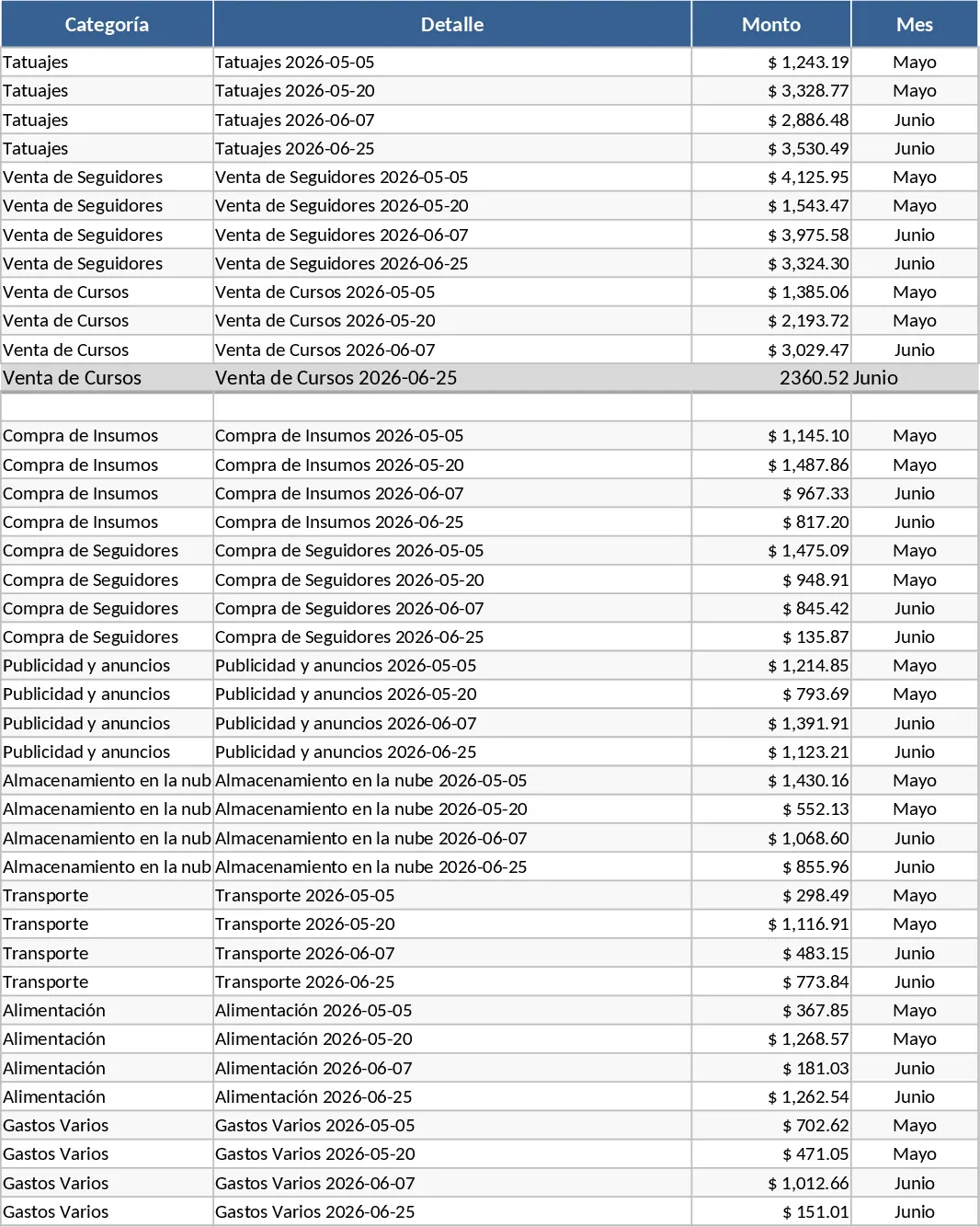
This Excel template is organized into three main sheets: Income, Expenses, and Summary. In the Income sheet you’ll find rows for each revenue source – Tattoos, Sale of Followers, and Sale of Courses – with columns for date, client, amount, and optional notes. The Expenses sheet mirrors this layout, letting you record every cost (materials, advertising, platform fees, etc.) with categories and dates. The Summary sheet automatically aggregates the data, showing total income, total expenses, net profit, and a simple cash‑flow chart that updates as you enter new rows. Dropdown lists for expense categories and revenue types keep entries consistent, while conditional formatting highlights any negative cash‑flow periods.
Designed for freelancers, small studio owners, or anyone running multiple online income streams, this template solves the common headache of juggling separate spreadsheets or manual calculations. By consolidating all cash movements in one place, you gain a clear picture of profitability for each service line, spot trends, and make smarter pricing or marketing decisions. The visual summary saves you from digging through raw numbers, turning daily bookkeeping into a quick, confidence‑building routine.
If you run a tattoo studio, sell social‑media followers, or create and sell online courses, this workbook becomes your financial command center. It helps you track what you earn from each activity, match it against the costs required to deliver those services, and instantly see which line is most profitable. The template also supports tax preparation by providing a ready‑made list of deductible expenses, reducing the time spent gathering data at year‑end.
How to use
- Open the file and go to the Income sheet. Add a new row for each sale, selecting the appropriate revenue type from the dropdown and filling in date, client name, and amount.
- Switch to the Expenses sheet and record every cost, choosing the correct category (e.g., Supplies, Advertising, Platform Fees) and entering the amount.
- The Summary sheet updates automatically – review total income, total expenses, net profit, and the cash‑flow chart.
- Adjust the date range filters at the top of the Summary sheet to view monthly, quarterly, or custom periods.
Expected benefits: streamlined daily bookkeeping, faster insight into profit margins, and less time spent consolidating data, letting you focus more on growing your business.