Anwesenheits- und Notenblatt nach Rollennummer Vorlage
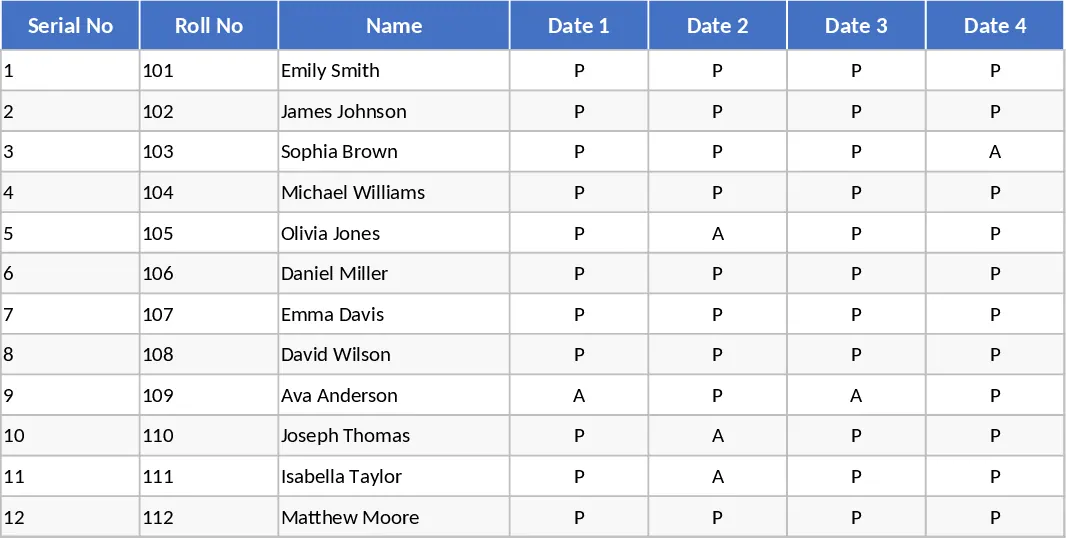
Managing a classroom requires a delicate balance between tracking presence and evaluating performance. This Serial Roll Attendance and Marks Template is designed to be the ultimate companion for educators who want to move away from messy paper logs and fragmented digital files. By combining a structured roll call system with a robust grading sheet, this template provides a holistic view of every student’s journey throughout the academic term. It serves as a centralized hub where administrative data meets academic insights, allowing you to spend less time on spreadsheets and more time on student engagement.
The template is organized into three primary functional areas. First, the Student Directory serves as your single source of truth, where you input serial roll numbers, full names, and contact details. This information automatically populates the subsequent sheets, ensuring consistency across your records. The Attendance Module features a clean, calendar-based layout where you can quickly log daily presence using intuitive dropdown menus for Present, Absent, or Excused status. Finally, the Marks Management section allows for the entry of scores across various subjects, assignments, and exams. It includes built-in formulas that calculate totals, averages, and percentages, giving you an instant snapshot of academic standing without the need for manual math.
This tool is particularly useful for teachers who need to generate end-of-term reports or identify students who may be falling behind either in their attendance or their grades. Instead of spending hours cross-referencing different lists, you can see the correlation between a student's participation and their results in one unified interface. It simplifies the administrative burden of parent-teacher meetings by providing clear, data-driven insights that are easy to share and discuss. Whether you are managing a small tutoring group or a large lecture hall, the template scales to fit your needs, helping you maintain professional and accurate records with minimal effort. It eliminates the stress of lost papers and ensures that every student's progress is documented systematically.
How to use:
- Navigate to the Student List sheet and enter your class roster, assigning a unique serial roll number to each student to ensure easy sorting and identification.
- Open the Attendance sheet for the current month and simply select the attendance status from the dropdown cells for each student on a daily basis to see automatic monthly totals.
- Input scores into the Marks sheet as assignments and tests are completed; the template will automatically update the cumulative totals, percentages, and grade distributions.
- Review the summary dashboard or the final column of the marksheet to identify performance trends and students who may require additional academic support.
By centralizing your classroom data, you can expect to significantly reduce the time spent on weekly administrative tasks and reporting. The automated calculations minimize the risk of human error, ensuring that every student receives the grade they truly earned based on accurate data. This template transforms raw data into actionable information, allowing you to focus more on teaching and less on bookkeeping, ultimately leading to a more organized and effective learning environment.
Ähnliche Vorlagen empfehlen
Akademischer Planer Vorlage
Verwalten Sie Schülerleistungen, Anwesenheit und Lehrplanplanung in einem umfassenden Dashboard, um akademische Ergebnisse und die Organisation zu verbessern.
10-Schüler-Anwesenheit Vorlage
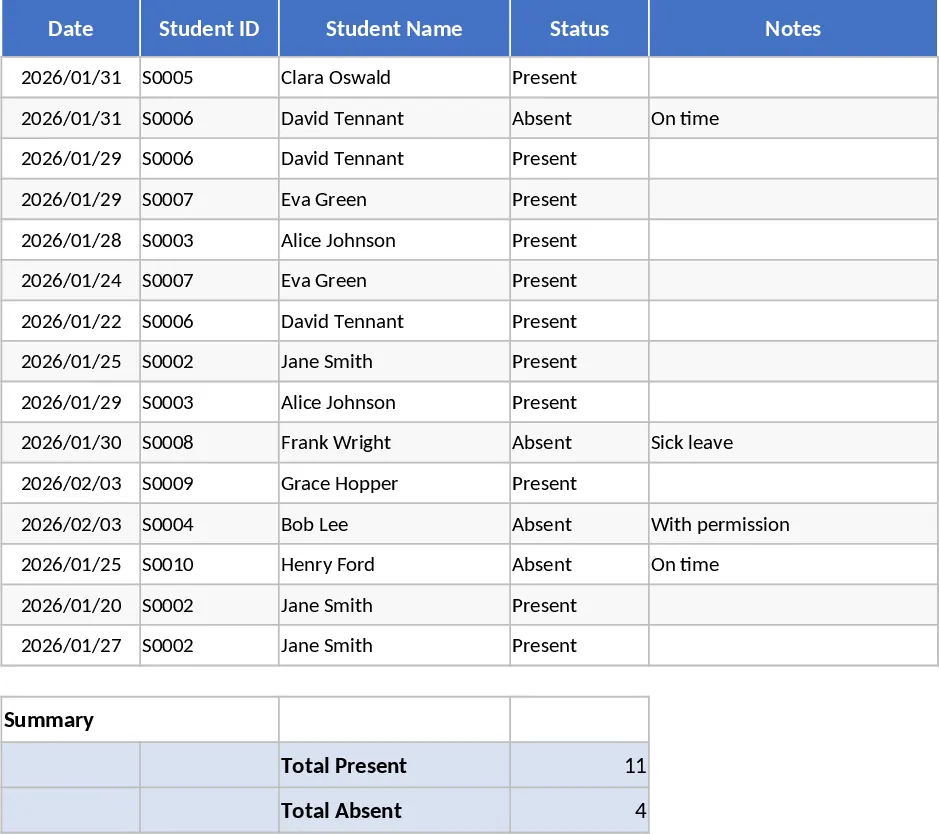
Erfassen Sie die tägliche Anwesenheit einer kleinen Schülergruppe mit automatisierten Zusammenfassungen, um Anwesenheit, Fehlzeiten und Verspätungen während des Semesters zu überwachen.
Englisch-Notenliste Klasse 3 mit Schülerdatensätzen Vorlage
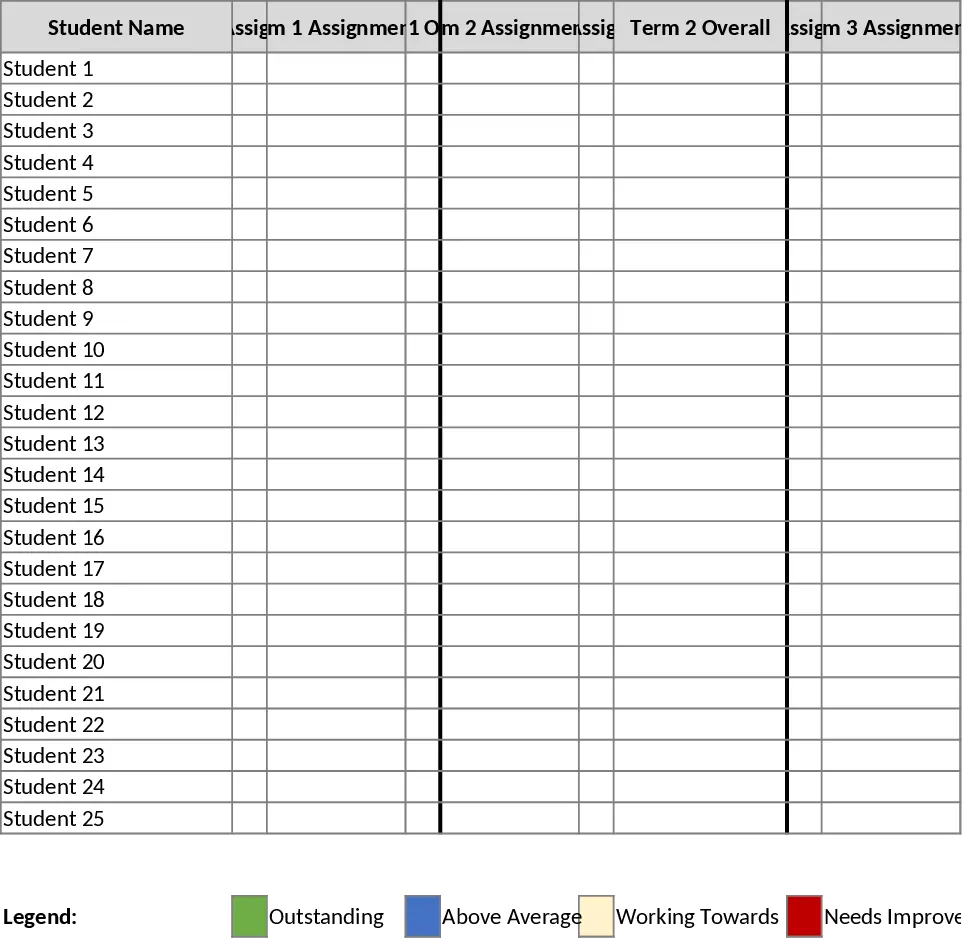
Verfolgen Sie die Englisch-Noten der 3. Klasse über vier Quartale mit automatischer Farbcodierung für Leistungsniveaus und Semesterübersichten für 25 Schüler.