'%3e%3crect%20id='矩形_7888'%20data-name='矩形%207888'%20class='cls-1'%20width='20'%20height='20'%20rx='4'%20transform='translate(6260%20-4478)'/%3e%3cpath%20id='联合_155'%20data-name='联合%20155'%20class='cls-2'%20d='M6.074,12.147a6.207,6.207,0,0,1-.621-.031A6.087,6.087,0,0,1,.031,6.694a6.177,6.177,0,0,1,0-1.241A6.086,6.086,0,0,1,5.453.031,6.177,6.177,0,0,1,6.074,0H9.152V2.029H6.074a4.053,4.053,0,0,0-3.916,3.03H9.152V7.088H2.158a4.053,4.053,0,0,0,3.916,3.03H9.152v2.029Z'%20transform='translate(6264.693%20-4473.9)'/%3e%3c/g%3e%3c/svg%3e)
Key Takeaways
- The "Relational" Secret: Adding data to the Data Model is the only way to analyze multiple tables in one Pivot Table without using VLOOKUP.
- The Manual Burden: Traditional modeling requires you to manually define "Relationships," "Keys," and "Schemas"—a process prone to human error.
- RowSpeak's Dimensional Strike: RowSpeak automates the entire modeling backend. It recognizes matching IDs and joins your data instantly through natural language.
- Efficiency Over Architecture: Why spend 30 minutes "wiring" tables when you can get the answer in 30 seconds by just asking?
The "Add to Data Model" Trap
Whenever you try to create a Pivot Table from multiple sources, Excel asks if you want to "Add this data to the Data Model." For most users, this is where the trouble starts. While this feature is powerful—essentially turning Excel into a mini-relational database—it introduces a level of technical complexity that most business professionals don't have time for. If you don't "wire" the tables correctly behind the scenes, your reports will show duplicated totals or "Relationship may be needed" errors.
Method 1: The Traditional "Manual Build" (Scenario 1)
In a typical scenario, imagine you have a Sales Table and a Product Catalog. You want to see "Total Profit by Category," but the "Category" info is only in the second file. Here is the manual "Power Pivot" path:
- Format as Tables: You must first convert both data ranges into official Excel Tables (
Ctrl + T). - Initialize the Model: Go to Insert > Pivot Table and remember to check the tiny "Add this data to the Data Model" box.
- Enter Power Pivot: Open the Power Pivot window—a separate interface that feels more like SQL than Excel.
- Diagram View: Switch to "Diagram View" to see your tables as floating boxes.
- Manual Wiring: You must click on "Product_ID" in Table A and manually drag a line to "Product_ID" in Table B to create a "One-to-Many" relationship.
- Create the Pivot: Finally, go back to Excel and pull fields from both tables into one Pivot Table.
The Bottleneck: This is a high-friction workflow. If you have mismatched IDs (like "ID01" vs "id01") or missing keys, the model breaks, and you're back to troubleshooting data types instead of analyzing sales.
Method 2: The RowSpeak "Dimensional Strike"
Why build the architecture when you can just get the answer? RowSpeak performs a "Dimensional Strike" on this process by automating the entire backend. You don't need to know what a "Primary Key" is—RowSpeak just knows.
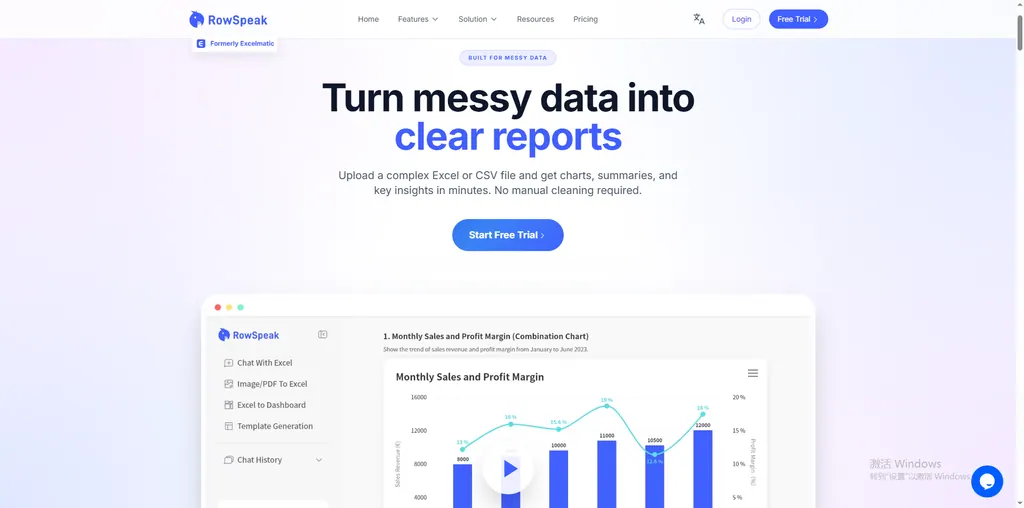
Why it’s a game-changer:
- Invisible Modeling: RowSpeak automatically handles the "Add to Data Model" and "Create Relationship" steps in the background.
- Contextual Intelligence: It understands that "Item ID" in one file and "SKU" in another refer to the same thing.
- Direct Answers: You bypass the Pivot Table interface entirely.
How to do it:
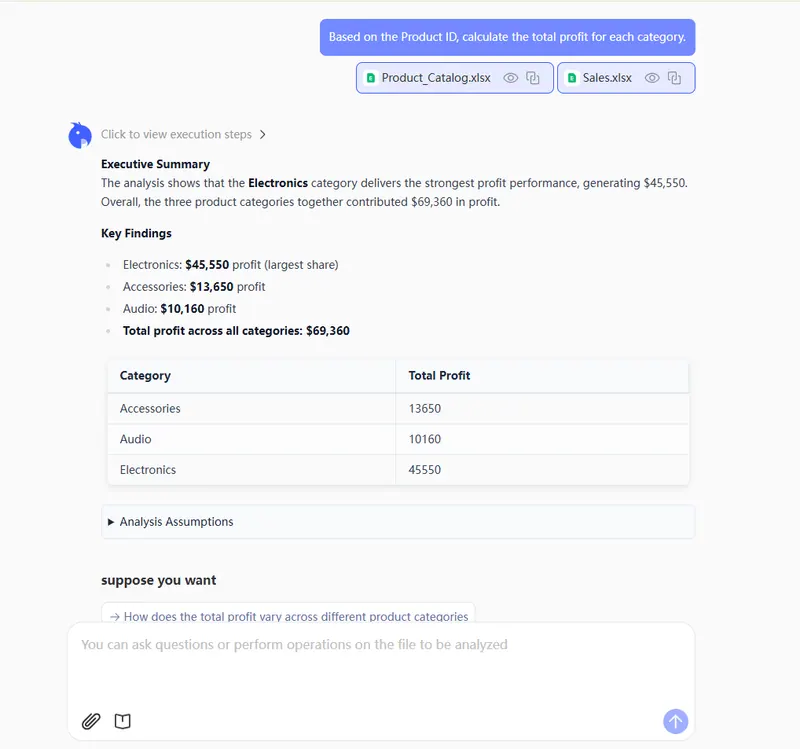
- Upload both your Sales file and your Product Catalog to RowSpeak.

- Speak your intent:
"Based on the Product ID, calculate the total profit for each category."
- Instant Result: RowSpeak joins the tables, calculates the math, and presents the clean data for download. No lines to drag, no boxes to check.
Comparison: Manual Power Pivot vs. RowSpeak AI
| Feature | Manual Data Model (Power Pivot) | RowSpeak (AI) |
|---|---|---|
| Setup Process | 6+ steps (Format, Check, Map, Drag) | 2 steps (Upload & Ask) |
| Logic Mapping | Manual (User must identify keys) | Automatic (AI identifies relationships) |
| Interface | Separate "Power Pivot" window | Simple chat interface |
| Error Handling | Manual troubleshooting of "Keys" | AI-verified data integrity |
FAQ: Mastering the Data Model
1. Is RowSpeak just doing a VLOOKUP? No. Like the Excel Data Model, RowSpeak uses relational logic. This is much faster and safer than VLOOKUP, especially when dealing with millions of rows where VLOOKUP would crash your computer.
2. Can I merge more than two tables? Absolutely. While manual modeling gets exponentially harder with every new table, RowSpeak can connect 3, 4, or 5 files just as easily. Just upload them all and ask your question.
3. What if my data needs cleaning first? Excel's Data Model is very picky about "clean" keys. RowSpeak is more flexible, automatically cleaning messy data and standardizing formats before performing the join.
Stop Building Models, Start Getting Answers
The "Add to Data Model" feature was a leap forward for Excel, but AI is the next giant's jump. You shouldn't have to be a database administrator just to see your category profits. Whether you are merging multiple sheets or performing deep dives into complex datasets, RowSpeak removes the technical barrier.
🚀 Ready for the "One-Command" Data Model?
Don't let complex "Relationships" slow you down. Experience the power of AI-driven multi-table analysis.
Try RowSpeak Free Now