
AI Spreadsheet Generator for Business Tables, Reports, and Dashboards
Built for common spreadsheet workflows
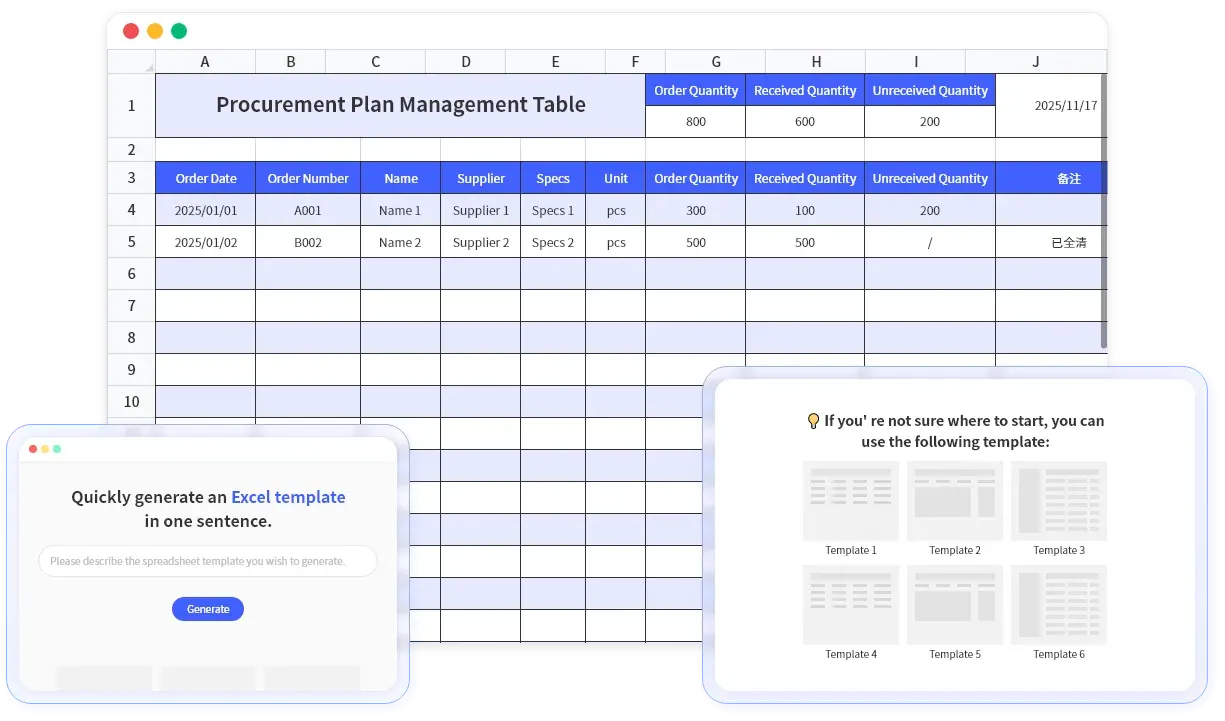
From blank sheet to reviewable draft
Use AI when you know the workflow but not the spreadsheet structure
Blank sheets slow down real work
Teams often know the report they need, but still spend time deciding columns, formulas, formatting, and checks.
Natural-language spreadsheet drafts
Describe the business workflow and RowSpeak drafts columns, sections, formulas, and starter data structure.
Formulas are easy to mis-specify
Margin, variance, commission, aging, and budget formulas can be fragile when built from scratch under time pressure.
Formula-backed business logic
Ask for calculations such as variance, margin, reorder quantity, quota attainment, or monthly totals in plain English.
Generic templates rarely match the file
Downloaded templates are useful, but they often need heavy editing before they fit your team's workflow.
Templates that fit the workflow
Start from finance, sales, HR, operations, project, and marketing use cases, then generate a version that matches your prompt.
Reports still need review
A generated spreadsheet is only useful if the structure, formulas, and assumptions can be inspected before use.
Review, edit, and export
Inspect the generated spreadsheet, adjust fields or formulas, then download or continue analyzing it in RowSpeak.
Role-Based Use Cases
Generate spreadsheet drafts for the teams that still run on Excel
Financial Reports
Create budget trackers, P&L review sheets, variance tables, and monthly reporting templates.
Budget Planning
Draft budget sheets with categories, owner fields, assumptions, forecast periods, and variance formulas.
Financial Analysis
Build structured revenue, expense, profitability, and cash-flow analysis tables.
How It Works
Create a useful spreadsheet draft in 3 steps
Describe the business workflow
Tell RowSpeak the purpose, audience, fields, formulas, and review checks you need.
Generate the spreadsheet structure
RowSpeak drafts columns, sections, example rows, formulas, and formatting for the requested workflow.
Review, edit, and export
Check the generated logic, refine fields or formulas, then export the spreadsheet or continue analysis.
Treat generated spreadsheets as a strong first draft: review formulas, assumptions, and sample data before using them in production decisions.
Output and workflow fit
Use the generated sheet where spreadsheet work already happens
XLSX export
Google Sheets import
CSV-friendly tables
Reporting workflows
Team review
Dashboard-ready data
Review and data handling
Generated spreadsheets should be clear enough to inspect
Encrypted transfer
Files are transmitted over encrypted connections while you work in RowSpeak.
Reviewable outputs
The generated sheet is visible and editable, so teams can inspect fields, formulas, and assumptions.
Team permissions
Generated files remain under the RowSpeak account and workspace permissions available to your team.
Example prompts
Spreadsheet requests that become structured drafts
Finance
Monthly reporting
"Create a monthly budget vs. actuals tracker with owner, department, variance amount, variance %, and notes for leadership review."
Budget review template
Comparison
Manual spreadsheet setup vs. RowSpeak
| Feature | Manual Setup | RowSpeak AI Generator |
|---|---|---|
| Time to first draft | Hours | Minutes |
| Formula knowledge required | ✓ | Helpful, not required for draft |
| Business workflow prompts | ✗ | ✓ |
| Natural language input | ✗ | ✓ |
| Reviewable formulas and assumptions | Manual checking | ✓ |
| Customization | ✓ | ✓ |
FAQs
Frequently Asked Questions
Ready to generate a spreadsheet draft?
Describe the business table, tracker, report, or dashboard source you need, then review the generated spreadsheet before using it.