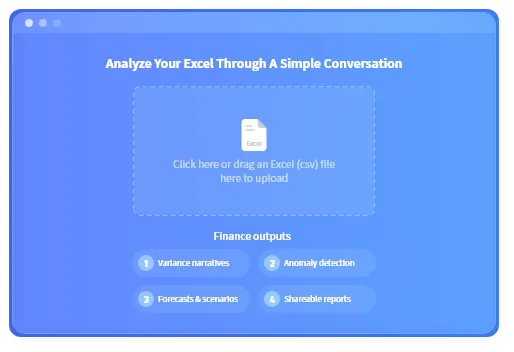
AI Finance for Excel
AI Finance for Excel: explain variances, forecasts, and reports from your spreadsheets
Upload P&L files, Budget vs Actual workbooks, cashflow sheets, ledger exports, CSVs, PDFs, or screenshots. RowSpeak helps finance teams turn messy files into reviewable variance narratives, forecasts, anomaly checks, charts, and shareable reports.
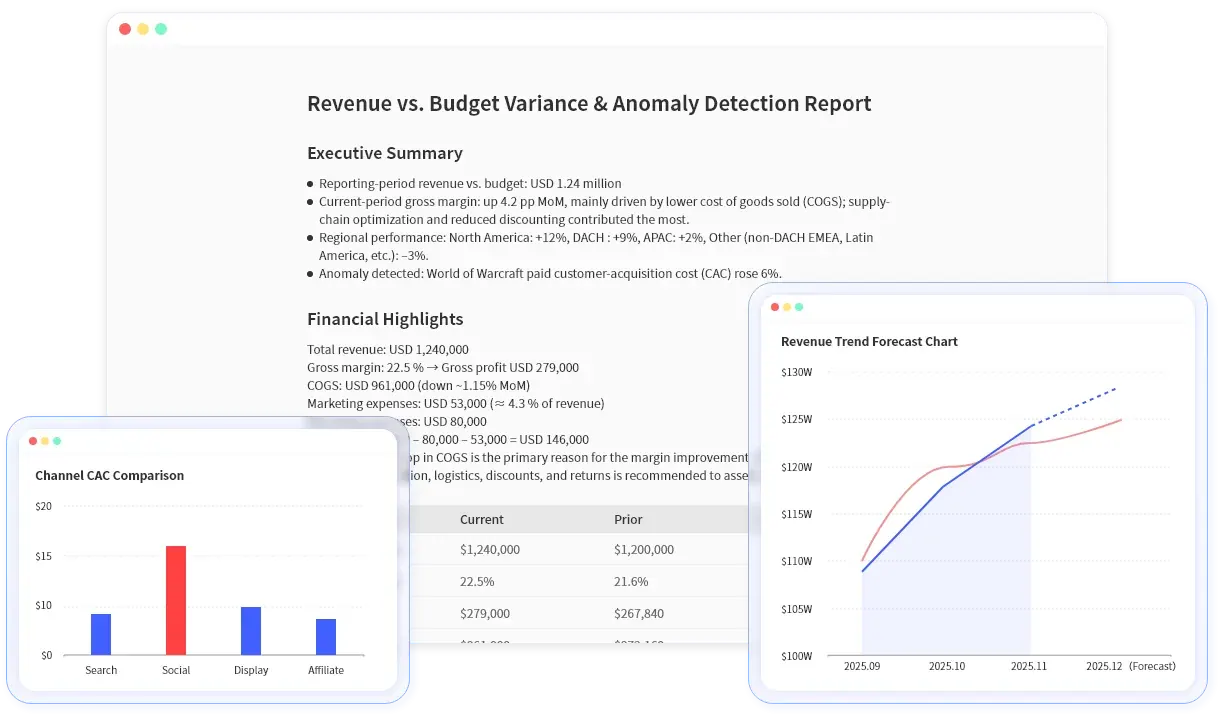

Built for finance teams that live in Excel
AI finance use cases for spreadsheet teams
Start from the files finance teams already receive, then use RowSpeak to explain what changed, what looks unusual, and what should be shared next.
P&L variance narrative
Explain revenue, COGS, margin, and operating expense movements by month, quarter, region, or department.
Budget vs Actual review
Rank unfavorable variances, identify top drivers, and create a summary for department owners.
Cashflow forecasting
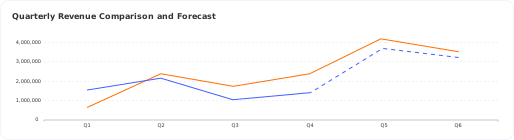
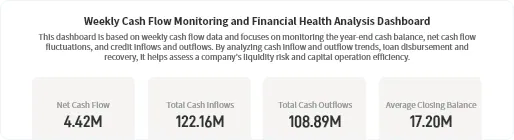
Forecast near-term cash movement, compare base/upside/downside scenarios, and highlight funding risks.
Ledger anomaly review
Find unusual balances, duplicate-looking lines, outlier vendors, and period movements that need a second look.
Board reporting pack
Turn a workbook into an executive summary with charts, KPI tables, and plain-language commentary.
Dashboard summary
Create charts and visual summaries when a full BI project is too heavy for the reporting cycle.
Get review-ready finance outputs from messy files
Move recurring finance analysis from manual spreadsheet work to a faster upload, ask, review, and share workflow.
Faster close review
Review P&L, budget, and ledger movements without rebuilding the same pivot views each month.
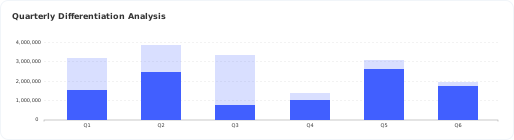
Earlier anomaly checks
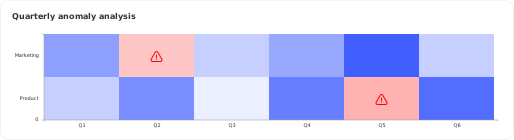
Flag unusual account, department, or period movements before the report reaches leadership.
Repeatable forecasting
Run cashflow, revenue, and margin scenarios from the fields already present in your workbook.
Shareable reporting
Turn analysis into written summaries, tables, charts, and links your team can review together.
Sample finance files RowSpeak can analyze
Use the files your finance team already exports. RowSpeak is strongest when the input is a real workbook or report, not an abstract AI trend question.
P&L workbook
Revenue, COGS, gross margin, operating expense, and period columns.
Budget vs Actual file
Department, account, budget, actual, variance, and owner fields.
Cashflow sheet
Opening balance, inflows, outflows, closing balance, and scenario assumptions.
General ledger export
Account, vendor, date, amount, cost center, and memo fields.
Trial balance
Account-level balances across months, quarters, or entities.
PDF or screenshot table
Finance reports that need extraction before analysis and summary.
Copy/paste prompts (get value in minutes)
Use these prompts as-is, then adjust names to match your data.
Variance & narrative
Summarize this quarter's P&L and explain margin changes.
Explain operating expense variance month over month and highlight unusual items.
What drove the change in gross margin vs last quarter?
Budget vs Actual
Show top expense drivers vs budget by department.
List the largest unfavorable variances and explain likely drivers.
Anomaly detection
Detect anomalies in revenue and operating expenses by month.
Flag unusual movements by account and explain thresholds.
Show a heatmap of outliers across departments and periods.
Forecasting & scenarios
Forecast revenue for the next 6 months by region.
Create base/upside/downside scenarios for gross margin.
Forecast cashflow and summarize key drivers.
RowSpeak vs Excel vs generic AI vs BI
AI finance tools work best when the workflow matches the state of your files, review process, and reporting deadline.
| Option | Best for | Limits | Where RowSpeak fits |
|---|---|---|---|
| Manual Excel | Flexible finance modeling and detailed formula control | Slow recurring review, fragile pivots, and hard-to-share narratives | Use RowSpeak for the first-pass analysis and reporting narrative, then review the workbook logic. |
| Generic AI chat | Brainstorming explanations or formulas | File context, charts, repeatable outputs, and review trails are weaker | Use RowSpeak when the answer must come from the uploaded spreadsheet or report. |
| BI tools | Stable dashboards from governed data pipelines | Heavy setup when finance only has monthly exports or ad hoc files | Use RowSpeak between raw spreadsheet work and full BI implementation. |
| RowSpeak | File-based finance analysis, forecasts, anomaly checks, and shareable reports | Not a replacement for ERP, full BI governance, or final accounting judgment | Best for finance teams that need reviewable outputs from real files quickly. |
Core finance workflows
Everything you need for modern finance analysis and reporting.
Natural-language financial analysis
Ask questions and get structured outputs—tables, charts, and narrative explanations.
Learn more
Anomaly detection
RowSpeak can produce anomaly point lists, threshold explanations, and heatmaps to spot outliers quickly.

Forecasting & scenario modeling
RowSpeak uses Python-based analysis to run forecasting models. Forecast KPIs like revenue, costs, cashflow, compare scenarios, and slice forecasts by any dimension.
Learn more
Shareable reporting outputs
Share results via link, export images for documents and updates, and keep stakeholders aligned on one version of the outputs.
Learn more
Review checklist before sharing AI finance outputs
RowSpeak speeds up the first pass. Finance teams should still verify the accounting logic and business context before sending a report.
Confirm the reporting period and currency.
Check whether missing rows or blank fields changed the result.
Review anomaly thresholds and ask follow-up questions when needed.
Compare key variances against the source workbook.
Confirm whether the explanation is MoM, QoQ, YoY, or budget-based.
Keep final accounting judgment with the finance owner.
Data handling & privacy
Your financial data is secure and private. Here's how we handle it.
Is my data used for training?
No. Your data is not used for training. We respect your privacy and keep your financial information completely separate from our AI training processes.
How long is my data stored?
Files are stored in your user space and retained until you delete them. You have full control over your data retention.
Can I delete my data?
Yes—you can delete files in your user space at any time. We make it easy to manage and remove your data whenever you need to.
How does sharing work?
Sharing is via a link. Currently, anyone with the link can access the shared content. You control what you share and when.
FAQ
Common questions about RowSpeak for Finance.
Is RowSpeak an Excel add-in?
Not yet. RowSpeak is a browser-based product today.
What file types do you support?
.xlsx, .csv, .xls, .xlsm, .ods
Do you export to PowerPoint (PPT)?
Not currently. You can share results via link and export images.
Do you support anomaly detection?
Yes—outputs can include anomaly lists, threshold explanations, and heatmaps.
Can I forecast by department/region/product?
Yes—if your dataset includes those fields, RowSpeak can forecast and analyze by dimension.
Do you offer SSO?
Not at this time.
Do you have integrations or an API?
Not currently.
What is AI finance?
AI finance is the use of AI to help finance teams analyze data, explain movements, forecast scenarios, detect anomalies, and prepare reports. RowSpeak focuses on spreadsheet and file-based finance workflows.
How can AI help finance teams in Excel?
AI can help summarize workbooks, find budget variances, produce charts, explain unusual movements, and draft management-ready narratives from Excel or CSV files.
Is RowSpeak for personal finance or investing advice?
No. RowSpeak is designed for business finance workflows such as FP&A, accounting review, cashflow forecasting, and management reporting. It does not provide investment advice.
When should a finance team use BI instead?
Use BI when you have governed data pipelines and recurring dashboards at scale. Use RowSpeak when you need fast analysis from spreadsheets, exports, PDFs, or ad hoc files before a full BI workflow exists.
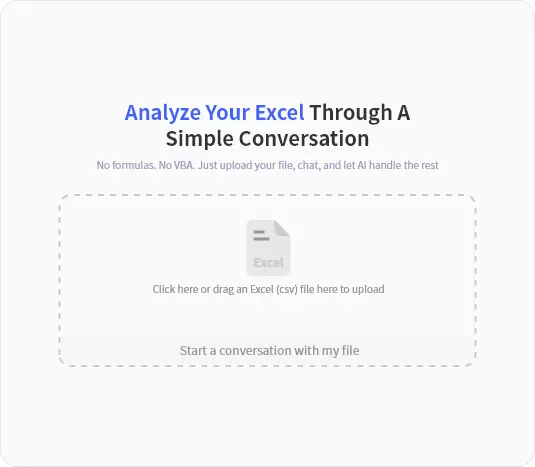
Start with a finance workbook
Upload a P&L, Budget vs Actual file, cashflow sheet, or ledger export and turn it into reviewable analysis, charts, and reports in minutes.