Budget vs Actual analysis is one of the clearest use cases for AI in finance. The input is familiar, the question is specific, and the output has to be reviewed before anyone acts on it.
The goal is not to make the spreadsheet disappear. The goal is to get from exported numbers to a ranked, explained, reviewable variance summary faster.
Key takeaways:
- Budget vs Actual analysis is a strong first workflow for finance AI because the review logic is concrete.
- A useful output includes variance ranking, likely drivers, charts, and questions for department owners.
- RowSpeak helps finance teams upload the workbook and turn it into a management-ready first pass.
What the input file should contain
You can start with a simple table:
| Period | Department | Account | Budget | Actual | Owner |
|---|---|---|---|---|---|
| Mar | Marketing | Paid Media | 60000 | 72800 | Growth |
| Mar | Sales | Travel | 18000 | 24750 | RevOps |
| Mar | Support | Software | 12000 | 9800 | Support Ops |
Useful optional fields:
- Region.
- Vendor.
- Project.
- Cost center.
- Prior-month actual.
- Notes or invoice descriptions.
The more context the file contains, the better the AI can group and explain the variance.
A prompt that works
Upload the file to RowSpeak Finance AI and ask:
Analyze this Budget vs Actual file. Rank the largest unfavorable variances by department and account, calculate variance amount and variance percentage, explain likely drivers, and draft a short executive summary.
Then follow up:
Create a table for department owners with variance, likely driver, source rows to review, and a recommended follow-up question.
The second prompt makes the output more actionable. It turns analysis into a review workflow.
What good output looks like
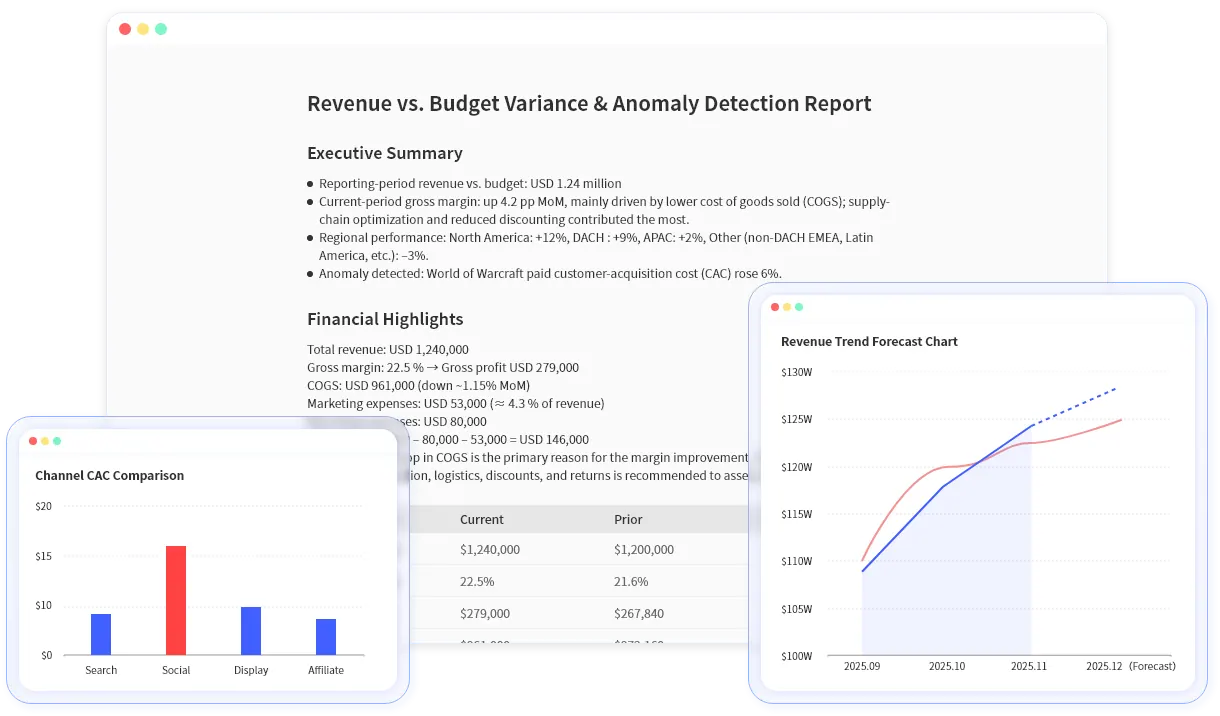
A useful Budget vs Actual AI output should include:
- Top unfavorable and favorable variances.
- Department and account groupings.
- Variance amount and percentage.
- Charts for the biggest drivers.
- A written summary for leadership.
- Follow-up questions for owners.
This can connect naturally to AI financial reporting software because the final deliverable is often a report, not just a calculation.
Common mistakes to avoid
Do not ask:
Analyze this budget file.
That is too vague. The AI may summarize the file, but it may not prioritize the review that finance actually needs.
Ask for the specific comparison:
- Budget vs Actual.
- Current month vs prior month.
- Current quarter vs prior quarter.
- Actual vs forecast.
- Department owner summary.
Also avoid treating likely drivers as confirmed causes. If the file does not include invoice notes, headcount changes, or campaign context, the AI can suggest possibilities but cannot prove them.
Review checklist
Before sharing the output:
- Confirm that budget and actual columns are correctly identified.
- Check whether variance signs match your internal reporting convention.
- Review missing departments or accounts.
- Confirm whether one-time timing items should be separated from recurring spend.
- Ask department owners to confirm the explanation.
Budget vs Actual analysis is a good first test because success is easy to judge. Upload the file, ask for the ranked variance review, and compare RowSpeak's first pass with your manual workflow.
Try it with a current workbook in RowSpeak and connect the output to your next AI reporting workflow.