FP&A teams are not short on software.
Most already have Excel, an ERP, a planning system, maybe Power BI, and a steady stream of exports that still need to become a useful management report by Friday. The problem is rarely that finance has no tools. The problem is that the last mile of reporting still depends on human judgment, messy spreadsheets, and a lot of repetitive cleanup.
That is why a recent Reddit thread in r/FPandA stood out. The poster asked for success stories using AI or agents for FP&A work. Their team was still relying on basic Excel methods, manual data cleaning, and Power Pivot. They had seen tools like Alteryx work, but the license cost felt too high.
The most useful reply was not hype. It was the objection every finance AI product has to answer:
Every bit of actual FP&A work needs an analyst on the other side validating everything which usually takes longer than doing it in the first place.
Source: https://www.reddit.com/r/FPandA/comments/1t3j724/success_story_for_using_aiagent_for_fpa_work/
That sentence is the market reality. Finance teams do want AI. They want less manual cleaning, faster variance explanations, better first drafts of management notes, and fewer hours rebuilding the same report from the same exports. But they do not want an answer they cannot check.
The real FP&A AI problem is verification
It is easy to make AI sound useful for FP&A. Ask it to clean a spreadsheet, summarize revenue, explain a budget variance, create a chart, or draft a report. The demo looks good because the output is polished.
But finance work does not end when the paragraph sounds right. It ends when the analyst is comfortable sending the number to a manager, CFO, board deck, investor update, or operating review.
That confidence comes from seeing the work behind the answer. The analyst needs to know which rows supported the conclusion, which accounts and departments were included, whether anything was excluded, and what calculation was used. They need to know whether the AI compared the right periods, whether it confused budget with forecast, and whether it explained the driver instead of merely describing the movement.
If the AI cannot make that visible, it has not reduced work. It has shifted work from analysis to inspection.
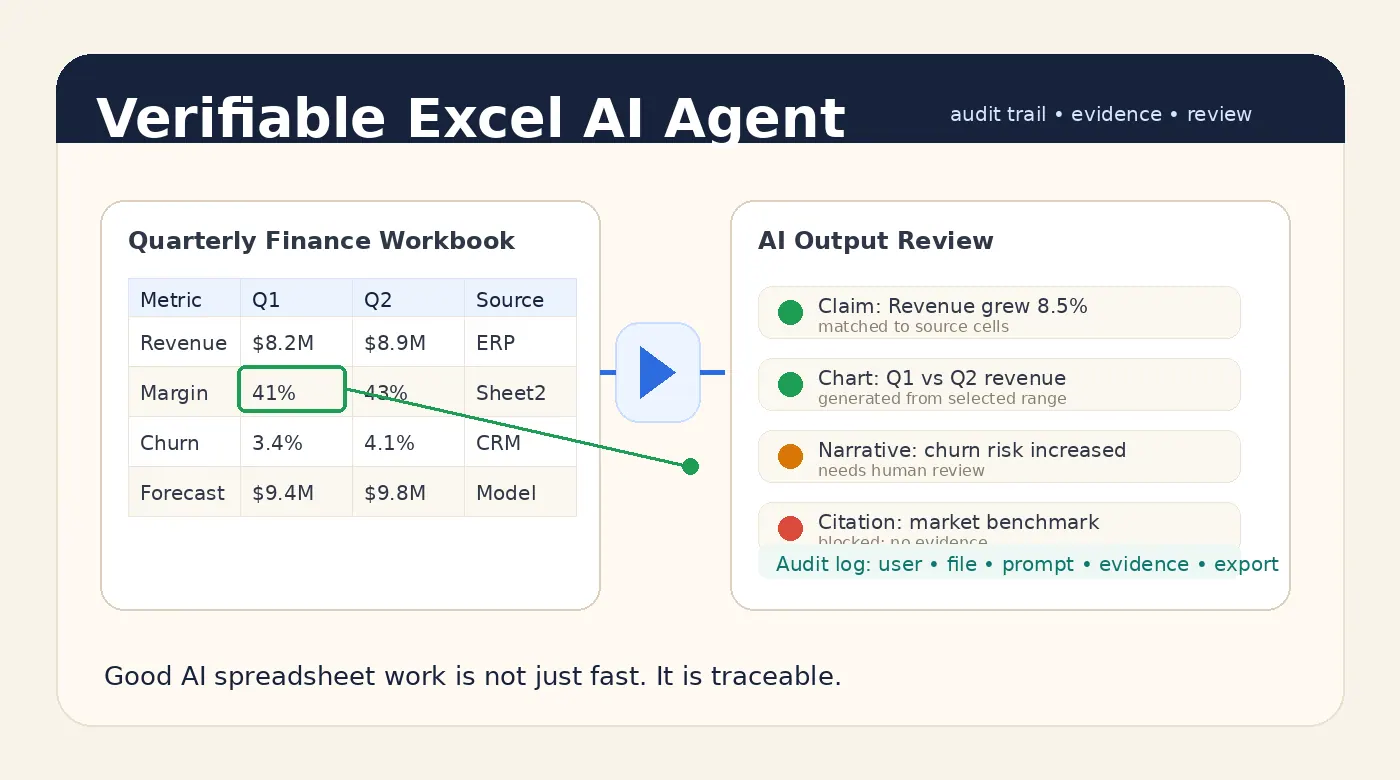
That is why a useful spreadsheet assistant has to be more than a chat box. It needs to make the answer reviewable.
Where AI can help FP&A today
The best early FP&A use cases are not fully autonomous board packages. They are the repetitive steps where the analyst already knows what good work looks like but loses time getting the file into shape.
A messy ERP export still has to be cleaned. Department names still need to be standardized. Missing fields, duplicate rows, unusual expenses, and one-off timing items still need to be surfaced before anyone writes a conclusion. Actuals still have to be compared with budget. The largest drivers still need to be separated from noise.
These are not glamorous tasks, but they are exactly where time disappears. They also sit inside the normal FP&A workflow, which makes them safer places for AI to help. The analyst still owns the conclusion. AI helps get to the review point faster.
The workflow should start from the file
Most finance work starts with a file.
It may be an ERP export, a planning-system download, a sales CSV, a headcount workbook, a department budget, or a manually maintained tracker. A general chatbot does not know the workbook structure. It does not know which tab matters. It does not know that one department name changed last quarter, or that a one-time vendor payment should be separated from run-rate expense.
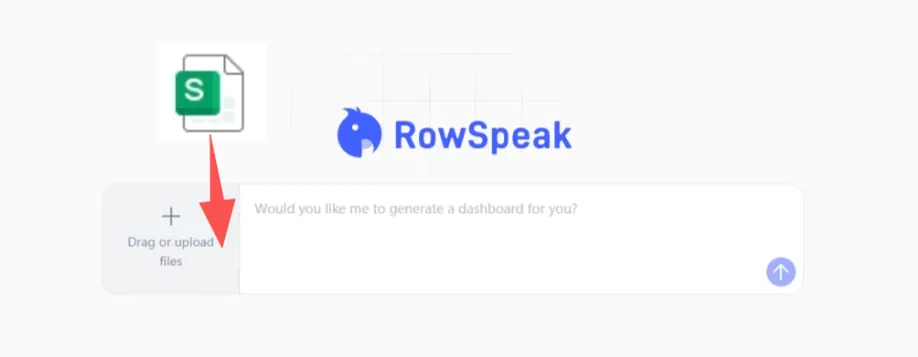
A better FP&A AI workflow starts with the spreadsheet itself. The user uploads the workbook or CSV, asks a business question, and lets the system inspect the structure before generating the analysis. The important part comes after the answer: the analyst can review the supporting rows, calculations, and assumptions before exporting anything into a report.
That is the difference between asking AI to write about numbers and asking AI to work with the spreadsheet.
A practical FP&A prompt
Here is a prompt that fits a real finance workflow:
Analyze actuals versus budget by department for the current month and year to date.
Flag departments more than 10% over budget.
For each variance, show the main expense accounts driving the change.
Draft a concise management note and include the rows or calculations used.
The important part is not just the request for a note. It is the evidence requirement: show the rows or calculations used.
Without that, the AI can produce a fluent explanation that feels finished but is hard to trust. With that, the analyst has something to review.
Good FP&A AI should include a review layer
For finance teams, AI output should not arrive as a black-box paragraph. A useful answer starts with a short conclusion, then makes the source range, relevant fields, calculation method, top drivers, missing data, and caveats easy to inspect.
This matters because FP&A is full of context. A 12% increase in travel expense might be a real problem. It might also be a planned sales kickoff, a timing shift, or a reclassification. A gross margin decline might come from discounting, freight, mix, returns, or one customer contract.
AI can help find the pattern. The analyst still needs to judge the business meaning. Good AI makes that judgment easier. Bad AI makes it look unnecessary.
Why this is different from traditional BI
Power BI and planning systems are strong when the model is governed, the metrics are stable, and the team needs repeatable dashboards.
But FP&A work often includes questions that are not stable yet. A manager asks why one region missed forecast. A CFO wants a quick bridge by tomorrow morning. A department head sends a spreadsheet that does not match the planning-system format. A board question creates a one-off analysis that may never be repeated.
That is where Excel still wins. It is flexible, fast, and close to the business question. The tradeoff is that flexibility creates manual work.
RowSpeak’s opportunity is to help with that middle layer: the space between raw spreadsheet and reviewed business answer.
RowSpeak’s angle: speed with evidence
With RowSpeak, the goal is not to replace the finance analyst. The goal is to make the analyst faster without removing their control.
A RowSpeak-style workflow starts with the spreadsheet the team already has. The user asks direct business questions, creates tables or charts, drafts report language, and then checks the evidence behind the result before using it.
For teams evaluating AI for FP&A, this is the standard to use: if the tool gives you an answer but no evidence, it is not ready for finance work. If it helps you move from spreadsheet to reviewed report faster, it is worth testing.
You can try RowSpeak here: https://dash.rowspeak.ai
The bottom line
FP&A teams do not need AI that makes every spreadsheet look finished. They need AI that reduces manual work while keeping the analyst close to the numbers.
That means fewer copy-paste steps, faster first drafts, clearer variance explanations, better report structure, and above all, evidence that makes the answer safe to use.