The hardest part of adopting Excel AI is not always the model.
For many companies, the harder question is operational: who is allowed to upload sensitive workbooks, what can an AI agent do with them, how are results reviewed, and can the organization audit the workflow later?
That is why Microsoft’s launch of Agent 365 is useful context. Microsoft describes Agent 365 as a control plane for agents, built to help organizations observe, govern, and secure agents and their interactions. The broader signal is clear: enterprise AI is moving from capability demos into control, visibility, and accountability.
For spreadsheet-heavy companies, that shift matters immediately.
Excel is where finance closes happen, forecasts are checked, budget variance is explained, operational data is reviewed, and board materials are often assembled. If AI is going to participate in that work, it cannot behave like an unmanaged chatbot. It has to fit inside the same governance expectations that apply to the rest of the enterprise stack.

The question is no longer whether an AI tool can touch a workbook.
The question is whether the organization can approve the workflow around it.
Why governance matters more when agents enter Excel
A general-purpose assistant can answer a question and disappear.
A spreadsheet agent is different. It may read a workbook, choose a range, transform data, generate charts, draft a report, and prepare an export. That creates productivity, but it also creates a trail of actions that business and security teams need to understand.
The more a system can do, the more the organization needs to know:
- what file was accessed
- which data was used
- what the agent changed or generated
- what calculations were performed
- whether the output was reviewed
- whether the final export can be reproduced
If those answers are missing, the agent may still be impressive in a demo. It is not yet ready for serious business workflows.
Spreadsheet AI is a control problem as much as a productivity problem
A lot of teams start their AI journey by asking for faster analysis.
That is reasonable. Finance teams want variance notes faster. Operations teams want cleaner summaries. BI teams want less manual prep. Sales teams want dashboards without rebuilding every chart by hand.
But once the work enters a business process, speed is not enough.
If an AI-generated report feeds a meeting, a forecast, or a policy decision, the output has to be reviewable. If a workbook contains sensitive information, the workflow has to be permissioned. If a result may be reused later, the system needs logs, versioning, and reproducibility.
That is why enterprise AI governance is not an abstract policy exercise. It is the difference between a demo that excites a team and a workflow the company can actually adopt.

What a governable Excel AI layer needs
A responsible spreadsheet AI layer should make it easier to do the work safely, not harder.
At minimum, it should provide:
- access controls for who can upload and view files
- logs for who used the system and what they exported
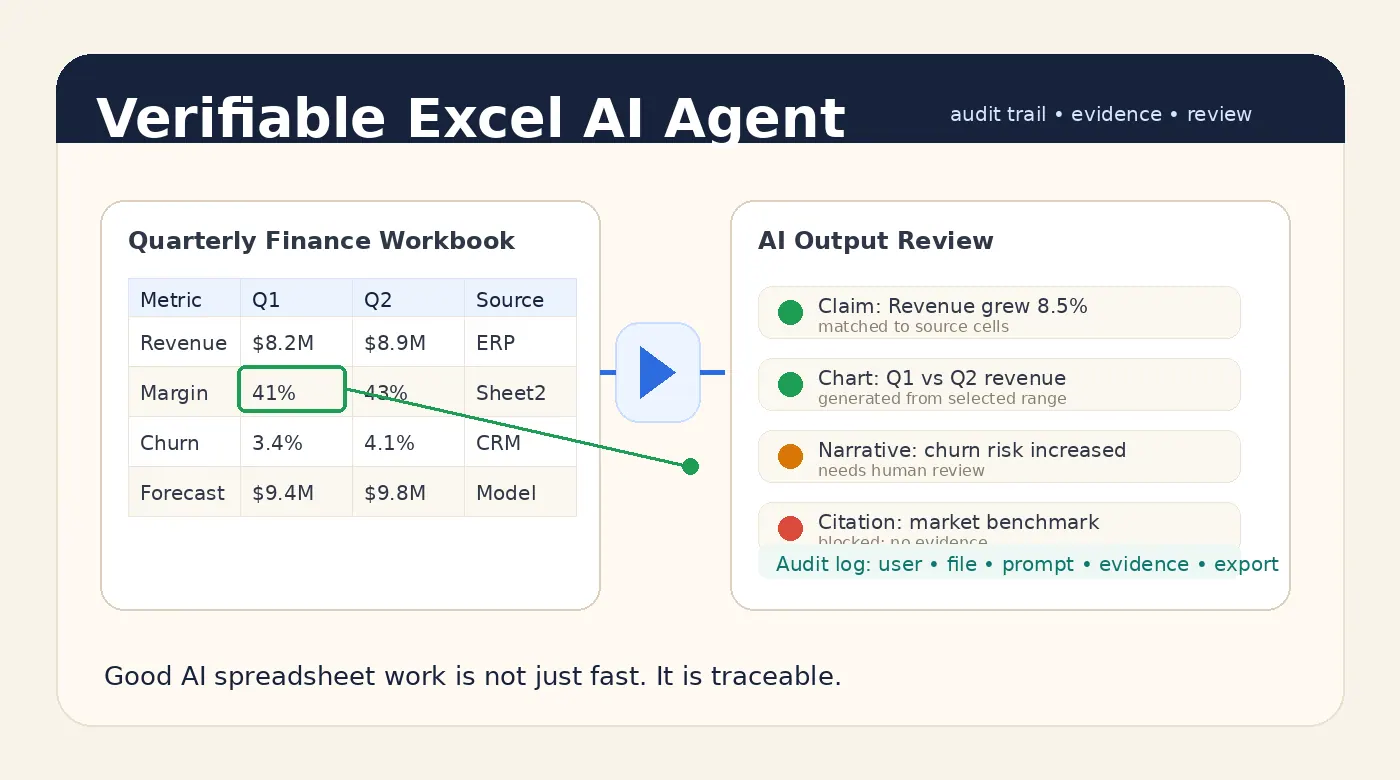
- visibility into the sheets, rows, and columns that supported a result
- deterministic calculations where numbers matter
- caveats for missing data, inconsistencies, or weak evidence
- a review step before high-risk outputs leave the workspace
- a deployment option that fits the sensitivity of the data
That is the kind of foundation enterprise teams look for. It is also the foundation that turns AI from a novelty into infrastructure.
For spreadsheet teams, this foundation needs to be practical. A finance manager does not want to read a security architecture document every time they generate a variance summary. An analyst does not want to open three admin panels to understand whether a chart can be trusted. Governance only works when it is built into the daily workflow.
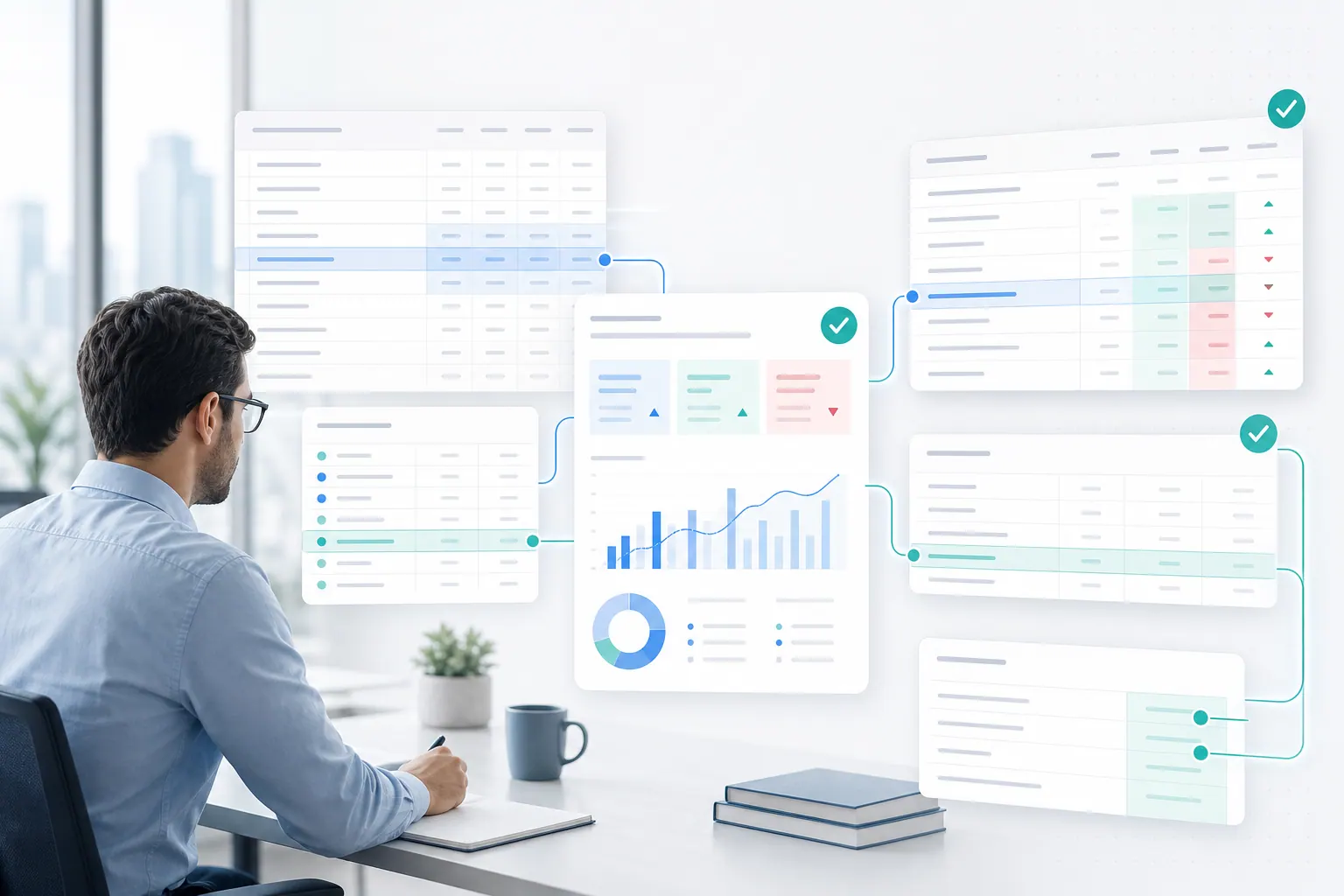
The right experience is closer to a guided workspace: upload the file, ask the question, inspect the result, review the evidence, and export only when the output is ready. The controls should be present without making the workflow feel bureaucratic.
Why private deployment belongs in the conversation
Governance is not only about approval workflows.
It is also about where the data lives and who can touch it.
For many companies, spreadsheet AI contains information that should not be sent into a consumer-style workflow. It may include customer data, financials, strategic plans, or operational detail. In those cases, teams often need private deployment so files, prompts, outputs, and logs sit inside a more controlled environment.
That does not automatically solve every risk.
But it gives security and IT teams something they can work with.
If AI is going to become part of the enterprise spreadsheet stack, the deployment model must match the sensitivity of the data. A public chatbot is not the same thing as a controlled internal workflow.
Where RowSpeak fits
RowSpeak is designed for business users who want spreadsheet AI that feels useful without losing control of the process.
The goal is not simply to answer a question. It is to connect upload, analysis, charting, reporting, review, and export into one governed flow.
That means the user can work in plain English, while the system keeps enough structure around the output for audit and review.
A practical AI spreadsheet analysis system should let the model help with interpretation while the underlying workflow preserves evidence.
What enterprise teams should ask before they adopt Excel AI
Microsoft's Agent 365 announcement is useful because it changes the conversation. It encourages teams to think about control, not just capability.
That leads to better vendor questions:
- Can the system show who uploaded the file?
- Can admins see what was exported?
- Can reviewers trace an answer back to the source workbook?
- Can the system distinguish deterministic calculations from model-generated wording?
- Can the workflow be reproduced later?
- Can sensitive workloads run in a private environment?
- Can caveats survive the export process?
These are not edge cases. They are the practical requirements that separate casual AI use from enterprise adoption.
A safe adoption path for finance and operations
The best rollout path is usually gradual.
Start with bounded use cases like monthly variance summaries, KPI dashboards, sales reviews, and inventory reporting. Keep human review in the loop for anything that is high risk. Separate calculations from interpretation where possible. Preserve logs and version context. Then expand once the organization trusts the workflow.
That approach gives teams the benefits of AI without pretending every output is automatically safe, complete, or ready to publish without review.
This is especially important for teams that already have spreadsheet-dependent operating rhythms. If a monthly review process depends on a workbook, the AI layer should make that process more consistent, not more mysterious. The goal is not to replace accountability. The goal is to remove repetitive work while making accountability easier to maintain.
Bottom line
Agent governance is now part of the Excel AI story.
That is good news for businesses, because the products that win will not be the loudest ones. They will be the ones that fit into real enterprise control models.
If AI can touch spreadsheets, companies need more than a smart agent.
They need visibility, permissions, auditability, and review built into the workflow from the start.
Ready for a governed Excel AI workflow?
Try RowSpeak if you want spreadsheet AI with a clearer review path and a better control story.
Try RowSpeak Free