In May 2026, South Africa's Department of Home Affairs suspended two officials after apparent AI hallucinations were found in references attached to a Cabinet-approved white paper. The official South African Government statement said the department appointed independent law firms to manage the disciplinary process and review policy documents dating back to November 30, 2022. The Citizen reported that the department also planned AI checks and declarations for its internal approval process.
This story matters far beyond government policy.
It shows a problem every company will face as AI moves from experiments into real work. AI can produce something that looks finished. It can sound confident. It can be formatted like a professional document. But if nobody can trace the result back to evidence, a polished output can still be wrong.
For spreadsheet teams, that risk is especially practical. A finance analyst may ask an AI tool to explain budget variance. A sales manager may ask for pipeline risk. An operations lead may ask which inventory items need review. The answer may become a chart, a management note, or a board-reporting slide.
If the output is wrong, the damage does not come from the prompt alone. It comes from trusting an answer that nobody can verify.
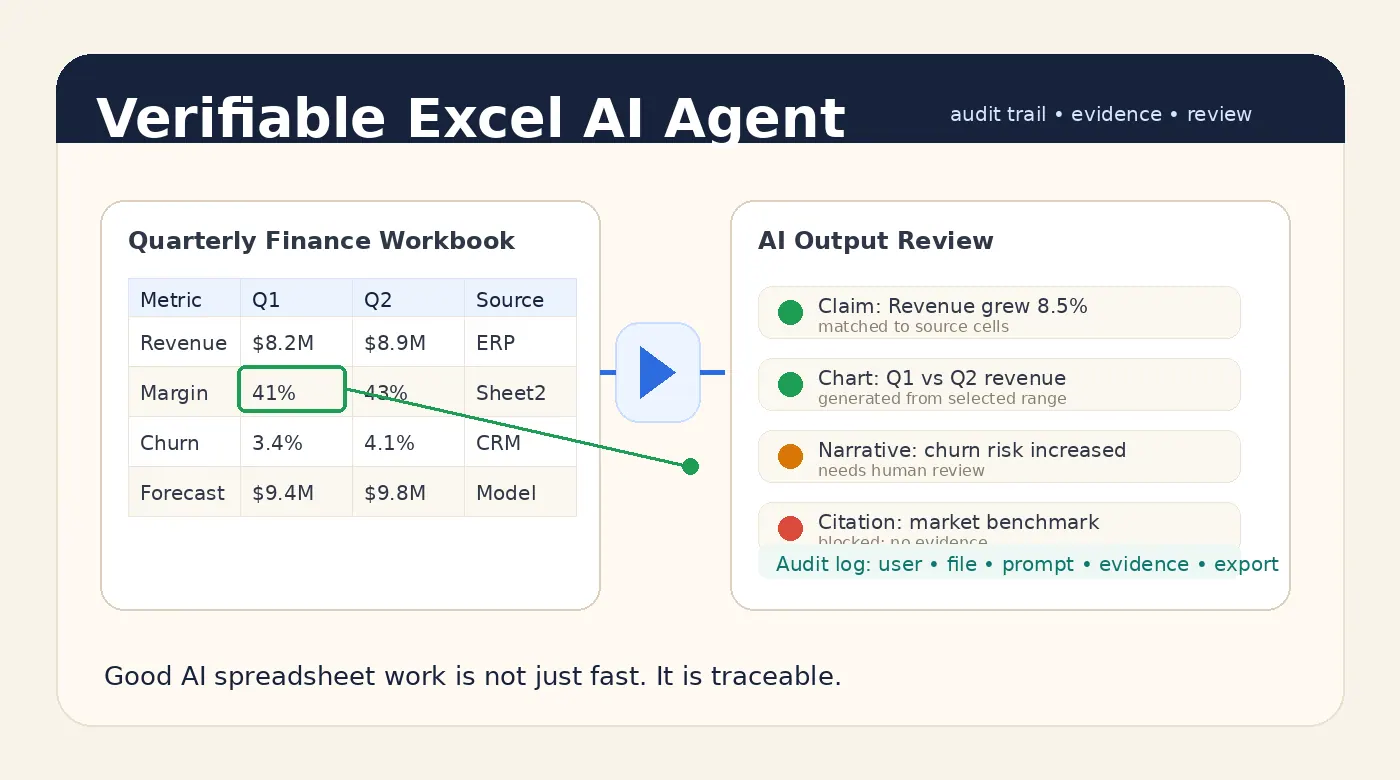
That is why a good Excel AI Agent should not only be fast. It should make its outputs verifiable and auditable.
The reader's real question: can I trust this answer?
Most people do not open an AI spreadsheet tool because they want to study AI governance. They open it because they have work to finish.
They need to know:
- Why did revenue increase this month?
- Which customers are driving churn?
- Which SKUs have too much slow-moving inventory?
- Which departments are over budget?
- What should go into the weekly report?
- Can this messy export become a dashboard before the meeting?
Speed is valuable. But the moment the output affects a decision, the user's real question changes.
It becomes: can I trust this answer enough to use it?
For low-risk work, a quick summary may be enough. For finance, sales, HR, procurement, operations, or executive reporting, trust needs more than a fluent paragraph. The user needs to see what the AI looked at, what it calculated, what it assumed, and what still needs human judgment.
That is the difference between a spreadsheet chatbot and a business-ready Excel AI Agent.
Fast answers are not enough for business spreadsheets
Business spreadsheets are full of hidden context.
A workbook may have multiple tabs, hidden sheets, merged headers, formulas, lookup tables, comments, old assumptions, copied exports, manually edited rows, and version history that lives only in someone's head. A model can read the visible values and still misunderstand the workbook.
Even when the data is clean, the output can fail in subtle ways:
- It may cite a row that does not support the claim.
- It may summarize a filtered table as if it were the full dataset.
- It may calculate a percentage using the wrong denominator.
- It may describe a trend from only two data points.
- It may turn a weak correlation into a strong recommendation.
- It may produce a chart that looks right but uses the wrong range.
- It may omit caveats when the final report is exported.
These are not science-fiction risks. They are normal spreadsheet risks with an AI layer on top.
The solution is not to make users inspect every cell manually. That defeats the purpose of AI. The solution is to make the AI output carry enough evidence for review.
What verifiable output means
A verifiable Excel AI Agent output answers three questions:
- Where did this come from?
- How was it produced?
- What should a human still check?
For a spreadsheet summary, that might mean showing the sheets, columns, row ranges, filters, and formulas used in the answer. For a chart, it might mean exposing the selected data range and transformation steps. For a written report, it might mean linking each important claim back to source evidence.
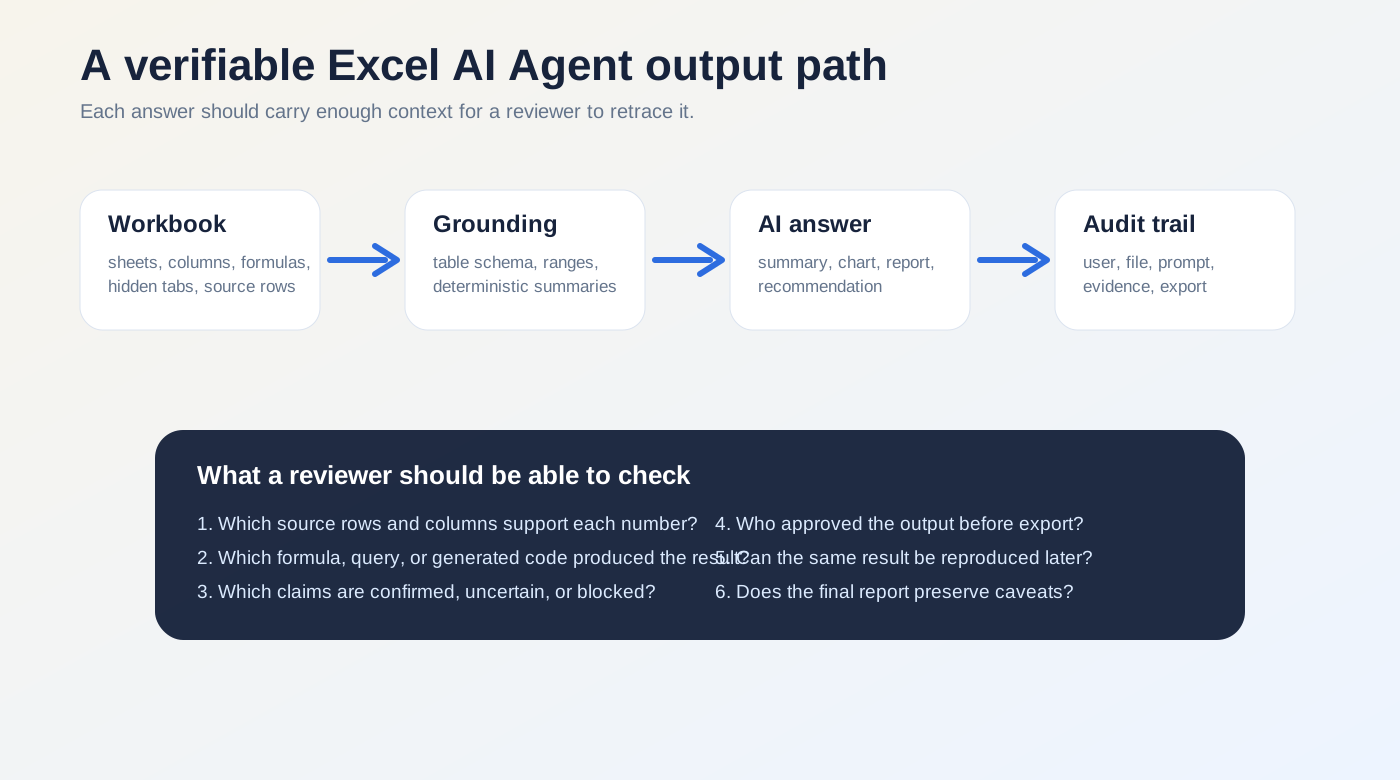
This matters because business users do not only consume AI output. They reuse it. They copy it into email. They export it to Excel. They paste it into a monthly report. They turn it into a slide. Once an answer leaves the chat window, the evidence often disappears.
A better spreadsheet assistant should preserve that evidence as part of the workflow.
What auditable output means
Auditability is about the record around the answer.
If a manager asks why a report says Q2 margin improved, the team should be able to reconstruct the path:
- who uploaded the workbook
- which file version was used
- what prompt was asked
- which sheets and ranges were analyzed
- what calculations were performed
- what the model generated
- which warnings or caveats were shown
- who reviewed or exported the final result
That does not mean every company needs a heavyweight compliance system on day one. But if AI output is used for real business decisions, there should be a durable trail.
This is especially important for management reporting workflows, where the same analysis may be repeated every month and compared over time. Without an audit trail, teams end up debating which spreadsheet, which prompt, or which output version was the real one.
The five layers of a reliable Excel AI Agent
A good Excel AI Agent needs more than a large language model. It needs a workflow around the model.
1. Workbook understanding
The system should inspect the workbook before answering. It should identify sheets, tables, headers, data types, formulas, empty rows, hidden tabs, and likely metric columns.
If the workbook structure is ambiguous, the AI should say so. Guessing silently is how wrong answers become convincing.
2. Deterministic calculation
When the task requires math, the system should not rely only on the model's prose reasoning. It should use deterministic computation where possible: table operations, formulas, SQL, Python, or a controlled calculation engine.
The model can explain the result. The system should calculate the result.
This is one reason a real AI spreadsheet analysis product needs tooling around the model rather than just a chat box next to a file upload.
3. Evidence mapping
Important claims should be connected to evidence.
If the output says revenue grew 8.5%, the user should be able to see which source values created that number. If the output says a region is underperforming, the supporting rows, columns, and comparison period should be visible.
Evidence mapping does not make every answer perfect. But it gives reviewers something concrete to inspect.
4. Caveats and uncertainty
A good Excel AI Agent should know when not to sound certain.
If the workbook has missing values, inconsistent dates, duplicate customer IDs, unexplained outliers, or unclear definitions, the output should keep those caveats visible. The worst pattern is an AI system that finds a data-quality problem during analysis and then hides it when generating the final report.
For AI report generation, caveats are not cosmetic. They are part of the answer.
5. Human review and export control
The final step is not only generating an answer. It is deciding whether that answer is ready to leave the workspace.
For low-risk analysis, a user may export immediately. For finance, HR, legal, customer, or board-facing reports, review should be part of the flow. The system should make it easy to inspect evidence, adjust wording, preserve caveats, and export a clean result only after review.
A practical example: monthly variance analysis
Imagine a finance team uploads a monthly budget workbook and asks:
Analyze actuals against budget by department. Flag any department more than 10% over budget, explain the main drivers, and draft a management-reporting note.
A weak AI output gives a confident paragraph:
Marketing exceeded budget by 14% due to higher campaign spend, while Operations remained within plan.
That may be useful, but it is not enough.
A verifiable output would also show:
- the worksheet and table used for the calculation
- the actual and budget columns selected
- the formula used for variance percentage
- the department rows included and excluded
- the source cells behind the 14% figure
- whether campaign spend is a real line item or an inferred explanation
- any missing months, duplicate categories, or manual adjustments
Now the finance team can move faster without giving up review.
If they want to turn that result into a chart or dashboard, the same principle applies. A generated Excel dashboard should not be only attractive. It should make the data range and transformation logic inspectable.
How this reduces shadow AI risk
Many companies worry that employees will paste confidential spreadsheet data into public AI tools. That worry is reasonable, but the root problem is often workflow friction.
If the approved process is slow and the unofficial process is easy, people will find shortcuts.
A business-ready Excel AI Agent gives users a better path. They can upload the file, ask a natural-language question, generate the analysis, inspect the evidence, and export the result inside an approved workflow.
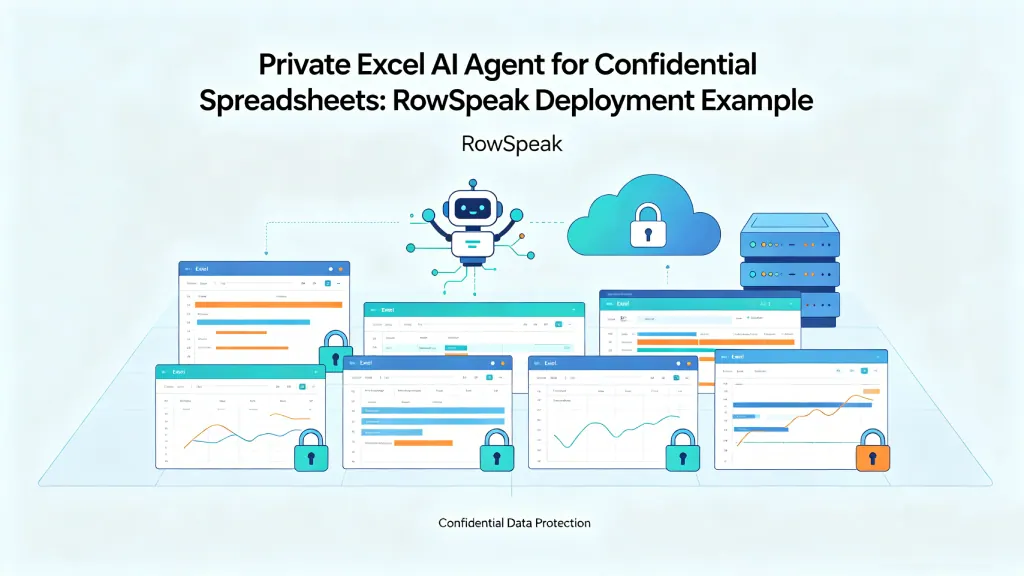
For sensitive files, that approved workflow may also need private deployment so files, prompts, outputs, and logs stay inside the company's chosen environment.
The goal is not to slow people down with compliance theater. The goal is to make the safe path usable enough that people actually choose it.
What buyers should ask before choosing an Excel AI Agent
If you are evaluating spreadsheet AI tools, do not stop at demo quality. Ask how the system behaves when the answer matters.
Useful questions include:
- Can users see which sheets, rows, and columns support an answer?
- Are numeric results computed deterministically or only generated by the model?
- Does the system preserve caveats in exported reports?
- Can admins review who uploaded which file and what was exported?
- Can the system block or flag unsupported claims?
- Can the same report be reproduced from the same file and prompt?
- Can sensitive work run in a private environment?
- What happens when the workbook is ambiguous or messy?
The best vendors should welcome these questions. They are not edge cases. They are the difference between a fun AI demo and a system a company can trust.
Where RowSpeak fits
RowSpeak is built around the idea that business users should be able to work with spreadsheets in plain English without losing the structure of the underlying data.
That means the product is not only about producing a quick answer. It is about connecting upload, analysis, charting, reporting, review, and export into one workflow. For teams working with confidential or decision-critical spreadsheets, that workflow can be paired with private deployment requirements so the data boundary is clearer.
This is the direction Excel AI tools need to move: from answer generation to answer governance.
The winning products will not be the ones that produce the longest paragraph. They will be the ones that help users understand what is true, what is supported, what is uncertain, and what needs review.
A quick look at the RowSpeak flow
This is the kind of interface that makes the workflow easier to trust. The user uploads a workbook, checks the context, and then follows the analysis through to a reviewable result.
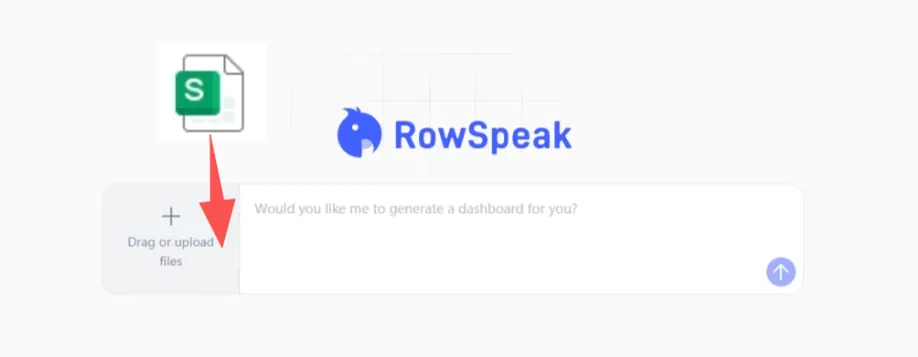
After the upload step, the result should stay visible in the same workflow rather than disappearing into a black box.
Bottom line
A good Excel AI Agent should save time. But in business settings, speed is only the first layer.
The output also needs to be verifiable. It needs to be auditable. It needs to preserve evidence and caveats. And it needs to fit the way real teams review and share spreadsheet work.
That is how AI becomes useful for serious spreadsheet workflows.
Not by asking users to trust every answer.
By giving them a faster way to check the answer.