

每週班表排程 模板
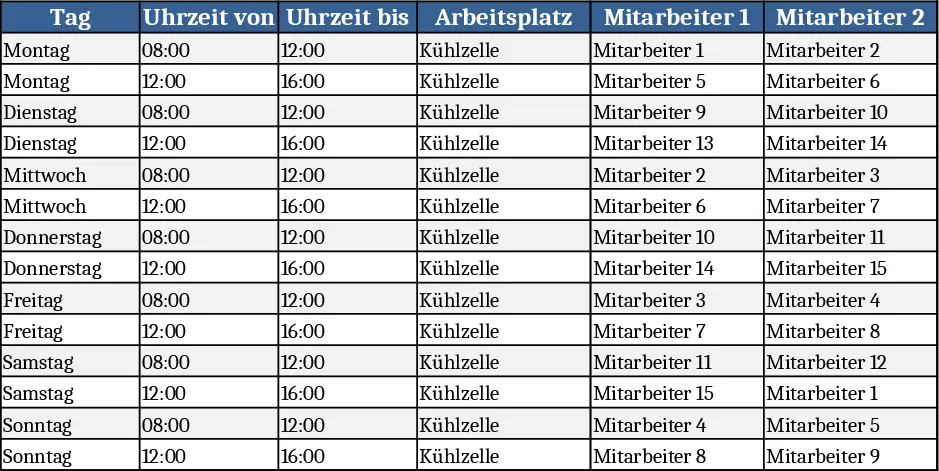
The template is built around three simple worksheets. The first sheet, Employee List, holds each worker’s name, an optional ID, and the standard 40‑hour weekly quota. The second sheet, Shift Calendar, shows a week view from Monday to Sunday with four columns per day representing the four workstations inside the cold cell. Each cell contains a dropdown that pulls names from the Employee List, letting you assign anyone to any slot with a click. The third sheet, Summary, automatically totals the hours each employee has been scheduled, flags any overloads, and displays a fairness score that highlights how evenly the shifts are distributed. All calculations are driven by built‑in formulas, so the moment you change an assignment the summary updates instantly.
This workbook solves the common headache of manually juggling shift tables, especially when a limited workspace must host multiple people at the same time. By centralising employee data and using dropdowns, it eliminates copy‑paste errors and ensures that no one exceeds their contracted hours while the cold‑room capacity is fully utilised. The visual weekly grid makes it easy to see at a glance which days are fully staffed and where gaps remain, helping supervisors keep production steady without overtime surprises.
The primary users are HR coordinators, shift supervisors, or operations managers who need to organise a small team in a constrained environment. It works best for facilities that run a cold‑storage area, a lab, or any location where only a few people can work side‑by‑side and where fairness across the roster is a priority. The template tracks who works when, how many hours each person accumulates, and whether the weekly distribution meets the 40‑hour target for all 15 employees.
How to use:
- Open the Employee List sheet and enter the 15 staff names (or IDs) and confirm the weekly hour limit of 40 for each.
- Switch to the Shift Calendar, select a day and a workstation slot, then choose an employee from the dropdown; repeat until each of the four daily slots is filled.
- Go to the Summary sheet to review total hours per employee and the fairness indicator; if any person is over‑ or under‑allocated, adjust the calendar entries accordingly.
- Save the file and share it with the team or export the summary as a PDF for quick reference.
Expected benefits include a noticeable reduction in time spent creating and correcting rosters, clearer visibility of workload balance, and smoother daily operations in the cold‑room environment.


