'%3e%3crect%20id='矩形_7888'%20data-name='矩形%207888'%20class='cls-1'%20width='20'%20height='20'%20rx='4'%20transform='translate(6260%20-4478)'/%3e%3cpath%20id='联合_155'%20data-name='联合%20155'%20class='cls-2'%20d='M6.074,12.147a6.207,6.207,0,0,1-.621-.031A6.087,6.087,0,0,1,.031,6.694a6.177,6.177,0,0,1,0-1.241A6.086,6.086,0,0,1,5.453.031,6.177,6.177,0,0,1,6.074,0H9.152V2.029H6.074a4.053,4.053,0,0,0-3.916,3.03H9.152V7.088H2.158a4.053,4.053,0,0,0,3.916,3.03H9.152v2.029Z'%20transform='translate(6264.693%20-4473.9)'/%3e%3c/g%3e%3c/svg%3e)
Key Takeaways
- The Setup Struggle: Traditional calendar templates are often too rigid, forcing you to manually re-format every time a new month starts or a deadline shifts.
- Intelligent Scheduling: Excelmatic Template Generation builds the calendar logic for you, creating dynamic dates and automated highlights based on your description.
- Showcase Presets: Need a quick fix? Access professional, ready-to-use calendar layouts from our library, from social media planners to employee shift schedules.
- Visual Command: Move beyond simple dates with integrated status tracking, priority color-coding, and automated summaries that give you a bird's-eye view of your month.
The "Blank Square" Burnout
We’ve all tried it: downloading a generic Excel calendar template only to find it’s just a bunch of empty boxes. You spend the first hour of your Monday manually typing in dates, dragging cell borders, and trying to get the "Monthly View" to look professional. By the time the calendar is ready, you’re already behind on the actual work.
A calendar should be a tool that works for you, not a chore that demands your time. Whether you’re managing content drops, sales cycles, or staff rotations, you need a system that understands logic, not just dates. Excelmatic eliminates the manual setup, allowing you to architect a high-performance scheduling system with just one sentence.
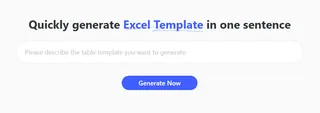
Option 1: Describe Your Vision (Custom AI Generation)
The most effective calendar is one that speaks your business language. Instead of fighting a pre-made grid, let the AI build the "plumbing" of your schedule around your specific rules.
With Excelmatic, you define the workflow in plain English:
- Define Your Rules: Tell the AI what you’re tracking (e.g., "Create a 2026 Social Media Content Calendar with columns for Platform, Post Type, and Approval Status").
- AI Architecture: The system generates the date logic, dropdown menus for status tracking, and conditional formatting that highlights your most important deadlines.
- Execute: Download your professional
.xlsxfile, ready for team collaboration.
Try this simple prompt to see it in action:
Build a 12-month Marketing Event Calendar. Include a summary dashboard that counts total events per month and uses color-coding for High, Medium, and Low priority items.
Option 2: The Professional Showcase (Instant Access)
Sometimes you just need a proven system that works right now. Our Recommended Template Showcase features expertly architected calendars designed for high-stakes professional use:
- Timesheet / Scheduling + Overtime Rules: Manage team hours with built-in calculation logic. (See our guide on AI-generated scheduling systems).
- Attendance & Leave Management: Track team availability without breaking the formula.
- Subscription / Renewal Tracker: A calendar-driven view of your MRR and upcoming churn dates.
- Gantt Chart Project Plan: The ultimate visual timeline for complex roadmaps. (Learn more about architecting Gantt Charts with AI).
From Dates to Data-Driven Insights
A professional-grade calendar does more than show the day of the week—it provides clarity. Every system generated or selected through Excelmatic is "Executive Ready," meaning it bridges the gap between a simple list and a powerful tool.
You get more than just a grid:
- Dynamic Date Logic: Formulas that update the entire calendar when you change the starting month.
- Visual Status Heatmaps: Instantly see your busiest days or overdue tasks through automated color-coding.
- Filterable Views: Use built-in Excel filters to hide the noise and focus only on the tasks that matter today.
Frequently Asked Questions (FAQ)
- Q: Can the calendar update automatically for 2027 and beyond? A: Yes. When you use the Template Generator, the AI builds in date formulas rather than static text, making your calendar reusable year after year.
- Q: Is the generated file compatible with Google Sheets?
A: Absolutely. Every download is a standard
.xlsxfile that retains its formatting and logic when uploaded to Google Drive. - Q: What if I have a very specific set of holidays I need to include?
A: Simply mention your specific holiday list or "exclude weekends" in your prompt, and the AI will architect the
WORKDAYorNETWORKDAYSlogic directly into the sheet.
🚀 Stop Drawing Grids. Start Planning.
Access professional presets or architect your own custom calendar system today.
Build My Custom Calendar Now