Lazy No More: Let AI Instantly Analyze Your Excel Data for You

I just wanted to get the report done — That’s when I tried RowSpeak

Let’s be honest — it’s not that I hate Excel.
I hate writing formulas. I hate formatting. I hate building charts that still need explaining.

So when I first tried RowSpeak, I didn’t expect much.
But it completely changed how I handle data.

✅ No formulas
✅ No chart building
✅ No endless Googling functions
✅ Just ask your question — AI takes over


A Real Case: Let RowSpeak Handle the Reporting

We had to create a quarterly sales analysis report with:

  • Monthly sales trends
  • Regional breakdown
  • Top-selling products

Normally, here’s the grind:

  1. Prep the raw data
  2. Write SUMIFS, IFERROR, VLOOKUP
  3. Build pivot tables and charts
  4. Write clean analysis text with insights

With RowSpeak, I just typed:

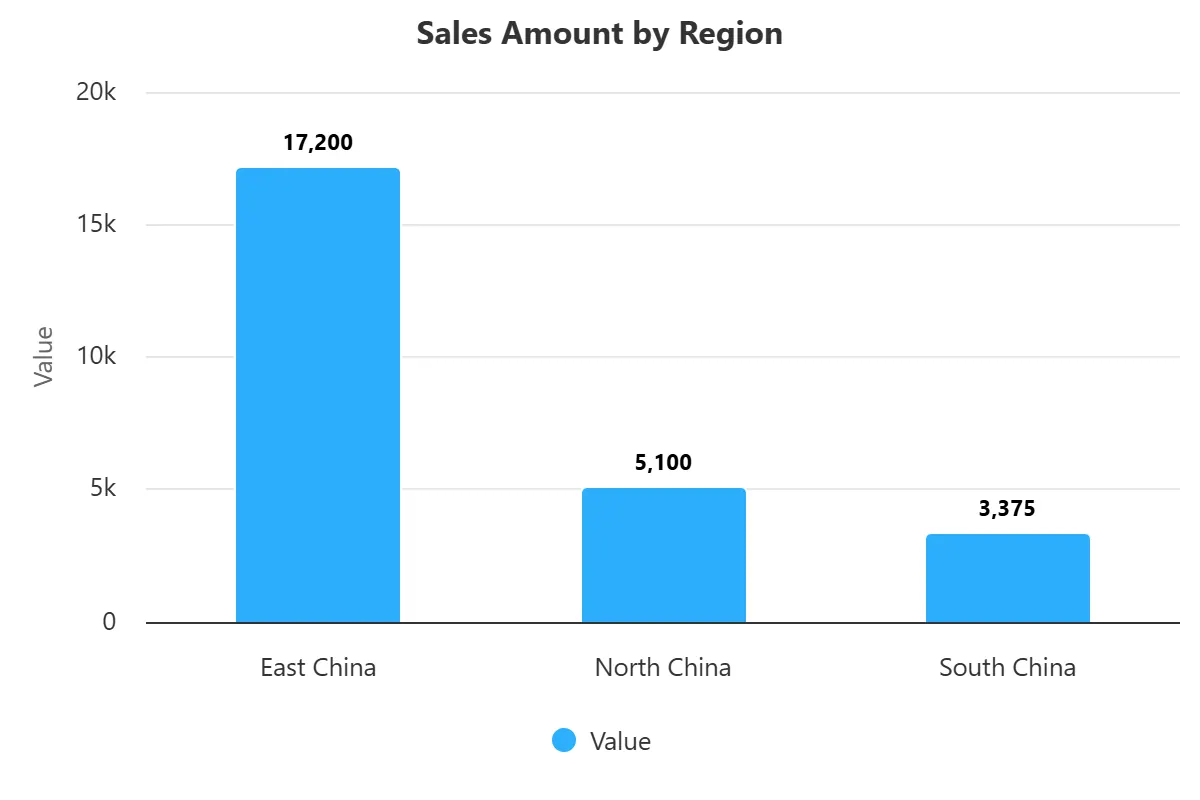
Please analyze this sales data and generate charts and insights, including region comparison, time trends, and top-selling products.

And here's what AI delivered:

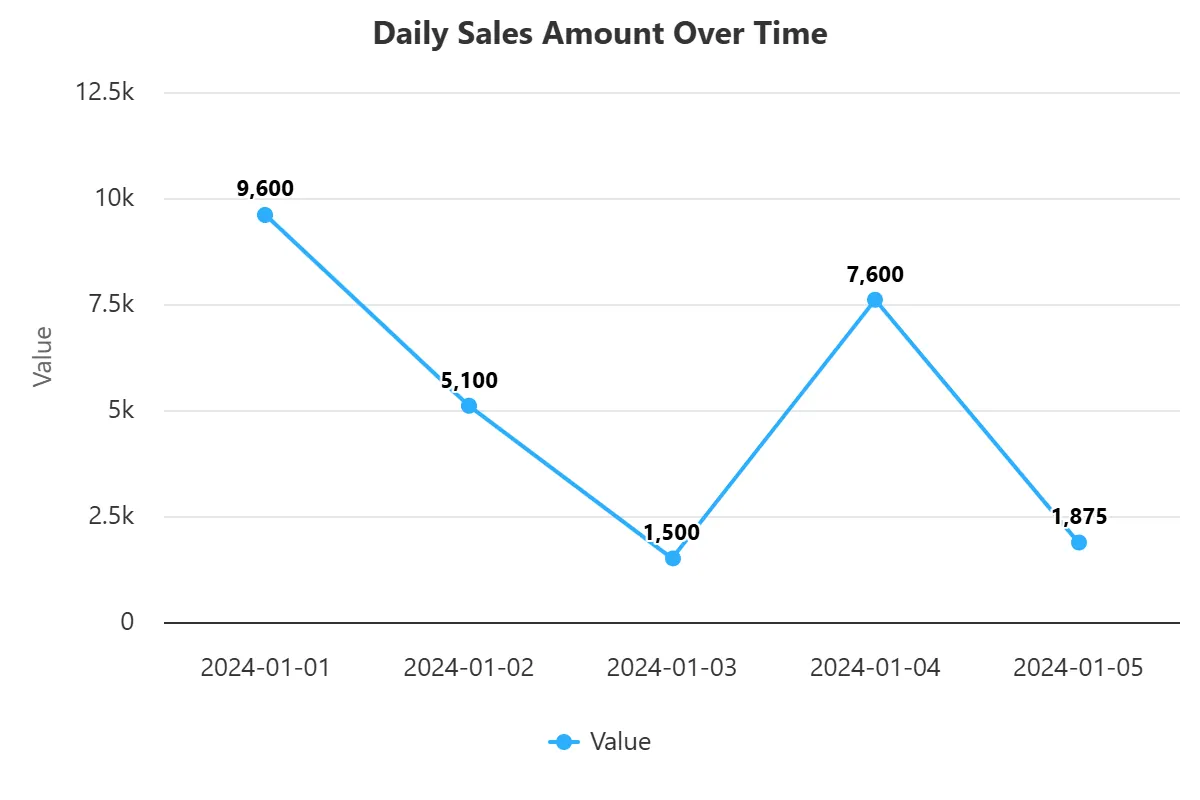
  • A line chart showing monthly trends

example

  • A regional Bar Chart, well-sorted and colored
example

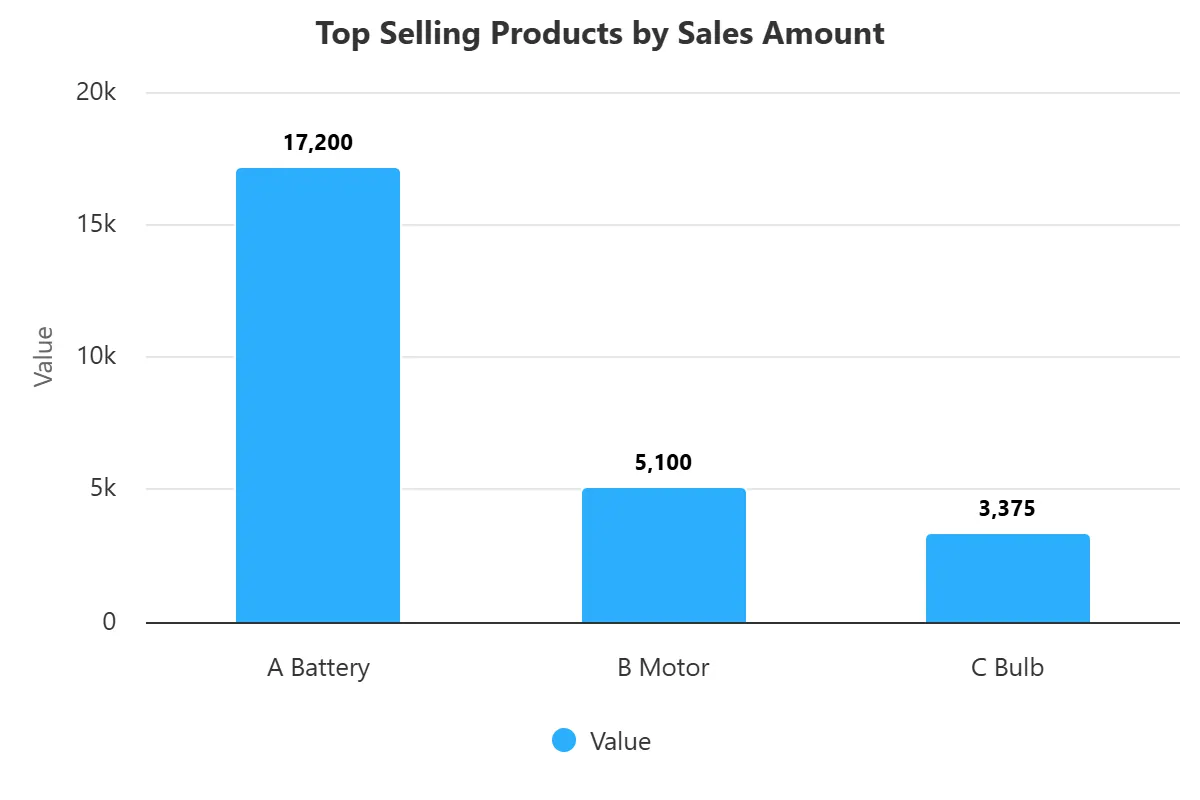
  • A top products ranking chart

example

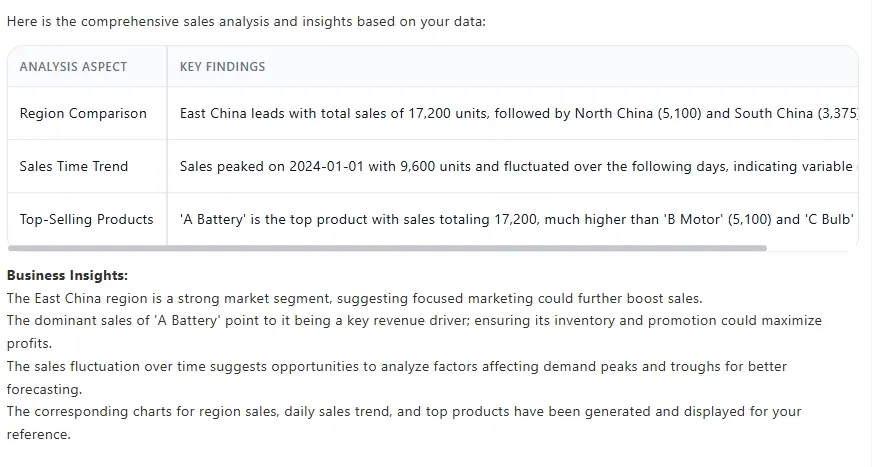
  • A summary with real insights — peak months, standout regions, product impact
example

It even wrote the kind of paragraph I could drop straight into an email to my boss.


How It Works: 3 Simple Steps

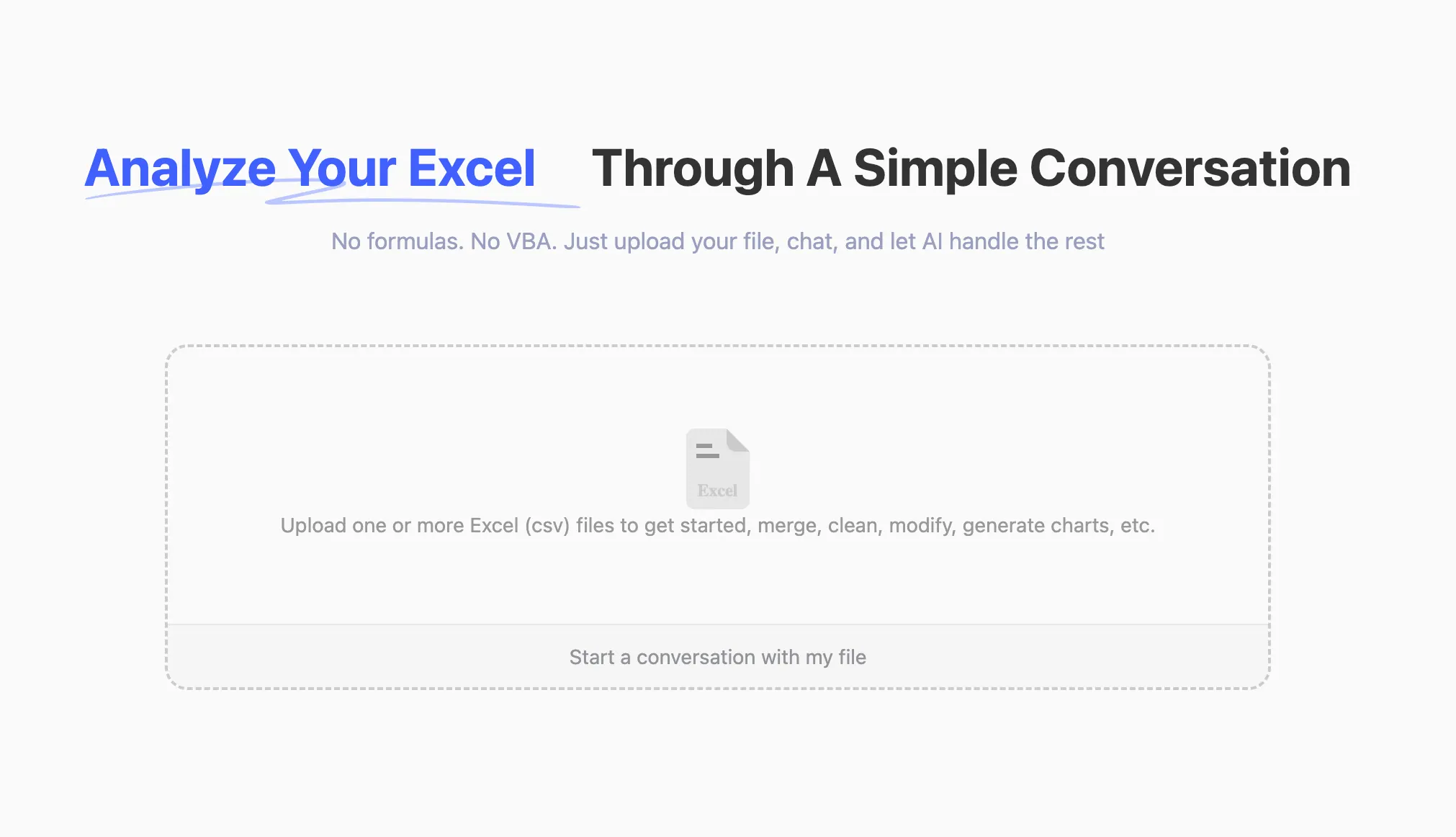
Step 1: Upload your Excel or CSV file

No need to clean or format — we’ll read it for you
upload

Step 2: Ask your question

Just type what you want to see:
Can you summarize this dataset with charts and a report?
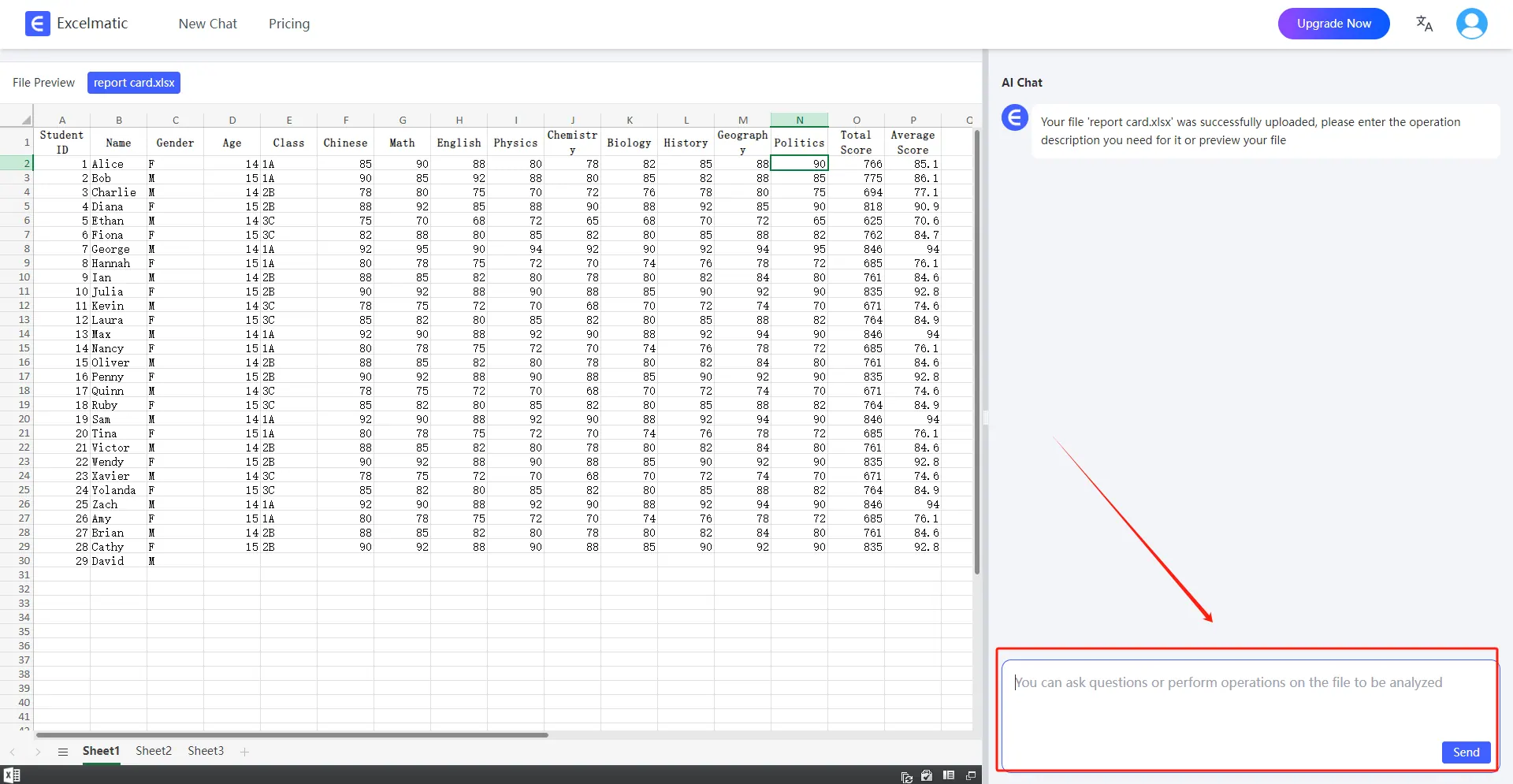
ask question

Step 3: Get your results

Charts + insights, ready to copy, export, or plug into a slide deck

RowSpeak flips the usual script: You don’t learn Excel — Excel learns you.


Forget Formulas. It's All About the Questions Now.

There’s a quote we love:

Excel is meant to serve people — not the other way around.

RowSpeak lives this idea.
You don’t need formulas.
You don’t need to know what a pivot table is.
You don’t even need to pick a chart type.

Just ask — and it builds the rest.


Sign up today and try RowSpeak for free
Try RowSpeak Free today!

Ditch Complex Formulas – Get Insights Instantly

No VBA or function memorization needed. Tell RowSpeak what you need in plain English, and let AI handle data processing, analysis, and chart creation

Try RowSpeak Free Now

Recommended Posts

8 Excel AI Tools That Will Instantly Boost Your Productivity (No Formula Skills Needed)
Excel Tips

8 Excel AI Tools That Will Instantly Boost Your Productivity (No Formula Skills Needed)

Say goodbye to Excel headaches. These 8 AI tools help you analyze data, generate formulas, and build dashboards effortlessly — no coding required.

Sally
Tired of Googling Excel Formulas? Here’s a Smarter Way
Excel Tips

Tired of Googling Excel Formulas? Here’s a Smarter Way

From calculating sales growth to segmenting customers — stop Googling Excel formulas. Here's how AI can handle your data analysis tasks in seconds.

Sally
How to Use AI to Instantly Analyze Excel Data (No Coding Needed!)
Excel Tips

How to Use AI to Instantly Analyze Excel Data (No Coding Needed!)

Want to analyze Excel data with AI but hate formulas? Learn how RowSpeak turns your spreadsheets into insights with just a question.

Sally
Chat with Your Excel Files: Get Data Insights Instantly
Excel Tips

Chat with Your Excel Files: Get Data Insights Instantly

Learn how to streamline Excel analysis with RowSpeak's conversational interface for quick data insights.

tony
Chat Excel Simplify Excel with Just a Chat.
Excel Tips

Chat Excel Simplify Excel with Just a Chat.

with RowSpeak, you can now simplify your Excel tasks just by chatting in natural language!.

Sally
How to Analyze User Purchase Paths Using Excel AI
Excel Tips

How to Analyze User Purchase Paths Using Excel AI

Understand how users convert using Excel AI tools. Analyze session trends, traffic source performance, and user behavior without complex formulas.

Sally
Turn Data into Insights with a Click: RowSpeak, Your AI-Powered Excel Assistant.
Excel Tips

Turn Data into Insights with a Click: RowSpeak, Your AI-Powered Excel Assistant.

Learn how to turn even excel novices into professionals with RowSpeak!.

Sally
Sales Analysis Made Easy: Use AI to Excel Data Analysis and Boost Efficiency by 80%
Excel Tips

Sales Analysis Made Easy: Use AI to Excel Data Analysis and Boost Efficiency by 80%

Automate your sales data analysis with RowSpeak to boost efficiency, reduce errors, and make data-driven decisions.

Sally