
What is Data Analytics?
Imagine you’re a detective, but instead of chasing clues in a mystery novel, you’re digging through numbers, customer feedback, or sales records to uncover hidden stories. That’s data analytics! It’s the process of taking raw data—a messy pile of facts and figures—and turning it into clear, actionable insights. These insights help you understand what’s happened, why it happened, and even what might happen next.
For example, if you run a small online store, data analytics can answer questions like:
- Which products are flying off the virtual shelves?
- When are customers most likely to shop?
- Are your ads actually bringing in new buyers?
Data analytics isn’t just for big companies. Teachers use it to track student progress, fitness buffs use it to monitor workouts, and small business owners use it to optimize budgets. It’s all about making smarter decisions backed by evidence, not just guesses.
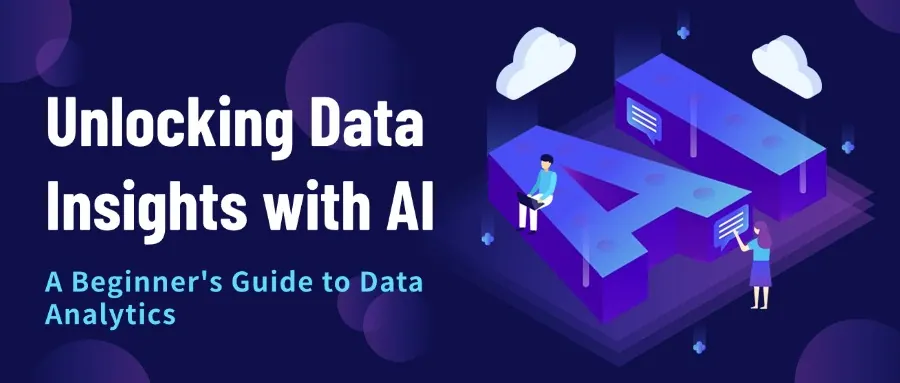
Data Analytics vs. Data Analysis
Think of Data Analysis as a focused activity of inspecting, cleaning, transforming, and interpreting existing data. Its primary goal is to understand what happened and why it happened by uncovering patterns, trends, and insights from past information. It often results in reports and visualizations.
Data Analytics, on the other hand, is a broader field and an end-to-end process. It certainly includes Data Analysis, but it goes further. Data Analytics aims to use data not just to understand the past, but also to predict what will happen (predictive) and suggest what actions to take (prescriptive). It's about leveraging data to drive future strategies, optimize processes, and make informed decisions across an organization.
In essence:
- Data Analysis is often a component, looking backward and inward.
- Data Analytics is the overarching discipline, looking forward and outward, focused on driving future outcomes.
Is Data Analytics Hard?
If you’re new to data analytics, you might worry it’s too complex. The truth? It can be challenging, but AI makes it way easier for beginners.
In the past, data analytics required:
- Math and Stats Knowledge: Grasping concepts like averages, trends, or spotting meaningful patterns.
- Tech Skills: Learning to code in Python or SQL, or wrestling with complicated software.
- Patience: Cleaning messy data (like fixing typos or missing entries) could take hours.
Here’s the great news for beginners:
- User-Friendly Tools: Modern platforms, especially AI-powered ones, have simple interfaces that don’t require coding expertise.
- AI Does the Heavy Lifting: AI can clean data, spot patterns, or even suggest what to analyze next, saving you time and effort.
- Focus on the Big Picture: With AI handling the technical stuff, you can focus on asking the right questions and understanding what the data means for your goals.
You don’t need to be a math genius or a coding pro to start. By using AI tools, like RowSpeak, you can dive into data analytics with confidence, even as a total beginner. The key is to start small, learn the basics, and let AI guide you along the way.
Data Analytics Tools
Data analytics tools are like your trusty sidekicks, helping you collect, analyze, and visualize data. Here’s a quick rundown of the main types:
- Spreadsheets (Excel, Google Sheets): Perfect for beginners! Use them to organize data, run simple calculations, or create basic charts. Most people start here because spreadsheets are familiar and versatile.
- Databases & SQL (MySQL, PostgreSQL): For bigger datasets, databases store information, and SQL lets you pull exactly what you need, like finding all sales from last month.
- Programming Languages (Python, R): These are great for advanced users tackling complex analyses or building custom models. They’re powerful but have a steeper learning curve.
- Business Intelligence Tools (Tableau, Power BI): These create stunning, interactive dashboards to visualize trends, making it easy to share insights with others.
- AI-Powered Platforms: The newest players in the game! These tools, like RowSpeak, use AI to simplify everything from data cleaning to generating charts with simple commands.
For beginners, starting with a spreadsheet like Excel and an AI tool like RowSpeak is a smart move. You get the familiarity of Excel plus the power of AI to make your work faster and easier.
 Excel Operation
Best AI for Excel: 7 Tools for Analysis, Formulas, Dashboards, and Reports
A practical comparison of the best AI for Excel tools for teams that need formulas, file-based analysis, dashboards, reports, and reviewable spreadsheet outputs.
 AI for Statistics
The 7 Best Statistics AI Solver Tools (Free & Paid) — Top Picks of 2025
Explore our 2025 guide to the top Statistics AI Solver tools. Get in-depth reviews and a clear comparison of the best AI-powered platforms for data analysis.
 Data Analytics
Is VLOOKUP Dead? How AI Is Killing Tedious Spreadsheet Work for Good.
Spreadsheets are powerful, but their learning curve is steep. From complex formulas to tedious data cleaning, getting from raw data to real insight is a daily struggle for many. But what if you could just... talk to your data? A new wave of AI tools is making that a reality, turning hours of Excel work into a simple conversation. Here’s how this revolution is changing everything...
 Data Analytics
Stop Wasting Hours on Find & Replace. This AI Does It With One Sentence.
Up to 80% of an analyst's time is spent on data preparation. This article tackles the universal problem of 'dirty data'—from chaotic date formats to inconsistent text entries that break your sales reports. We compare the top 3 AI-powered solutions and provide a step-by-step walkthrough, showing you how to get perfectly clean data with a single plain-English command.
 Data Analytics
How to Use AI to Calculate Channel ROI & Optimize Your Marketing Budget
In the budget meeting, Marketing and Sales present conflicting views on channel value, but the CFO only wants to see the numbers. This is a common corporate dilemma: marketing leads and sales conversions exist as separate data islands. This article demonstrates how to use an AI tool to build a "data bridge" replacing subjective arguments with objective ROI analysis to ensure every dollar is spent effectively.
 Excel Operation
10 Best AI Chart and Graph Makers for Data-Driven Decisions in 2025
Learn how to solve 10 best ai chart and graph makers efficiently with modern tools and techniques.
 Excel Operation
5 Best AI Reporting Tools to Transform Your Data in 2025
In today's data-driven world, AI reporting tools have become indispensable for businesses seeking to make sense of their information. This guide explores the 10 best solutions, with RowSpeak emerging as the premier choice for its intuitive interface and powerful analytics capabilities.
 Excel Operation
10 Best ChatGPT Prompts for Data Analysis (Plus How RowSpeak Supercharges Them)
While ChatGPT offers valuable prompts for data analysis, combining them with RowSpeak's AI-powered spreadsheet platform creates unbeatable efficiency. Here's how to maximize both tools for superior business insights.
 Excel Operation
10 Best ChatGPT Excel Prompts to Supercharge Your Data Workflow
Struggling with complex Excel tasks? These 10 ChatGPT prompts will transform how you work with spreadsheets. Learn how to combine them with RowSpeak's AI capabilities for maximum efficiency.
 Excel Operation
5 AI Tools for Better Workplace Productivity
In today's fast-paced business environment, AI tools are no longer optional—they're essential for staying competitive. From automating repetitive tasks to uncovering hidden insights, these intelligent solutions are revolutionizing how we work. In this guide, we'll explore five AI tools that every business professional should know, with RowSpeak emerging as the standout solution for data-driven decision making.
 Excel Operation
10 Best AI Tools to Supercharge Your Google Sheets Workflow
Google Sheets is powerful, but AI takes it to the next level. Here are the 10 best AI tools—including RowSpeak—to automate, analyze, and optimize your spreadsheets effortlessly.
 Excel Operation
10 Best AI Tools for Chart Analysis in 2025
In today's data-driven world, effective chart analysis can mean the difference between insight and oversight. We've evaluated the leading AI tools that automate and enhance data visualization - with RowSpeak standing out as the most powerful, intuitive solution for businesses of all sizes.
 Excel Operation
10 Best AI-Powered Spreadsheet Tools to Boost Productivity in 2025
Spreadsheets remain indispensable for business analysis, but manual data work is becoming obsolete. In this guide, we explore how AI-powered tools like RowSpeak are transforming spreadsheet productivity through automation, smart insights, and intuitive data visualization.
 AI Tools by Industry
Top AI Tools for Product Managers in 2025: Smarter Spreadsheets, Faster Insights
Find out how product teams are using AI to work smarter, not just faster—from RowSpeak’s natural language analysis to smart planning with Coda and Notion AI.
 AI Tools by Industry
Top AI Tools for Market Research Teams in 2025: Faster Insights, Smarter Spreadsheets
These AI tools are changing how market researchers collect, clean, analyze, and present insights—without spending hours buried in spreadsheets.
 AI Tools by Industry
Top AI Tools for Data Analysts in 2025
Clean smarter, visualize faster, and work better. These are the top AI-powered tools every data analyst should know in 2025—from RowSpeak to Polymer.
 Excel Tips
Best AI for Excel Data Analysis: Top 10 Tools in 2026
Learn how AI tools can supercharge Excel data analysis, automate spreadsheet tasks, and help teams work with formulas, reports, and large datasets.
 Excel Tips
Top 8 Amazing Free Excel AI Tools For 2025
Discover the top Excel AI tools for 2025 that simplify complex tasks and boost efficiency with smart automation.
 Excel Tips
Top Excel AI Tools: Best Free Options for Data Analysis
with the rapid advancement of artificial intelligence (AI) technology, a range of AI-assisted Excel analysis tools have emerged. These tools significantly lower the barrier to data handling, making it easier for users without a strong technical background to manage and analyze data effectively.
 Excel Tips
Top AI Excel Tools for 2025: Boost Your Data Analysis Skills
In this blog post, we'll explore the best Excel data analysis software for 2025 to help you understand why you need them and how to choose the best Excel data analysis software.
Using AI Tools for Data Analytics
AI is a game-changer for beginners who want to analyze data without getting lost in technical details. AI-powered tools, like RowSpeak, use artificial intelligence and machine learning to make data analytics faster, smarter, and more approachable. Here’s how they help:
- Automate Boring Tasks: Messy data? AI can clean it up, fix errors, or organize it in seconds.
- Spot Hidden Trends: AI sifts through massive datasets to find patterns—like which products sell best together—that you might miss.
- Talk to Your Data: With tools like RowSpeak, you can type simple commands like “Show me last month’s sales by region” and get instant charts or summaries, no coding needed.
- Predict the Future: AI can analyze past data to forecast trends, like predicting next quarter’s revenue or identifying at-risk customers.
- Create Visuals Fast: AI can whip up professional charts and reports, so you can share your findings without spending hours on formatting.
Think of AI as your personal data assistant, handling the grunt work so you can focus on the fun part: uncovering insights that matter.
Try this: If you’re in Excel, instead of manually creating a chart, use RowSpeak (https://RowSpeak.ai) to type a command like "Compare weekly sales of Product A and Product B since April 2024 using a dual-line chart." You’ll get a polished chart in seconds, ready to impress your boss or clients.
Benefits of AI Tools for Data Analytics
Why use AI for data analytics? Here are the top perks for beginners:
- Saves Time: AI automates repetitive tasks like data cleaning or basic calculations, so you can focus on what the data tells you.
- Deeper Insights: AI spots subtle trends and patterns in your data that might slip past human eyes, leading to smarter decisions.
- Handles Big Data: Got tons of data? AI processes it quickly, no matter the size, without slowing down.
- Predicts Trends: AI can forecast what’s next, like which products might sell out, helping you plan ahead.
- No Expert Skills Needed: With user-friendly AI tools, you can analyze data without a degree in computer science. Just ask questions in plain English and get answers.
- Faster Results: AI delivers insights quickly, so you can make decisions sooner rather than later.
For example, with RowSpeak, you can upload a spreadsheet, ask “What’s driving my sales this month?” and get a clear breakdown with visuals—all in minutes. It’s like having a data expert by your side.
How to Get Started with AI-Driven Data Analytics
Ready to jump in? Here’s a beginner-friendly roadmap to start using AI for data analytics, with RowSpeak as your go-to tool:
- Start with Familiar Tools: If you know Excel, you’re halfway there! Load your data into a spreadsheet to get comfortable.
- Pick a Simple Question: Start with something straightforward, like “Which product sold the most last month?” or “What’s my average monthly expense?”
- Use RowSpeak for AI Power: Visit https://RowSpeak.ai, upload your spreadsheet, and try commands like “Summarize my data” or “Create a chart of sales by category.” No coding required!
- Explore Your Results: Look at the charts or summaries RowSpeak generates. Ask follow-up questions like “What’s causing this trend?” to dig deeper.
- Practice and Experiment: Try different datasets or questions. The more you play with AI tools, the more confident you’ll get.
Pro Tip: RowSpeak’s AI can handle everything from basic summaries to complex forecasts. Start with a free trial at https://RowSpeak.ai to see how it simplifies your work.
 Data Analytics
Best Data Analysis Tools in 2026: Excel, BI, AI, and Spreadsheet Tools Compared
A practical guide to choosing the right data analysis tool for your workflow, from Excel and BI dashboards to AI tools that analyze Excel, CSV, PDF, and business exports.
- Excel Operation
Best AI for Excel: 7 Tools for Analysis, Formulas, Dashboards, and Reports
A practical comparison of the best AI for Excel tools for teams that need formulas, file-based analysis, dashboards, reports, and reviewable spreadsheet outputs.
 Data Analytics
The End of Pivot Tables? How Generative AI is Re-Architecting Business Reporting
Stop struggling with grouped rows and calculated fields. Learn how AI-powered analytics tools are replacing traditional BI methods to deliver faster, smarter business reports.
 Excel Template
From Raw Data to Strategic Insight: How AI is Revolutionizing Business Intelligence
Stop drowning in rows of data. Discover how to use AI to architect professional BI dashboards, automate data cleaning, and make faster, data-driven decisions.
 Data Visualization
From Rows to Insights: Mastering Data Visualization Without Touching a Chart Menu
Visualizing data shouldn't be a chore. Discover how RowSpeak turns your natural language into stunning charts, trends, and predictive insights instantly.
 Data Analytics
How to Do Predictive Analytics in Excel: No-Code AI Guide to Forecasting (Start in 5 Minutes)
How to Do Predictive Analytics in Excel: No-code 4-step guide — set goals, connect & clean data, auto-select models, interpret forecasts, run quick what‑ifs.
 Data Analytics
4 Types of Predictive Analytics Every Business Needs — and How to Use Them
Guide to 4 Types of Predictive Analytics Every Business Needs on classification, regression, time series and clustering, with use cases and AI Excel tips
 Data Analytics
10 Ready-to-Use Excel AI Commands for Prescriptive Analytics (Copy & Paste)
10 Prescriptive Analytics Commands for Excel AI: copy-paste prompts that diagnose issues, find root causes, prescribe fixes, build dashboards to drive impact.
 Data Analytics
Excel AI Predictive Analytics: 10 Ready‑to‑Use Templates
Excel AI predictive analytics guide: 10 practical templates — trend, causal, classification, demand & risk commands to turn historical data into forecasts.
 Top AI Tools
8 Best Prescriptive Analytics Tools Compared: Strengths, Use Cases & How to Choose
Practical guide to the 8 Best Prescriptive Analytics Tools, with concise comparisons, top use cases, and a two‑step method to match the right tool to your team
 Data Analytics
Predictive vs Prescriptive Analytics: A Practical Guide to When and How to Use Each
Predictive vs Prescriptive Analytics: Understand definitions, workflows, core differences, and when to use each --- with real examples and RowSpeak tips for fast pilots.
 Data Analytics
What is Prescriptive Analytics? Definition, Real-World Uses & Step-by-Step Implementation
This guide answers What is Prescriptive Analytics with a clear definition and explains its crucial role as the 'What To Do' layer of business intelligence. It details real-world applications across industries and provides a concise, actionable 5-step roadmap for implementation--turning data into decisive, optimized actions.
 Data Analytics
How Prescriptive Analytics Works: The 5-Step Data-to-Decision Process
This guide explains How Prescriptive Analytics Works through a 5-step framework: from defining objectives to generating optimized recommendations. It shows how prescriptive analytics moves beyond prediction to provide actionable guidance, with practical implementation using RowSpeak for data preparation, AI analysis, and visualization.
 Data Analysis
How to Start Predictive Modeling: A 5-Step Business Framework (With Examples)
This guide provides business leaders with a clear 5-step framework to start predictive modeling. Learn key concepts, explore practical models like regression and decision trees, and see industry applications through actionable examples to turn data into strategy.
 Data Analysis
Your First Free Predictive Analytics Platform: A Simple Guide for Beginners
A simple guide for beginners to choose their first free predictive analytics platform. Learn key features, compare RowSpeak, RapidMiner, and Azure ML, and follow practical steps to start your predictive analysis journey.
 Data Analysis
Predictive Analytics for Beginners: Your First Forecast in 30 Minutes (4 Simple Steps)
This guide breaks down Predictive Analytics for Beginners into 4 actionable steps. Learn how to define your goal, clean data, choose from three forecasting approaches, and interpret AI-driven insights using tools — all in just 30 minutes. Turn data into forecasts without complexity.
 AI Dashboard
8 Types of Dashboards: How to Choose the Right One for Your Business
Match strategic, financial, operational, project, sales, marketing, and HR dashboards to the audience, decision, and reporting cadence.
 AI Dashboard
Beyond Automation: The 5 Core Capabilities of a Truly AI Dashboard Tool
This article details the five essential capabilities a dashboard needs to be truly AI-driven. Learn how intelligent visualization, conversational exploration, and contextual explanation transform data from static reports into actionable insights.
 AI for Statistics
Speak the Language of Data: 6 Stats Concepts to Master Your Statistical AI Solver
This article introduces 6 fundamental statistical concepts needed to effectively communicate with AI solvers. It covers training vs test data, overfitting, accuracy vs precision, p-values, confidence intervals, and correlation vs causation, with practical examples using RowSpeak to demonstrate real-world application..
 AI for Statistics
The Ultimate 6-Point Checklist for Choosing Your Statistics AI Solver (Most Miss #4)
This guide provides a 6-point checklist for selecting the ideal Statistics AI Solver, covering analytical needs, learning curve, data compatibility, transparency, output quality, and true costs. Learn to evaluate different tools and find the perfect match for your team's specific requirements and skill levels.
- AI for Statistics
The 7 Best Statistics AI Solver Tools (Free & Paid) — Top Picks of 2025
Explore our 2025 guide to the top Statistics AI Solver tools. Get in-depth reviews and a clear comparison of the best AI-powered platforms for data analysis.
 AI for Statistics
The Honest Truth About Statistics AI Solvers: 3 Limitations You Must Know
Statistics AI Solvers face three key limitations: data dependency causing "garbage in, gospel out," non-transparent "black box" processes, and lack of contextual understanding. RowSpeak addresses these through automated diagnostics, transparent auditing, and context-aware guidance for trustworthy insights.
 AI for Statistics
What is a Statistics AI Solver? Everything You Need to Know
This guide explains what Statistics AI Solver is and how it works. Learn how this AI tool uses natural language processing to automate statistical analysis, discover RowSpeak's 3-step process from data upload to insights, and explore which professionals benefit most from this technology.
 AI for Statistics
Statistics AI Solver: The Key to Streamlining Your Quantitative Analysis
This article explores how Statistics AI Solvers are revolutionizing quantitative analysis. By using natural language commands, users can easily conduct descriptive statistics, inferential testing, predictive modeling, and data visualization without statistical expertise. Perfect for researchers and professionals seeking to overcome technical barriers in data analysis.
 Data Analytics
Beyond Basic Groups: How AI Analytics Revolutionize Customer Segmentation in Excel
This guide explores how AI revolutionizes customer segmentation in Excel. Learn key concepts, essential metrics, and practical steps to move beyond demographics to predictive analytics.
 Data Analytics
How to Use AI for Data Analysis: From Raw Data to Actionable Insights
This article provides a comprehensive guide on how to use AI for data analysis, from raw data to insights. Using a unified sales scenario, it details a 5-phase workflow: data preparation, cleaning, reporting, visualization, and trend analysis. The key is shifting from complex coding to mastering the art of inquiry with AI.
 Data Analytics
Excel Crashes at 1 Million Rows? Here’s the AI That Actually Handles Massive Data
This blog reveals the key features of Excel AI tools for massive datasets and compares top solutions that go beyond Excel's row limit, helping you choose the right one.
 Excel Tips
9 Effortless Ways to Add Bullet Points in Excel for Clearer Lists
Struggling to organize text in Excel? This guide shows you 8 manual methods to create bullet points, from simple shortcuts to custom formatting. Plus, discover how an AI tool can do it all for you in seconds with a single command.
 Excel Operation
How to Create an Amortization Schedule in Excel: Step-by-Step Guide
Discover how to track your loan payments, interest, and principal with a comprehensive amortization schedule. This guide compares the traditional step-by-step Excel method with a faster, AI-driven alternative to help you manage your finances with ease.
 Excel Tips
Effortless Age Calculation in Excel: Formulas vs. AI
Calculating age in Excel can be tricky, involving functions like DATEDIF and YEARFRAC that are prone to errors. This guide covers the traditional methods and introduces a powerful AI-driven approach to get accurate ages in seconds, without writing a single formula.
 Excel Tips
Stop Spreadsheet Errors :How to Lock Cells in Excel (And When to Let AI Do It)
Unlock the power of fixed cell references in Excel to prevent errors in your spreadsheets. This guide covers absolute, relative, and mixed references, and introduces a game-changing AI approach to automate these tasks, saving you time and effort.
 Data Analytics
How to Automate Performance Ratings in Excel (Without Formulas)
Tired of building fragile nested IF formulas for performance ratings? This guide shows you how to automate the entire grading process in Excel using one simple English command. Turn scores into ratings in seconds and eliminate manual errors for good.
 Calculation
Fix VLOOKUP Errors: How to Remove All Extra Spaces with One Command
Your VLOOKUP formula is perfect, but it still fails. The silent killer? Invisible spaces. Discover how RowSpeak lets you clean your entire messy sheet with a single sentence, making your formulas work instantly and saving you hours of frustrating detective work.
 Data Analytics
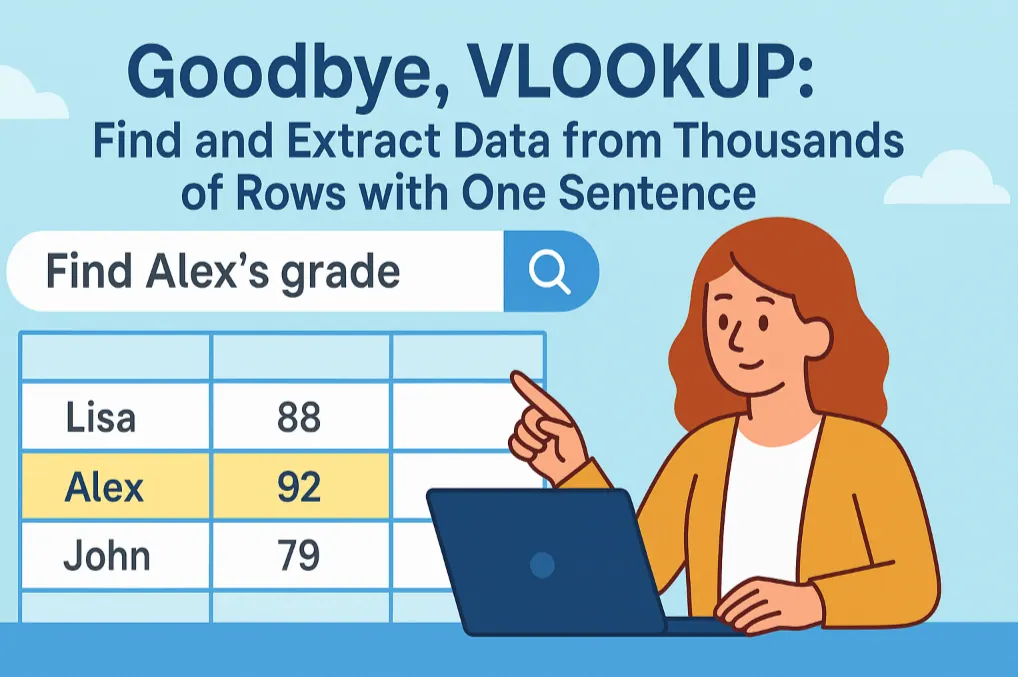
Goodbye, VLOOKUP: Find and Extract Data from Thousands of Rows with One Sentence
Stop wasting time on complex VLOOKUP formulas. RowSpeak lets you find information in spreadsheets just by asking a question in plain English, like "Find the name and grades for student ID 102." Our AI understands, locates the data, and gives you a precise answer in seconds.
 Data Analytics
Stop Hunting for Order Info: Find Order Status & Tracking Numbers in Seconds
A customer asks, "Where's my order?" and the frantic search begins. But what if you could just ask your spreadsheet the same question? RowSpeak turns your order list into a conversationAI Assistant. Find any order's status, tracking number, and shipping date in seconds, just by asking.
 Data Visualization
From a Massive Spreadsheet to a Perfect Pie Chart—In One Sentence
Need to show a breakdown of your sales data but dread the multi-step Excel process? This guide shows you how to use a simple AI command to instantly filter massive datasets and generate a clear, accurate pie chart, freeing you up to focus on insights, not clicks.
Will AI Replace Data Analysts?
Worried AI will take over data analytics jobs? Don’t be! AI won’t replace analysts—it’s here to make their work easier and more impactful.
Here’s the deal:
- AI Handles the Grunt Work: It’s great at crunching numbers, cleaning data, and spotting initial patterns, freeing you up for bigger tasks.
- Humans Add the Magic: You bring the real-world context, like understanding your business goals, asking the right questions, or turning data into a story that inspires action.
- Together, You’re Unstoppable: AI provides the speed and insights, while you add creativity, strategy, and ethical judgment. For example, AI might flag a sales drop, but you’ll figure out if it’s due to a holiday or a marketing misstep.
For beginners, this means you can focus on learning the “why” behind the data while AI tools like RowSpeak handle the “how.” The future of data analytics is all about teamwork between you and AI, making it an exciting time to get started.
Why Choose RowSpeak for Your Data Analytics Journey?
If you’re new to data analytics, RowSpeak (https://RowSpeak.ai) is a perfect starting point. It’s built for beginners, combining the familiarity of Excel with powerful AI to simplify data analysis. Whether you’re tracking personal budgets, analyzing small business sales, or exploring customer trends, RowSpeak lets you:
- Type simple commands to analyze data.
- Create professional charts and reports instantly.
- Get insights without learning complex formulas or code.
Ready to unlock the power of your data? Click "Try RowSpeak" button below and see how easy data analytics can be!
Have a question about data analytics or RowSpeak? Email us at [email protected] and share your data challenges—we’d love to help you find answers!
You can also check this The Future of AI-Powered Data Visualization: A Beginner's Guide to learn how AI tools simplify data visualization for beginners.