'%3e%3crect%20id='矩形_7888'%20data-name='矩形%207888'%20class='cls-1'%20width='20'%20height='20'%20rx='4'%20transform='translate(6260%20-4478)'/%3e%3cpath%20id='联合_155'%20data-name='联合%20155'%20class='cls-2'%20d='M6.074,12.147a6.207,6.207,0,0,1-.621-.031A6.087,6.087,0,0,1,.031,6.694a6.177,6.177,0,0,1,0-1.241A6.086,6.086,0,0,1,5.453.031,6.177,6.177,0,0,1,6.074,0H9.152V2.029H6.074a4.053,4.053,0,0,0-3.916,3.03H9.152V7.088H2.158a4.053,4.053,0,0,0,3.916,3.03H9.152v2.029Z'%20transform='translate(6264.693%20-4473.9)'/%3e%3c/g%3e%3c/svg%3e)
Key Takeaways
- The Pivot Table Ceiling: While revolutionary for decades, manual Pivot Tables are increasingly becoming a bottleneck in the era of high-velocity big data.
- The Generative Shift: Generative AI is moving business intelligence from "manual construction" to "conversational discovery," allowing for instant multidimensional analysis.
- Democratic Data: AI-driven reporting removes the technical barrier to entry, enabling non-technical managers to architect their own data visualizations without expert help.
- Future-Proofing Your Career: Embracing AI reporting tools is the key to shifting from a "data processor" to a "strategic decision-maker" in 2026.
The Death of the Drag-and-Drop Era?
For over 30 years, the Pivot Table has been the ultimate power move in Excel. It was the tool that separated the beginners from the pros. But as we move deeper into 2026, a frustrating reality has emerged: We are spending more time building the reports than actually reading them.
The modern business environment moves too fast for manual grouping, calculated fields, and the constant "refreshing" of data connections. When your CEO asks a follow-up question during a meeting, "let me get back to you after I update the Pivot Table" is no longer an acceptable answer. We have reached the limits of manual BI, and generative AI is here to break the ceiling.
What is AI-Powered Business Reporting?
If traditional reporting is like building a house with individual bricks, AI Business Reporting is like having an architect who builds the entire structure instantly based on your verbal description.
It is the application of Large Language Models (LLMs) to structured datasets. Instead of you manually selecting columns and rows, an AI platform like RowSpeak understands the underlying relationships in your files. It doesn't just aggregate numbers; it interprets them. It knows that a "drop in regional sales" combined with a "spike in logistics costs" on your inventory Excel template is a margin crisis, not just a random fluctuation.
By shifting the "Cognitive Load" from the human to the machine, AI reporting allows you to use AI to write formulas and build structures that would take a human hours to verify—all in a matter of seconds.
Bridging the Gap: Why Modern Teams are Moving Beyond Static BI
Static dashboards and traditional Pivot Tables suffer from a common flaw: they are reactive. They tell you what happened last week, but they struggle to explain why it happened or what will happen tomorrow.
The "AI Way" bridges this gap by providing a conversational layer over your data. When you integrate your HR payroll data or sales exports into an AI-driven environment, you gain an "Active Consultant" that identifies correlations you didn't even think to look for. This is the difference between a report that sits in an inbox and a strategy that drives growth.
How to Re-Architect Your Reporting in Minutes (The RowSpeak Way)
You don't need to be a SQL expert to move beyond the Pivot Table. RowSpeak is designed to turn anyone into a data architect through a simple, four-step intelligent workflow:
Step 1: Upload and Unify
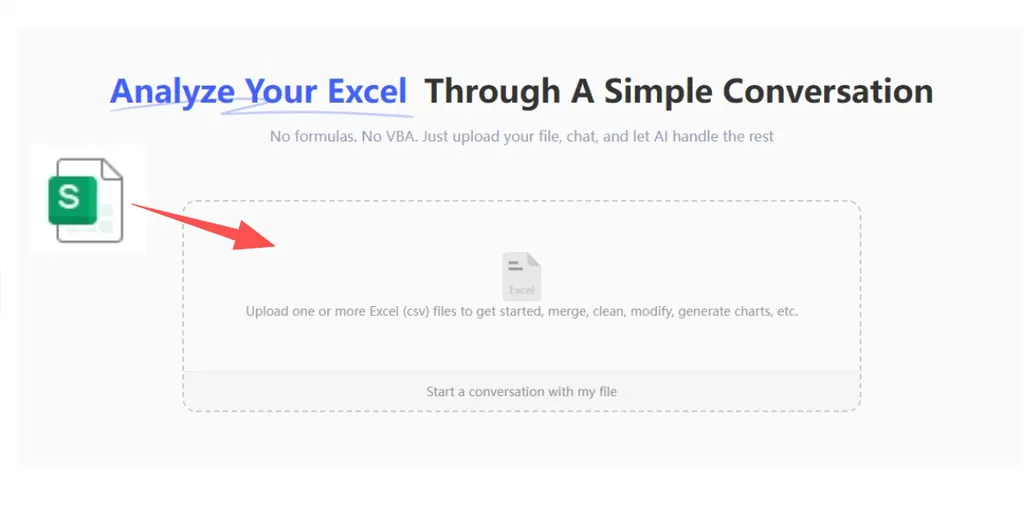
Data is often scattered across different formats. Simply drag and drop your source files—Excel, CSVs, or PDF invoices—into RowSpeak. The AI instantly reconciles the different formats, creating a clean, unified data foundation without any manual data cleaning.
Step 2: Input Your Strategic Prompt
Forget the "Fields List." Instead of dragging boxes, simply type what you want to know in plain English. For example:
Break down our monthly recurring revenue by customer segment, calculate the total MRR for each group, identify and highlight customers with high churn risk in the next 30 days.
Step 3: Instant Generation & Preview
Within seconds, RowSpeak's AI "thinks" through the data logic. You will see a real-time preview that includes an executive summary of the findings, a perfectly structured analytical table, and a custom KPI dashboard that visualizes the trends instantly.
Step 4: Refine, Converse, and Export
The power of Generative AI is in the conversation. If the initial preview isn't exactly what you need, just ask a follow-up: "Create a bar chart showing total MRR broken down by customer segment." Once perfected, you can export and download your optimized report or professional visualizations for immediate use in your business analysis.
The Future: From Data Analyst to Strategic Architect
The "End of Pivot Tables" isn't about losing a tool; it's about gaining a superpower. By offloading the mechanical work of data aggregation to RowSpeak, you are freed to do the work that AI can't: Making strategic judgments.
- Speed: Go from raw data to board-ready insights in 60 seconds.
- Depth: Uncover hidden trends that manual filtering would miss.
- Impact: Move from the back-office of "making tables" to the front-office of "making decisions."
Whether you are managing a personal budget or a multinational's reporting cycle, the transition to AI-driven BI is the most significant productivity leap of the decade.
🚀 Ready to Retire Your Pivot Tables?
Join the AI reporting revolution and see your data in a whole new light.
Start Your AI Analysis Free