'%3e%3crect%20id='矩形_7888'%20data-name='矩形%207888'%20class='cls-1'%20width='20'%20height='20'%20rx='4'%20transform='translate(6260%20-4478)'/%3e%3cpath%20id='联合_155'%20data-name='联合%20155'%20class='cls-2'%20d='M6.074,12.147a6.207,6.207,0,0,1-.621-.031A6.087,6.087,0,0,1,.031,6.694a6.177,6.177,0,0,1,0-1.241A6.086,6.086,0,0,1,5.453.031,6.177,6.177,0,0,1,6.074,0H9.152V2.029H6.074a4.053,4.053,0,0,0-3.916,3.03H9.152V7.088H2.158a4.053,4.053,0,0,0,3.916,3.03H9.152v2.029Z'%20transform='translate(6264.693%20-4473.9)'/%3e%3c/g%3e%3c/svg%3e)
Key Takeaways
- The Design Hurdle: Creating professional Excel charts usually requires hours of selecting ranges, formatting axes, and fixing broken legends.
- Conversational Charts: RowSpeak Chat With Excel allows you to generate visuals—from Pie Charts to Regression lines—by simply describing what you want to see.
- Beyond Static Grids: Move past basic bars. The AI understands context, automatically grouping data and highlighting trends you might have missed.
- Executive-Ready Dashboards: Every visual generated is built to be "presentation-ready," with clean aesthetics that fit any high-stakes boardroom.
Why Most Charts Fail
We’ve all seen it: a spreadsheet cluttered with tiny, unreadable bar charts that don't actually tell a story. The problem isn't the data—it's the friction. Most of us don't have time to master Excel's complex "Chart Design" tab. We just need to know if sales are up or which region is underperforming.
RowSpeak (formerly Excelmatic) changes the game. It treats your spreadsheet not as a collection of cells, but as a story waiting to be told. By using natural language, you remove the technical barrier between your data and your decision.
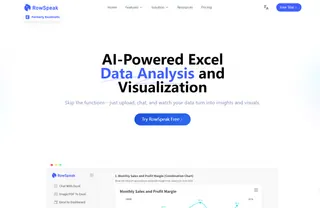
The Power of "Just Asking"
Instead of hunting through menus, you can now "speak" your visuals into existence. Here are two ways RowSpeak is simplifying professional visualization:
1. Automated Comparison & Summaries
Need to see how different agents are performing across various regions? Don't build a pivot table. Just ask the AI to summarize and visualize it.
2. Predictive Trend Analysis
Standard charts show the past. RowSpeak shows the future. Using Linear Regression, you can visualize growth trends and see predicted outcomes directly on your chart.
Ready-to-Use Visualization Prompts
Ready to try it? Copy and paste these "human-language" prompts into the RowSpeak chat to see your data come to life:
- For Sales Overviews:
Can you show me a chart comparing our ad spend and total revenue over time?
- For Market Distribution:
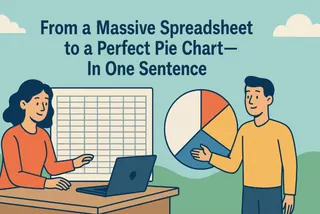
Give me a summary table and a pie chart showing how much each agent has earned in total, excluding any refunds.
- For Future Planning:
What would our revenue look like in January 2026 if we increase the ad budget to $90,000?
Why Visualizing with RowSpeak Beats Manual Work
When you use RowSpeak, you're not just making a chart; you're architecting a professional insight tool:
- Clean Aesthetics: No more neon-green bars or messy fonts. Our AI creates minimalist, modern visuals.
- Smart Filtering: The AI can ignore "noise" like pending or refunded orders so your charts only show what matters.
- Zero Learning Curve: If you can type a text message, you can create a datas dashboard.
Frequently Asked Questions (FAQ)
- Q: Can I change the chart type after it's generated? A: Yes. Just say "Change this to a bar chart" or "Make it a line graph," and the AI will update it instantly.
- Q: Does it work with complex multi-table data? A: Absolutely. You can upload multiple files, and RowSpeak will correlate the data before visualizing the results.
- Q: Are these charts compatible with PowerPoint? A: Yes. Every generated insight can be easily exported or screenshotted for use in your professional presentations.
🚀 Stop Guessing. Start Seeing.
Turn your messy spreadsheets into visual powerhouses in under 60 seconds.
Visualize My Data for Free