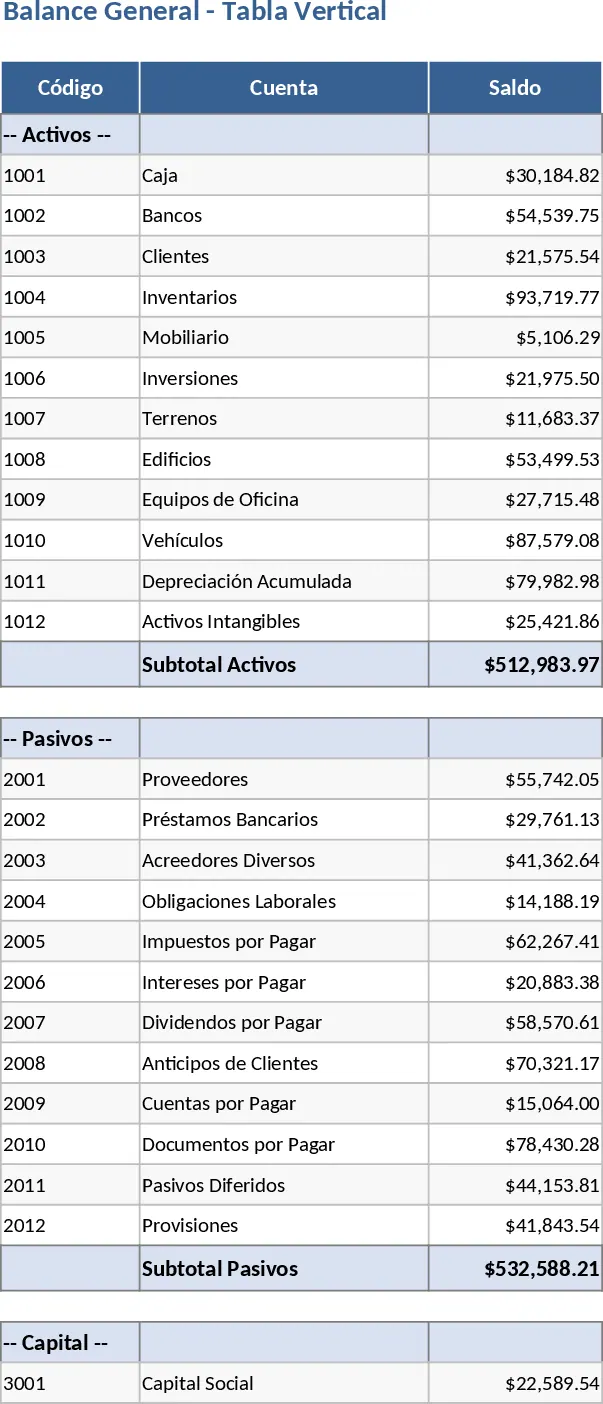
Account Form Balance Sheet and Report Form Income Statement Template
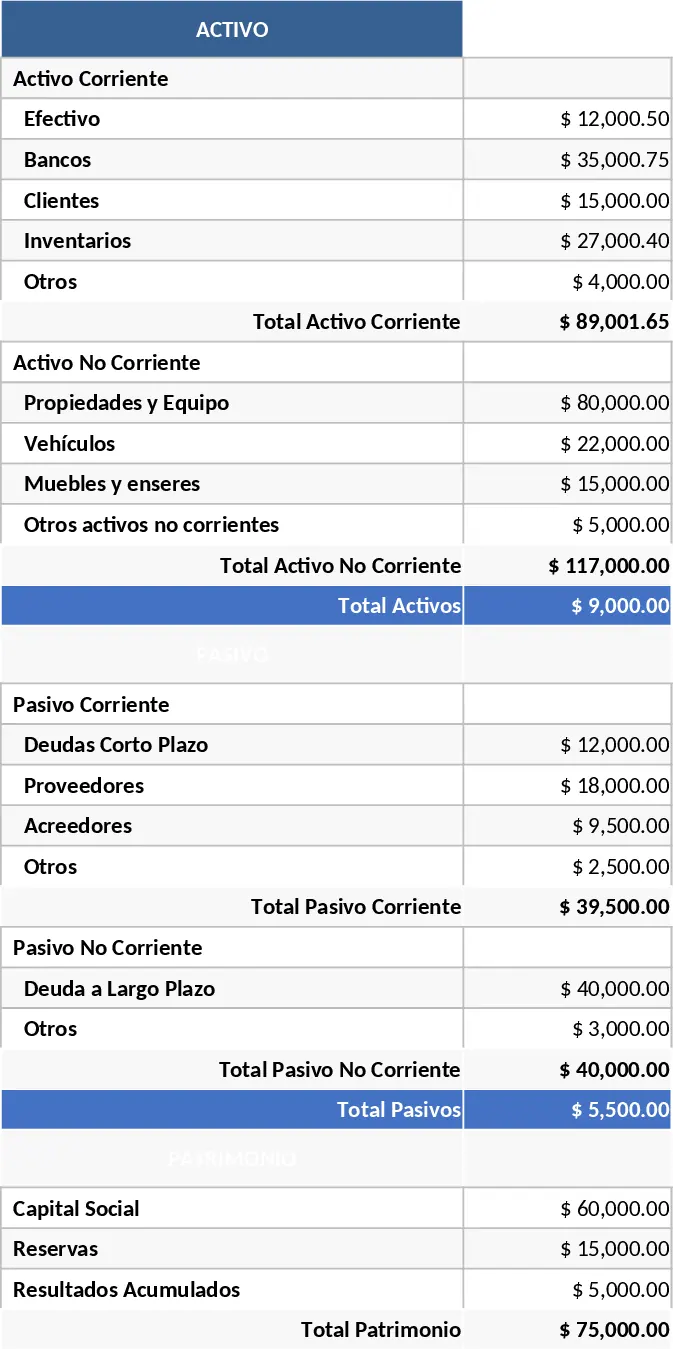
Managing the financial health of a business requires precision and clarity. This comprehensive financial statement template provides a structured environment to generate both a Balance Sheet in account form and an Income Statement in report form. By centralizing your core accounting data, you can move away from scattered spreadsheets and maintain a professional record of your company's fiscal position. The template is designed with intuitive sections for current and non-current assets, liabilities, and shareholder equity, alongside a detailed breakdown of revenues, costs of goods sold, and operating expenses.
This tool is particularly useful for small to medium-sized enterprises (SMEs) that need to present financial data to stakeholders, banks, or for internal review without the complexity of high-end ERP systems. It solves the common struggle of ensuring that the balance sheet actually balances by providing clear, automated summation fields. Whether you are preparing for tax season, seeking a loan, or simply performing a monthly health check on your business, this template serves as a reliable foundation for your financial documentation. It helps you track liquidity, debt levels, and overall profitability over specific periods, ensuring you always have an answer for where your capital is allocated.
For accountants and business owners alike, the benefit lies in the standardized format. The account-form balance sheet offers a side-by-side view of what the company owns versus what it owes, while the report-form income statement provides a vertical flow from gross sales down to net income. This logical progression makes it easier to identify trends, such as rising operational costs or shifts in liquidity, allowing for more informed decision-making and strategic planning. The template includes dropdowns for account categories and pre-set formulas that calculate totals and subtotals automatically, reducing the risk of manual entry errors.
How to use:
- Start by navigating to the Balance Sheet tab and entering your specific account values for the current period, ensuring all assets and liabilities are categorized correctly under current or non-current sections.
- Move to the Income Statement tab to input your total sales revenue and subtract the cost of goods sold and various operating expenses to arrive at your net profit or loss.
- Verify that the net income figure from the income statement is correctly reflected in the equity section of the balance sheet to maintain accounting integrity.
- Use the finalized sheets to generate professional PDF reports or printouts for your monthly, quarterly, or annual financial presentations.
Expected benefits: This template significantly reduces the time spent on manual formatting and calculation, allowing you to focus on analyzing your business performance rather than troubleshooting spreadsheet formulas.
Similar Templates Recommendation
Comprehensive Financial Statements Package Template
Generate comprehensive financial reports including balance sheets, income statements, and cash flow to monitor your business health.
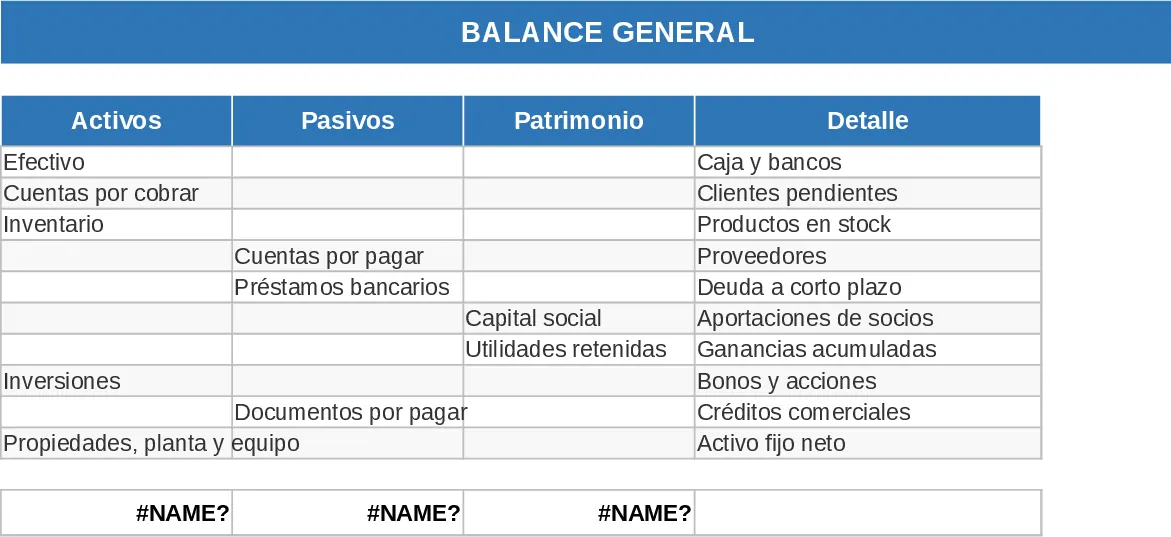
Financial Company Monthly Accounting Template
Manage monthly business finances by tracking income, expenses, and cash flow while generating automated balance sheets and profit statements.
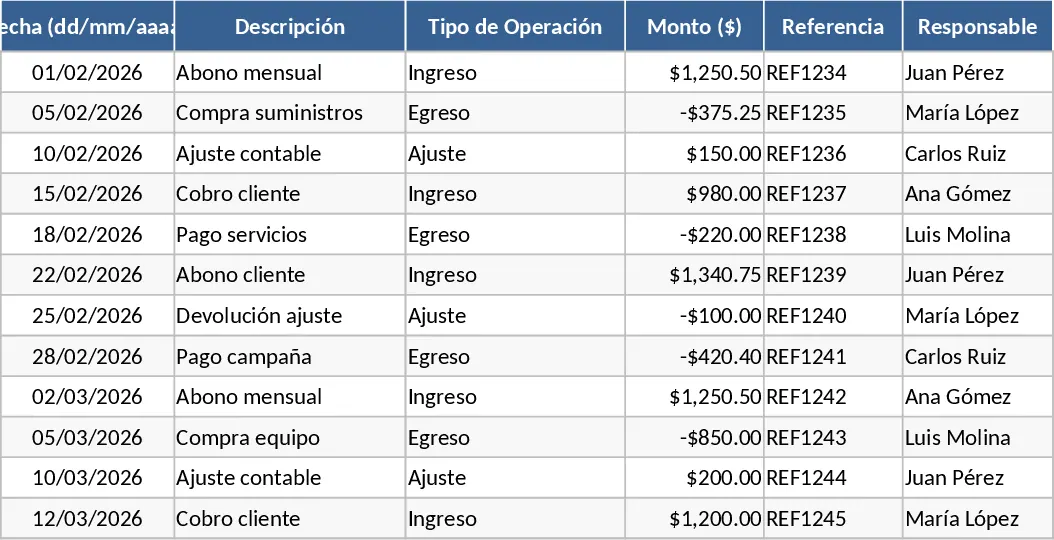
Comprehensive Financial Statement with Formulas Template
Manage your business health by tracking balance sheets, income statements, and cash flows with automated formulas and professional reporting.