Professional Bank-Style Loan Calculator and Amortization Schedule Template
This professional loan calculator is a comprehensive financial tool designed to bring bank-level precision to your personal or business debt management. The template is structured around a central dashboard that combines data entry with high-level summaries and detailed breakdowns. It features specialized input fields for the loan principal, annual interest rate, and term length, alongside a robust amortization table based on the French system. This system ensures that your monthly payments remain constant while the proportion of interest and principal shifts over time. The template also includes summary cards that highlight critical metrics like the total interest paid over the life of the loan and the total cost of the credit, providing immediate clarity on the financial impact of your borrowing. All fields are pre-formatted with currency symbols and standard date formats to ensure a professional look and feel.
Understanding the true cost of a loan is often difficult when looking at a simple monthly payment figure. This template solves that problem by providing a transparent view of your financial obligations. It is an essential tool for anyone navigating the complexities of mortgages, auto loans, or business financing. By visualizing the amortization process, you can see exactly when you will reach significant milestones, such as the point where you are paying more principal than interest. This level of detail is invaluable for long-term financial planning, allowing you to compare different loan offers or determine how a change in interest rates might affect your monthly budget and total repayment amount. The professional bank-style design makes it suitable for presenting to stakeholders or using in formal financial reviews.
The template is ideal for individuals, financial planners, and small business owners who need a reliable way to track debt without relying on complex banking software. In a scenario where you are comparing two different bank offers, you can quickly swap the inputs to see which option saves you more money in the long run. The inclusion of automatic charts provides a visual narrative of your journey toward being debt-free, showing the steady decline of your outstanding balance and the cumulative interest paid. This visual feedback makes it easier to stay motivated and informed about your financial health, as you can see the tangible progress made with every payment.
How to use this template:
- Navigate to the input section and enter your loan details, including the total amount borrowed, the annual interest rate, and the start date of the loan.
- Select the loan term in months or years; the template will automatically adjust the amortization table and dates to match your specific timeline.
- Review the summary cards at the top of the sheet to understand the full cost of the loan and your fixed monthly payment at a glance.
- Use the built-in charts to visualize your repayment progress and see how your balance decreases with every monthly installment.
Using this professional model significantly reduces the effort required to build complex financial schedules from scratch. You can expect a much clearer perspective on your debt, helping you manage your cash flow more effectively while saving hours of manual calculation time and ensuring your data is presented in a clean, professional format.
Similar Templates Recommendation
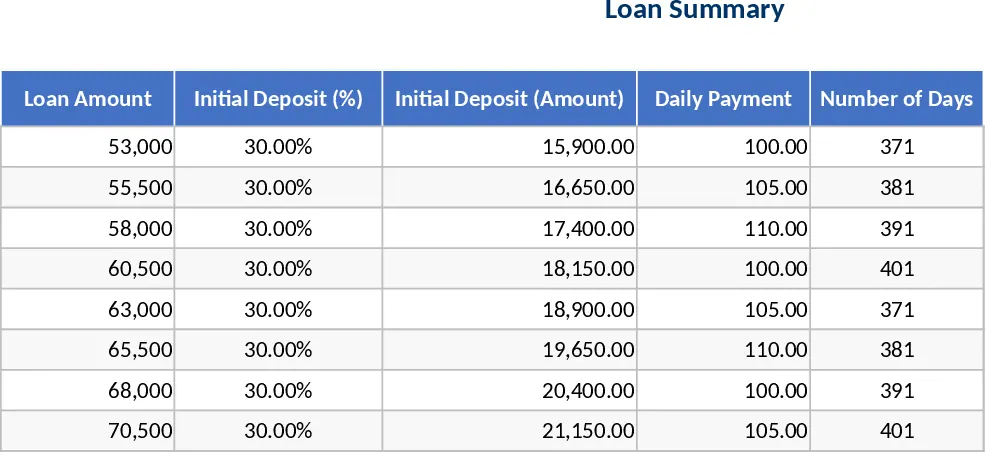
Daily Payment Loan Quotation Template
Manage loan repayments with this specialized calculator designed for daily installments, deposit tracking, and long-term balance monitoring.
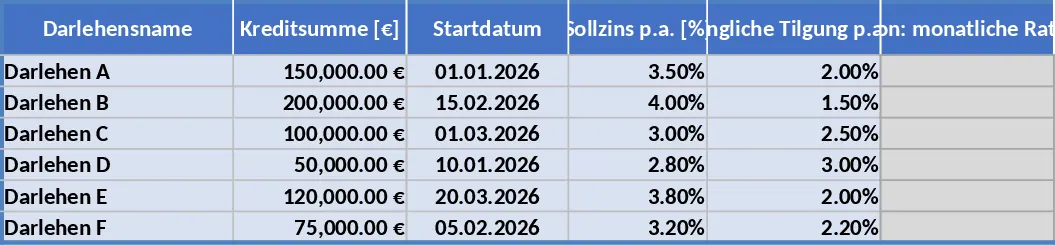
Comprehensive Multi-Loan Home Mortgage Amortization and Tracking Template
Manage up to six home loans with detailed monthly amortization schedules, annual summaries, and long-term interest analysis over 20+ years.
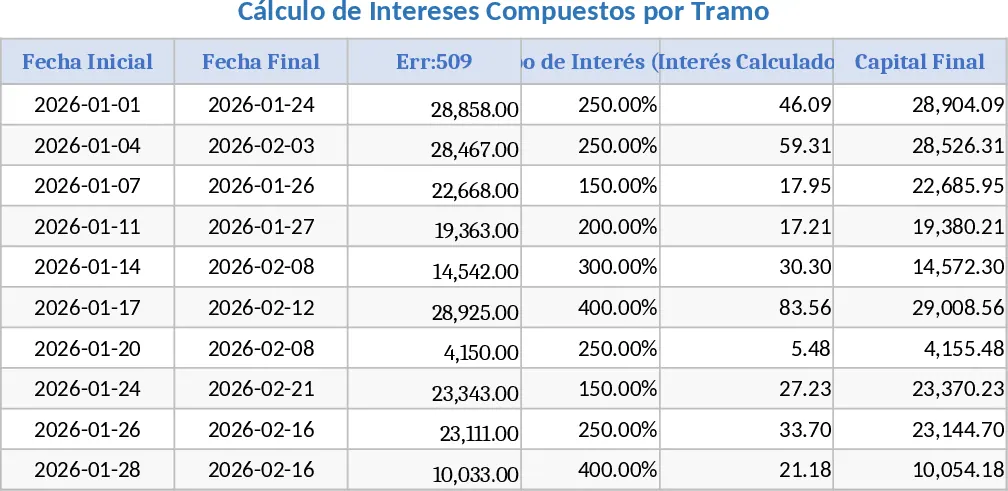
Advanced Tiered Interest and Partial Payment Calculator Template
Track loan or investment balances with flexible interest rates, scheduled payments, and automated interest capitalization for accurate planning.