Comprehensive Bookkeeping and Financial Statement Template
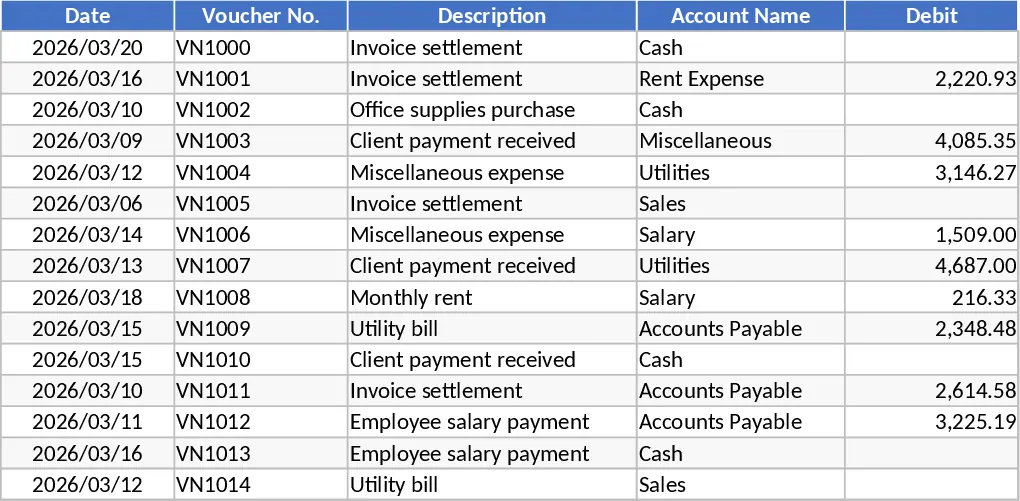
This Comprehensive Financial Workbook is a robust accounting solution designed to bridge the gap between daily bookkeeping and professional financial reporting. It streamlines the entire accounting cycle by allowing you to record transactions in a single centralized sheet while the template handles the complex calculations for your Trial Balance, General Ledger, and Cash Book. By automating the flow of data, it eliminates the need for manual reconciliation and ensures that your Profit and Loss statement and Balance Sheet are always up to date and accurate. This tool is essential for maintaining a disciplined financial workflow without the need for expensive or overly complex accounting software.
The workbook is structured to provide both granular detail and high-level summaries. The Transaction tab serves as your primary data entry point, capturing dates, descriptions, account categories, and specific debit or credit values. From there, the Trial Balance tab organizes these entries into monthly views, showing opening balances alongside monthly movements. This specific sheet is engineered to handle monthly fluctuations, providing a clear view of how your accounts evolve over the fiscal year. It includes columns for opening balances, monthly debit/credit totals, and closing balances, ensuring that the fundamental accounting equation is always maintained. This level of detail is crucial for identifying accounting errors early, such as double entries or misclassifications, before they impact your final statements.
For deeper analysis, the Ledger Report and Cash Book tabs allow you to isolate specific accounts or cash flows. The Ledger Report serves as a deep-dive tool; instead of scrolling through hundreds of lines in the Transaction tab, you can simply select an account name from a dropdown menu to see a chronological list of all movements related to that specific entity. This is particularly helpful during audits or when reviewing vendor payment histories. The Cash Book focuses strictly on your liquid assets, providing a real-time look at your bank and cash positions, which is the lifeblood of any small business operation. Finally, the Profit and Loss statement and the Balance Sheet are formatted for professional presentation, summarizing your revenues, expenses, assets, and liabilities into actionable financial intelligence.
This template is ideal for small to medium-sized business owners, freelance accountants, and bookkeepers who need a reliable, Excel-based system. It helps you maintain a clear audit trail, monitor liquidity, and gain immediate insights into your business's profitability and financial position. Whether you are tracking operational expenses or preparing year-end reports, this template provides the structure needed for professional-grade financial management and successful business planning.
How to use:
- Initialize the workbook by entering your Chart of Accounts and their respective opening balances in the Trial Balance or Setup section to establish your starting point.
- Record every business transaction chronologically in the Transaction tab, ensuring you select the correct account from the dropdown menus and enter the appropriate debit and credit amounts.
- Use the Ledger Report and Cash Book tabs to filter and review specific account movements or to reconcile your physical bank statements with your digital records.
- Navigate to the Profit and Loss and Balance Sheet tabs to view your automatically generated financial reports, which provide a real-time snapshot of your business performance.
Expected benefits: Significant time saved on manual report generation and greatly improved accuracy in your financial documentation.
Similar Templates Recommendation
Accounting Ledger and Financial Statement Template
Record daily journal entries, automate general ledger postings, and generate professional balance sheets and income statements for your business.
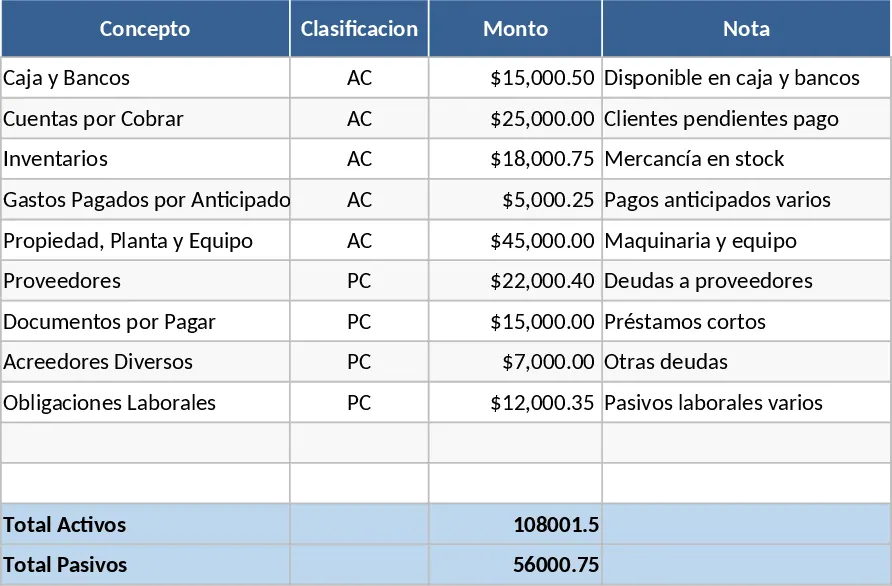
Complete Small Business Accounting System Template
Track business transactions, manage journal entries, and generate automated financial statements with this comprehensive accounting system.
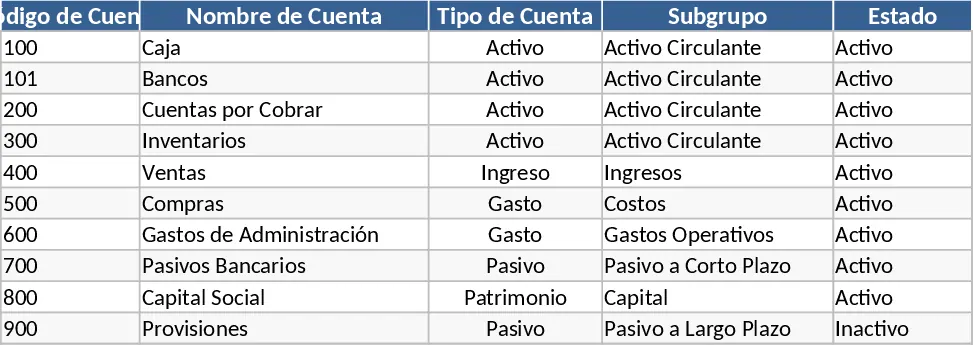
Complete Financial Company Accounting and Bookkeeping Template
Manage your business finances with a comprehensive system covering journals, ledgers, balance sheets, and automated financial statements.