Personal Monthly Budget and Expense Tracker with Dashboard and Charts Template
Managing personal finances often feels like a chore, but this Personal Monthly Budget and Expense Tracker simplifies the process by turning raw data into actionable insights. The template is built around three core pillars: a detailed transaction log, a strategic budget planning tool, and a high-level visual dashboard. By centralizing your income and expenses in one organized file, you can stop guessing about your financial health and start making informed decisions based on real numbers. This tool is designed to be both flexible and robust, allowing you to customize categories to fit your unique lifestyle while maintaining a professional structure for data integrity.
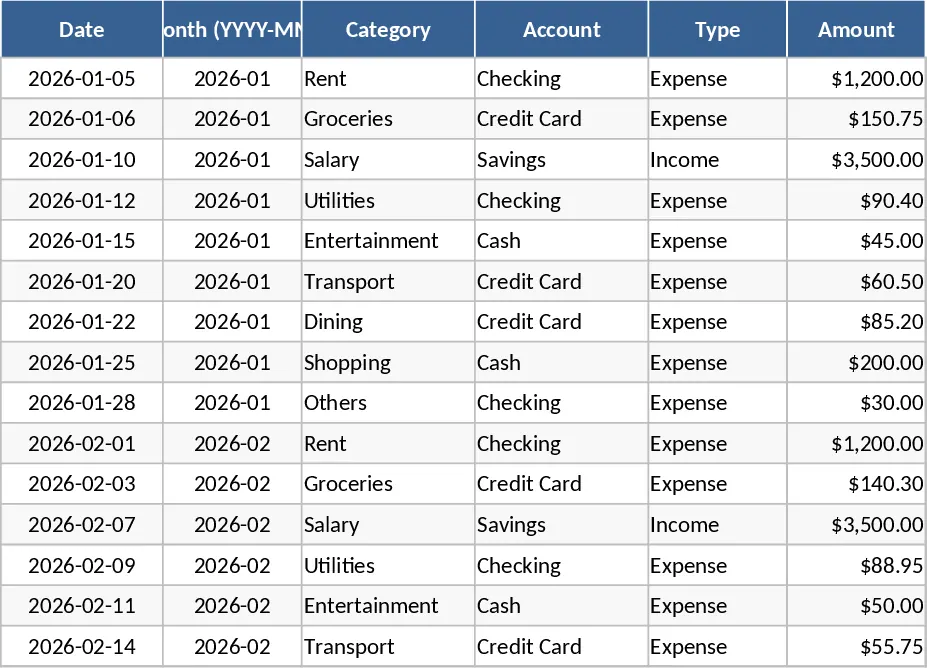
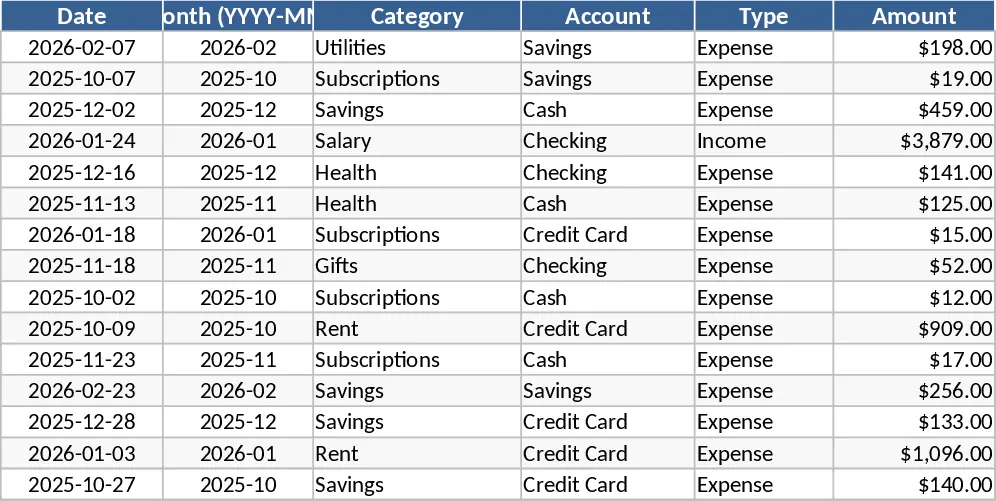
The Transactions sheet serves as your primary data entry point. It features smart dropdown menus for categories, accounts, and payment methods to ensure data consistency and ease of use. One of the most convenient features is the automated month derivation; simply enter a date, and the template automatically organizes the entry into the correct monthly period (YYYY-MM). This sheet captures everything from the merchant name to the specific payment method used, allowing for granular tracking of where your money is flowing. Whether you are paying with a credit card, cash, or a digital wallet, you can see exactly which accounts are being utilized most frequently.
Moving to the Budget Plan sheet, you transition from simple tracking to active planning. Here, you can define your spending limits for various categories like housing, groceries, entertainment, and utilities. The template automatically pulls data from your transactions to calculate your actual spend in real-time. The variance column immediately shows how much of your budget remains, while the over-budget flag uses conditional formatting to highlight areas where you have exceeded your limits in bright red. This proactive approach helps you adjust your spending habits mid-month before a small overage turns into a financial setback. It is particularly useful for identifying hidden costs that often go unnoticed in daily life.
The Dashboard is where your financial story comes to life through visual analytics. It aggregates your data into key performance indicators such as Total Income, Total Expense, and Net Savings. Visual learners will appreciate the category-wise spending pie chart, which shows the percentage of your wealth going to different needs, and the weekly trend line, which reveals patterns in your spending behavior over time. Additionally, the Top 10 Merchants list identifies exactly where your largest chunks of change are going, making it easier to identify frequent stops that might be draining your wallet. This high-level view is perfect for monthly reviews with a partner or for personal reflection on your financial progress.
This template is ideal for anyone from students managing a tight allowance to professionals looking to maximize their savings rate. It eliminates the need for complex accounting software while providing more flexibility than basic mobile apps. Whether you are saving for a major purchase like a home, paying down debt, or simply trying to live within your means, this tool provides the structure and clarity needed to reach your goals. It is easily extensible, meaning you can add new categories or accounts as your financial life grows more complex over time.
How to use:
- Start by navigating to the Budget Plan sheet to enter your expected monthly limits for each category and define your income goals.
- Head to the Transactions sheet and begin logging your daily income and expenses; ensure you select the correct category and type from the dropdown to link the data to your budget plan.
- Visit the Dashboard regularly to monitor your progress and view the automated charts, which will update instantly as you add new data.
- Review the Over-Budget flags in the Budget Plan sheet at the end of each week to see where you need to cut back or reallocate funds.
Expected benefits: You can expect to save significant time on manual calculations while gaining a much deeper understanding of your spending habits and potential savings opportunities through automated visual reporting.
Similar Templates Recommendation
Personal Monthly Budget and Expense Tracker with Top Merchants Template
Track your personal income and expenses with this monthly budget template featuring automated dashboards and category-wise variance analysis.
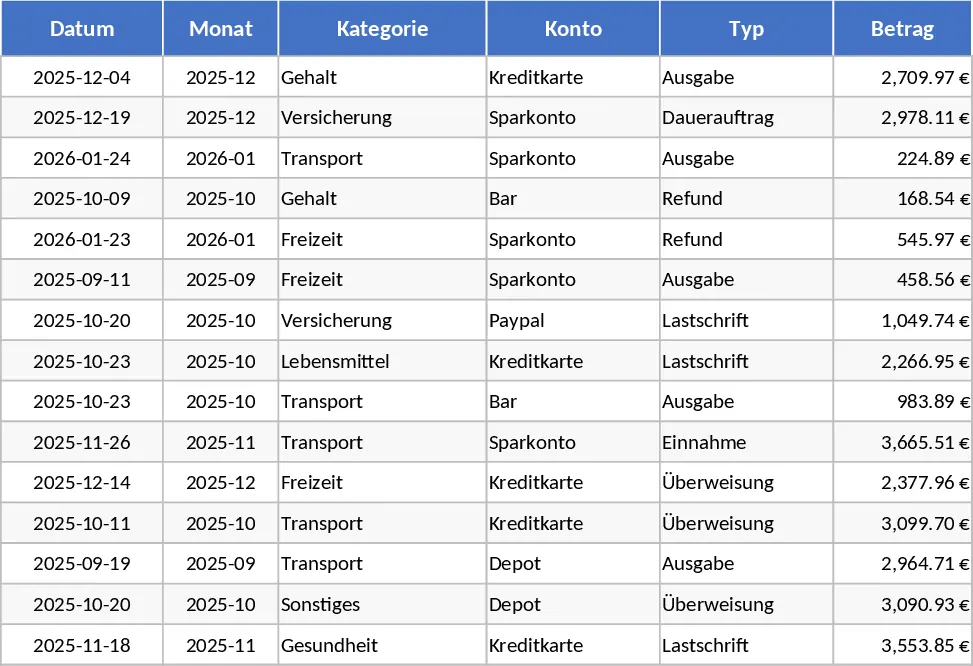
Personal Monthly Budget and Expense Tracker with Dashboard and Weekly Trends Template
Manage your personal finances by tracking daily expenses against monthly budgets with automated variance analysis and visual spending insights.
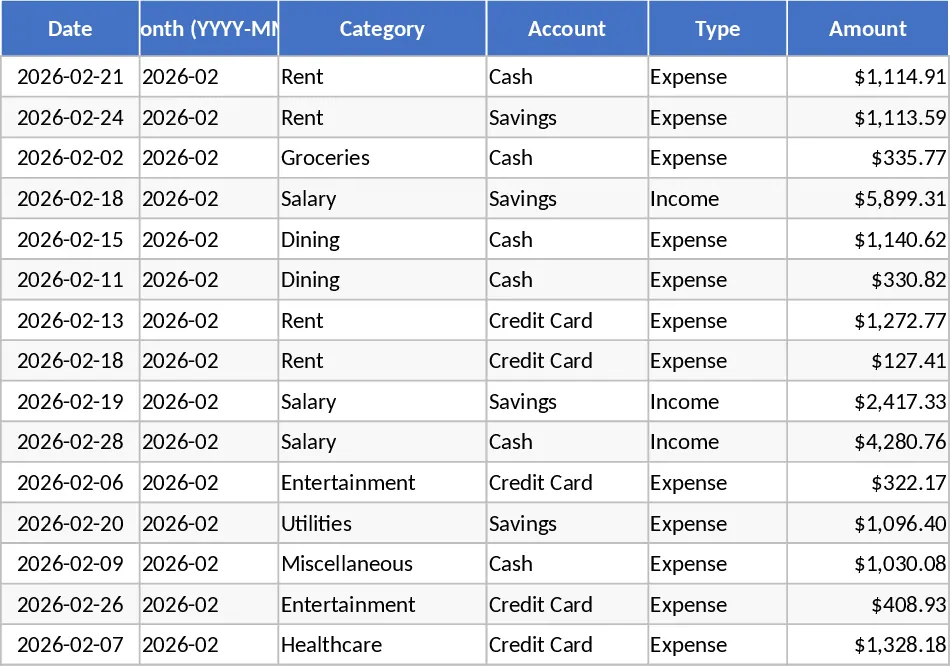
Personal Monthly Budget and Expense Tracker with Dashboard and Category Budgets Template
Take control of your finances by tracking daily expenses, setting monthly category budgets, and visualizing savings trends with an automated dashboard.