'%3e%3crect%20id='矩形_7888'%20data-name='矩形%207888'%20class='cls-1'%20width='20'%20height='20'%20rx='4'%20transform='translate(6260%20-4478)'/%3e%3cpath%20id='联合_155'%20data-name='联合%20155'%20class='cls-2'%20d='M6.074,12.147a6.207,6.207,0,0,1-.621-.031A6.087,6.087,0,0,1,.031,6.694a6.177,6.177,0,0,1,0-1.241A6.086,6.086,0,0,1,5.453.031,6.177,6.177,0,0,1,6.074,0H9.152V2.029H6.074a4.053,4.053,0,0,0-3.916,3.03H9.152V7.088H2.158a4.053,4.053,0,0,0,3.916,3.03H9.152v2.029Z'%20transform='translate(6264.693%20-4473.9)'/%3e%3c/g%3e%3c/svg%3e)
Key Takeaways
- The Syntax Trap: Using
INDEX MATCHfor multiple criteria requires complex array formulas that are difficult to write, audit, and maintain. - Logical Flexibility: Unlike rigid formulas, AI-driven queries allow for multi-dimensional searching across different data types and sheets simultaneously.
- Semantic Matching: AI understands the intent behind your query, identifying relationships between columns even if headers don't match perfectly.
- Efficiency Gains: Shifting to natural language queries converts minutes of formula debugging into seconds of actionable results.
The "Nested" Nightmare
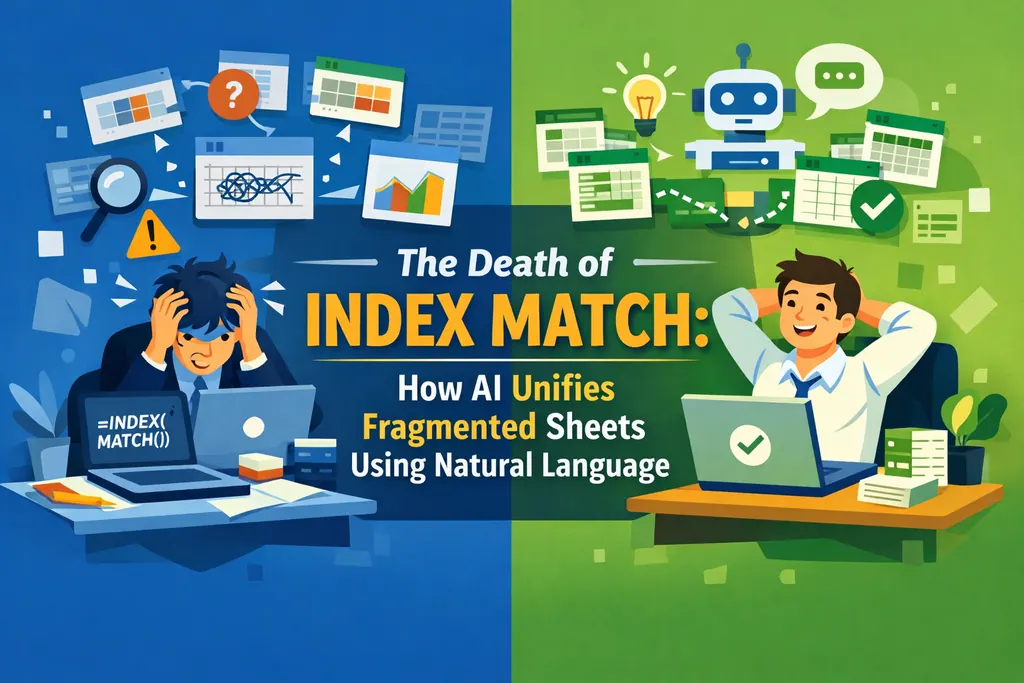
In the world of advanced Excel, INDEX MATCH with multiple criteria is often seen as a badge of honor. But for most analysts, it’s a productivity bottleneck. To find a specific value based on two or three different conditions, you’re forced to use array formulas—the kind that require {CTRL+SHIFT+ENTER} and often lead to frustrating #SPILL! errors.
One extra bracket or a mismatched range, and your entire report fails with a #N/A or #VALUE! error. This manual complexity is exactly where traditional VLOOKUP methods often fall short, forcing users into a cycle of debugging rather than analyzing.
Beyond the Syntax: The Power of Intent
The real problem isn't the formula itself; it's the lack of flexibility. If your data structure changes—like adding a new column—your hard-coded INDEX MATCH often breaks.
Modern data management requires tools that prioritize Intent. Instead of telling the software how to crawl through cells (the coordinates), you tell it what you need to find. This shift from manual coding to intelligent automation is why many professionals are now exploring AI tools for Excel to handle their most repetitive tasks.
Why Multi-Criteria Lookups Are Better with AI
By moving away from rigid syntax, you eliminate the "Lookup Tax":
- No More Helper Columns: You don't need to concatenate cells just to create a unique lookup key.
- Automatic Formatting: AI can handle secondary tasks instantly, such as adding a letter to a number for consistent ID formatting.
- Scalability: Whether you're searching through 100 rows or 100,000, the prompt remains just as simple.
How to Query Multiple Criteria in Seconds (The RowSpeak Way)
Stop memorizing array syntax and start talking to your data. Here is how RowSpeak handles complex queries:
Step 1: Upload Your Data
Simply drag and drop your workbooks or database exports. The AI instantly maps the relationships between all available columns.

Step 2: Ask Your Multi-Criteria Question
Instead of building a nested formula, type a natural instruction:
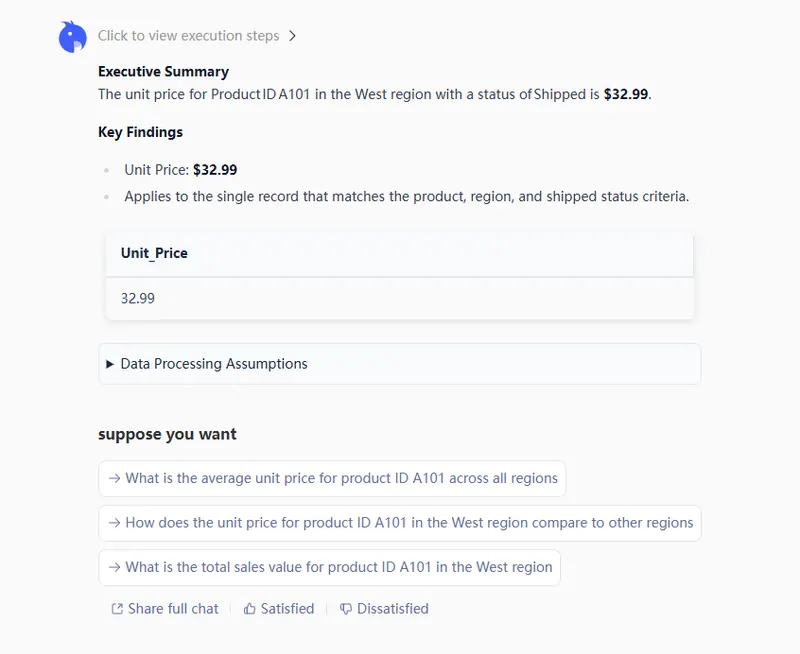
Find the 'Unit Price' for 'Product ID A101' where the 'Region' is 'West' and the 'Status' is 'Shipped'.

Step 3: Review the Intelligent Result
RowSpeak identifies the correct rows across all criteria and provides a real-time preview. It can even handle temporal adjustments, such as adding one month to a delivery schedule or unprotecting a sheet to make necessary edits.
Step 4: Export with Confidence
Precision is a process, not a single click. You can continue to refine and iterate on the results—asking the AI to tweak formats or add specific filters—until they perfectly match your requirements. Once you are completely satisfied with the output, simply export and download your clean, professional dataset for immediate use.
Conclusion: Move From Processor to Architect
The transition from manual formulas to AI-driven querying is about reclaiming your time. By removing the technical barriers of Excel syntax, you empower yourself to focus on the high-level insights that drive business growth.
- Simplicity: If you can describe it, you can query it.
- Reliability: Eliminate the human error inherent in long, complex formulas.
- Speed: Go from raw data to specific answers in under 60 seconds.
🚀 Ready to Simplify Your Workday?
Join the thousands of analysts using AI to automate their complex Excel queries.
Try RowSpeak Free Today