Personal Monthly Budget and Expense Tracker with Variance Analysis Template
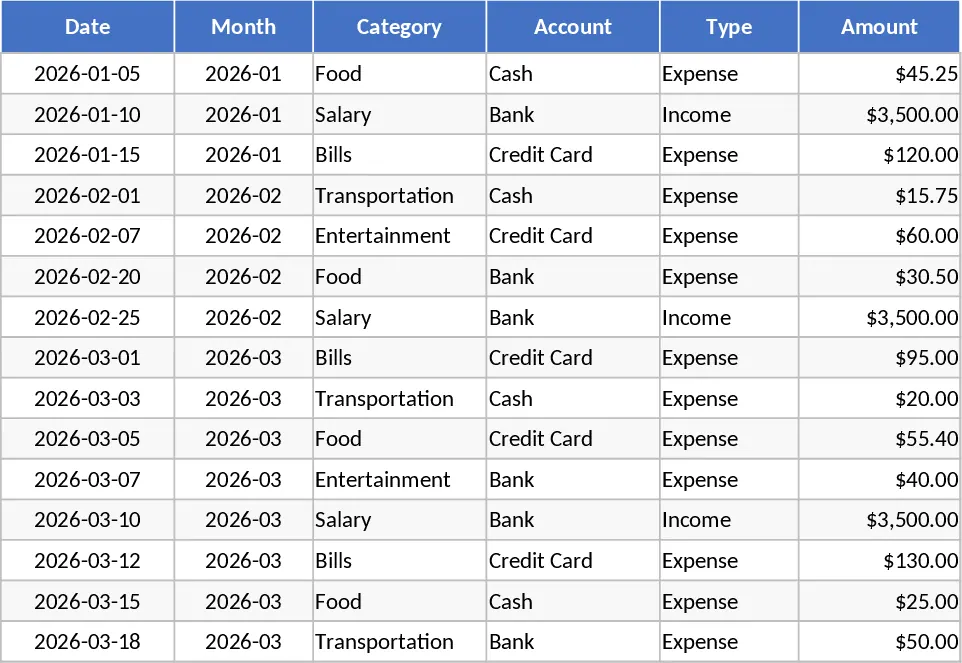
This Personal Monthly Budget & Expense Tracker is a robust financial tool designed to bring clarity and discipline to your personal finances. It is structured around three integrated sheets that transform raw data into actionable insights. The Transactions sheet serves as your primary ledger, featuring columns for Date, Category, Account, and Payment Method. To ensure ease of use, the template utilizes automated formulas to derive the month from your date entries and provides dropdown menus for consistent categorization. This structure prevents data entry errors and makes it simple to maintain a clean record of your financial life, whether you are tracking a morning coffee or a monthly rent payment. The inclusion of 15 sample rows helps you understand the data flow immediately upon opening the file.
The Budget Plan sheet is where your financial strategy comes to life. By listing your categories and setting monthly targets, the template automatically pulls data from your transaction history to calculate actual spend. The variance column immediately shows the difference between your plan and reality, while conditional formatting highlights over-budget areas in red. This proactive monitoring helps you stay accountable to your financial goals throughout the month. It is an ideal solution for anyone struggling with lifestyle creep or those who want to build a significant savings cushion by identifying unnecessary expenditures. The template is designed to be flexible, allowing you to easily add new categories or accounts as your financial situation evolves.
For a high-level overview, the Dashboard provides a visual summary of your financial health. It aggregates your Total Income, Total Expenses, and Net Savings into clear, easy-to-read metrics. Visual components like the Category Spend pie chart and the Weekly Spend trend line allow you to spot patterns at a glance. You can also see a breakdown of your Top 10 Merchants, which is incredibly useful for identifying which stores or services are consuming the largest portion of your budget. This level of detail empowers you to make informed decisions about where to cut back and where to invest. Whether you are managing a single bank account or multiple credit cards and cash wallets, this template provides a unified view of your cash flow.
How to use:
- Initial Setup: Go to the Budget Plan sheet and list your spending categories. Enter your target budget for each category in the Monthly Budget column to establish your baseline.
- Daily Logging: Enter every income and expense item in the Transactions sheet. Use the dropdown menus to assign each transaction to a specific category, account, and payment method.
- Review Insights: Check the Dashboard regularly to monitor your net savings and spending trends. Use the Over-Budget flags in the Budget Plan sheet to adjust your spending in real-time before the month ends.
- Monthly Maintenance: At the end of the month, review your performance and adjust your budget targets for the following month based on your actual spending patterns and upcoming financial obligations.
Expected benefits: By centralizing your financial data, you can save hours of manual calculation every month and gain the peace of mind that comes with knowing exactly where your money is going, helping you reach your savings goals faster.
Similar Templates Recommendation
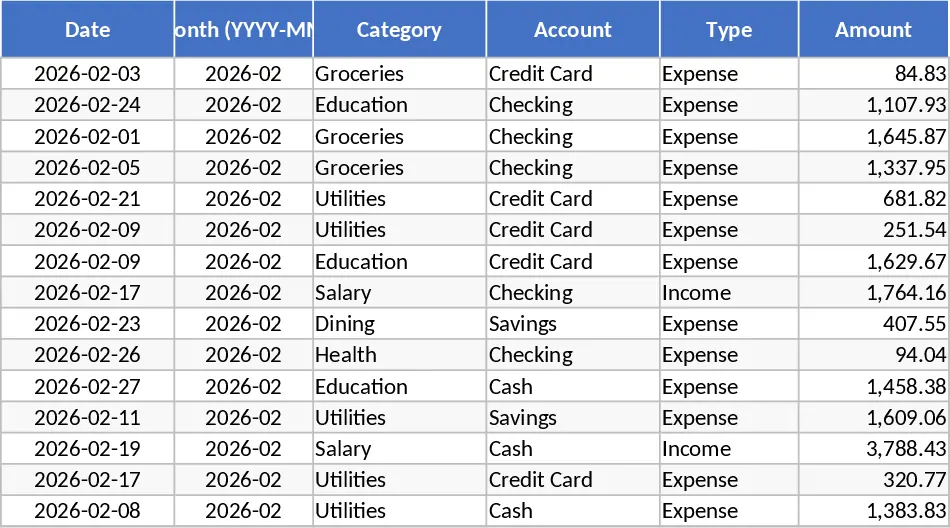
Personal Monthly Budget and Expense Tracker with Payment Methods Template
Track daily expenses and income against monthly budgets with automated dashboards to visualize spending trends and manage your personal savings.
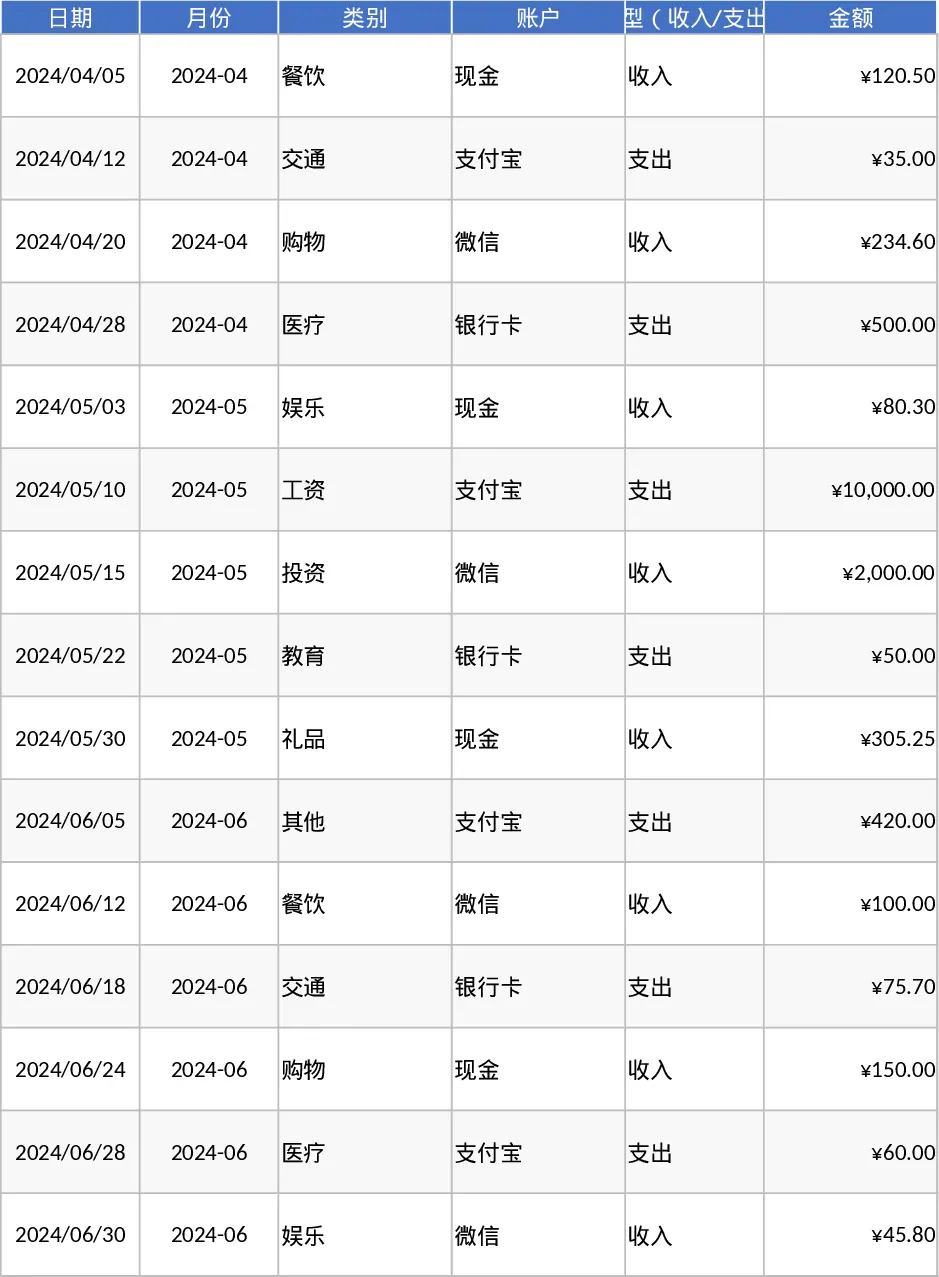
Personal Monthly Budget and Expense Tracker with Budget Plan and Category Budgets Template
Manage personal finances by tracking daily transactions, setting category budgets, and visualizing spending habits with an automated dashboard.
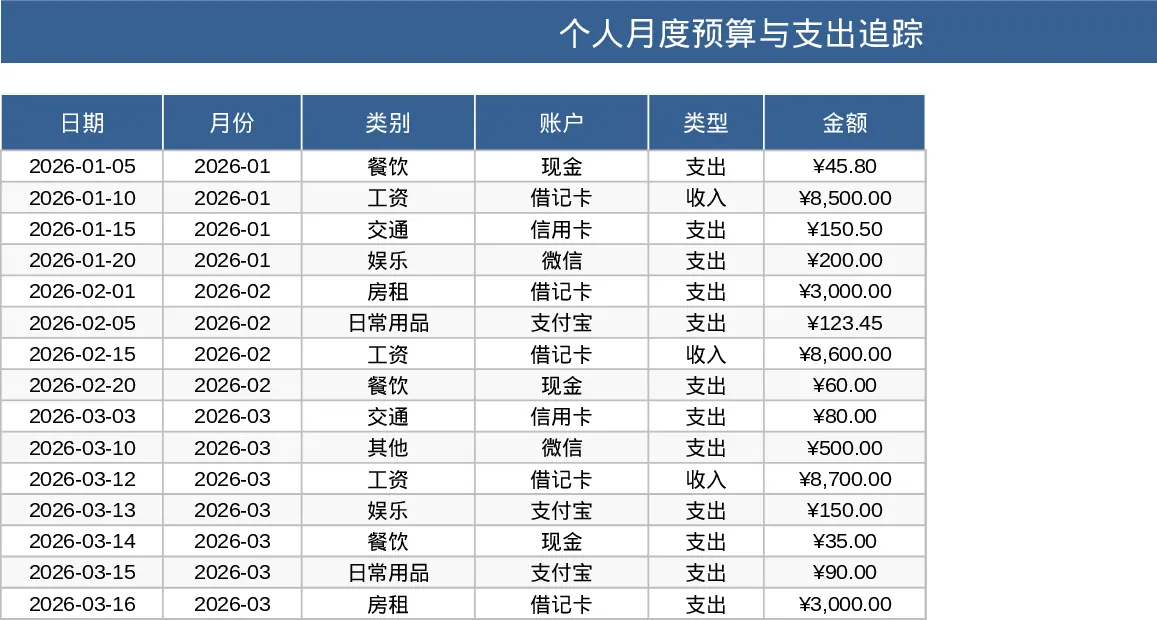
Personal Monthly Budget and Expense Tracker with Transaction Log and Net Savings Template
Take control of your personal finances by tracking daily expenses and income against monthly budget goals with automated visual insights.