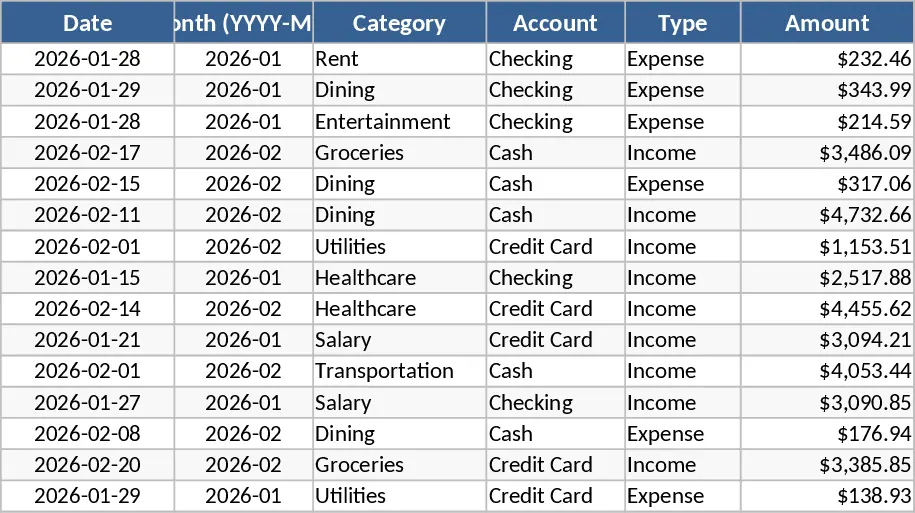
Personal Monthly Budget and Expense Tracker with Transaction Log and Net Savings Template
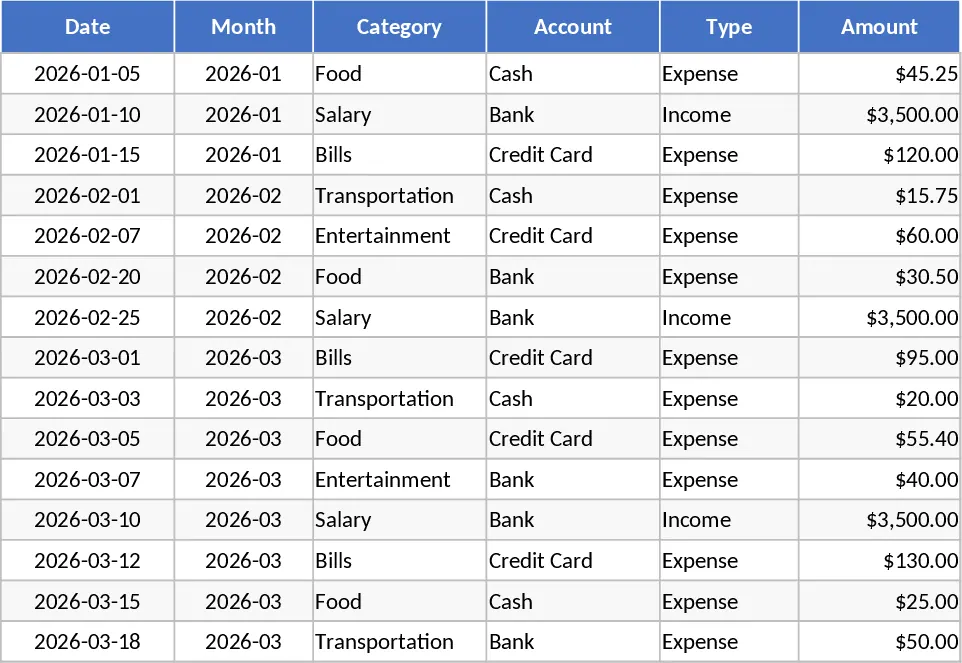
This Personal Monthly Budget & Expense Tracker is a robust financial management tool designed to help you take full control of your money. The template is organized into three intuitive sections: a detailed Transactions log, a Budget Plan comparison sheet, and a visual Dashboard. In the Transactions sheet, you can record every cent that moves in or out, using convenient dropdown menus for categories, accounts, and payment methods. The system automatically calculates the month based on your date entry, ensuring your data stays organized for long-term analysis without manual date formatting.
The Budget Plan sheet acts as your financial roadmap. Here, you define your spending limits for various categories like groceries, rent, or entertainment. The template automatically pulls data from your transaction history to show your actual spending versus your goals. With built-in variance calculations and automated over-budget flags that turn red when you exceed your limits, you will immediately see where you are overspending. This proactive approach helps eliminate the stress of unexpected end-of-month shortfalls and allows you to adjust your habits in real-time.
For those who prefer a high-level view, the Dashboard provides a professional-grade summary of your financial health. It features key performance indicators like Total Income, Total Expenses, and Net Savings. Visual charts, including a category-wise spending pie chart and a weekly trend line, help you identify patterns in your behavior. You can even see your top 10 merchants to understand which businesses are receiving most of your hard-earned money. This is particularly useful for families or individuals looking to optimize their savings and reduce unnecessary costs.
To get started with your new tracker, follow these simple steps:
- Navigate to the Budget Plan sheet and enter your expected monthly limits for each category to set your baseline.
- Head to the Transactions sheet and begin logging your daily activities; use the dropdowns to ensure your data is categorized correctly for the dashboard.
- Visit the Dashboard whenever you need a quick check-up on your progress to see your net savings and spending trends.
This template is easily expandable, allowing you to add new categories or accounts as your financial life evolves. By centralizing your records in one place, you save hours of manual math and gain the peace of mind that comes with total financial transparency and better decision-making.
Similar Templates Recommendation
Personal Monthly Budget and Expense Tracker with Payment Methods Template
Track daily expenses and income against monthly budgets with automated dashboards to visualize spending trends and manage your personal savings.
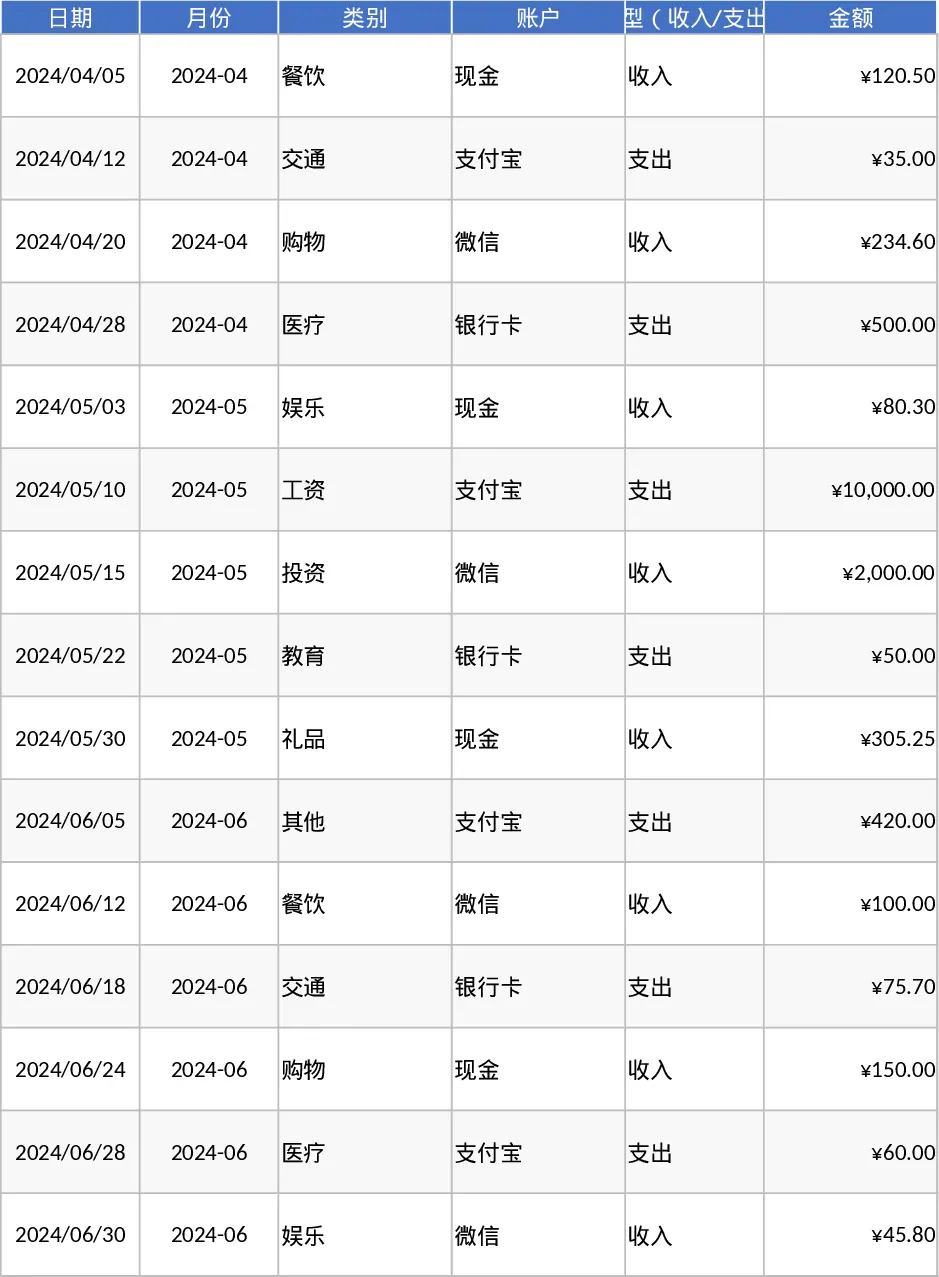
Personal Monthly Budget and Expense Tracker with Budget Plan and Category Budgets Template
Manage personal finances by tracking daily transactions, setting category budgets, and visualizing spending habits with an automated dashboard.
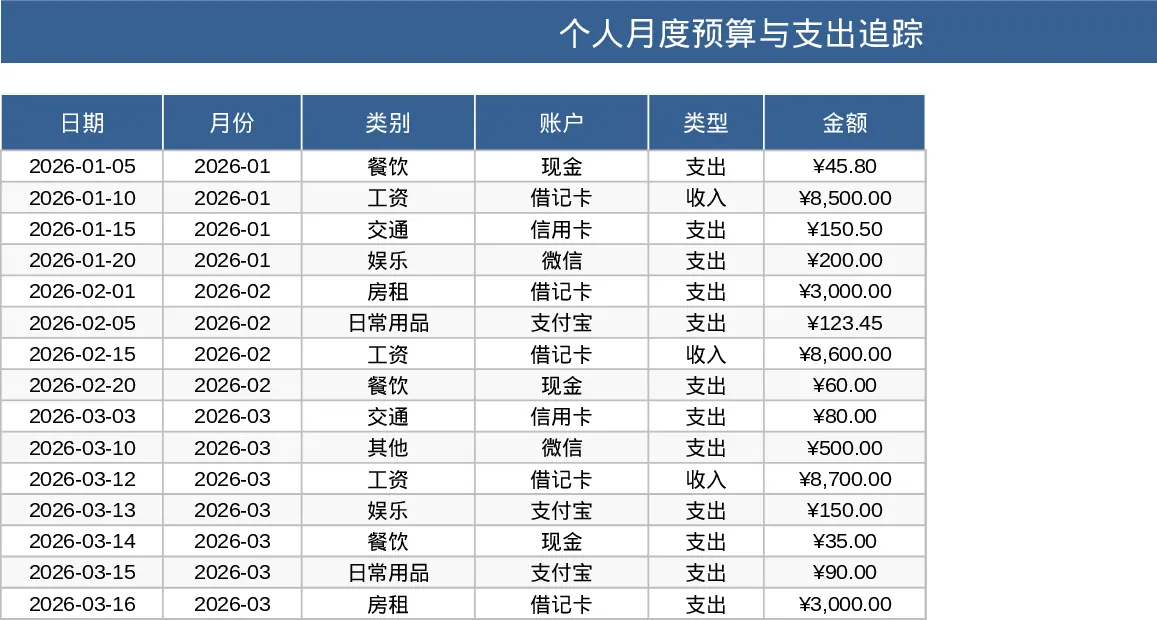
Personal Monthly Budget and Expense Tracker with Dashboard and Budget vs Actual Template
Track daily spending, manage monthly budgets by category, and visualize savings goals with an automated dashboard and transaction log.