Personal Monthly Budget and Expense Tracker with Dashboard and Budget vs Actual Template
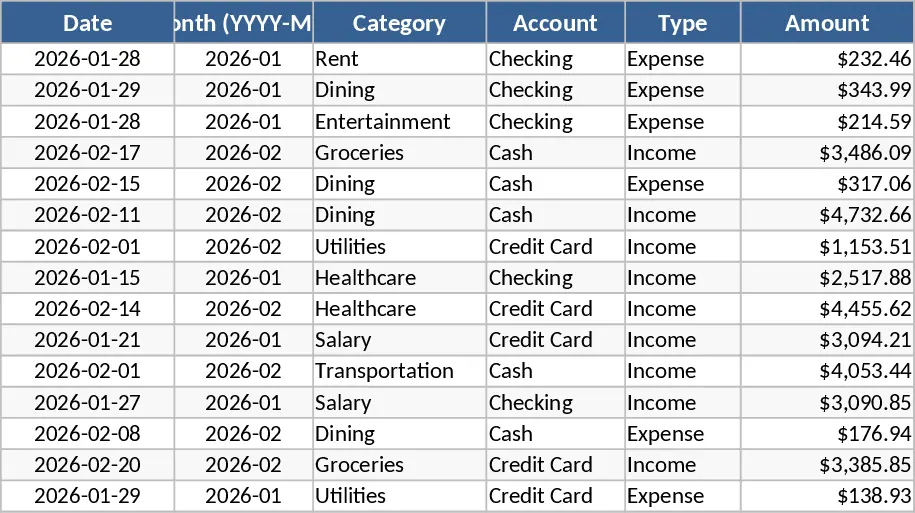
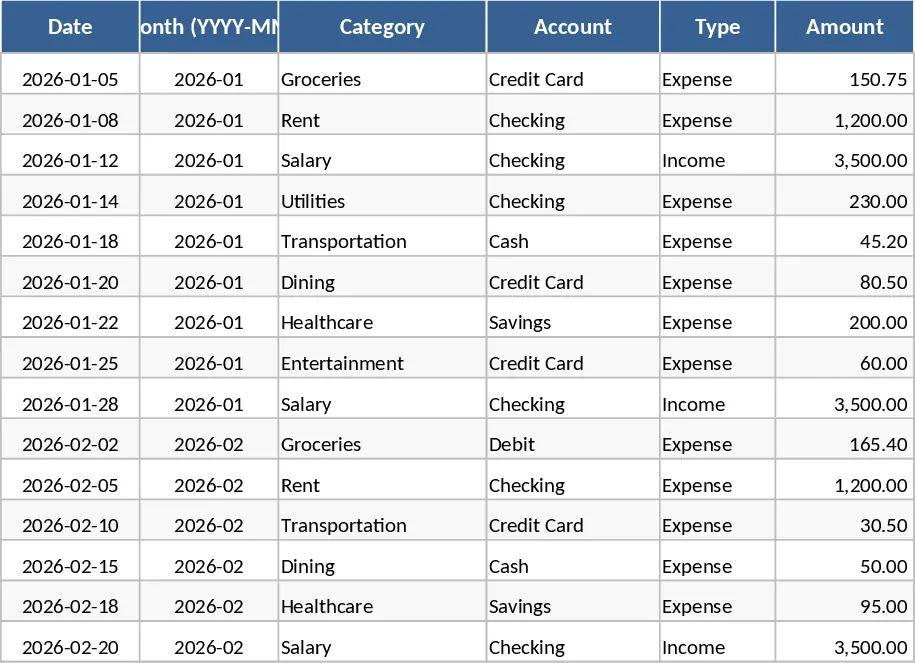
Managing personal finances often feels like a chore, but this Personal Monthly Budget & Expense Tracker simplifies the process by turning raw data into actionable insights. The template is built around three core components: a detailed transaction log, a category-based budget planner, and a visual dashboard. In the Transactions sheet, you can record every penny spent or earned, utilizing convenient dropdown menus for categories, accounts, and payment methods to ensure data consistency. The system automatically handles month-to-month grouping, so you do not have to worry about complex date formulas or manual sorting.
The Budget Plan sheet acts as your financial roadmap. Here, you define your spending limits for various categories like groceries, rent, or entertainment. The template automatically pulls your actual spending from the transaction log to calculate variances in real-time. If you exceed your limit, a visual flag alerts you immediately with red conditional formatting, helping you curb unnecessary spending before the month ends. This proactive approach helps you stay on track with your savings goals and reduces the stress of unexpected end-of-month shortfalls. It is an ideal solution for individuals, families, or students who want to move beyond simple spreadsheets to a more structured financial system.
For those who prefer a high-level view, the Dashboard provides a comprehensive summary of your financial health. It features real-time calculations of your total income, expenses, and net savings. Interactive charts illustrate your spending distribution by category and reveal weekly trends, while a Top 10 Merchants list highlights where your money goes most frequently. This level of detail helps you identify patterns, such as high-frequency small purchases that add up over time, allowing you to adjust your habits effectively.
How to use:
- Navigate to the Budget Plan sheet to list your custom expense categories and set your target monthly budget for each.
- Enter your daily income and expenses into the Transactions sheet, ensuring you select the correct category and type from the dropdown lists to keep the data organized.
- Visit the Dashboard sheet to view your automated financial reports, visual charts, and merchant rankings to evaluate your progress.
Expected benefits: Gain complete visibility over your cash flow and save hours of manual calculation every month while building better spending habits.
Similar Templates Recommendation
Personal Monthly Budget and Expense Tracker with Budget Plan and Category Budgets Template
Manage personal finances by tracking daily transactions, setting category budgets, and visualizing spending habits with an automated dashboard.
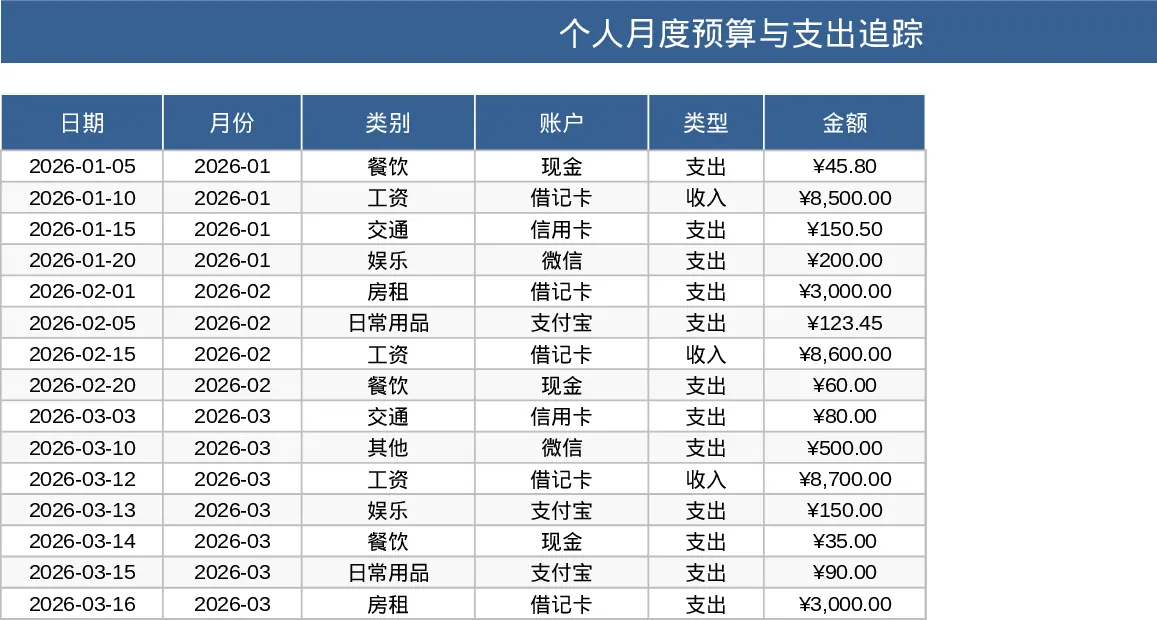
Personal Monthly Budget and Expense Tracker with Category Breakdown Template
Track your daily spending, manage monthly budgets by category, and visualize savings goals with an automated dashboard and transaction log.
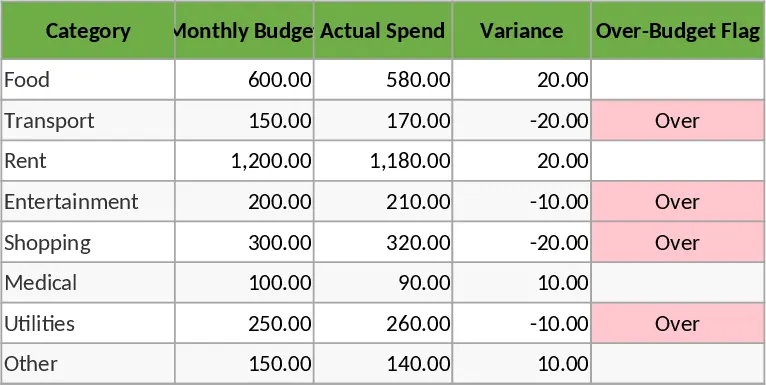
Personal Monthly Budget and Expense Tracker with Dashboard and Transaction Log and Budget Plan Template
Manage your finances by tracking daily expenses, setting monthly category budgets, and visualizing savings trends with an automated dashboard.