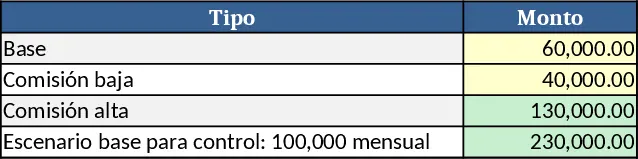
2025 Income & Expense Tracker with Fixed & Variable Costs Template
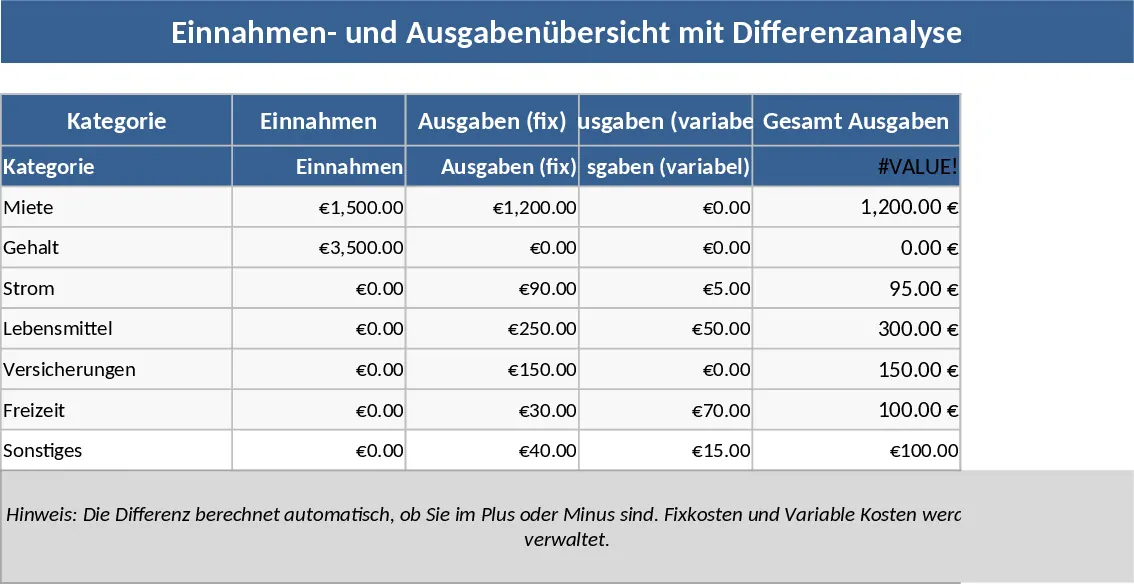
The 2025 Income & Expense Overview template is a ready‑to‑use Excel workbook that gives you a full picture of cash flow for the entire year. It is split into three main sheets: a Dashboard that pulls key totals and charts, a Monthly Input sheet where you log every transaction, and a Category List that defines fixed and variable cost groups. In the Monthly Input sheet you enter the date, a brief description, select a category from a drop‑down (e.g., Rent, Utilities, Marketing, Supplies), and record the amount. The Category List lets you add or edit categories and mark each as fixed or variable, which automatically updates the Dashboard. The Dashboard shows total income, total expenses, net profit, and separate subtotals for fixed and variable costs, plus a month‑by‑month bar chart and a year‑end summary table.
This workbook solves the common problem of scattered financial data and manual calculations. By consolidating all entries in one place and providing instant visual summaries, you can spot spending trends, ensure you stay within budget, and plan for tax obligations without digging through receipts or separate spreadsheets. It is especially useful for freelancers, small‑business owners, or anyone managing a household budget who needs to keep an eye on both predictable fixed outlays and fluctuating variable expenses throughout 2025.
Anyone who needs a clear, organized view of their yearly finances will benefit. Whether you run a solo consulting practice, manage a boutique shop, or simply want to track personal income versus spending, the template adapts to your scale. It helps you monitor cash inflows, control outflows, and understand the composition of your expenses, making budgeting decisions more data‑driven and less guesswork.
How to use
- Open the workbook and go to the "Category List" sheet. Add any custom cost categories you need and flag each as Fixed or Variable.
- Switch to the "Monthly Input" sheet. For each transaction, fill in the date, description, choose the appropriate category from the drop‑down, and enter the amount. Use positive numbers for income and negative numbers for expenses.
- After entering data for the month, the "Dashboard" sheet automatically refreshes, showing updated totals, charts, and the net result for the year.
- Review the summary at any time to identify overspending areas, compare month‑to‑month performance, and adjust your budget plan accordingly.
Expected benefits include a noticeable reduction in time spent on manual calculations, fewer errors in categorising costs, and quicker insight into your financial health throughout the year.
Similar Templates Recommendation
Monthly Finance Tracker with Emojis and Charts Template
Track monthly income, expenses, fixed and variable costs, mark paid or unpaid items, and view emergency fund, investment and spending charts.
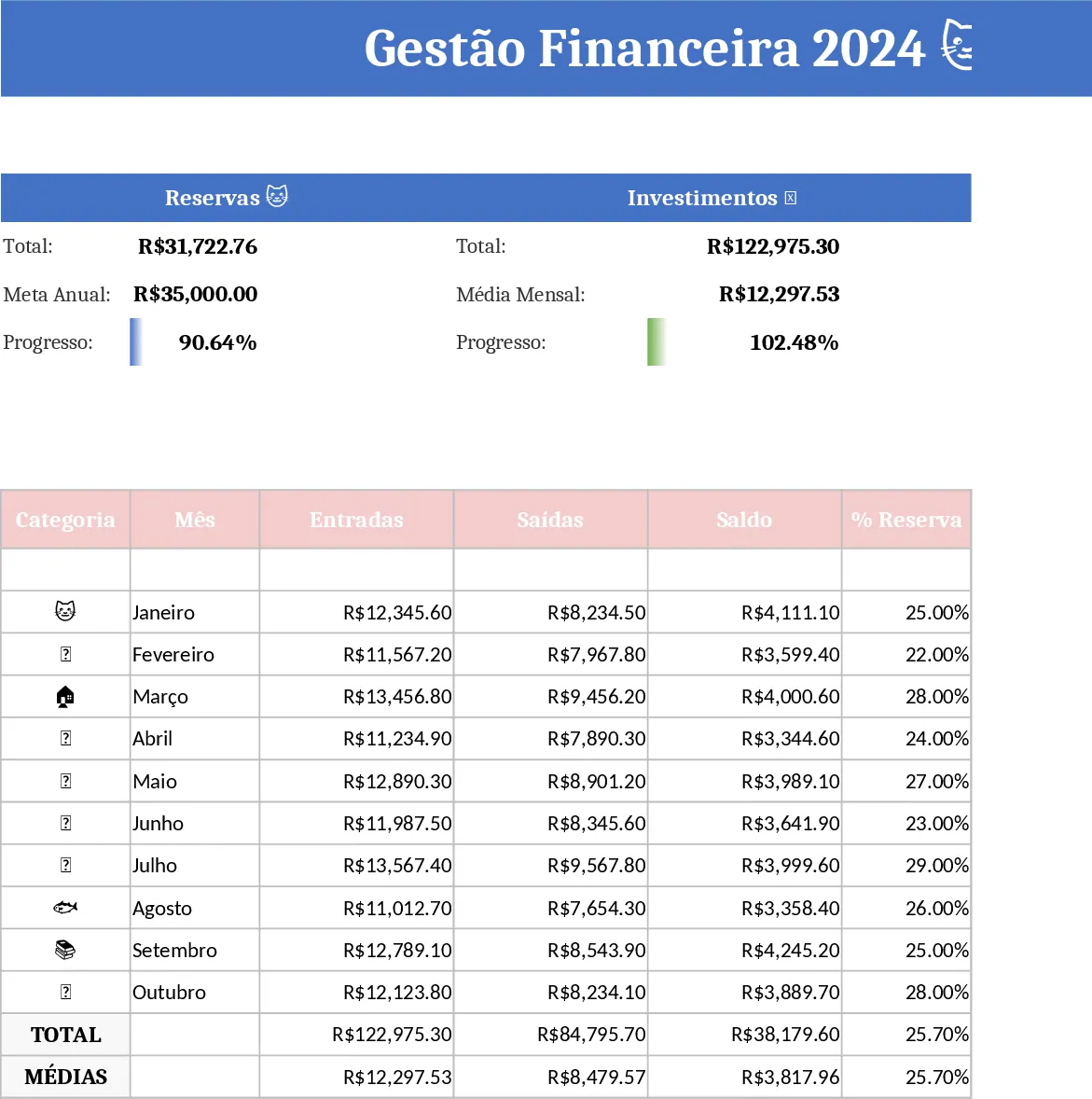
Personal Financial Planning and Savings Tracker Template
A detailed personal finance planner to track income, expenses, savings and hit a 500k goal in 12 months.
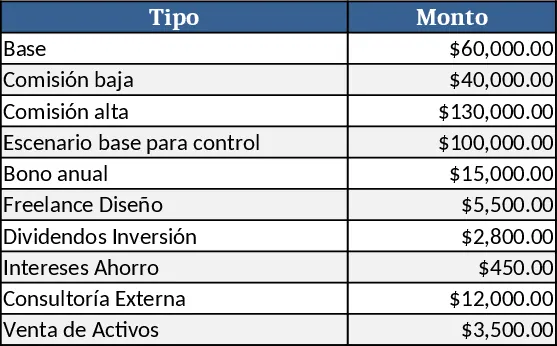
12‑Month Personal Financial Planning and Savings Tracker Template
Track income, expenses, savings and monthly targets to reach a 500,000 personal goal in 12 months.