Monthly Budget Forecast vs Actual and Carryover Balance Template
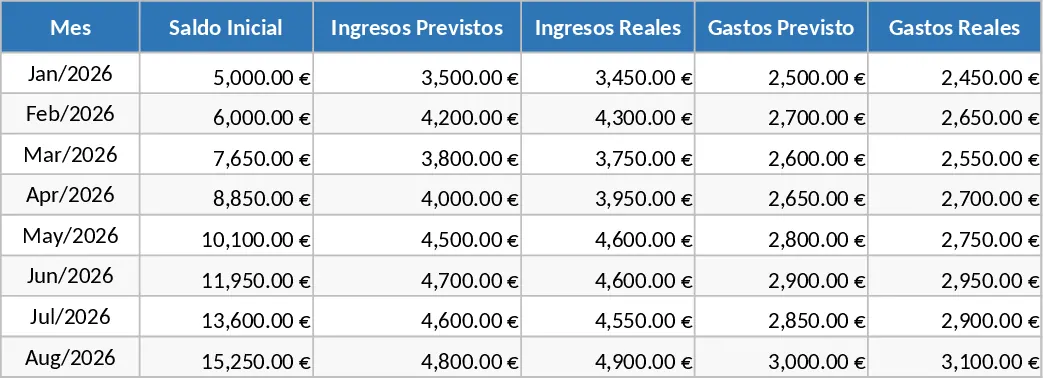
Managing your finances effectively requires more than just listing numbers; it requires a dynamic system that connects your past, present, and future. This monthly income and expense control template is designed to provide a clear, structured overview of your financial health. It features a dual-column layout for every month, allowing you to input both your forecasted budget and your actual spending. By comparing these two figures, you can immediately identify areas where you are overspending or where you have additional savings potential. The template is organized into intuitive sections for various income streams and expense categories, such as housing, utilities, groceries, and entertainment, ensuring nothing is overlooked.
One of the most powerful features of this tool is the automated balance carry-over. Instead of starting from scratch every month, the closing balance of the previous period automatically becomes the opening balance for the next. This creates a continuous financial narrative, helping you track your total accumulated wealth or debt over time. It eliminates the manual work of transferring totals and reduces the risk of calculation errors that often occur in manual spreadsheets. Whether you are a freelancer managing irregular income or an individual looking to build a savings cushion, this template provides the visibility needed to make informed financial decisions. The template also includes summary outputs that highlight your net cash flow and variance percentages, helping you understand not just how much you spent, but how well you adhered to your original plan.
How to use:
- Start by entering your initial cash on hand in the opening balance field of the first month.
- Fill in your anticipated income and planned expenses in the Forecast columns to set your monthly budget targets.
- As the month progresses, enter your real-world transactions into the Actual columns to see live updates on your remaining balance and variance.
- At the end of the month, review the summary to see how your actual spending compared to your goals, and watch as the final balance automatically rolls over to the next month's starting point.
Expected benefits: This template significantly reduces the time spent on manual data entry and provides an organized, error-free way to maintain a healthy financial overview.
Similar Templates Recommendation
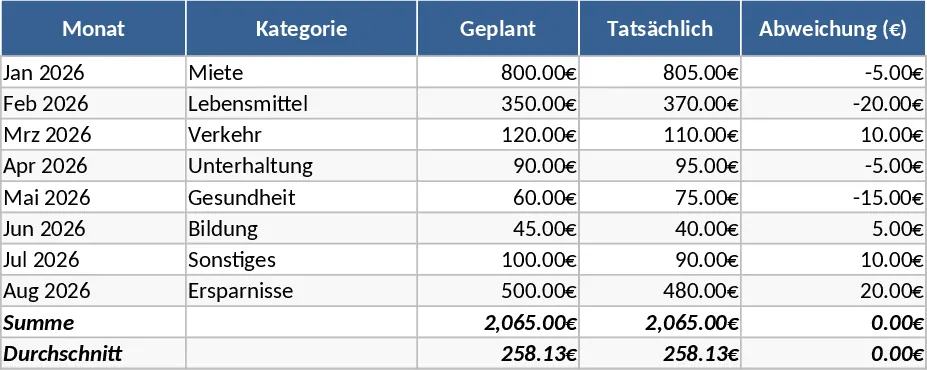
Monthly Household Expense Tracker Template
Track your monthly household spending across various categories to manage your budget and identify potential savings effectively.
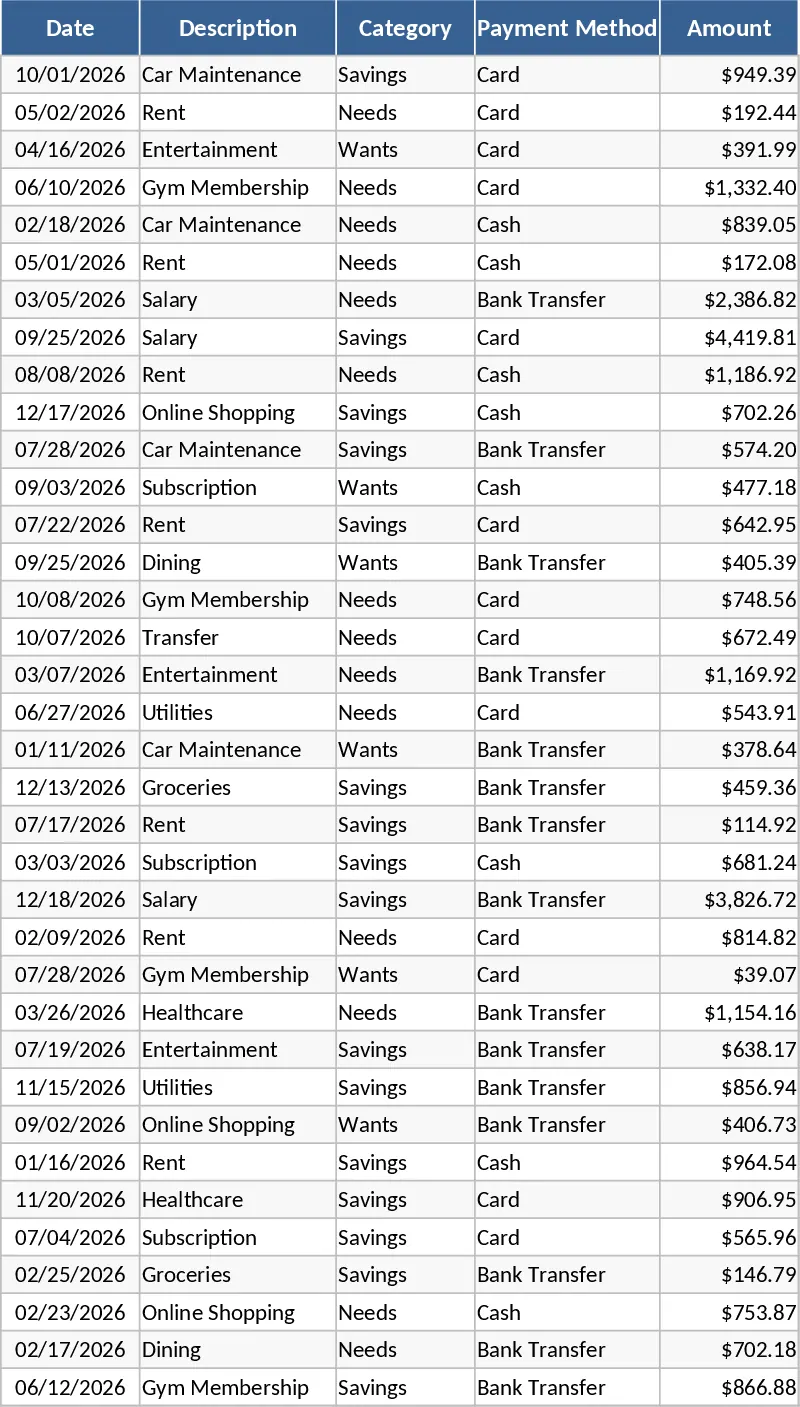
Personal Monthly Budget and Expense Dashboard Template
Manage your personal finances by tracking daily transactions against monthly limits with dynamic charts and a safe-to-spend dashboard.
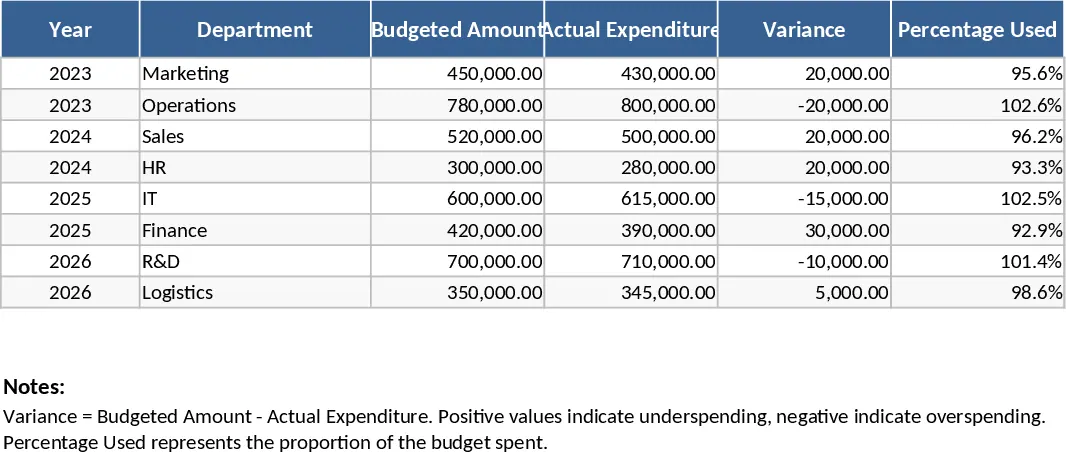
Budget Expenditure Tracking Template
Track your planned budget against actual spending with detailed category breakdowns and visual variance analysis to maintain financial control.