Monthly and Annual Financial Control with Balance Sheet Template
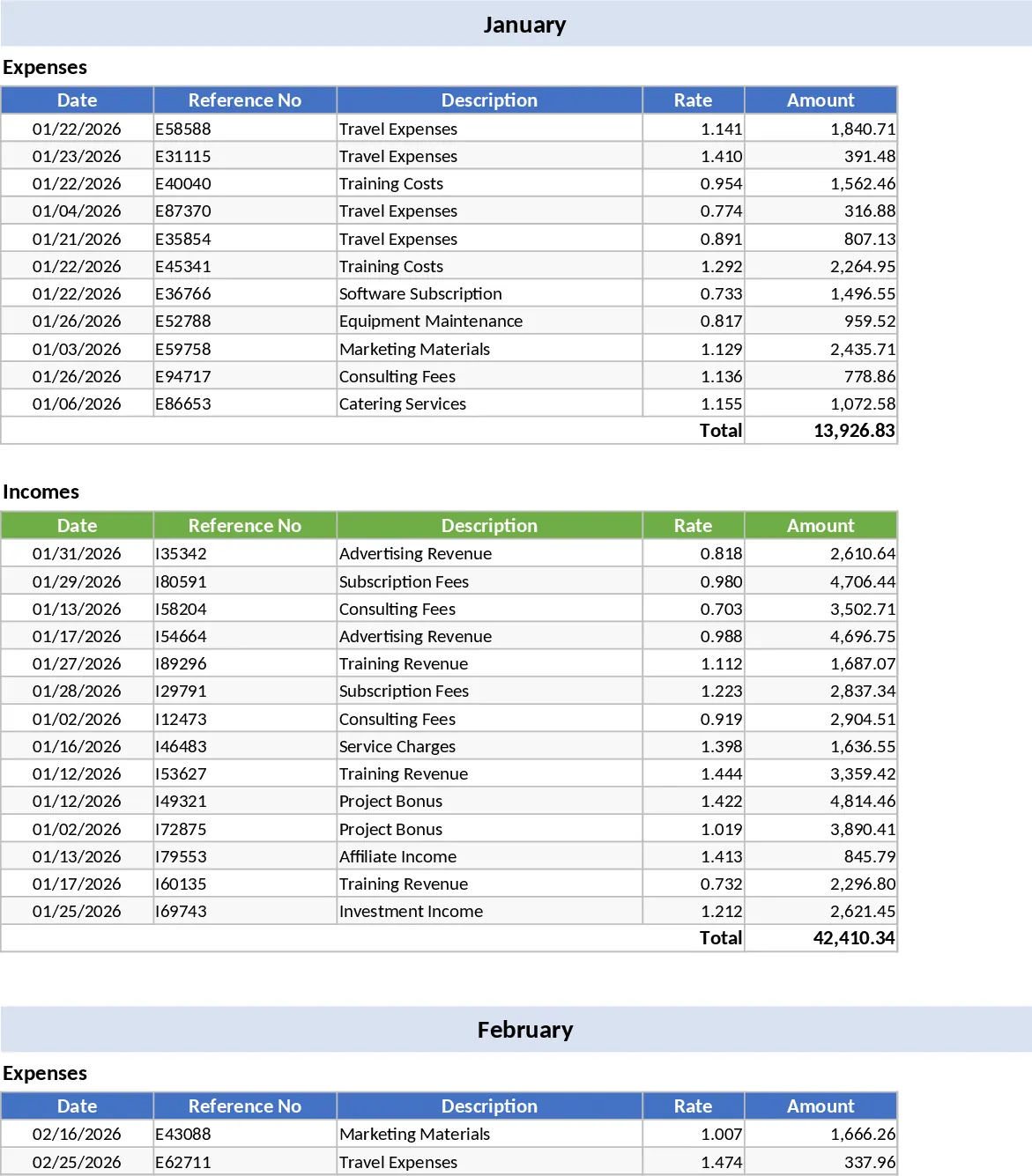
This comprehensive financial control template provides a robust and structured framework for managing your finances throughout the calendar year. It is designed to handle both personal and small business accounting needs by offering dedicated sections for recording every source of revenue and every line of expenditure. The template features a series of monthly logs where you can input dates, descriptions, and amounts, alongside a powerful annual balance sheet that aggregates all your data into a single, high-level overview. With pre-configured dropdown menus for expense categories—such as housing, transport, food, and entertainment—you can maintain consistency in your records and generate more accurate reports without needing advanced accounting knowledge.
The primary utility of this template lies in its ability to transform chaotic transaction lists into actionable insights. It solves the common problem of losing track of small expenses by providing a clear breakdown of spending habits and income streams. For individuals, it serves as a personal financiAI Assistant, helping to track savings goals and manage recurring bills. For small business owners or freelancers, it acts as a simplified ledger to monitor profitability and prepare for tax season. The automated summary outputs include total monthly savings, average spending per category, and a year-to-date net balance, ensuring you always know your exact financial position at any given moment.
The visual component of this template is one of its strongest features. Integrated charts and graphs automatically update as you enter data, providing a visual representation of your financial trends. You can easily compare your income versus expenses month-over-month, identifying which periods are most profitable or where costs tend to spike. This visual feedback is essential for long-term planning, allowing you to adjust your budget proactively rather than reacting to financial surprises at the end of the month. By seeing your progress visually, you stay motivated to reach your financial milestones.
How to use:
- Start by customizing the category list in the configuration tab to reflect your specific income sources and spending habits, ensuring the dropdowns work for your lifestyle.
- Enter your transactions regularly into the respective monthly sheets, selecting the correct category and entering the amount for each income or expense item.
- Review the Annual Balance dashboard to monitor your year-to-date progress and view the automatically updated charts that highlight your financial patterns.
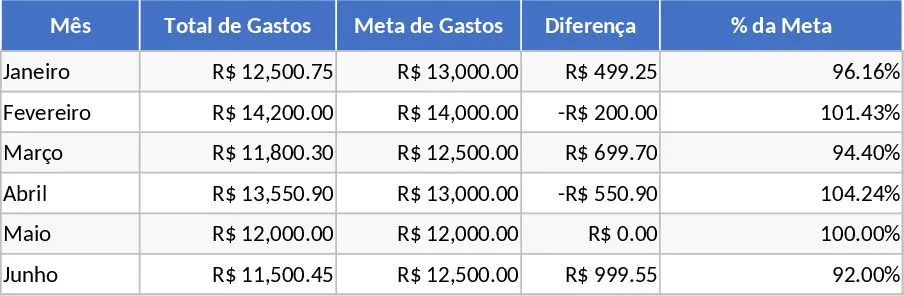
- Use the monthly summary totals to compare your actual spending against your planned budget and make adjustments for the following month.
By using this template, you can expect to significantly reduce the time spent on manual calculations and gain a much deeper understanding of your financial health with minimal effort.
Similar Templates Recommendation
Interactive Monthly Income and Expense Tracker Template
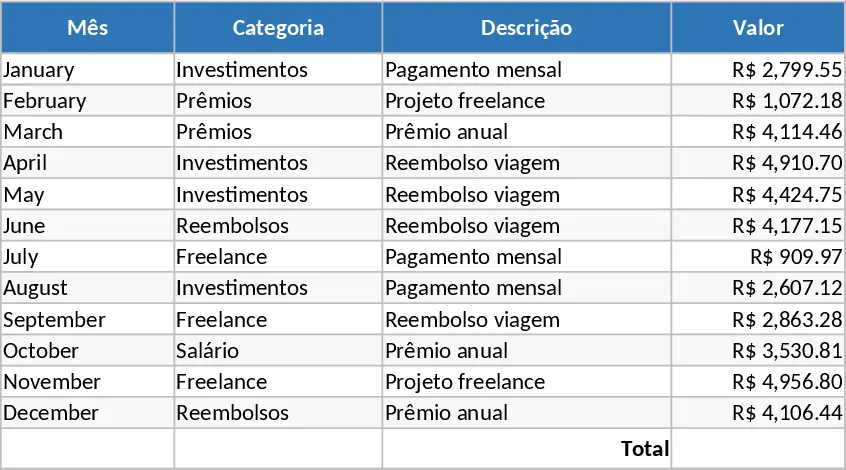
Manage your monthly budget with interactive income and expense tables featuring automatic USD conversions and total calculations on a single sheet.
Monthly Expense Tracker with Cash Flow Template
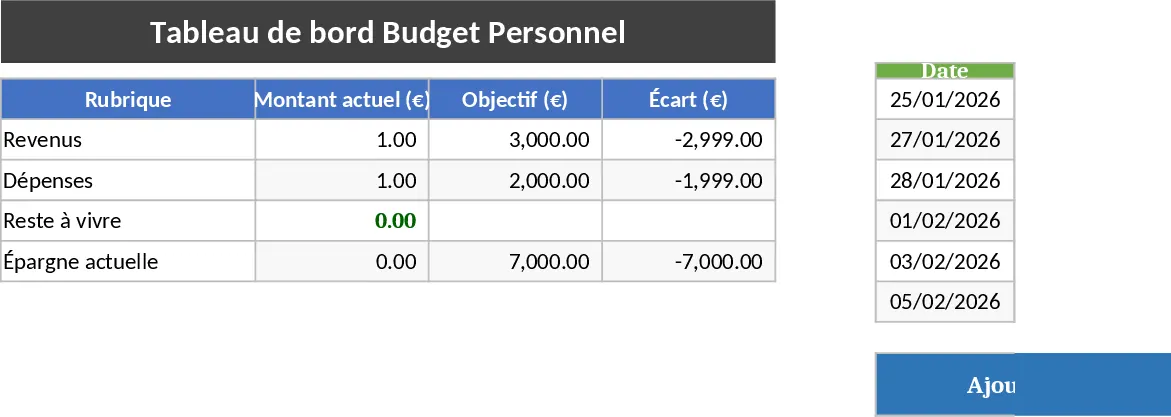
Track your monthly income and expenses with this intuitive dashboard to gain full control over your budget and financial health.
Personal Monthly Budget and Savings Dashboard Template
Manage monthly income, expenses, and savings with a professional dashboard featuring automated summaries and category-based filtering.