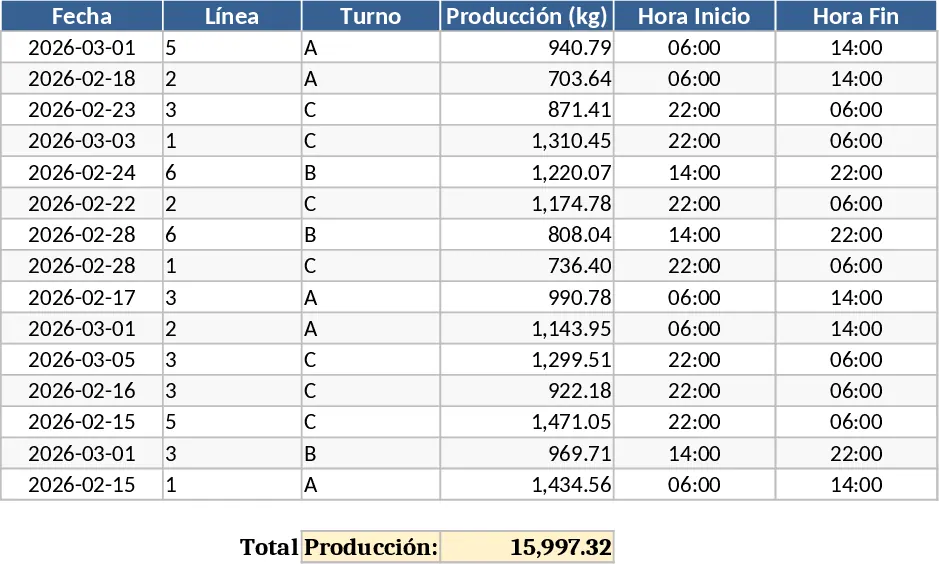
Laboratory Capacity and Production Tracking Template
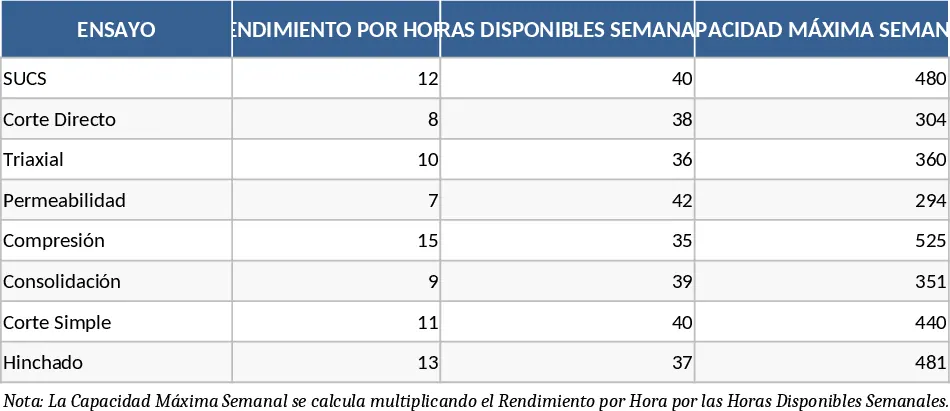
Managing a high-volume laboratory requires more than just technical expertise; it demands precise operational oversight to ensure that deadlines are met and resources are utilized efficiently. This Laboratory Capacity and Production Management template is designed to bridge the gap between technical testing and project management. It provides a structured framework to define your laboratory's true ceiling by calculating maximum weekly capacity based on specific test performance rates and available labor hours. By understanding your real-world limits, you can avoid the common pitfall of over-committing resources and failing to meet client expectations.
The template is organized into three core functional areas that streamline your daily workflow. The Configuration sheet allows you to input specific test types, such as SUCS, Direct Shear, or Triaxial tests, and define their hourly performance rates. This automatically calculates your weekly capacity based on your staff's working hours, giving you a realistic view of what your lab can handle. The Project sheet is where you define the scope of work, setting total programmed goals and timelines for specific clients or internal projects. Finally, the Weekly Production sheet serves as the heartbeat of your operations, where you record actual execution against weekly targets to monitor progress, calculate balances, and identify production gaps in real-time.
This tool is indispensable for laboratory managers, project coordinators, and lead technicians who handle large-scale testing projects involving hundreds or thousands of samples. It solves the common problem of production bottlenecks by providing data-driven insights into production speed and completion projections. Instead of guessing when a project will finish, you can use the built-in formulas to see exactly how many weeks are remaining based on your current real-world velocity. It also helps you account for the non-testing phases of the lab cycle, such as drying times, saturation, and the final reporting phase, ensuring that your progress tracking reflects billable reality rather than just work-in-progress.
Beyond simple tracking, the template helps you manage the nuances of laboratory work. The integrated dashboard concepts allow for visual monitoring of accumulated progress versus goals, using traffic-light indicators to highlight projects that require immediate attention. If your execution falls below 85% of the goal, the system flags it as a risk, allowing you to intervene before the project timeline is compromised. This level of visibility is crucial for maintaining high standards of service and operational excellence in a competitive testing environment.
How to Use
- Set Your Capacity: Navigate to the Configuration sheet and enter your laboratory's specific tests, the average units completed per hour, and the total weekly hours available to establish your maximum capacity ceiling.
- Define Project Goals: In the Project sheet, enter the total number of tests required for a specific contract and the start/end dates; the template will automatically generate the ideal weekly production target needed to finish on time.
- Log Weekly Progress: Every week, input the number of tests actually executed. The template will automatically update the accumulated totals, remaining balance, and percentage of completion for each test type.
- Analyze and Adjust: Review the Difference and Compliance metrics to see if you are ahead or behind schedule. Use the Projection of Term formula to estimate the actual completion date based on your current production speed.
Expected Benefits
- Eliminate guesswork in project scheduling and resource allocation.
- Identify production bottlenecks before they cause significant delays.
- Improve client communication with accurate, data-backed progress reports and completion estimates.
Similar Templates Recommendation
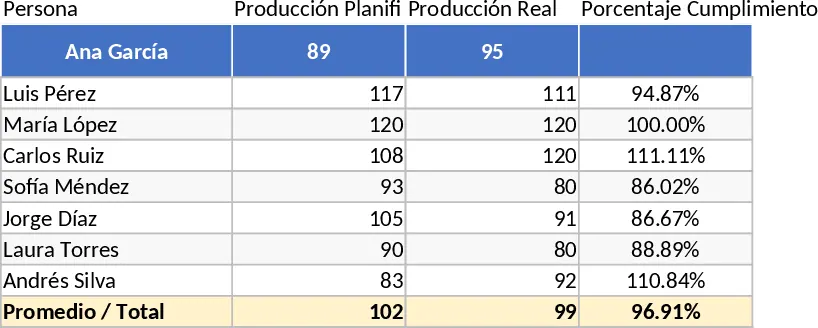
Production Performance and Individual Progress Dashboard Template
Track daily production percentages and individual performance metrics to optimize operational efficiency and monitor output targets in real-time.
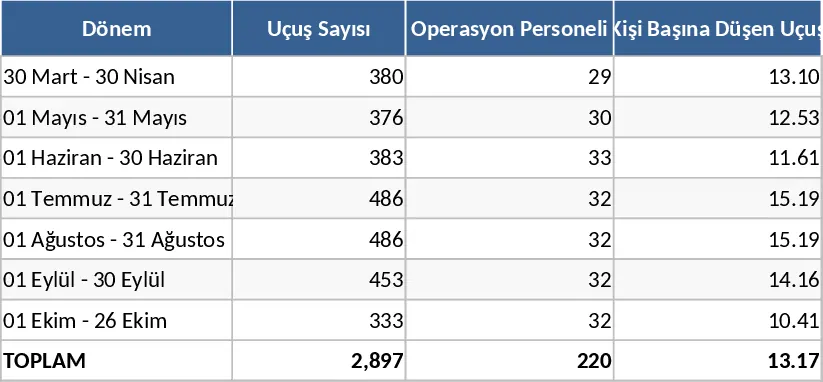
Summer Season Monthly Flight Volume per Personnel Template
Analyze monthly flight volumes and personnel allocation for summer seasons to optimize staffing ratios and operational efficiency.
7-Line Production Capacity, OEE, and Statistical Control Template
Track and analyze manufacturing performance across seven production lines with OEE metrics, mixer capacity monitoring, and automated statistical alerts.