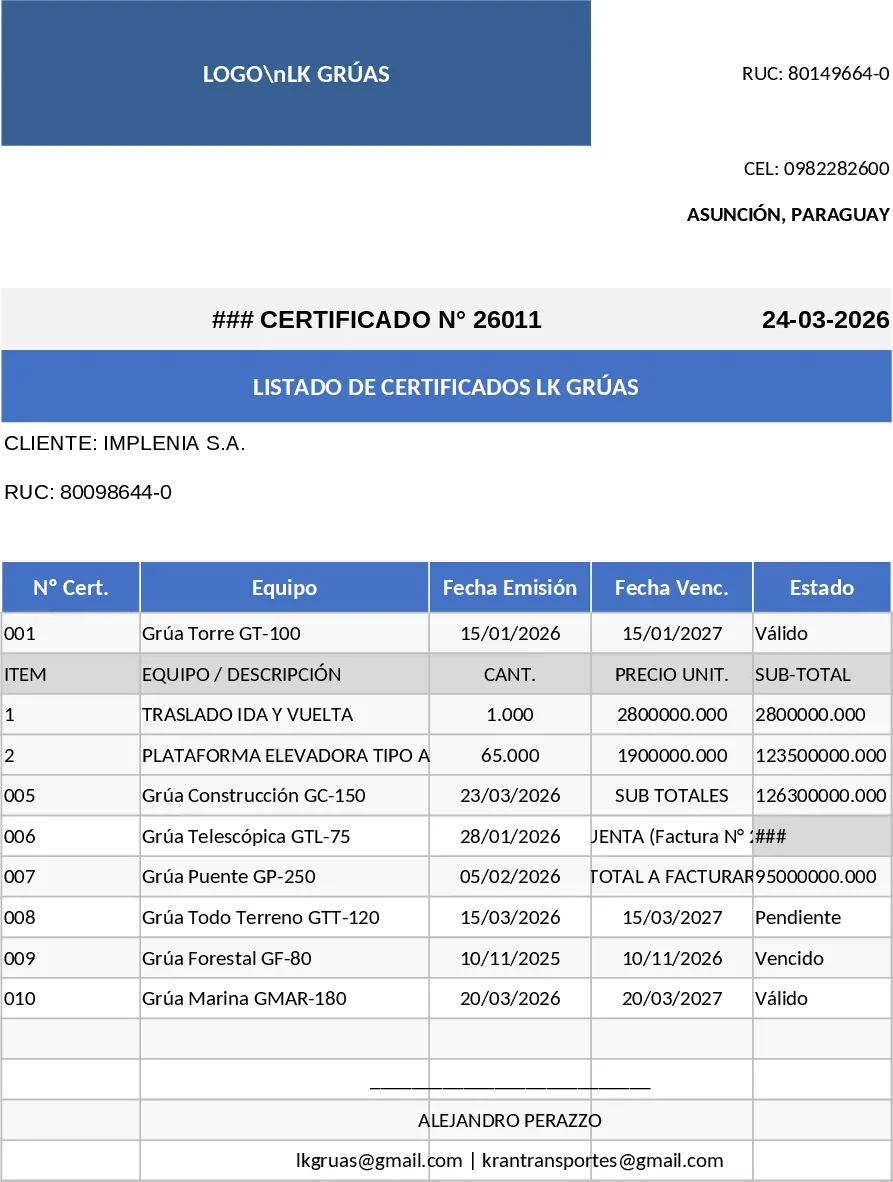
Professional High-Level Invoice Template
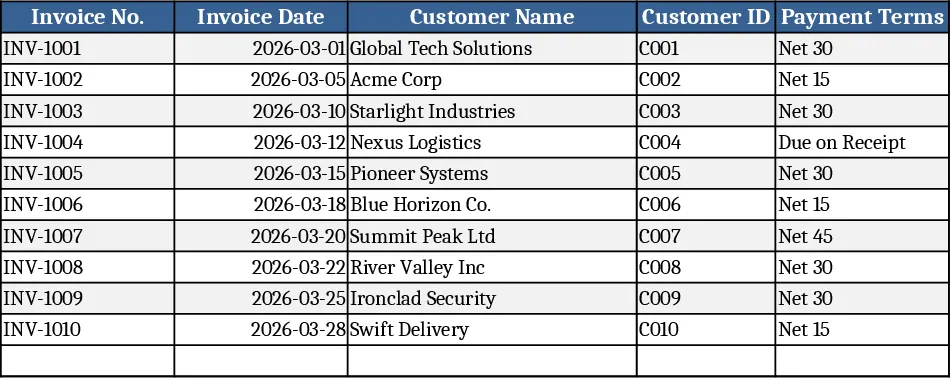
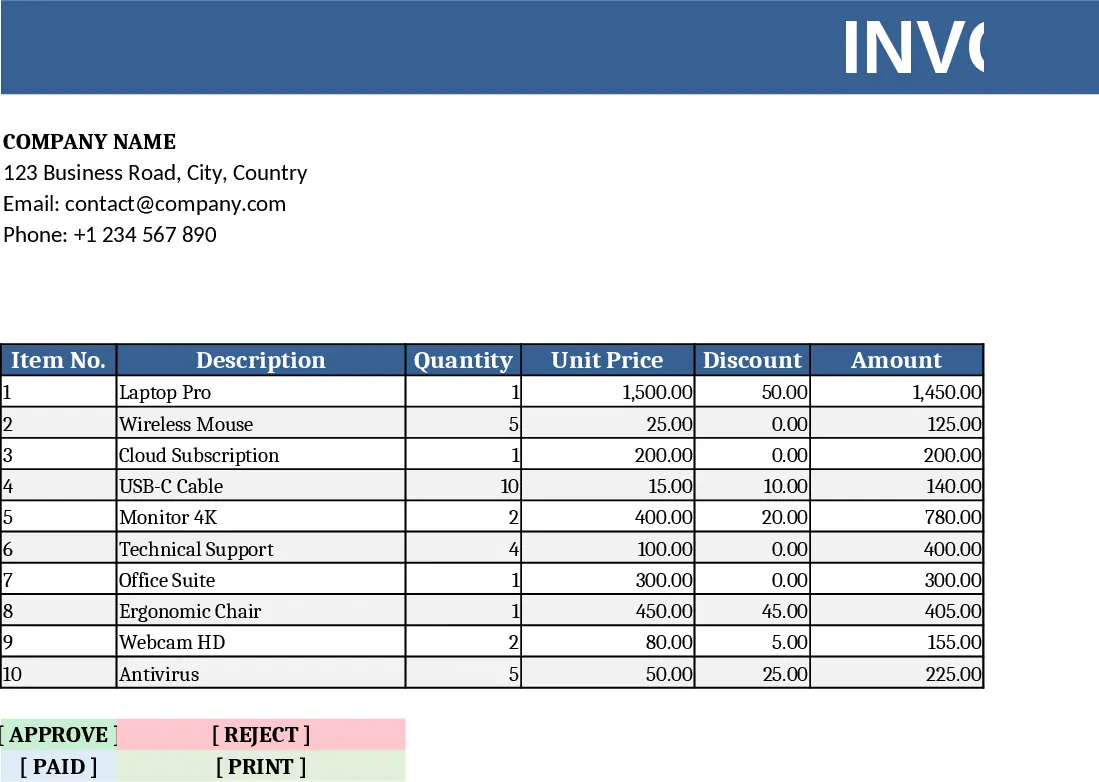
This Professional Invoice Template is built on a single Excel workbook that combines a clean, corporate‑style design with practical data fields. The first sheet holds your company header – logo, name, address, and contact details – followed by a client information block where you can enter the customer’s name, address, and contact person. Below that, a table for line items lets you list each product or service, quantity, unit price, and an optional discount column. Drop‑down menus let you pick tax rates (e.g., 0%, 5%, 10%) and currency symbols, while conditional formatting highlights overdue invoices. At the bottom, the template automatically calculates line totals, subtotal, tax amount, discounts, and the grand total. A separate “Summary” section pulls key figures such as total outstanding, total paid, and average invoice value, ready for quick reporting or copying into other financial dashboards.
The template solves the common headache of creating invoices from scratch each time, eliminating inconsistent layouts and manual calculations that lead to errors. By standardising the look and automating the math, you can issue professional‑looking invoices in seconds, improve cash‑flow visibility, and reduce the time spent on repetitive data entry. It’s especially valuable for freelancers, small‑business owners, agencies, and any team that needs to bill clients regularly while maintaining a polished brand image. The built‑in tax and discount logic ensures compliance with local regulations and helps you apply consistent pricing policies without extra spreadsheets.
Who benefits most? Independent consultants, accountants, sales teams, and small‑to‑medium enterprises that issue invoices weekly or monthly. The template helps you track every billed item, monitor payment status, and keep a running ledger of amounts due versus received.
How to use
- Fill in your company details and upload your logo in the header section.
- Enter the client’s contact information in the designated block.
- Add each product or service to the line‑item table, selecting tax rates from the drop‑down and adjusting quantities or discounts as needed.
- Review the automatically generated totals, print the sheet or export it as PDF, and send it to your client.
Expected benefits: you’ll spend far less time formatting invoices, avoid calculation mistakes, and present a consistent, professional image that can speed up payment collection.
Similar Templates Recommendation
Customizable Shape-Rich Invoice Excel Template
A fully customizable Excel invoice with editable shapes and design elements, ready to fill in, calculate totals, and print.
Transport Service Invoice Certificate Template
A ready‑to‑use invoice template that formats margins, fonts, logo placement, client details, itemized table and totals for professional billing.