Personal Cash Flow Tracker Template
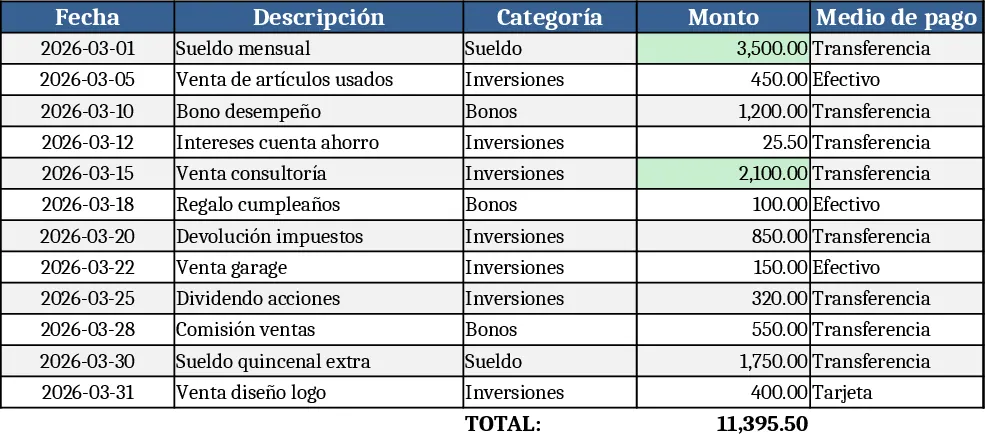
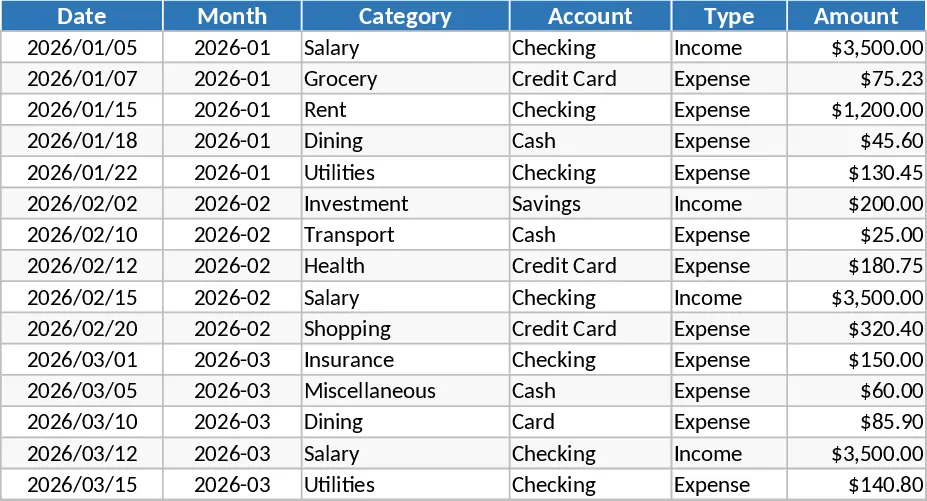
This template is organized into four clear sheets: Dashboard, Transactions, Categories, and Summary. The Transactions sheet is the work‑horse where you log every cash movement – date, description, amount, and whether it’s income or expense. Two dropdowns let you pick a predefined category (e.g., Salary, Groceries, Utilities) and the transaction type, keeping data consistent. The Categories sheet holds the list of categories you can edit or expand at any time. The Dashboard gives you a quick snapshot with a line chart of net cash flow over the selected period, while the Summary sheet aggregates totals by month, shows cumulative balance, and highlights the biggest expense categories.
By centralizing all cash‑in and cash‑out items, the template solves the common problem of scattered receipts and forgotten expenses. It turns raw numbers into visual trends, helping you spot seasonal spending spikes, verify that your income covers your outflows, and plan for savings goals. The automatic calculations eliminate manual math, reducing errors and freeing up time for more strategic decisions, like adjusting discretionary spending or setting aside emergency funds.
The tool is ideal for anyone who wants tighter control over their personal finances – students managing a part‑time job, freelancers juggling irregular invoices, couples sharing household budgets, or retirees tracking fixed income versus living costs. Whether you’re preparing a monthly budget, reviewing cash flow before a big purchase, or simply curious about where your money goes, this spreadsheet provides a clear, actionable view.
How to use
- Open the Transactions sheet and enter each cash movement: select the date, type (Income or Expense), choose a category from the dropdown, and type the amount.
- Add new categories in the Categories sheet if the default list doesn’t cover your needs; the dropdown will update automatically.
- Switch to the Dashboard to see a real‑time chart of your net cash flow and a quick summary of total income, expenses, and balance for the month.
- Review the Summary sheet for deeper insights – monthly totals, cumulative balance, and a breakdown of expenses by category – and adjust your spending plan accordingly.
Expected benefits: you’ll spend far less time reconciling accounts, gain a clearer picture of your financial health, and make more informed budgeting decisions with minimal effort.
Similar Templates Recommendation
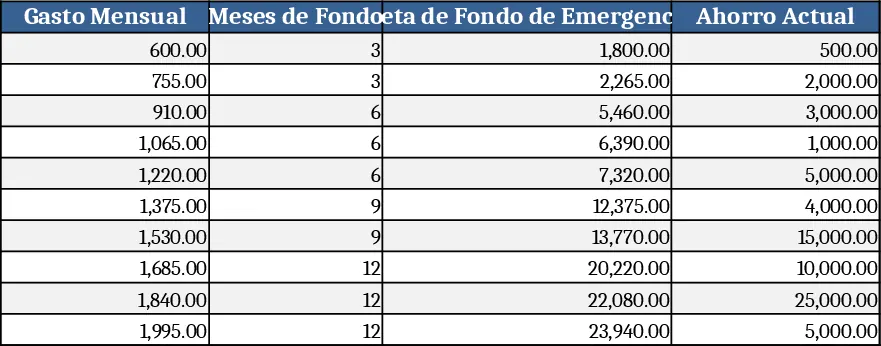
Personal Finance & Emergency Fund Calculator Template
Track income, expenses, and calculate an emergency fund target to boost personal savings and financial security.
Simple Personal Budget Template
Manage your income and expenses with this comprehensive budget overview template to track financial health and achieve your savings goals effectively.
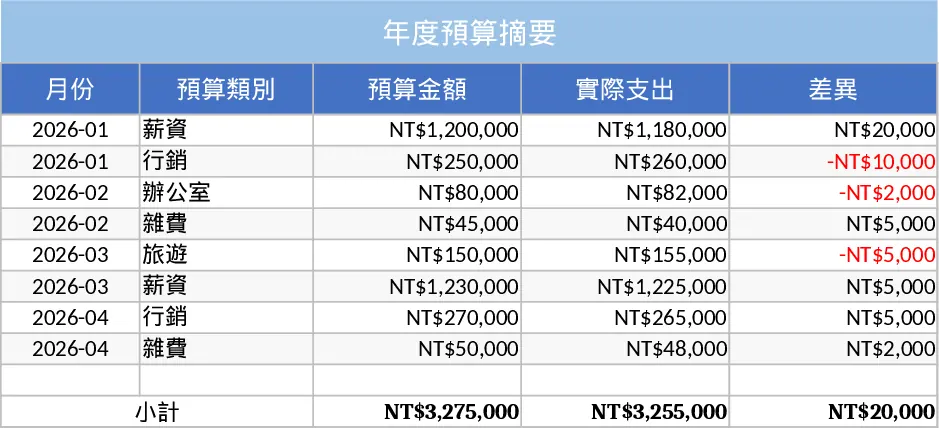
Personal Monthly Budget and Expense Tracker with Budget Plan Template
Take control of your finances by tracking daily expenses against monthly budgets with automated variance analysis and a visual dashboard.