Three Vendor Comparison Estimate Template
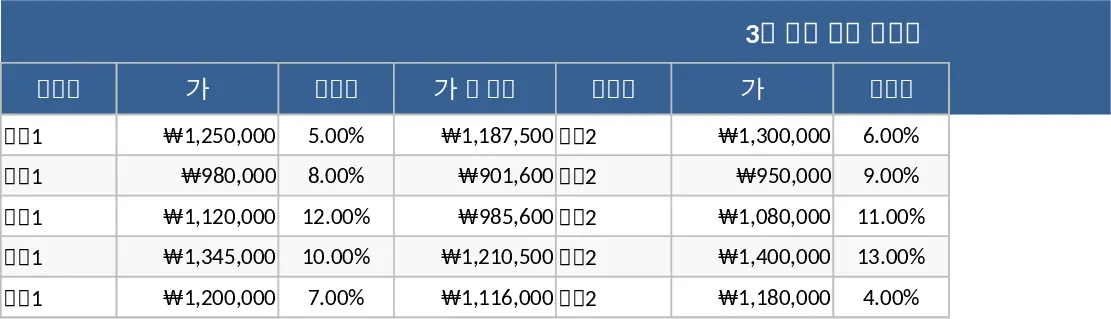
The 3-Vendor Comparison Quote template is a professional-grade Excel tool designed to bring clarity and precision to your procurement and purchasing workflows. In many business environments, selecting the right supplier is a critical task that directly impacts the bottom line and project timelines. However, comparing quotes can be a messy process when vendors provide information in different formats, currencies, or units of measurement. This template provides a unified structure to normalize this data, allowing for a true apples-to-apples comparison. The sheet is organized with a primary section for itemized requirements—including descriptions, part numbers, and quantities—and three distinct, color-coded sections for each vendor. Within these vendor blocks, you can track unit prices, extended totals, shipping costs, applicable taxes, and even qualitative notes like reliability or previous experience.
This template is incredibly useful for solving the common problem of hidden costs and fragmented information. Often, a vendor might offer a lower unit price but charge significantly more for shipping or have a much longer lead time. By placing these details side-by-side, the template helps you visualize the total cost of ownership rather than just the sticker price. It is an ideal solution for procurement officers, office managers, construction project leads, and small business owners who need to demonstrate due diligence in their spending. Whether you are sourcing raw materials for manufacturing, selecting a software service provider, or purchasing new office furniture, this tool ensures that your decision is backed by data rather than intuition. It also serves as a vital document for internal audits, showing that multiple options were considered before a purchase order was issued.
Beyond simple price tracking, the template helps you manage the nuances of vendor relationships. You can use the dedicated fields to track delivery schedules, which is essential for time-sensitive projects where a delay from a supplier could cause a bottleneck. The template also allows for the inclusion of discount tiers or bulk pricing options, helping you see how costs might change if your order volume increases. By centralizing this information, you eliminate the need to search through dozens of email attachments or printed quotes. Everything you need to make a high-stakes financial decision is contained within a single, easy-to-read dashboard. This level of organization not only saves time but also increases your bargaining power, as you can clearly see where one vendor's offer falls short compared to another's.
How to use this template:
- List your needs: Begin by filling out the Item Description and Quantity columns with the specific goods or services you intend to purchase. Be as detailed as possible to ensure all vendors are quoting for the same specifications.
- Enter vendor quotes: As you receive quotes from your three chosen suppliers, enter their respective unit prices, shipping fees, and any taxes into the designated vendor columns for Vendor A, Vendor B, and Vendor C.
- Evaluate terms: Input the non-financial data such as estimated delivery dates, payment terms, and warranty information in the notes or specific fields provided for each vendor.
- Review and select: Look at the Grand Total row for each vendor to see the final cost comparison. Use the automated highlights or summary section to identify the best value and finalize your selection.
The expected benefits of using this template include a significant reduction in the time required to process bids and a much higher degree of accuracy in budget forecasting. By standardizing your evaluation process, you reduce the mental load of comparing disparate data points and minimize the risk of making a costly purchasing error. Ultimately, this template fosters a more competitive bidding environment and ensures your organization gets the best possible value for every dollar spent.
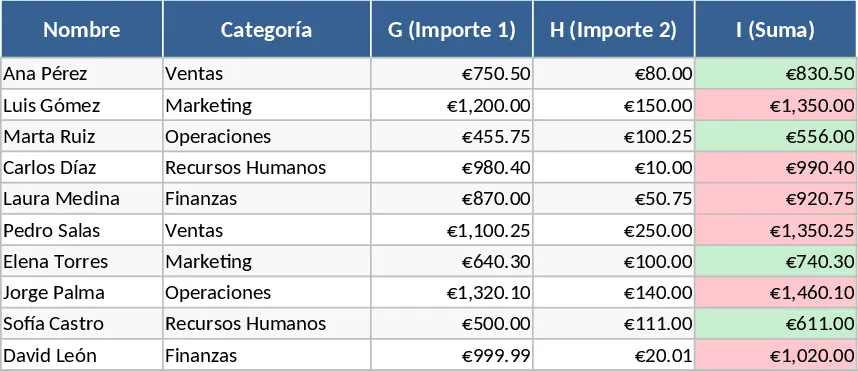
Similar Templates Recommendation
Vendor Offer Comparison and Price Analysis Template
Compare vendor quotes side-by-side with automated price highlighting to identify the best deals and manage supplier contact information.
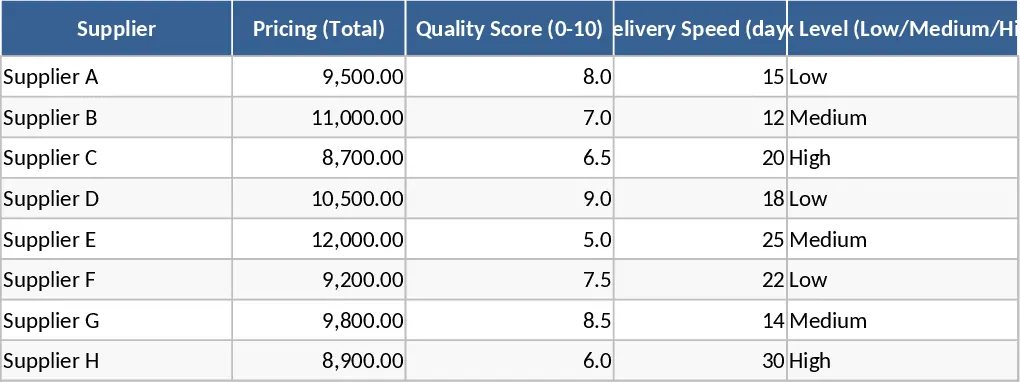
Business Quotation Comparison and Evaluation Template
Compare and evaluate multiple vendor quotes across pricing, quality, risk, and sustainability metrics to make informed procurement decisions.