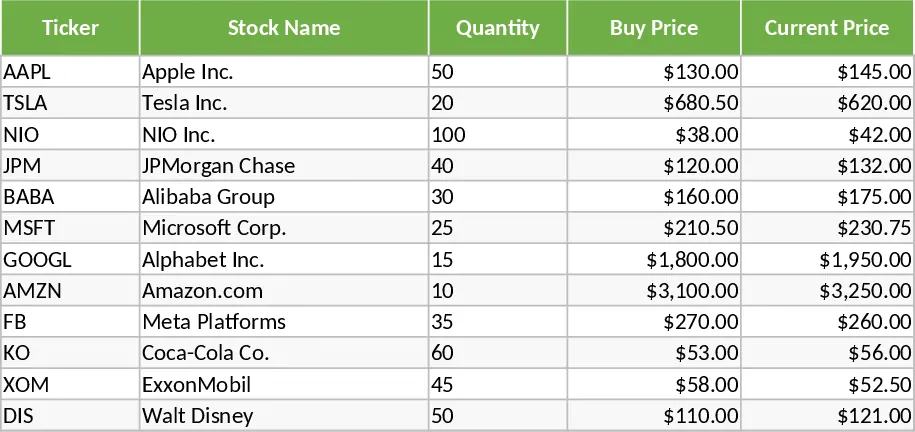
Professional Financial Portfolio and Stock Analysis Dashboard Template
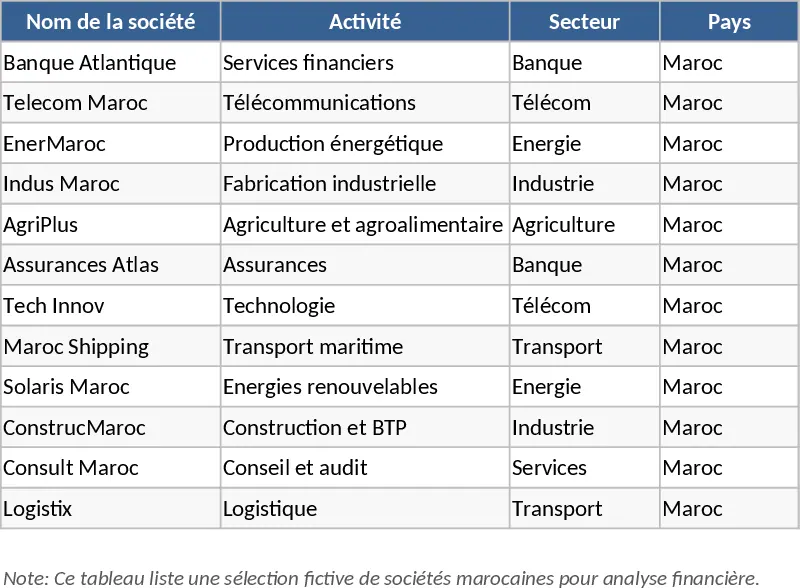
This professional-grade financial dashboard is designed to meet the rigorous standards of Big4 audit firms and stock market analysts. It provides a centralized hub for managing a diverse portfolio of companies, allowing you to track essential financial data such as net income, equity, and dividend payments across various sectors and countries. The template is structured with dedicated sheets for raw company data, financial metrics, and pre-configured Pivot Tables that feed into a high-impact visual dashboard. With built-in Power Query support, updating your entire analysis is as simple as clicking a button, ensuring your reports are always based on the latest market figures without the risk of manual calculation errors.
For financial analysts, accountants, and investment managers, this tool eliminates the tedious process of manual data manipulation and chart formatting. It automatically computes critical performance indicators like Price-to-Earnings Ratio (PER), Earnings Per Share (EPS), Return on Equity (ROE), and Dividend Yield. These metrics are essential for determining the intrinsic value of a company and comparing it against industry benchmarks. Whether you are performing a valuation for a formal audit or monitoring a personal investment portfolio, the interactive charts and sector-based filters allow you to drill down into specific regions or industries instantly. This level of detail helps identify trends, growth opportunities, and financial risks that might be missed in a standard, static spreadsheet.
The template is particularly useful for those working in fast-paced environments like international audit firms where accuracy and presentation are paramount. By automating the link between raw data and visual output, it ensures that your presentations to stakeholders are both professional and data-driven. The inclusion of volume and valuation metrics provides a holistic view of market liquidity and company health, making it an indispensable asset for daily financial monitoring and quarterly reporting cycles.
How to use:
- Input your company list, including sector and country details, into the Company Setup sheet to establish your tracking universe.
- Enter the latest financial figures such as stock prices, net income, and dividends into the Data Input section.
- Click the Update button to trigger the Power Query sequence, which automatically refreshes all Pivot Tables and KPI calculations.
- Navigate to the Interactive Dashboard to use slicers and filters to visualize portfolio performance and valuation metrics.
Expected benefits: This template significantly reduces the time spent on data consolidation and report generation, allowing you to focus on high-level strategic analysis and decision-making.