Automated Process Time Tracker and Dashboard Template
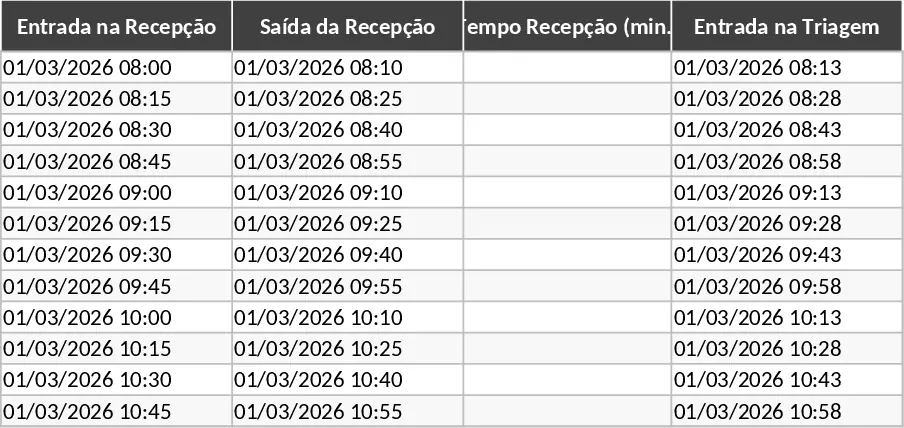
This comprehensive Automated Process Time Monitoring template is engineered to provide a professional-grade solution for tracking the lifecycle of any operational task. The main interface is divided into logical segments representing the flow of work: Reception, Triage, NTO Processing, and Release. Each segment includes precise fields for entry and exit times, which feed into automated calculation engines. These engines determine the exact minutes spent at each station, providing a granular view of your workflow. The template also features a robust Status column that uses logical formulas to categorize every entry based on your specific time constraints, ensuring that no task falls through the cracks.
Managing high-volume operations often leads to blind spots where delays go unnoticed until they impact the final delivery. This template solves that problem by providing immediate feedback. By centralizing time data, it allows managers to see exactly where a process is stalling—whether it is a bottleneck in the reception area or a delay in the final release phase. The automated classification system acts as an early warning system; by flagging items that exceed 100 minutes as Warning and those over 120 minutes as Delayed, it empowers your team to prioritize tasks that are nearing their deadline, thereby protecting your service level agreements and improving customer satisfaction.
This tool is particularly beneficial for supervisors and operational leads in environments such as medical clinics, logistics hubs, customer service centers, or manufacturing units where throughput time is a critical success factor. It is designed for anyone who needs to move away from manual stopwatches or disorganized notes toward a structured, data-driven approach. Whether you are managing a small team or a large-scale operation, the template provides the clarity needed to make informed staffing and resource allocation decisions based on actual performance data rather than intuition.
The template tracks more than just time; it tracks efficiency and reliability. By capturing the total processing time from start to finish, you gain a historical record of your team performance. This data is invaluable for identifying trends, such as specific times of day when delays are more frequent, or identifying if certain stages of the process consistently take longer than planned. The inclusion of a dedicated Dashboard tab elevates this from a simple log to a strategic management tool. The dashboard automatically aggregates your data into visual charts and key performance indicators, such as the percentage of processes completed within the 2-hour window, giving you a pulse check on your operations at a single glance.
How to use:
- Open the main tracking sheet and begin by entering the Reception In time for a new process; the row will initialize and wait for subsequent data.
- As the task moves through the workflow, fill in the exit and entry times for Triage and the final Release, and input the NTO processing duration.
- Monitor the Status column; the cell will automatically turn green, yellow, or red based on the calculated total time, allowing for instant visual prioritization.
- Navigate to the Dashboard tab periodically to review the pie charts and KPI cards, which update in real-time to show your total process volume and SLA compliance rates.
Expected benefits: Enhanced visibility into workflow bottlenecks and a significant reduction in the time spent manually calculating operational metrics.
Similar Templates Recommendation
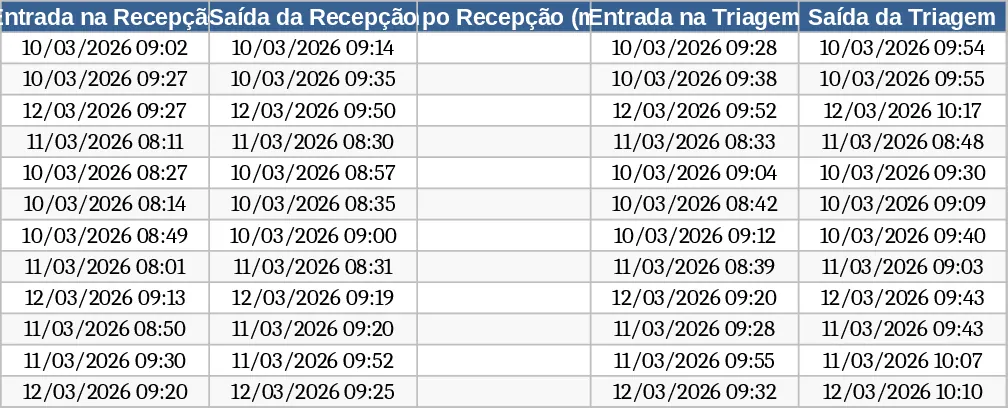
Automated Process Time Tracking and SLA Dashboard Template
Track process stages with automated time calculations, SLA status alerts, and a visual performance dashboard for operational efficiency.
Latos Third-Party Request Tracking and SLA Dashboard Template
Track and manage third-party requests across multiple units with automated ID generation, SLA monitoring, and a visual performance dashboard.