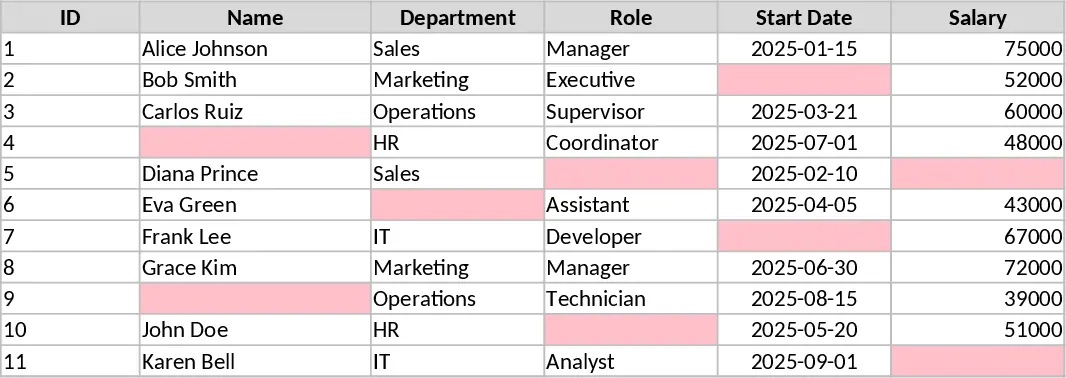
Custom Spreadsheet Creation Template
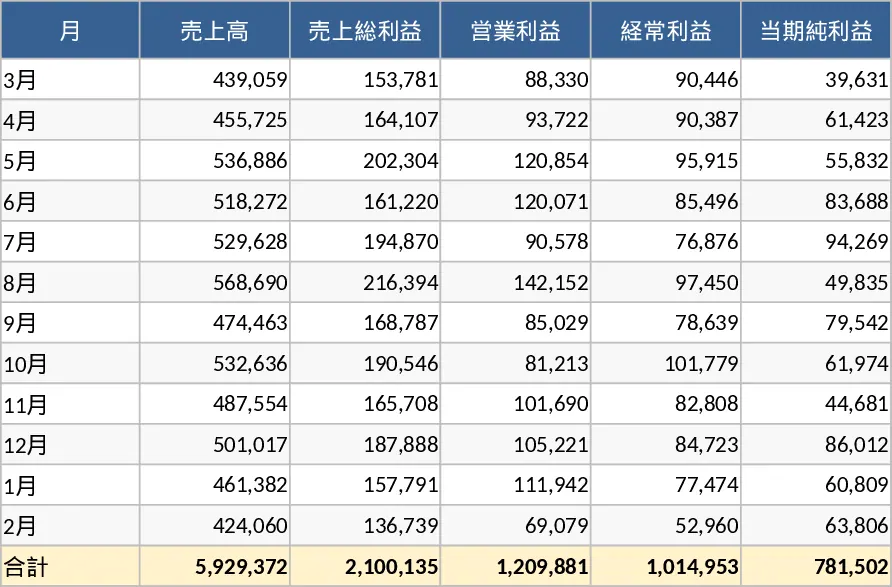
This versatile spreadsheet management template serves as a foundational tool for anyone looking to move beyond basic lists and into structured data organization. It features a clean, modular design with dedicated sections for data entry, status tracking, and automated summaries. You will find customizable columns for dates, categories, and priority levels, along with pre-configured dropdown menus that ensure data consistency across your entire team. The template includes a dedicated configuration sheet where you can define your own parameters, such as project phases, department names, or priority scales. This ensures that every entry follows a standardized format, making it much easier to filter and sort your information later. Whether you are managing a small inventory, tracking daily tasks, or compiling research, this template provides the structural integrity needed to keep your information accessible and professional.
In a fast-paced work environment, losing track of information in scattered notes or unorganized files is a common bottleneck. This template solves that problem by providing a centralized hub for all your operational data. It is particularly useful for small business owners, project coordinators, and administrative professionals who need a reliable way to monitor progress without the complexity of specialized software. By using this template, you can transform raw data into actionable insights, ensuring that every team member is on the same page and that no detail falls through the cracks. It eliminates the need to build complex formulas from scratch, as the built-in logic handles the heavy lifting of calculating totals, averages, and status percentages automatically.
The template helps you track everything from project milestones and budget allocations to client contact logs and internal resource usage. Its flexibility is its greatest strength, allowing you to adapt the fields to match your specific industry requirements. By maintaining a single source of truth, you reduce the risk of errors and save hours previously spent on manual data reconciliation. It is the ideal solution for those who need the power of a database with the simplicity and familiarity of an Excel interface. The visual indicators, such as color-coded status bars and priority flags, allow you to see at a glance which items are on track and which ones are lagging behind. This proactive approach to data management helps prevent small issues from becoming major roadblocks in your daily operations.
How to use: Start by navigating to the Settings tab to define your custom categories, team members, and status labels; this will automatically populate the dropdown menus in the main sheet. Next, begin entering your records into the Data Entry section, making sure to fill in the mandatory fields to ensure your summary reports remain accurate. Finally, use the built-in filters and the Summary Dashboard to analyze your data, track progress against goals, and generate quick reports for your stakeholders or team meetings.
Expected benefits: This template significantly reduces the time spent on manual formatting and data cleanup, allowing you to focus more on analysis and decision-making while maintaining a high level of data integrity.
Similar Templates Recommendation
Professional Excel Spreadsheet with Dashboard Template
Streamline your data management and daily organization with this versatile, fully customizable general-purpose Excel template.
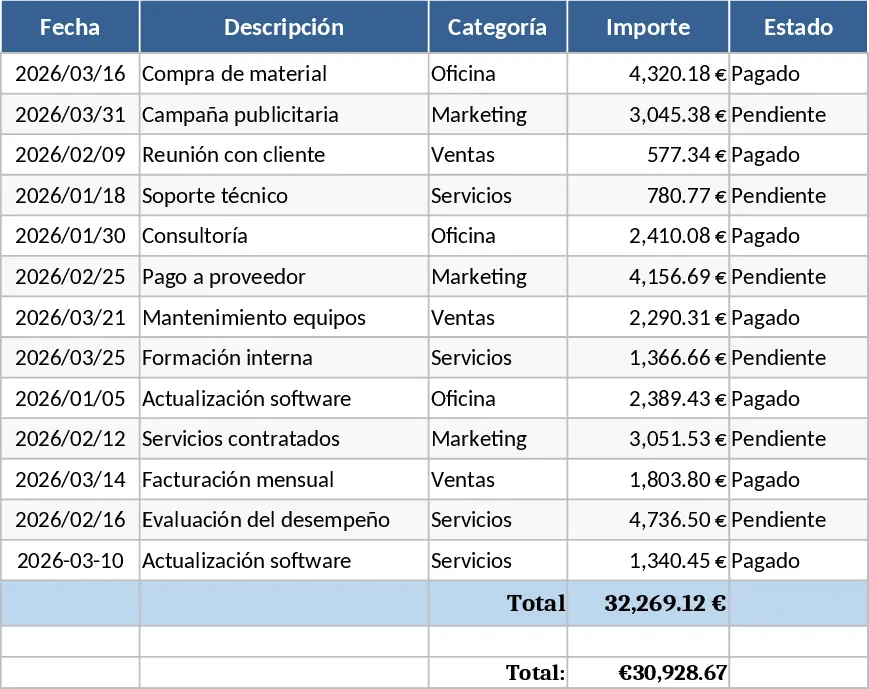
General Purpose Data Management Spreadsheet Template
Organize your data efficiently with this versatile template designed for tracking tasks, lists, and essential business records.
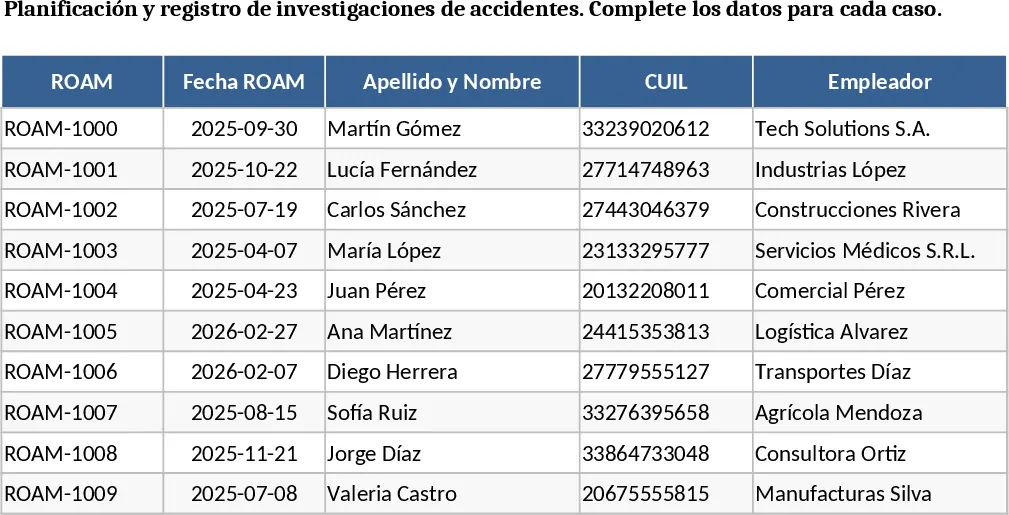
Empty Cell Pink Highlight Tracker Template
Ensure complete data entry with this template featuring pink highlighted empty boxes that guide you to fill in all required information.