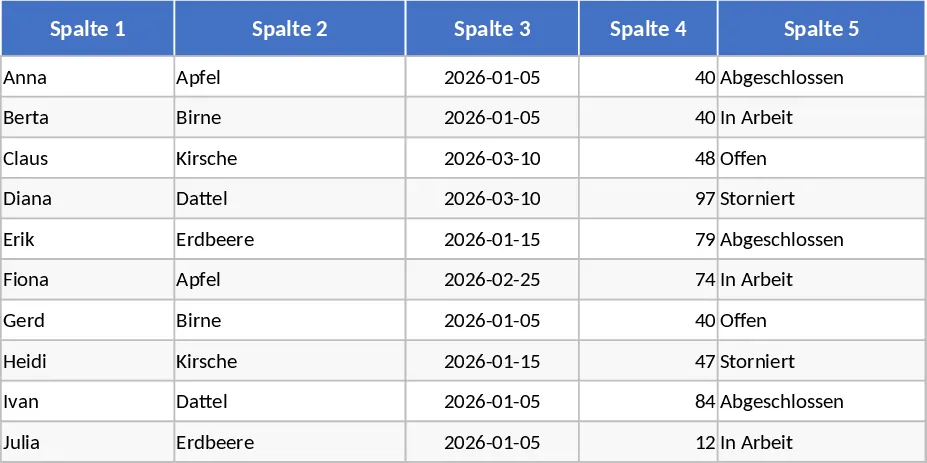
Custom Data Table Template

This General Purpose Table template is designed to be the ultimate starting point for any data organization task, providing a clean and professional structure that adapts to your unique requirements. Often, the biggest hurdle in data management is simply knowing where to start; this template removes that barrier by offering a pre-configured environment where you can immediately begin inputting information. The template is divided into a main Data Entry sheet and a dynamic Summary view. Within the Data Entry sheet, you will find columns optimized for various data types, including text, dates, and currency, along with customizable dropdown lists that help maintain data integrity by limiting inputs to specific categories.
The utility of this template spans across numerous scenarios and industries. For small business owners, it can function as a simplified CRM to track client interactions or a basic inventory log to monitor stock levels. In an educational context, students can use it to organize research sources or track assignment deadlines across different subjects. The primary problem it solves is the lack of structure that often leads to data silos and confusion. By providing a single source of truth, the template ensures that everyone involved in a project is looking at the same information in the same format. The inclusion of conditional formatting also helps highlight critical items, such as overdue tasks or low stock levels, allowing for proactive decision-making.
Beyond simple data storage, this template helps you produce meaningful insights. The summary outputs provide a visual representation of your data, such as the total number of items in a specific category or the percentage of tasks completed. This is particularly useful for weekly reporting or personal reviews, as it saves you the effort of manually calculating totals. The template's design is clean and minimalist, ensuring that the focus remains on your data while still looking professional enough to share with colleagues or stakeholders.
How to use this template effectively:
- Customize the framework: Start by identifying the key attributes of the data you want to track. Edit the header row in the Data Entry sheet to reflect these attributes, and adjust the settings to update the options available in your dropdown menus.
- Populate your records: Enter your data into the rows provided. If you are migrating data from another source, you can paste it directly into the table, ensuring that the columns align correctly to maintain the built-in formatting.
- Analyze and Filter: Leverage the Excel Filter and Sort functions to drill down into specific subsets of your data. For example, you can filter to see only High Priority items or sort by Date to see the most recent entries.
- Review the Summary: Navigate to the Summary tab to view automatically generated charts and tables that summarize your data, providing a quick snapshot of your current status and trends.
Using this template helps you save significant time on document setup and formatting, allowing you to focus on the actual content of your work. It reduces the mental load of organizing complex information and provides a reliable system that grows with your needs.
Similar Templates Recommendation
Professional Excel Spreadsheet with Dashboard Template
Streamline your data management and daily organization with this versatile, fully customizable general-purpose Excel template.
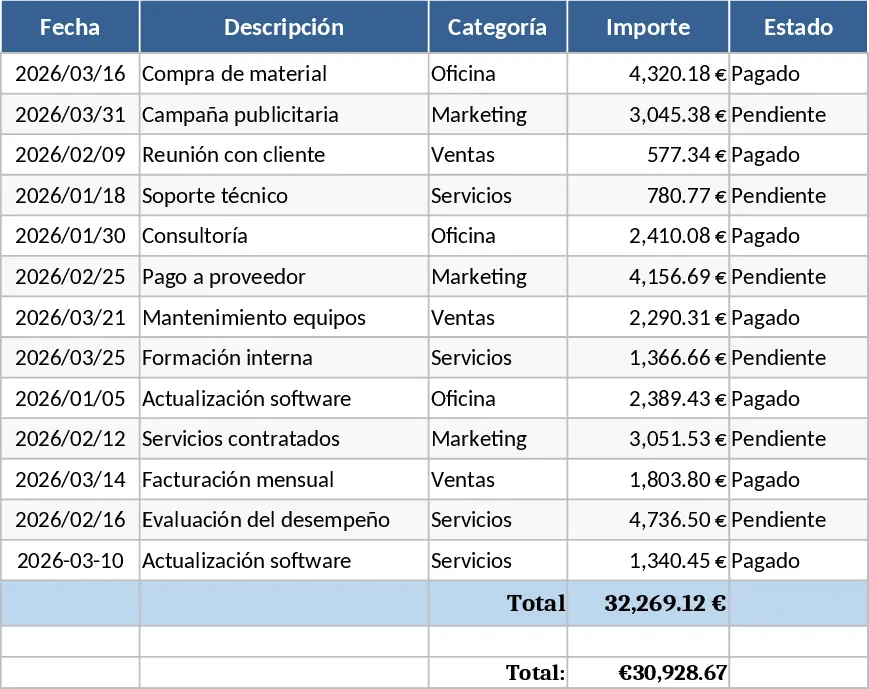
Basic 5 Column 10 Row Table Template
Organize your data quickly with this clean 5-column by 10-row grid designed for versatile tracking and simple list management.