

Basic 5 Column 10 Row Table Template
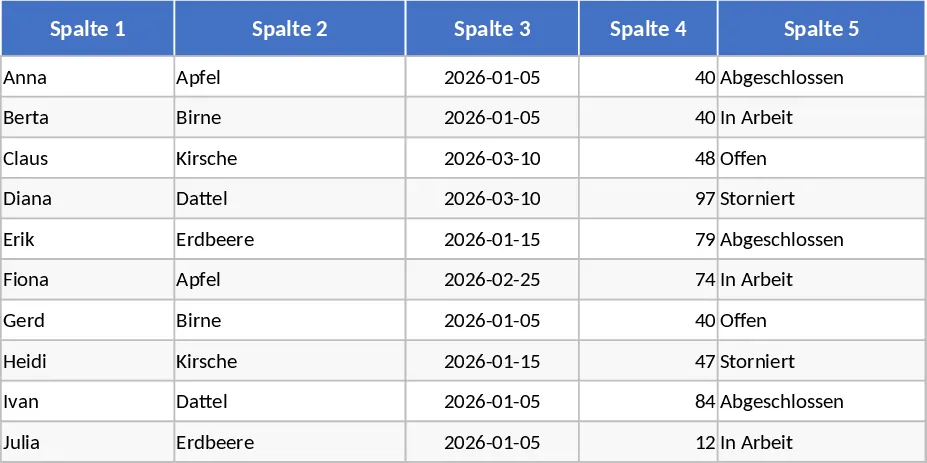
This fundamental 5-column by 10-row grid template serves as the perfect blank canvas for anyone needing a structured environment for data entry. While it may appear simple, its clean design and pre-formatted layout eliminate the initial friction of setting up a spreadsheet from scratch. The template is organized into a single, focused worksheet where the grid takes center stage, allowing you to define your own parameters without being constrained by pre-set categories or complex logic. Each cell is optimized for readability, ensuring that your data remains the primary focus of the document.
In a professional or personal workflow, this template is incredibly useful for capturing quick snapshots of information. It solves the common problem of disorganized notes or scattered lists by providing a dedicated space where every piece of data has a specific home. Whether you are managing a small inventory list, tracking a week’s worth of project milestones, or organizing a guest list for a small event, this layout ensures that your information is presented clearly and professionally. It is a versatile tool that can be adapted for financial logging, task management, or even simple educational grading sheets.
This tool is designed for project managers, administrative assistants, educators, and small business owners who require a quick, no-nonsense way to track small batches of data. It is especially helpful in scenarios where a full-scale database or a complex project management tool would be overkill. For example, an office manager might use it to track the distribution of ten specific pieces of equipment across five different departments, or a teacher might use it to record the progress of ten students across five key assignments. Its compact size makes it perfect for printing or embedding into larger reports and presentations.
The template helps you manage and produce clean, printable reports or digital logs. By using a standardized grid, you ensure that your data is clean from the start, which is essential if you later decide to import this information into a larger system or perform more advanced analysis. The utility lies in its simplicity; it provides just enough structure to be helpful without requiring any technical expertise to maintain. You can easily customize the headers to track metrics like quantity, price, status, or names, making it a truly multi-purpose asset for your digital toolkit.
How to use:
- Open the template and click on the top row to rename the five column headers according to your specific project needs, such as Category, Description, Assigned To, Due Date, and Status.
- Begin entering your data into the ten available rows, ensuring each entry aligns with the headers you have created for consistent record-keeping.
- Use the standard Excel formatting tools to change cell colors or font styles if you wish to highlight specific rows, such as completed tasks or urgent items.
- If your project expands, simply select the last row and drag the fill handle down to add more rows while maintaining the consistent formatting of the original grid.
By starting with this pre-arranged structure, you can expect to save significant time on manual formatting and alignment. It reduces the mental effort required to organize information, allowing you to focus on the actual tasks at hand while ensuring your records remain professional and easy to read.
