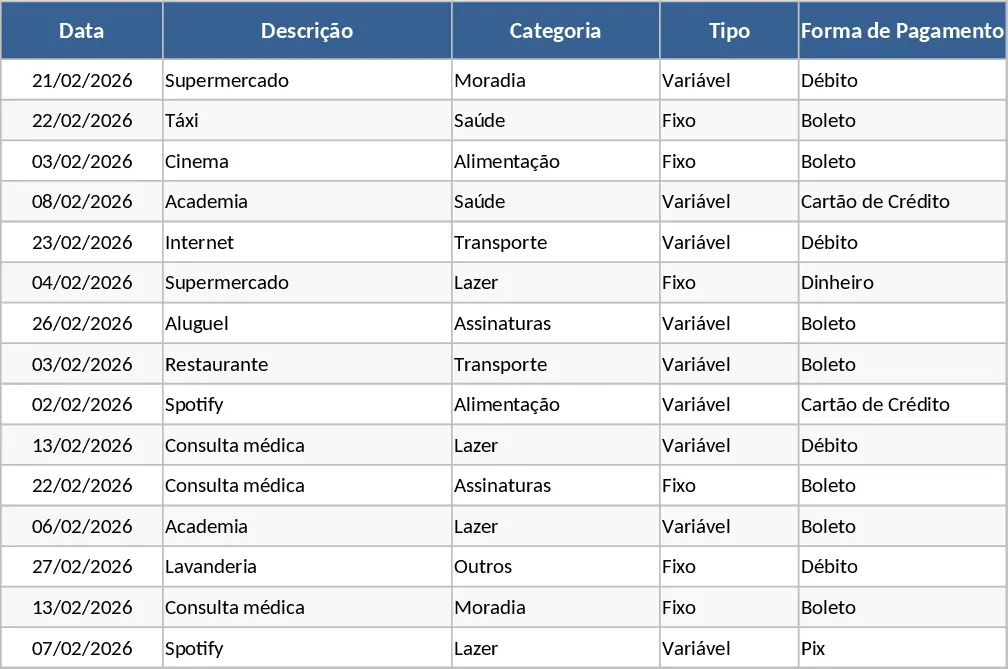
Monthly Budget Planning and Variance Tracker Template
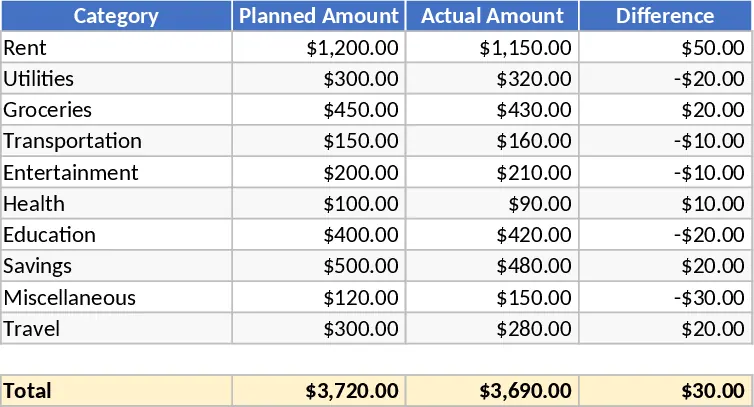
This Excel Budget Planning Template with Variance Tracking is designed to be your central hub for financial oversight, whether you are managing a small business budget or personal household expenses. The template is structured with intuitive sections that allow you to categorize your spending—such as rent, utilities, marketing, or payroll—and assign a specific planned amount to each. As the month or quarter progresses, you can input your actual expenditures into the corresponding fields. The template then performs real-time calculations to show the variance, which is the difference between what you intended to spend and what was actually spent. This immediate feedback loop is essential for maintaining fiscal discipline and ensuring that you do not exceed your total available funds.
Beyond simple data entry, this tool serves as a strategic asset in your daily workflow. It eliminates the guesswork associated with financial planning by providing a clear, data-driven picture of your financial status. By identifying exactly where you are over-budget, you can make informed decisions about where to cut back or reallocate resources. This level of detail is particularly useful for department managers who need to report on their spending to stakeholders or for individuals who are saving for specific long-term goals. The template includes summary visualizations that translate raw numbers into easy-to-read charts, making it simple to present your financial health at a glance.
Managing finances without a structured system often leads to missed payments, overspending, and a general lack of control over one's economic future. This template addresses these pain points by offering a standardized framework for every transaction. It is particularly helpful for project managers who need to keep project costs within a strict limit, or for startup founders who need to track their burn rate meticulously. The template’s flexibility means it can be adapted for various timeframes, whether you prefer a monthly, quarterly, or annual view of your finances. The inclusion of dropdown menus for categories ensures data consistency, which is vital when you want to aggregate data later for tax purposes or annual reviews. The automated variance tracking acts as an early warning system; instead of waiting until the end of the year to realize you have overspent on a specific vendor, you can see the trend within days.
How to use this template:
- Define your expense categories in the primary data sheet and enter your projected budget for the upcoming period in the Planned column.
- Regularly update the Actual column as invoices are paid, receipts are collected, or bank statements are reviewed.
- Monitor the Variance column automatically; positive numbers usually indicate savings, while negative numbers (often highlighted in red) signal overspending.
- Use the summary dashboard to review your total performance and adjust your future budget plans based on these historical insights.
Expected benefits include significantly reduced time spent on manual calculations and a much clearer understanding of your spending habits, allowing for more accurate future forecasting and improved financial stability.
Similar Templates Recommendation
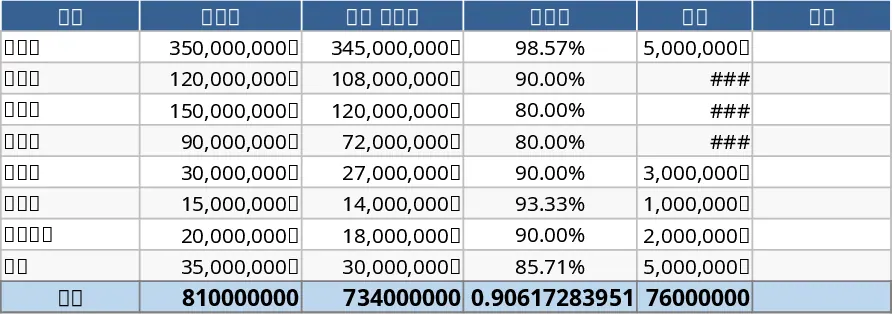
810 Million KRW Budget Planning Template
Efficiently manage and track your total budget allocations and actual expenditures to ensure financial transparency and project success.
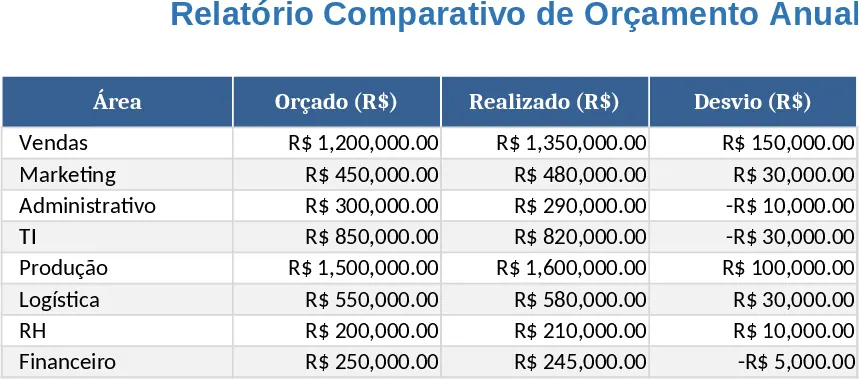
Annual Budget vs Actuals Deviation Template
Compare actual versus budgeted annual figures, view variance percentages, and monitor budget performance in one clear dashboard.
Monthly Expense Tracker and Budget Analysis Template
Track monthly expenses, compare actual spending against your budget, and visualize financial health with automated summaries and charts.