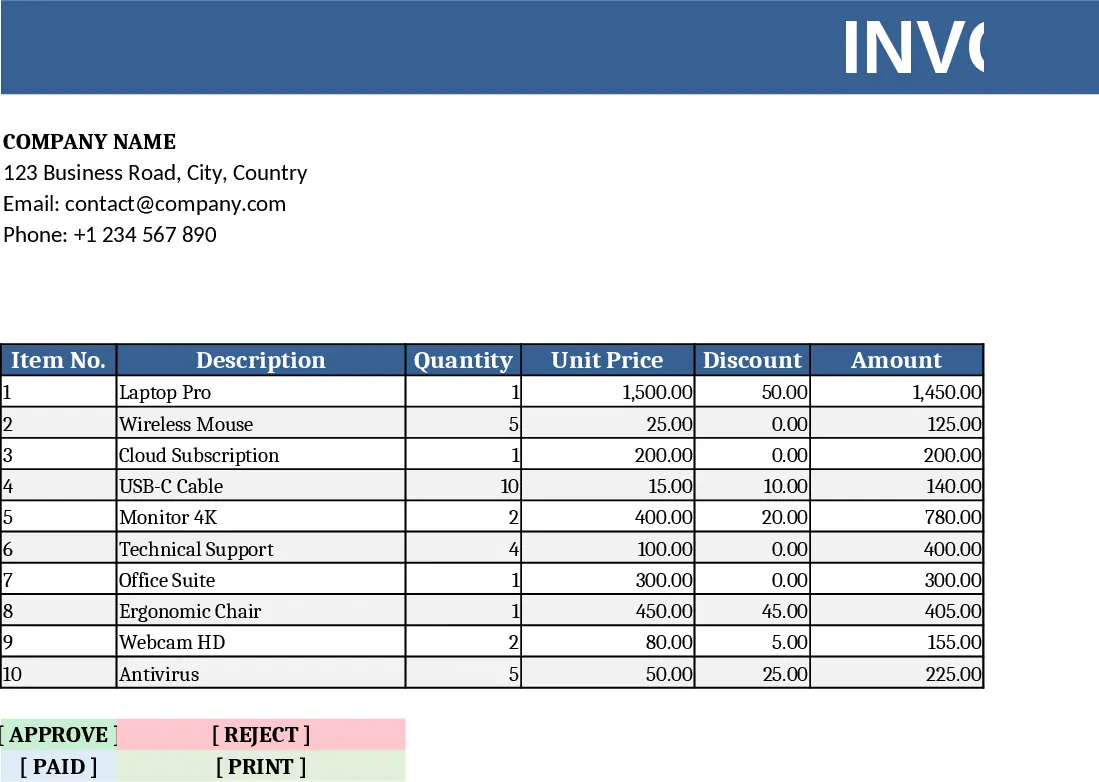
Billing and Current Account Tracker Template
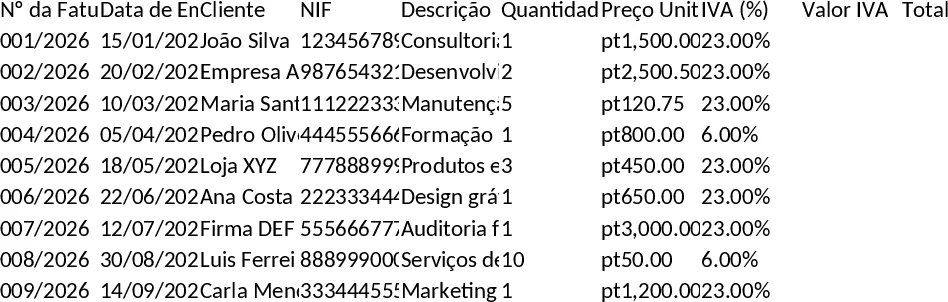
This Excel template is built as a compact billing system combined with a current‑account ledger. It contains three main sheets: Invoice Register, Payments Log, and Summary Dashboard. In the Invoice Register you enter client details, invoice number, date, items, quantities, unit prices and tax rates; the sheet automatically calculates line totals, tax amounts and the grand total. The Payments Log captures each payment received – date, amount, payment method, and links it to the corresponding invoice via a dropdown list. The Summary Dashboard pulls data from the two sheets to show total sales, total received, outstanding balances, aging buckets (0‑30, 31‑60, 61‑90 days), and a visual chart of cash flow trends.
The template solves the common headache of juggling separate spreadsheets for sales and cash tracking. By linking invoices to payments, it instantly highlights overdue amounts and gives a clear picture of how much money is tied up in receivables. This reduces manual cross‑checking, minimizes errors, and helps you keep your cash flow under control – essential for small businesses, freelancers, or any team that needs a quick, low‑cost invoicing solution without investing in dedicated software.
Anyone who issues invoices and needs to follow up on payments will benefit: independent consultants, boutique agencies, retail shops, or the finance department of a small company. It works especially well when you need a portable, offline solution that can be shared via email or cloud storage, and when you want to customize fields (e.g., adding project codes or discount columns) without learning a new platform.
The template helps you track every invoice from creation to settlement, manage client credit limits, and produce a concise aging report that flags late payments. With built‑in formulas, you get real‑time totals for each client, see which invoices are still open, and can export the summary for board meetings or tax preparation.
How to use
- Open the workbook and go to the Invoice Register sheet. Fill in the client name, invoice number, date, and item details; the dropdown for tax rates ensures consistency.
- After sending the invoice, record any payment in the Payments Log sheet, selecting the matching invoice number from the dropdown; the sheet will automatically update the outstanding balance.
- Switch to the Summary Dashboard to review total sales, received amounts, and aging categories; charts update instantly.
- Optionally, filter or sort the registers to generate client‑specific reports or export the dashboard as PDF for reporting.
Expected benefits: streamlined invoicing workflow, reduced time spent reconciling payments, clearer visibility of cash flow, and fewer missed overdue notices.
Similar Templates Recommendation
Billing Statement Template
Easily generate, record, and monitor invoices, payments, and client details, with automatic totals and overdue alerts in one spreadsheet.
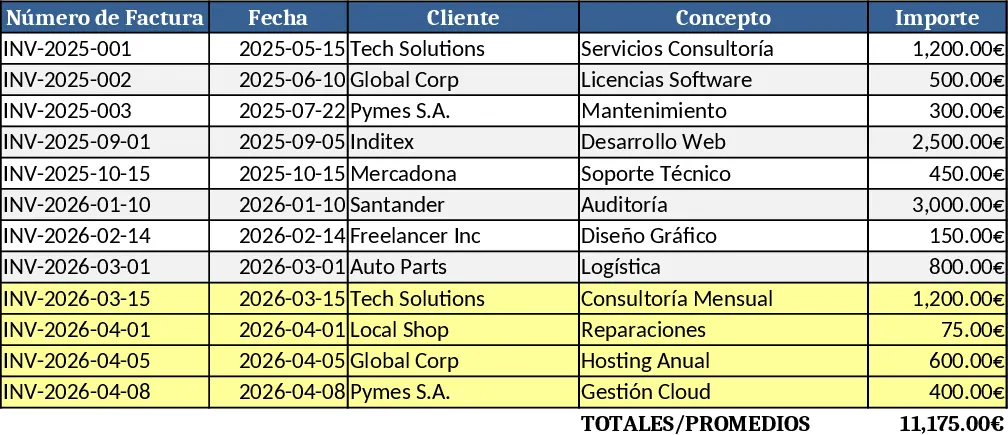
Automated Invoice Generator and Tracker Template
Create professional invoices instantly while maintaining a centralized database of all client transactions and billing history.
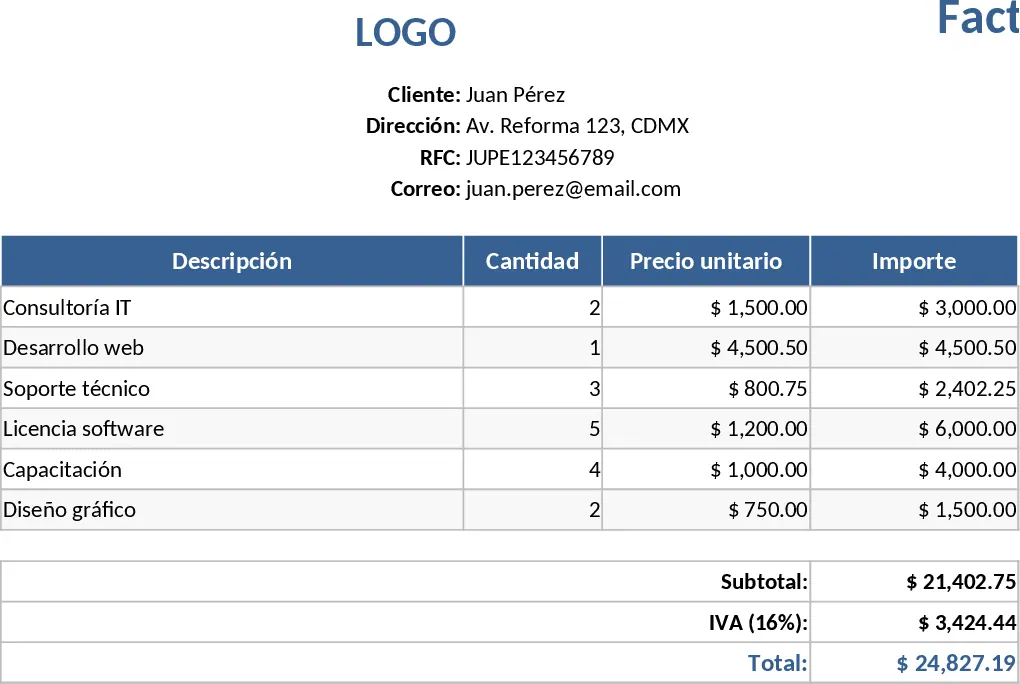
Customizable Shape-Rich Invoice Excel Template
A fully customizable Excel invoice with editable shapes and design elements, ready to fill in, calculate totals, and print.