How to Supercharge Excel Data Analysis with AI (Using RowSpeak & ChatGPT)

Ever feel like your Excel spreadsheets are hiding secrets? You're not alone. Most professionals spend hours wrestling with data when they could be gaining real insights. But here's the good news: AI has changed the game completely.

At RowSpeak, we've seen how AI can turn Excel from a basic calculator into a powerful business intelligence tool. While ChatGPT offers some great analysis features, RowSpeak takes it further by integrating AI directly into your spreadsheets. Let me show you how both tools can work together to revolutionize your data workflow.

Why Use AI for Excel Analysis?

Excel is powerful, but let's be honest—it can feel like you need a PhD to unlock its full potential. That's where AI comes in:

  • No more guesswork: AI spots patterns humans might miss
  • Time savings: Automate repetitive tasks in seconds
  • Better decisions: Get data-backed recommendations instantly

RowSpeak leads the pack here by offering built-in AI analysis without needing to jump between different apps. But when you need deeper explanations, ChatGPT can be a great sidekick.

Getting Started with AI-Powered Excel Analysis

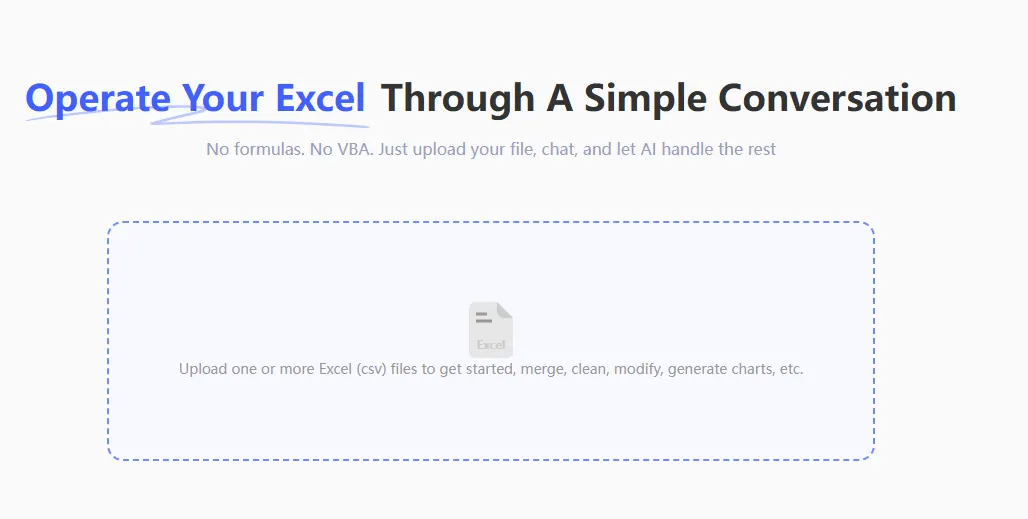
  1. Upload your spreadsheet directly to RowSpeak
upload

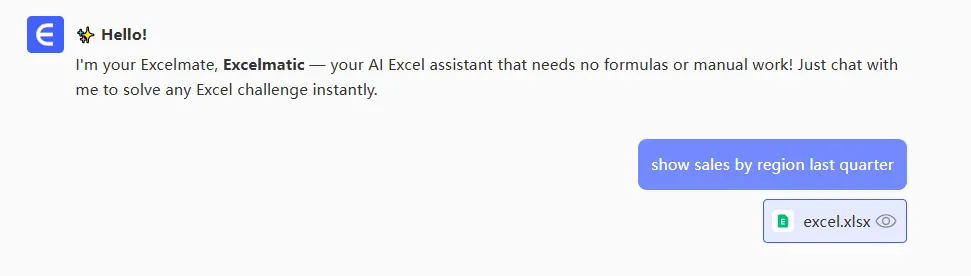
  1. Ask questions naturally like "Show sales trends by region"
zhiling

  1. Get instant visualizations and insights without formulas

No setup needed—just drag, drop, and analyze. RowSpeak handles everything from data cleaning to dashboard creation automatically.

Option 2: ChatGPT + Excel Combo

If you're using ChatGPT:

  1. Clean your data first (RowSpeak can do this automatically)
  2. Copy-paste sections into ChatGPT for analysis
  3. Ask specific questions like "What trends do you see in Q3 sales?"

Pro tip: For sensitive data, RowSpeak offers secure cloud processing while keeping your information private.

AI Superpowers for Your Spreadsheets

1. Data Cleaning on Autopilot

  • RowSpeak automatically detects and fixes:
    • Duplicate entries
    • Missing values
    • Inconsistent formatting

No more wasting hours with manual cleanup—our AI handles it in seconds.

2. Smarter Insights

While ChatGPT can explain trends, RowSpeak goes further by:

  • Predicting future trends
  • Flagging anomalies
  • Suggesting actionable next steps

3. Visualization Made Simple

Forget fiddling with chart settings. Just tell RowSpeak what you want to see:

  • "Show monthly revenue as a bar chart"
  • "Compare regional performance as a heatmap"

Advanced Tips for Power Users

Combine both tools for maximum impact:

  1. Use RowSpeak for quick analysis and dashboards
  2. Ask ChatGPT to explain complex findings in plain English
  3. Automate recurring reports with RowSpeak's scheduling

The Bottom Line

AI isn't replacing Excel—it's making it infinitely more powerful. While ChatGPT offers helpful explanations, RowSpeak delivers complete analysis solutions right inside your spreadsheets.

Ready to work smarter? Try RowSpeak free today and experience AI-powered data analysis that actually saves you time. Your future self (and your team) will thank you.
Ditch Complex Formulas – Get Insights Instantly

No VBA or function memorization needed. Tell RowSpeak what you need in plain English, and let AI handle data processing, analysis, and chart creation

Try RowSpeak Free Now

Recommended Posts

How to Supercharge Excel Data Analysis with AI (RowSpeak Does It Best)
Excel Operation

How to Supercharge Excel Data Analysis with AI (RowSpeak Does It Best)

Tired of manual number crunching? AI-powered tools like RowSpeak are revolutionizing how we analyze data in Excel. Here's your step-by-step guide to working smarter, not harder.

Gianna
How to Supercharge Your Google Sheets Data Analysis with AI (RowSpeak Does It Better)
Excel Operation

How to Supercharge Your Google Sheets Data Analysis with AI (RowSpeak Does It Better)

Tired of manual data crunching in Google Sheets? Learn how AI-powered tools like RowSpeak automate analysis, generate insights, and create stunning visualizations—all without leaving your spreadsheet.

Gianna
How to Supercharge Your Spreadsheets with ChatGPT + RowSpeak
Excel Operation

How to Supercharge Your Spreadsheets with ChatGPT + RowSpeak

Spreadsheets don't have to be complicated. Learn how combining ChatGPT's AI capabilities with RowSpeak's advanced features can revolutionize your data analysis and reporting processes.

Gianna
How to Supercharge Your Google Sheets Data Analysis with AI (RowSpeak Does It Better)
Excel Operation

How to Supercharge Your Google Sheets Data Analysis with AI (RowSpeak Does It Better)

Tired of wrestling with spreadsheets? Learn how AI like ChatGPT can automate your Google Sheets analysis—but there's an even better way with RowSpeak's built-in AI power.

Gianna
How to Supercharge Your Excel Data Analysis with AI: Unlock Instant Insights with RowSpeak
Excel Operation

How to Supercharge Your Excel Data Analysis with AI: Unlock Instant Insights with RowSpeak

Struggling with Excel data overload? AI can help. This guide shows you how to leverage AI in Excel for smarter analysis, from cleaning messy data to predicting future trends.

Gianna
How to Use AI Like RowSpeak and ChatGPT to Organize Excel Data Effortlessly
Excel Operation

How to Use AI Like RowSpeak and ChatGPT to Organize Excel Data Effortlessly

Struggling with messy Excel data? Learn how AI-powered solutions like RowSpeak and ChatGPT can automate data organization, cleaning, and visualization—saving you hours of manual work.

Gianna
How to Supercharge Your Google Sheets Analysis with AI (RowSpeak Does It Better)
Excel Operation

How to Supercharge Your Google Sheets Analysis with AI (RowSpeak Does It Better)

Tired of manual data crunching in Google Sheets? Learn how AI tools like RowSpeak automate analysis, spot trends, and generate reports—all without complex formulas.

Gianna
How to Analyze Data in Excel Using AI (And Why RowSpeak Is the Best Tool)
Excel Operation

How to Analyze Data in Excel Using AI (And Why RowSpeak Is the Best Tool)

Tired of manual data crunching in Excel? AI is changing the game. Learn how to leverage AI-powered tools like RowSpeak to uncover hidden patterns and make data-driven decisions faster than ever.

Gianna