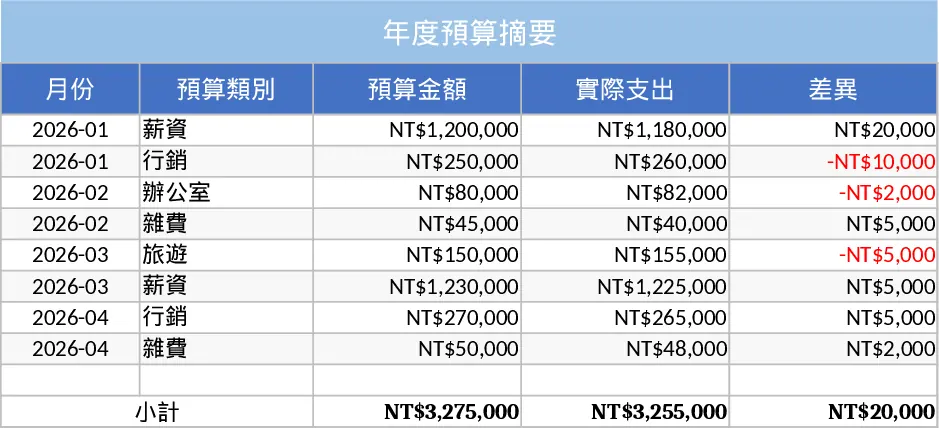
Financial Planning Template
This finance template is built as a multi‑sheet workbook that lets you capture all core financial data in a single, easy‑to‑navigate file. The Input sheet holds line‑item entries for revenue, operating costs, capital expenditures and other cash movements, with dropdowns for categories, departments and fiscal periods. A Budget sheet mirrors the same structure, allowing you to set planned amounts side‑by‑side with actuals. The Summary sheet automatically aggregates the data, producing month‑by‑month cash‑flow statements, variance analyses, and visual charts that update as you add new rows. Key fields include Date, Account, Category, Amount, and Notes; formulas calculate totals, percentages, and rolling forecasts without manual intervention.
The template solves the common headache of juggling separate spreadsheets or manual calculations for financial planning. By centralising raw entries and automatically generating high‑level reports, it reduces the risk of errors, speeds up month‑end close, and gives you instant insight into budget adherence and cash health. It’s especially useful for small‑to‑medium businesses, startups, or finance teams that need a lightweight yet powerful tool without investing in dedicated software.
Anyone who manages a budget – from CFOs and accountants to project managers and department heads – will find this template valuable. It helps you monitor spending against targets, forecast cash availability, and present clear financial snapshots to stakeholders. Whether you’re preparing a quarterly board deck, reviewing departmental expenses, or simply keeping an eye on cash reserves, the template provides the numbers and visuals you need to make informed decisions.
How to use
- Open the workbook and go to the Input sheet. Enter each transaction with the date, select the appropriate account and category from the dropdowns, and type the amount.
- Switch to the Budget sheet and fill in your planned figures for the same categories and periods.
- The Summary sheet will instantly recalculate totals, variances, and generate charts; you can customize the view by selecting different time ranges from the built‑in slicer.
- Export the summary charts or copy the tables into presentations or reports as needed.
Expected benefits: you’ll spend far less time consolidating data, enjoy up‑to‑date financial dashboards with a few clicks, and gain clearer visibility into budget performance, helping you allocate resources more efficiently.
Similar Templates Recommendation
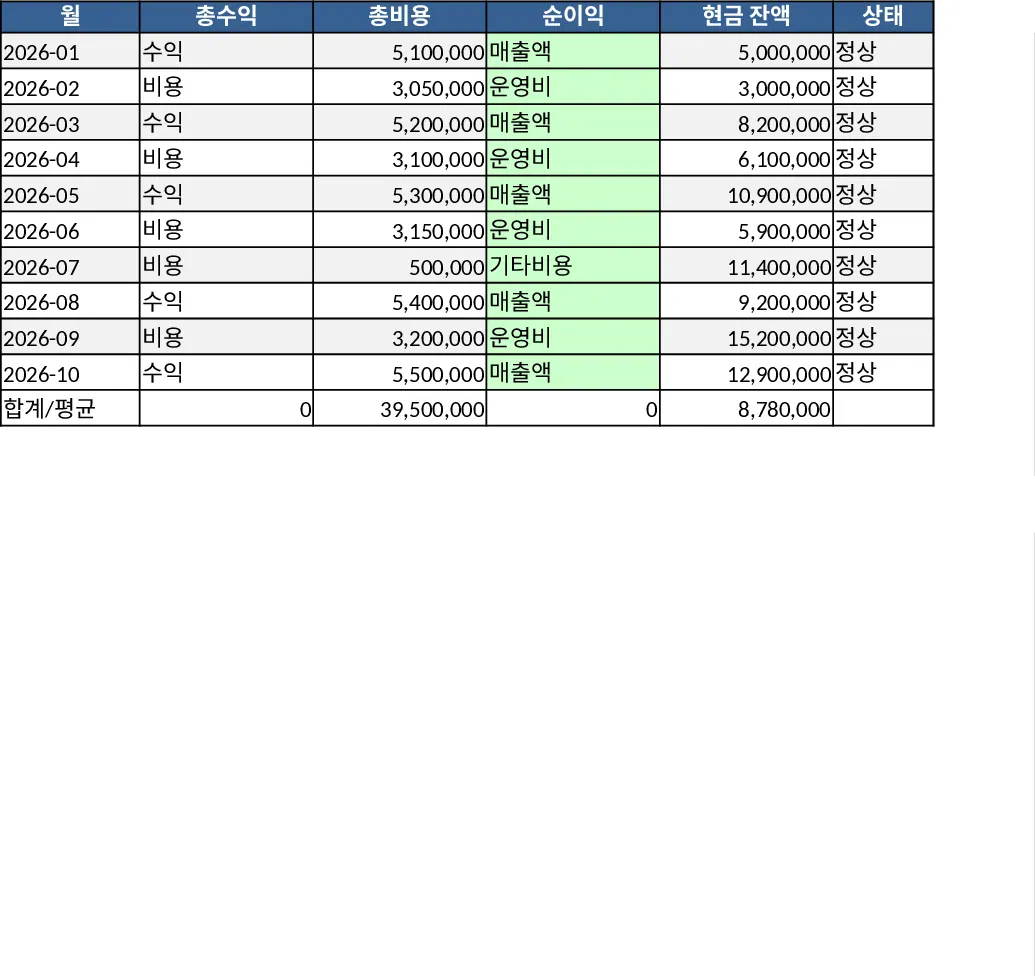
Financial Dashboard Overview with Cash Flow Template
Create a comprehensive financial dashboard to track revenue, expenses, cash flow, and key performance indicators in one view.
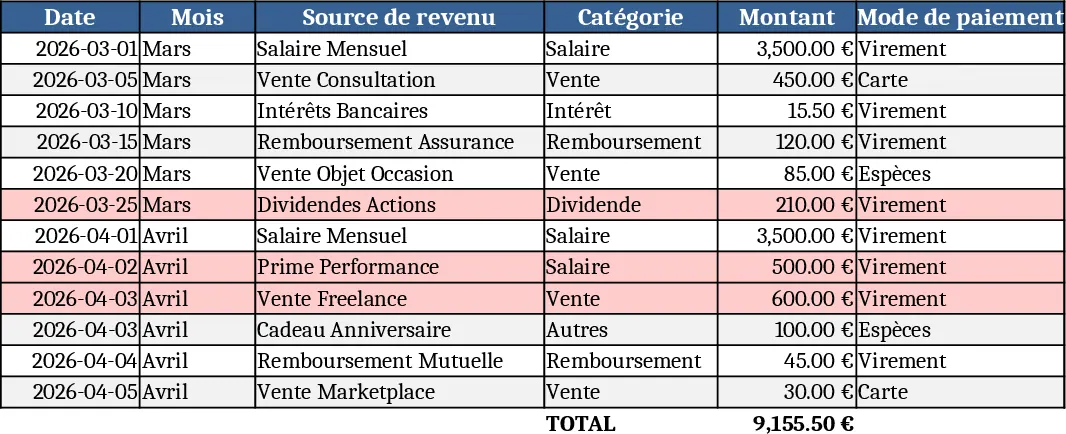
Personal Account Management Dashboard Template
Track income, expenses, savings and monthly balances with an interactive dashboard and automatic monthly statements.
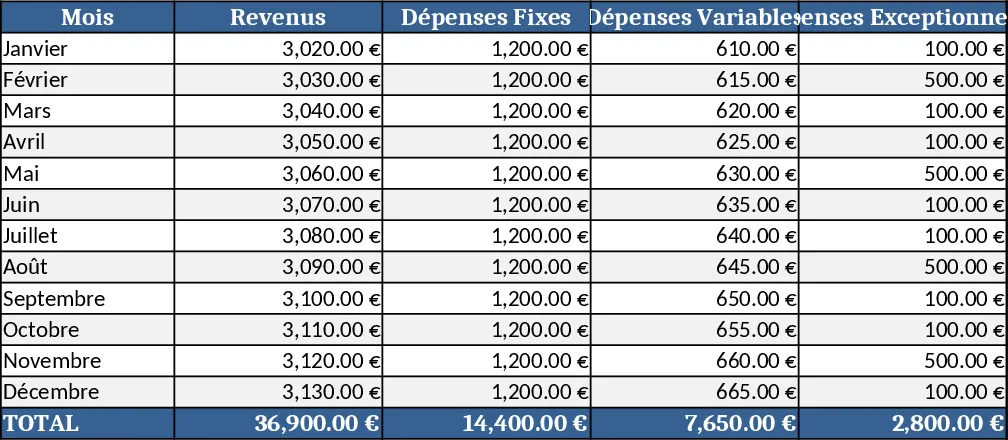
Simple Personal Budget Template
Manage your income and expenses with this comprehensive budget overview template to track financial health and achieve your savings goals effectively.