ISO Tools & Equipment Checklist Template
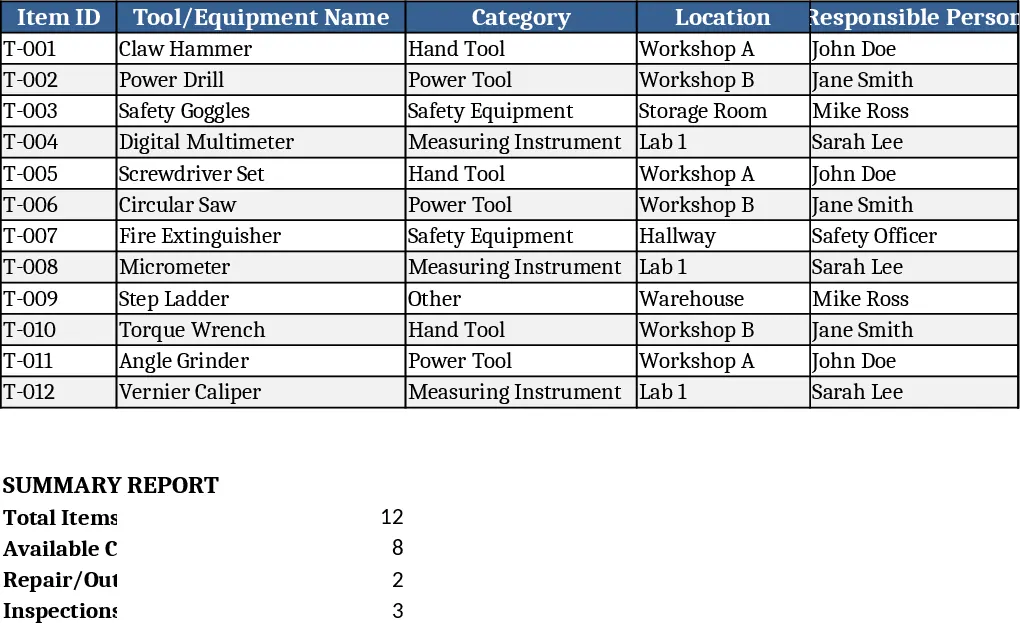
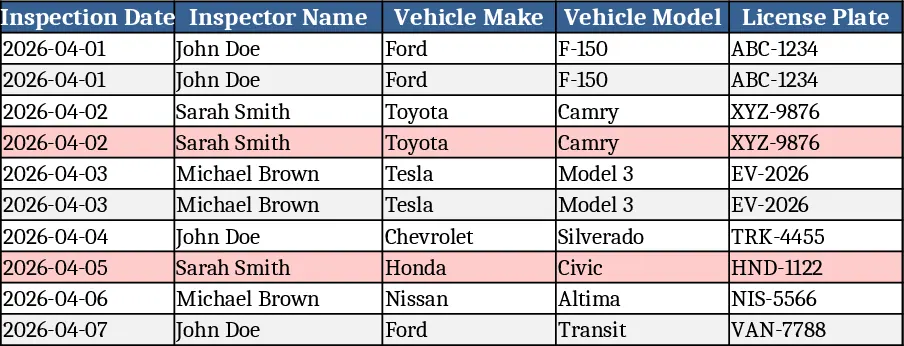
The ISO Tools and Equipment Checklist is a multi‑sheet Excel workbook designed to help you keep every piece of machinery, hand tool, and safety device in line with ISO‑based quality and safety requirements. The first sheet, Master List, contains a table where you enter each item’s name, unique ID, category (e.g., electrical, mechanical, PPE), manufacturer, model number, purchase date, and location. Drop‑down menus let you select the applicable ISO clause (such as ISO 9001 §7.1.3 or ISO 45001 §8.1) and the current status (Ready, Needs Service, Out of Service). A second sheet, Inspection Log, automatically pulls items from the Master List and provides columns for inspection date, inspector name, findings, corrective actions, and a pass/fail flag. Conditional formatting highlights overdue inspections in red and items that have failed in orange. The third sheet, Summary Dashboard, uses pivot tables and simple charts to show compliance percentages by category, upcoming inspection deadlines, and a trend of resolved versus pending issues.
This template solves the common headache of manually tracking tool compliance across multiple sites or departments. By centralising all relevant data in one workbook, you eliminate scattered spreadsheets, paper logs, and missed inspections that can lead to non‑conformities during audits. The built‑in validation rules ensure that required fields are filled correctly, while the dashboard gives you a quick visual snapshot of overall readiness, helping you prioritize maintenance and avoid costly downtime. It also supports audit preparation by generating a printable compliance report with just a click, saving you hours of data gathering and formatting.
The checklist is ideal for quality managers, maintenance supervisors, safety officers, and anyone responsible for ensuring that tools meet ISO‑mandated criteria. Whether you run a manufacturing floor, a laboratory, a construction site, or a service workshop, the template adapts to any inventory size and can be customised with additional columns or ISO clauses specific to your industry. It helps you track the lifecycle of each asset, schedule regular inspections, record corrective actions, and maintain a clear audit trail that demonstrates continuous improvement.
How to use
- Open the workbook and go to the Master List sheet. Fill in each tool or equipment entry, selecting the appropriate ISO clause and status from the drop‑downs.
- Switch to the Inspection Log sheet; the template will auto‑populate rows for each item. Enter the date of inspection, the inspector’s name, observations, and any corrective steps taken.
- Review the Summary Dashboard to see compliance rates, upcoming due dates, and any items flagged for attention. Use the built‑in filters to drill down by location or category.
- Export the dashboard or the inspection log as a PDF for audit submission, or print the Master List for on‑site verification.
Expected benefits: streamlined data entry, faster audit readiness, reduced risk of missed inspections, and clearer visibility into tool health, all of which free up time for more strategic quality work.