

Phone Directory with Search Function Template
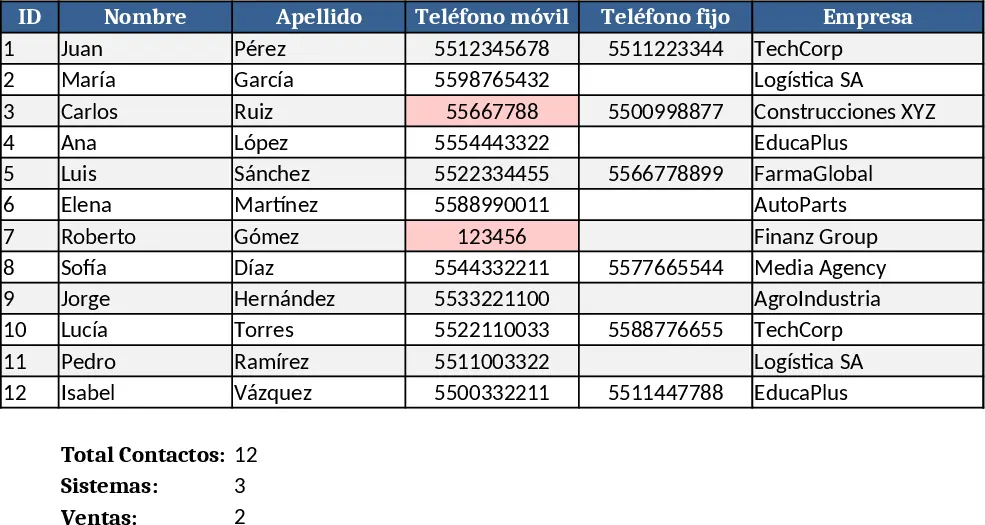
This template provides a simple, searchable phone directory that can be used by any team to keep employee or client contact details in one place. The workbook contains a Contacts sheet where you enter each person’s name, department, phone number, email and any notes. A second Search sheet offers a drop‑down list of departments and a free‑text search box that uses Excel’s FILTER function to instantly display matching rows from the Contacts sheet. The results include all key fields and can be copied or printed directly.
It solves the common hassle of scrolling through long static lists or digging through email signatures to find the right number. By centralizing contacts and adding instant search, you reduce lookup time, avoid dialing errors, and keep the directory up‑to‑date with minimal effort. This is especially useful for HR managers, office administrators, or any department that needs quick access to internal phone numbers.
How to use
- Open the Contacts sheet and fill in each row with the required details – name, role, department, phone, email, etc.
- In the Search sheet select a department from the drop‑down or type a name/keyword in the search box.
- The filtered list updates automatically, showing only the contacts that match your criteria.
- Copy, email, or print the filtered results as needed.
Expected benefits: faster phone look‑ups, fewer mis‑dialed calls, and a single source of truth for contact information, all without complex setup.
Similar Templates Recommendation
Secondary School Results and Ranking Template
Track up to 200 secondary students' marks, auto‑calculate grades, averages, divisions and rankings in a clear, formatted sheet.

Couple Budget and Cash Flow Tracker Template
Track monthly income, expenses, and cash flow for a working couple, visualize budgets and savings goals in one spreadsheet.

Date Range and Internal Log Template
Create an Excel file with two columns for dates and internal notes, with colored rows for different date ranges.
