2026 Developer Productivity & Habit Tracker Template
This template is a smart, all‑in‑one workbook designed for a junior developer‑intern to stay organized, focused, and efficient throughout 2026. It consists of eight interconnected sheets:
- BASE_MASTER_2026 – the core log where you record every activity (study, project, meeting, etc.) with fields for date, type, area, task, description, status, base priority, calculated real priority, deadline, remaining days, and daily energy level. Status and real priority update automatically.
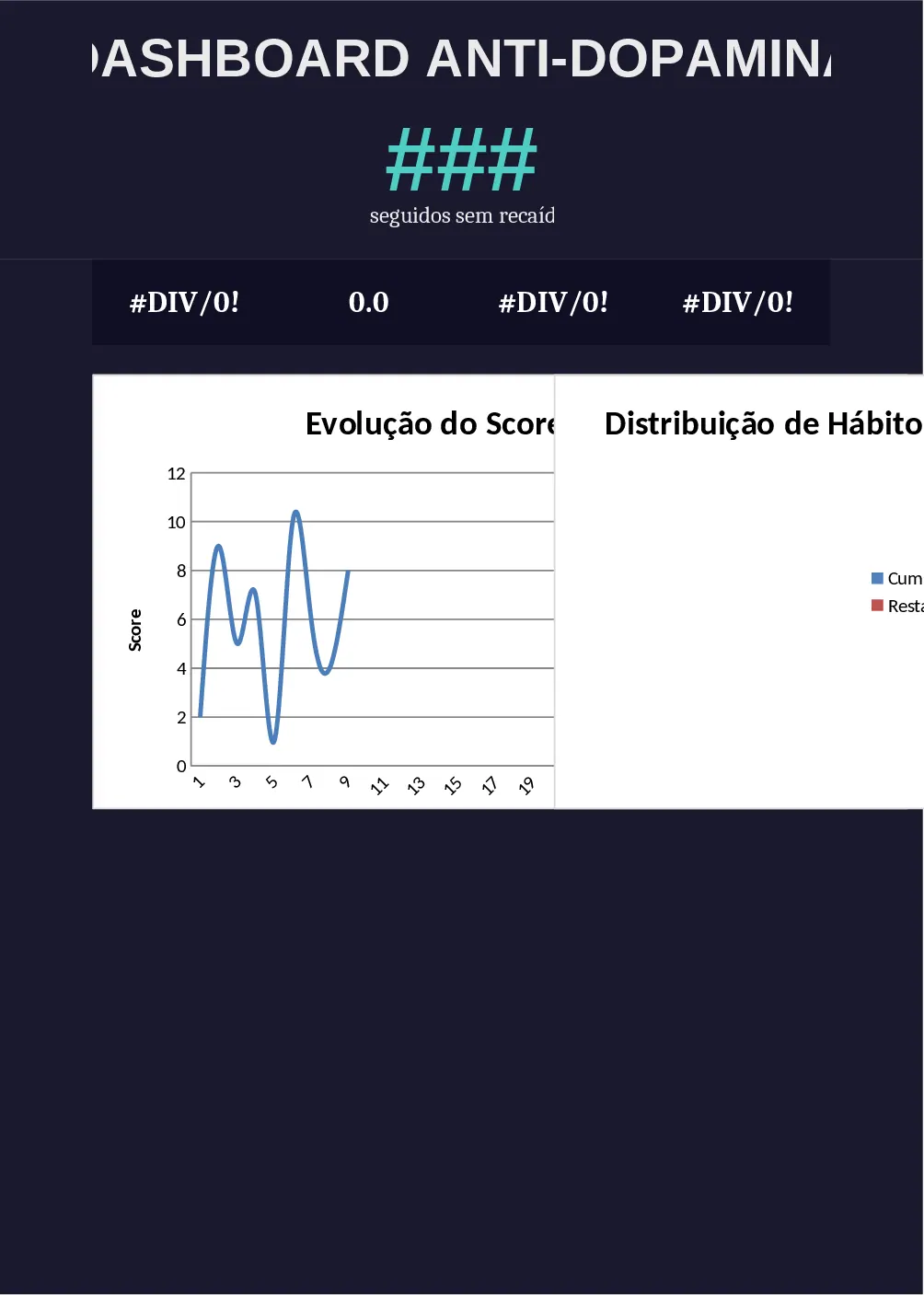
- HÁBITOS_DIÁRIOS – a daily checklist of essential habits (coding, studying, sleep, water intake, etc.) that calculates completion % and streaks.
- FOCO_DO_DIA – a dynamic panel that instantly shows the top three tasks for the day, filtered by pending status, real priority, and nearest deadline, and also displays total estimated vs. spent time and daily progress.
- PLANEJAMENTO_DIARIO – a simple planner where you enter the day’s tasks, planned time and source links; entries flow automatically into BASE_MASTER_2026 to avoid double entry.
- BACKLOG – a holding area for future ideas with priority, time estimate and status.
- PROJETOS – a project tracker that records technology, level, dates, total time invested, GitHub link, portfolio flag, learnings and issues.
- KNOWLEDGE – a knowledge base that logs topics, categories, links, study time, review schedule and mastery level.
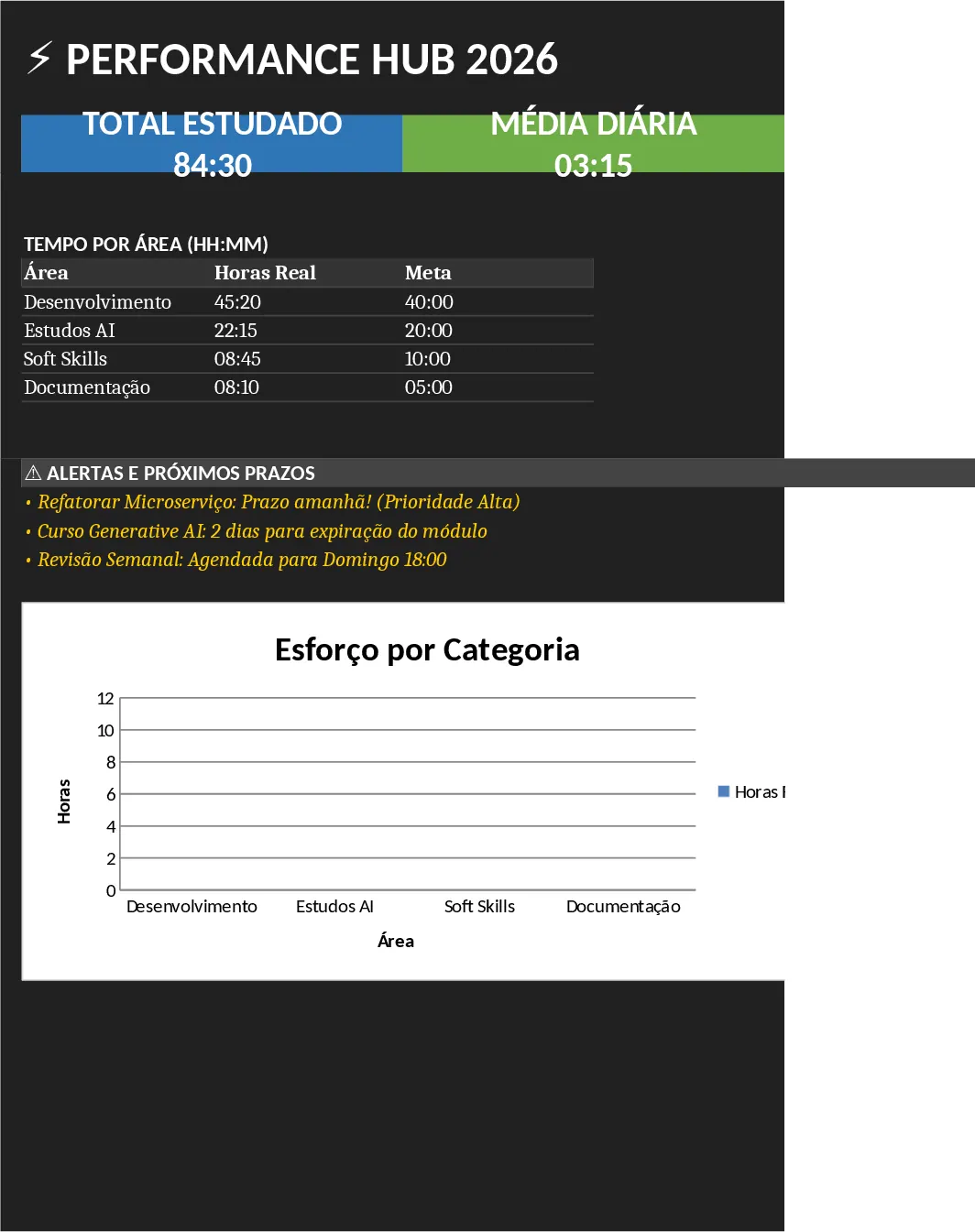
- DASHBOARD – visual summary with total study hours, daily average, task completion %, efficiency ratio, streaks, focus % and correlations such as sleep vs. productivity, plus alerts for upcoming deadlines.
The workbook solves the common pain points of a new developer: scattered notes, unclear daily priorities, and mental overload from deciding what to work on. By automating status changes, priority calculations, time sums, and habit metrics, it removes manual bookkeeping and lets you concentrate on learning and delivering code. The clear "What should I do now?" panel cuts decision fatigue, while the dashboard gives you quick insight into long‑term trends, helping you adjust study intensity, sleep habits, or project focus.
Anyone starting their tech career—interns, apprentices, or self‑taught beginners—will benefit, especially when juggling coursework, a part‑time job, and personal projects. The sheet works on desktop and mobile, with large checkboxes and a clean dark‑mode layout optimized for on‑the‑go updates.
How to use
- Open PLANEJAMENTO_DIÁRIO each morning, list the tasks you intend to do, assign an area, set a planned time and priority, and add any reference links.
- Switch to FOCO_DO_DIA; the sheet automatically pulls the top three tasks based on real priority and deadlines, showing you exactly what to start with.
- Throughout the day, log progress in BASE_MASTER_2026 (status updates automatically) and tick off habit boxes in HÁBITOS_DIÁRIOS.
- At day‑end, review the DASHBOARD to see your efficiency, streaks, and any upcoming alerts, then adjust the next day’s plan accordingly.
Expected benefits: reduced mental load, fewer duplicate entries, clearer daily focus, and faster identification of productivity patterns, all of which save time and help you stay consistent in your learning journey.