12, 24, and 36 Month Expiration Tracker with Chart Template
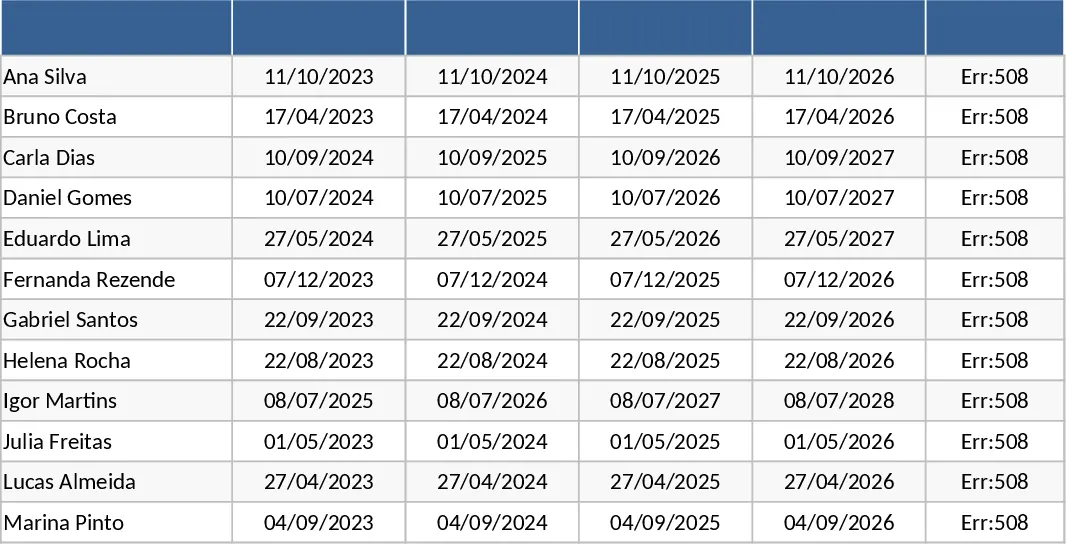
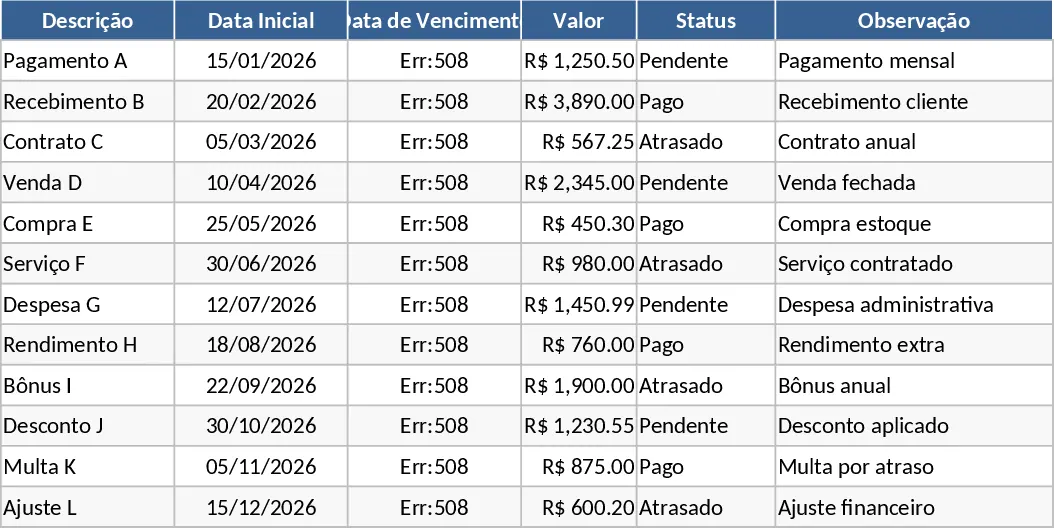
Managing recurring deadlines and contract renewals can be a complex task, especially when dealing with different cycles like annual, biennial, or triennial terms. This Expiration Tracking Template is designed to simplify this process by providing a centralized hub for all your time-sensitive commitments. Whether you are overseeing office leases, software subscriptions, vehicle maintenance, or employee certifications, this tool ensures that every critical date is accounted for and visualized. The core structure includes a detailed data entry section where you can record item descriptions, categories, and start dates. From there, the template utilizes advanced Excel formulas to automatically project expiration dates at 12, 24, and 36-month intervals, saving you the hassle of manual calculations and reducing the margin for human error.
The real power of this template lies in its ability to turn raw data into actionable insights. It features a dynamic dashboard with built-in charts that categorize your expirations by timeframe and status. This visual representation allows you to see at a glance how many items are expiring within the next month, quarter, or year. For operations managers and business owners, this means better financial planning and resource allocation. Instead of being surprised by a sudden renewal fee or a lapsed certification, you can proactively manage your workflow and negotiate better terms with vendors ahead of time. The template also includes status indicators that change color based on how close a date is, providing an immediate visual cue for items that require urgent attention.
This tool is an essential asset for anyone responsible for administrative oversight or facility management. In a busy professional environment, it is easy for a single contract to slip through the cracks, leading to service interruptions or late fees. By using this template, you create a reliable source of truth for your organization. It helps you maintain compliance, ensure continuous service, and keep a clean record of all historical and future milestones. The flexibility of the 12, 24, and 36-month tracking options makes it suitable for a wide variety of industries, from IT departments managing software licenses to HR teams tracking mandatory training sessions.
The template architecture is built for both depth and ease of use. Key fields include Item Name, Category, Responsible Party, Start Date, and Notes. The dropdown menus allow for quick categorization, making it easy to filter your view by department or type of asset. The summary outputs are designed to be presentation-ready, meaning you can easily copy the charts into a monthly report or share the dashboard with stakeholders during planning meetings. This level of organization not only improves daily efficiency but also enhances the professional standard of your record-keeping.
How to use:
- Open the tracking sheet and enter the names of your contracts, assets, or certifications along with their initial start dates.
- Observe as the automated columns calculate the 12, 24, and 36-month expiration milestones based on your input.
- Use the filter and sort functions to organize items by priority or date, and check the color-coded status cells for immediate alerts.
- Navigate to the dashboard tab to view the automatically updated charts, which provide a visual summary of your upcoming renewal schedule.
Expected benefits: You can expect to save hours of manual data entry and gain peace of mind knowing that your operational deadlines are being monitored by a systematic, visual tracking tool.