Monthly Rental Income and Tenant Payment Tracker Template
Managing rental properties requires precision, especially when balancing income against maintenance costs and mortgage obligations. This Excel template provides a streamlined solution for private landlords to maintain a professional ledger of their real estate investments. The structure is divided into two primary functional areas: a comprehensive financial overview and a granular payment monitoring system.
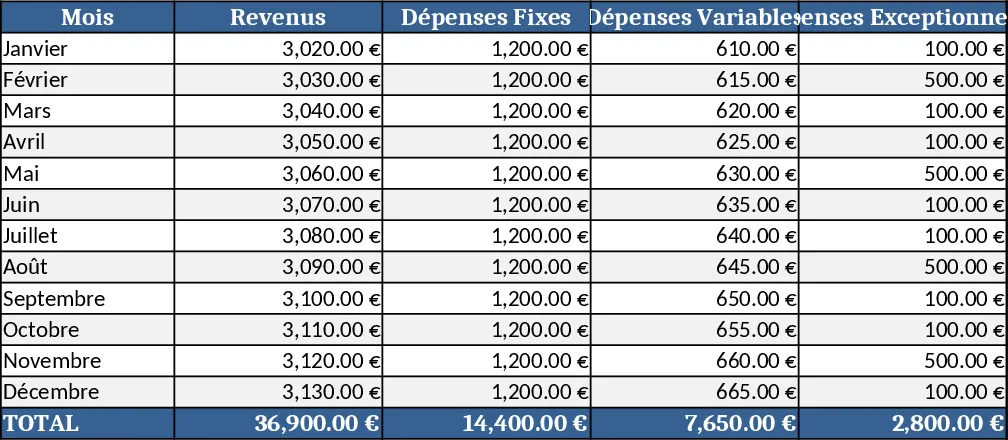
The financial overview sheet serves as your main dashboard. Here, you can record every financial movement related to your property. Key fields include cold rent, utility prepayments, and miscellaneous income, which are automatically summed to show your gross revenue. On the expenditure side, the template tracks mortgage rates, property management fees, repairs, insurance, and reserves. By subtracting these from your income, the template provides a real-time view of your monthly and annual profit or loss. This level of detail is invaluable for understanding the actual yield of your investment and preparing for tax season.
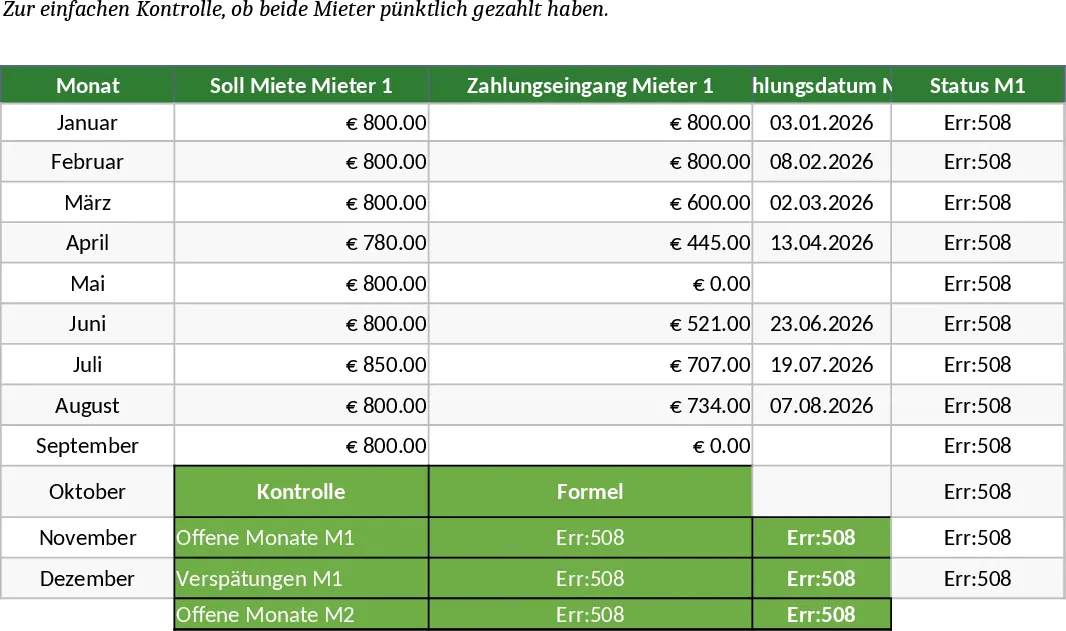
For those managing specific tenants, the payment control section offers a dedicated space to monitor the punctuality of rent transfers. It is designed to handle multiple tenants, allowing you to input the target rent versus the actual amount received. By entering the payment date, the template can use conditional logic to categorize the status as On-time, Late, or Partial Payment. This visual feedback loop ensures you never miss a late payment and can act quickly to resolve discrepancies. This tool is ideal for individual property owners or small-scale landlords who want to move away from messy paper notes or basic lists. It solves the common problem of losing track of which tenant paid what and when, while also providing a clear picture of whether a property is truly profitable after all expenses are considered.
How to use:
- Customize the expense categories and fixed costs to match your property’s specific monthly obligations like insurance or mortgage rates.
- At the beginning of each month, update the payment control section with the amounts and dates as they appear on your bank statement.
- Review the automated status indicators and the annual summary at the bottom of the sheet to analyze your total cash flow and investment performance.
Expected benefits: This template significantly reduces the effort required for monthly financial tracking and provides peace of mind through automated payment verification.
Similar Templates Recommendation
Personal Account Management Dashboard Template
Track income, expenses, savings and monthly balances with an interactive dashboard and automatic monthly statements.
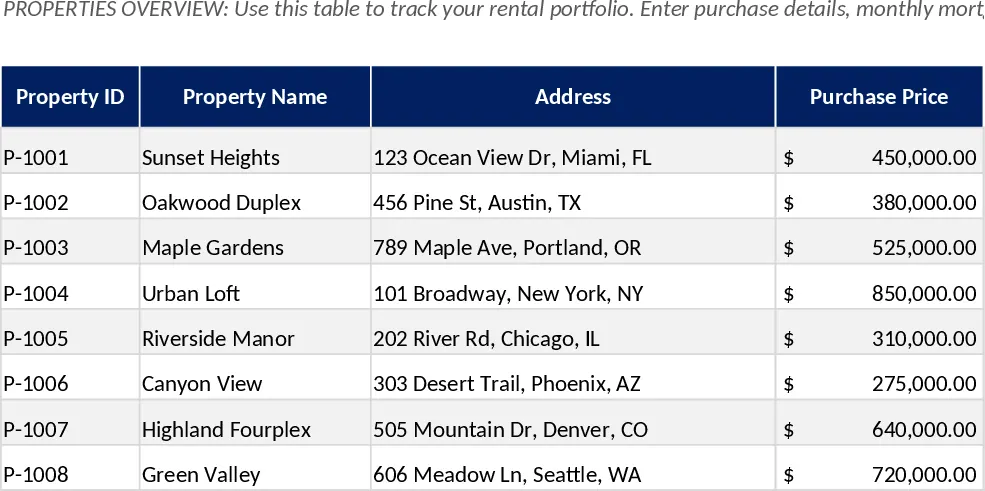
Rental Property & Personal Finance Tracker Template
Track and analyze personal and rental property finances with automated income, expense, and profit dashboards across multiple linked sheets.
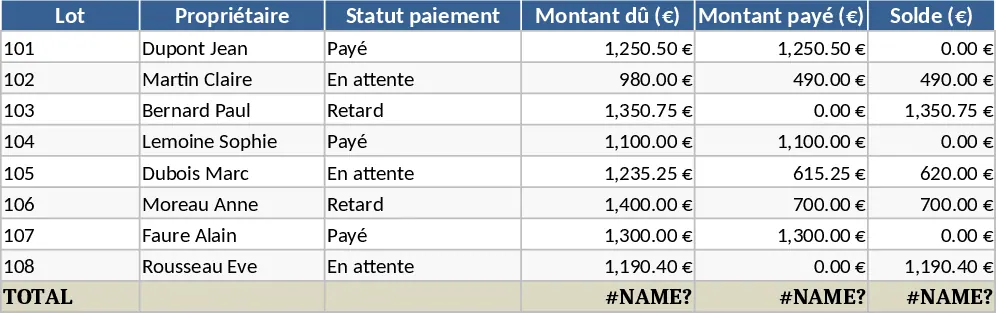
Residential Co-ownership Management Template
Manage residential co-ownership fees, track building maintenance expenses, and monitor owner contributions with this comprehensive tool.