Student Grading Evaluation Template
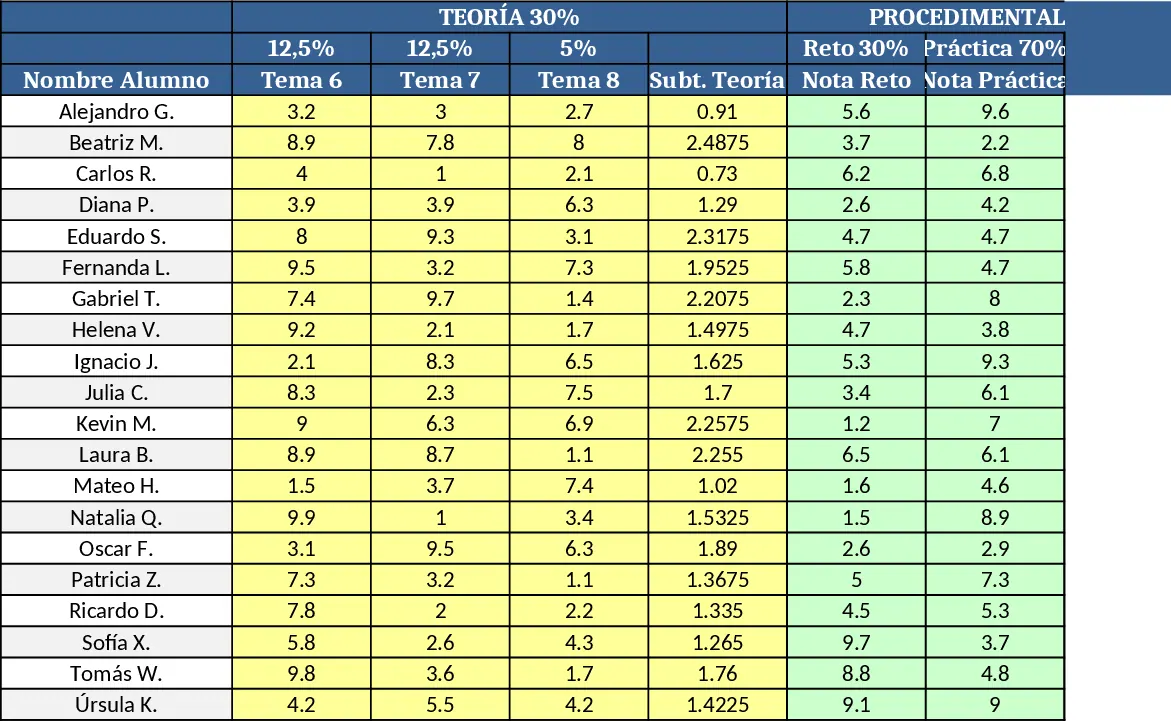
This ready‑to‑use Excel workbook lets teachers grade a class of up to 20 students in a single, organized sheet. The layout is divided into three main blocks – Theory (30 % of the final grade), Procedural (50 %) and Attitudinal (20 %). Each block has its own columns: Theory includes three exam scores, Procedural captures a challenge score and a practice score, and Attitudinal records two attitude‑related scores. At the far right the template automatically calculates the subtotal for each block using the weighted formulas you defined, and then sums them to produce the final grade. A conditional‑format rule highlights any final grade below 5 in red, while an optional "Status" column can display "APROBADO" or "SUSPENSO" based on the final result. The header row is colour‑coded for quick visual separation of the three sections.
The workbook solves the common headache of manually applying different weightings and keeping track of dozens of individual scores. By automating the calculations, it eliminates arithmetic errors and saves the teacher time that would otherwise be spent on repetitive spreadsheet work. The clear visual structure also makes it easy to spot students who are struggling in a particular area, enabling targeted interventions. Whether you are preparing end‑of‑term reports, mid‑term reviews, or just monitoring ongoing performance, this template provides a transparent and consistent grading framework.
It is ideal for secondary‑school teachers, university lecturers, or any educator who needs to assess a small cohort with multiple evaluation criteria. The template works equally well for in‑person classes, blended learning environments, or online courses where grades are entered manually after each assessment.
The sheet tracks individual exam scores, challenge and practice results, attitude evaluations, and automatically produces weighted subtotals and a final grade. The built‑in conditional formatting draws immediate attention to low‑performing students, while the optional status column gives a quick pass/fail overview. All calculations are driven by simple Excel formulas, so the file can be adapted if the weighting percentages change.
How to use
- Open the workbook and replace the placeholder names in column A with your students’ actual names.
- Enter each student’s raw scores in the appropriate columns (the template expects the scores already on a 0‑100 scale).
- The sheet will instantly compute the Theory, Procedural and Attitudinal subtotals and the final grade; watch the red shading appear for any final grade below 5.
- (Optional) Activate the "Status" column by copying the provided IF formula to automatically label each student as "APROBADO" or "SUSPENSO".
Expected benefits: you’ll spend far less time on manual calculations, reduce grading errors, and gain a clear visual snapshot of class performance at a glance.
Similar Templates Recommendation
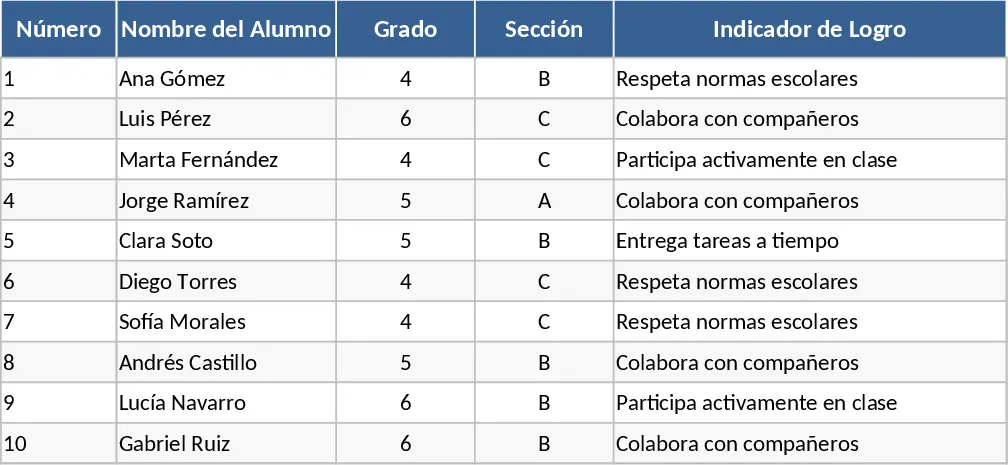
Qualitative Student Evaluation and Achievement Indicator Template
Manage student performance with qualitative grades and achievement indicators designed to meet official educational evaluation standards.
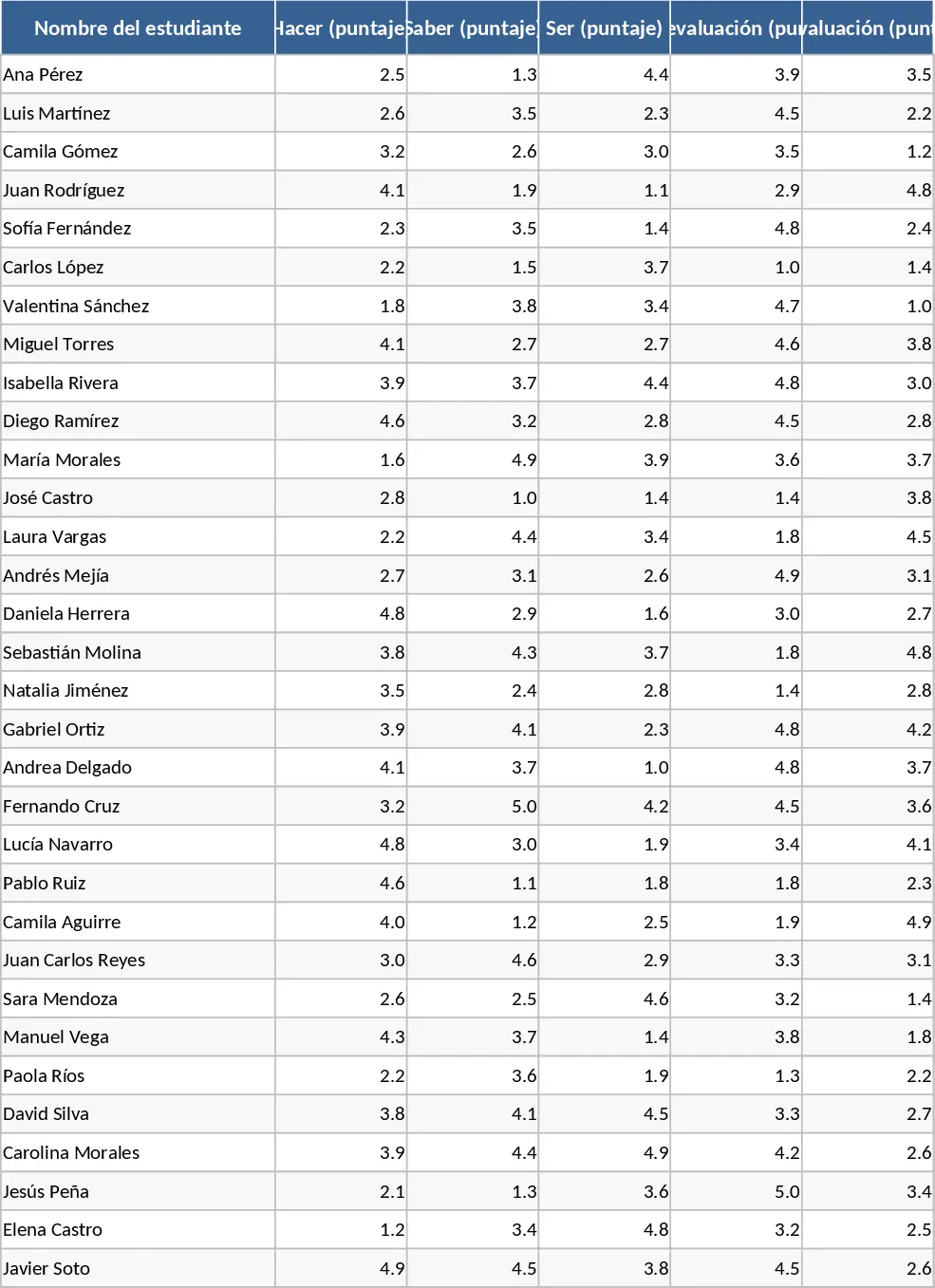
Weighted Student Evaluation Matrix and Gradebook Template
Streamline student grading with a weighted matrix covering practical skills, theoretical knowledge, attitude, and peer reviews.
Attendance and Grade Sheet by Roll Number Template
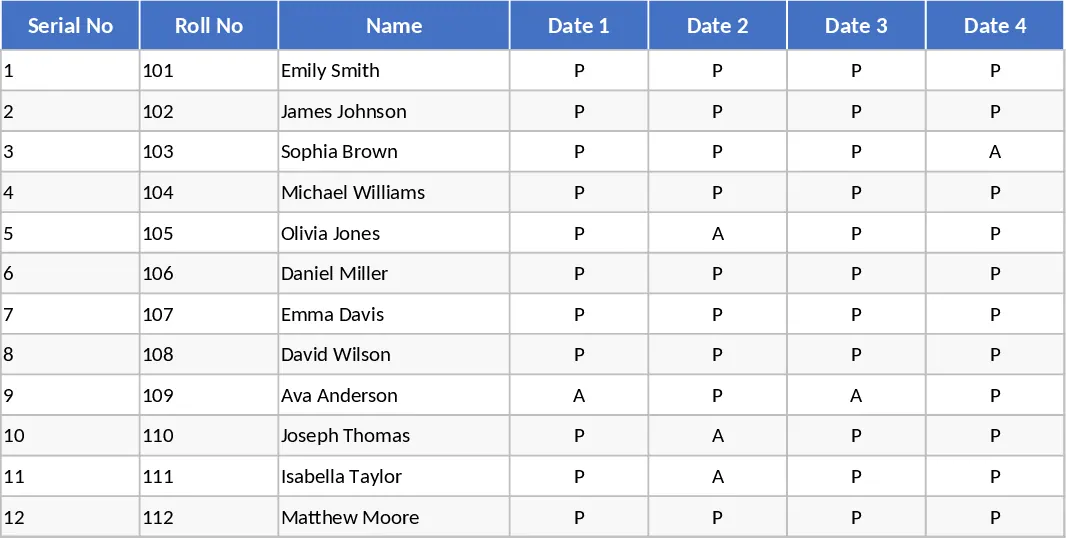
Manage student attendance and academic scores efficiently with this integrated serial roll template designed for teachers and educators.