12-Month Marketing Budget Tracker Template
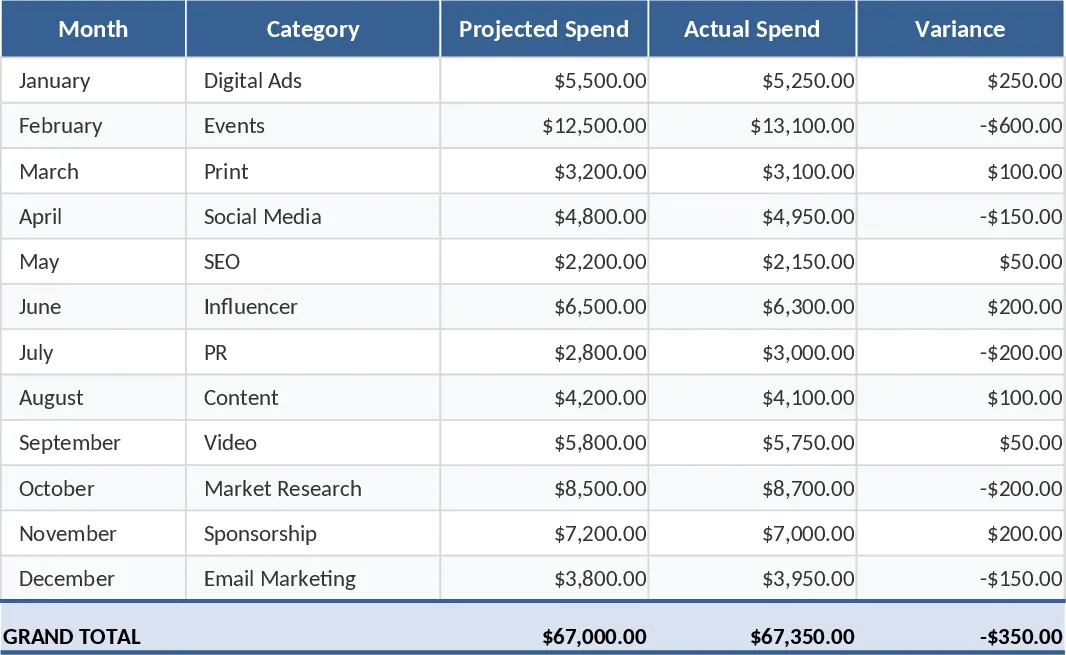
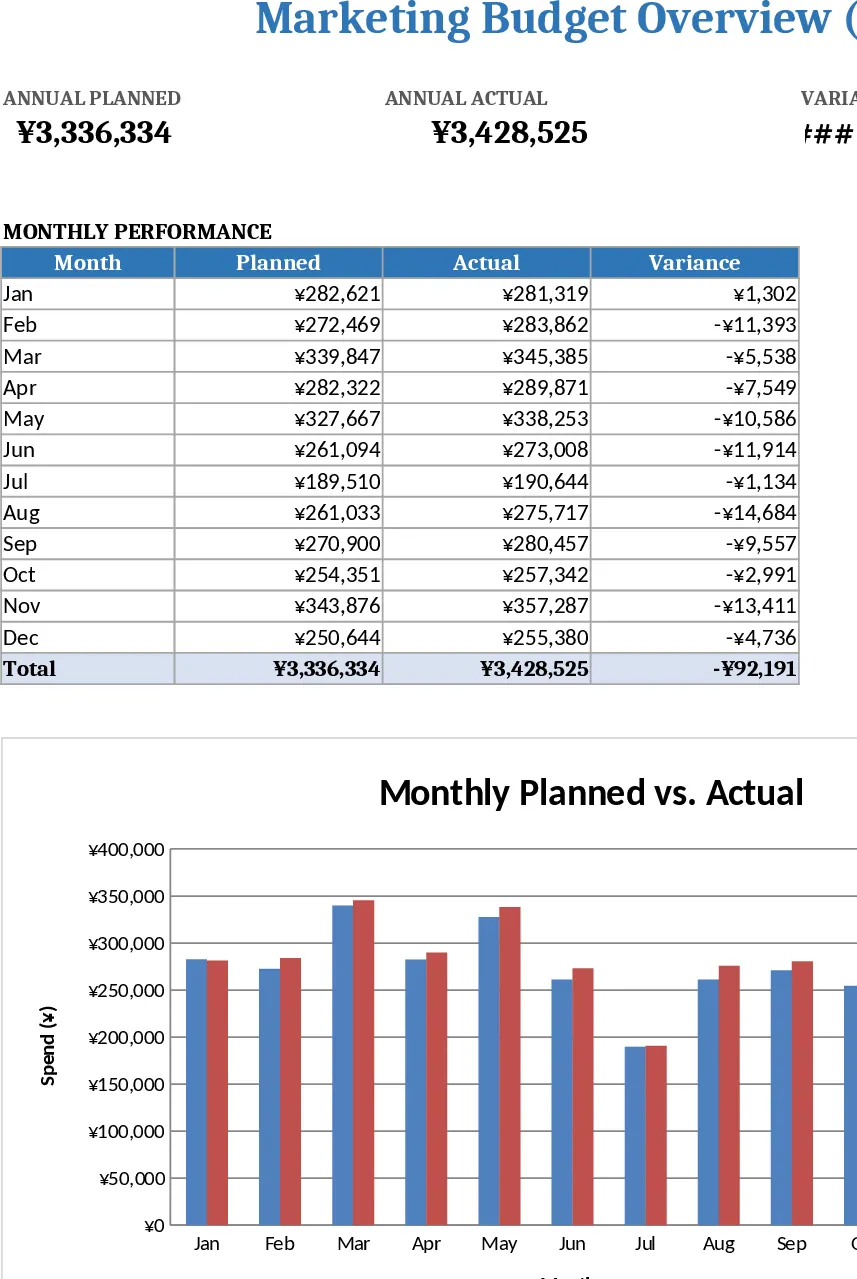
This template gives you a clean, month‑by‑month view of every marketing expense you plan to incur. The workbook is split into three sheets: Input, where you list each channel (digital, print, events, etc.) and enter projected spend for each of the 12 months; Actuals, where you record the real spend as invoices arrive; and Dashboard, which automatically calculates variances, totals, and displays bar and line charts that highlight overspend or underspend at a glance. Drop‑down menus let you select predefined channels, and conditional formatting flags any month where the variance exceeds a set threshold.
With this tool you can stop juggling multiple spreadsheets or manual calculations. It instantly shows where your marketing dollars are allocated, how they compare to the original plan, and which areas need re‑budgeting. By visualizing the gap between projected and actual spend, you can make data‑driven decisions, avoid surprise overruns, and keep campaigns on track throughout the year. The summary section also aggregates spend by channel and by quarter, giving senior leadership a quick snapshot of ROI and cash‑flow impact.
The template is ideal for marketing managers, finance analysts, and small‑business owners who need a reliable way to forecast and monitor promotional expenses. Whether you are launching a new product, running seasonal campaigns, or simply trying to keep the annual spend under control, this workbook provides the structure and automation needed to stay organized and accountable.
What you will be tracking includes: each channel’s monthly budget, the actual amount spent, the variance (both numeric and percentage), cumulative totals, and key performance indicators such as cost‑per‑lead or cost‑per‑acquisition if you add those columns. All calculations are built‑in, so you only need to input numbers – the rest updates automatically.
How to use
- Open the Input sheet and select a channel from the drop‑down, then type your projected spend for each month.
- As invoices come in, switch to the Actuals sheet and enter the real spend in the corresponding month and channel cells.
- Watch the Variance column fill in automatically; any highlighted cells indicate a deviation beyond your tolerance level.
- Go to the Dashboard sheet to review charts, quarterly summaries, and overall budget health at a glance.
By consolidating planning and tracking in one place, you’ll spend less time reconciling numbers and more time optimizing campaigns. The template reduces manual effort, improves accuracy, and gives you confidence that your marketing budget stays aligned with strategic goals.