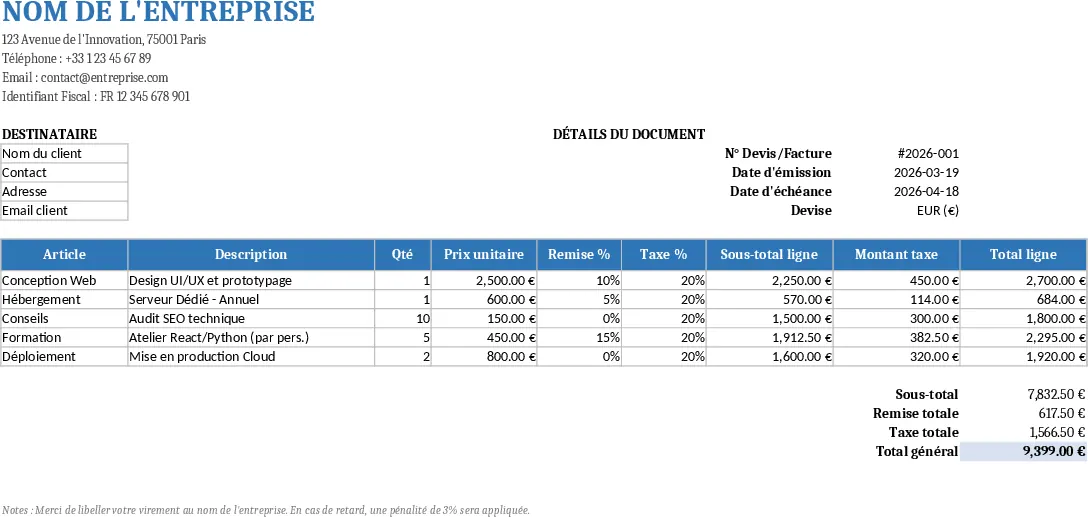
A4 Printable Quote & Invoice Excel with Invoice Generator Template
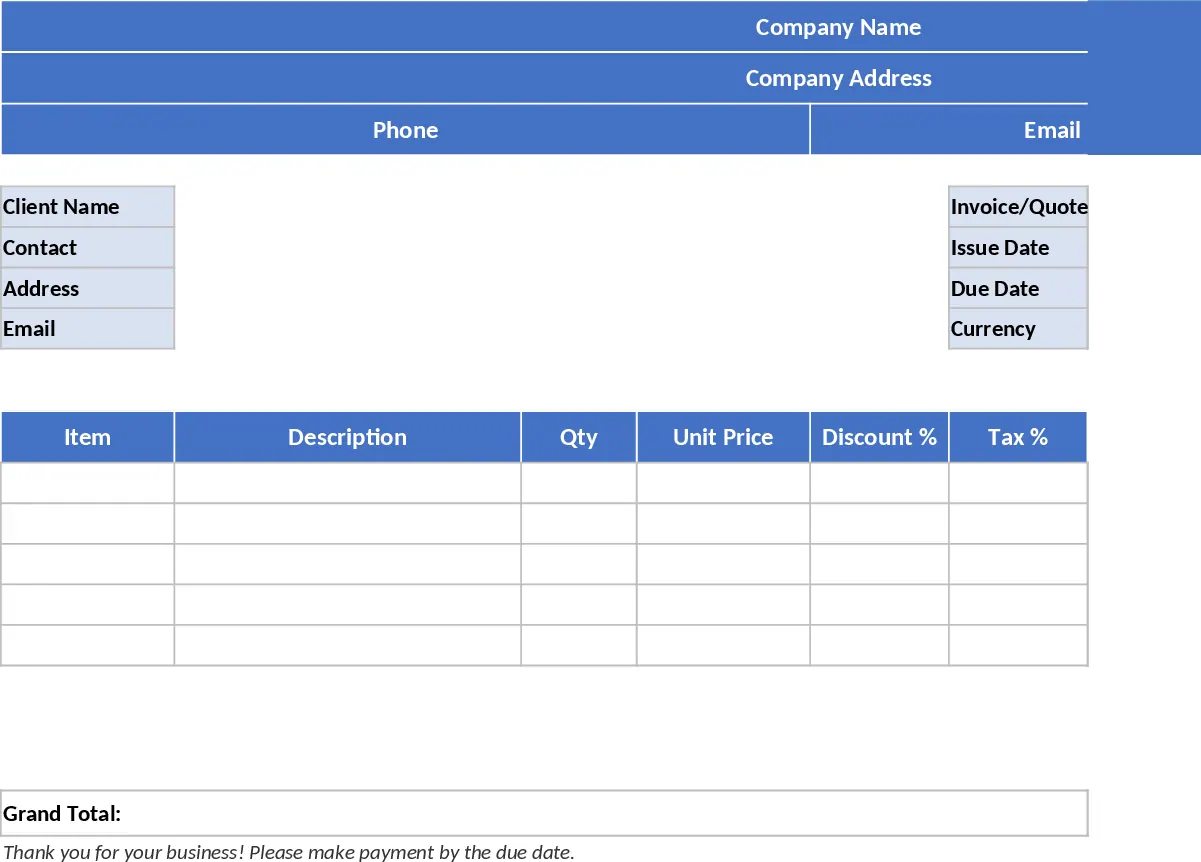
This Excel template is designed for creating professional‑looking quotes and invoices that are ready to print on A4 or letter paper. The workbook contains a single sheet divided into clear sections: a header area for your company name, address, phone, email and tax ID; a client block where you enter the customer’s name, contact person, address and email; and an invoice information panel for the quote/invoice number, issue date, due date and currency. Below these sections lies a line‑items table with columns for Item, Description, Qty, Unit Price, Discount %, Tax %, Line Subtotal, Tax Amount and Line Total. Formulas automatically calculate each line subtotal (Qty × Unit Price × (1‑Discount%)), the tax amount (Line Subtotal × Tax%) and the final line total. At the bottom of the table, summary fields roll up Subtotal, Total Discount, Total Tax and Grand Total, all formatted in the selected currency.
The template solves the common hassle of manually computing discounts, taxes and totals for each client, eliminating arithmetic errors and saving time on formatting. It’s especially useful for freelancers, small business owners, sales teams, and anyone who needs to issue quotes or invoices quickly while keeping a consistent, brand‑aligned layout. By simply filling in the required fields, users get a clean, print‑ready document that looks polished without needing a separate design tool.
Anyone who regularly bills clients—consultants, designers, service providers, or sales reps—can benefit. The template tracks every quote or invoice you generate, letting you compare line‑item pricing, monitor discount usage, and see tax liabilities at a glance. Because all calculations are live, you can experiment with different pricing structures and instantly see the impact on the grand total.
How to use
- Open the workbook and replace the placeholder text in the header with your company’s details. The cells are highlighted in light blue for easy identification.
- Enter the client’s information in the client block and fill out the invoice number, issue date, due date and select the currency from the dropdown list.
- Add your products or services in the line‑items table. Input quantity, unit price, discount % and tax % for each row; the template will compute subtotals, tax amounts and line totals automatically. Use the sample rows as a guide or delete them to start with a blank sheet.
- Review the summary section at the bottom for Subtotal, Total Discount, Total Tax and Grand Total. When ready, print the sheet using the predefined print area, which ensures the document fits neatly on one page.
Expected benefits: reduces manual calculation effort, minimizes errors, and speeds up the preparation of professional quotes and invoices, letting you focus more on selling and less on paperwork.
Similar Templates Recommendation
A4 Printable Quote & Invoice Excel with Printable Report Template
A ready‑to‑print Excel quote and invoice template that auto‑calculates line totals, discounts, taxes and grand totals for professional billing.
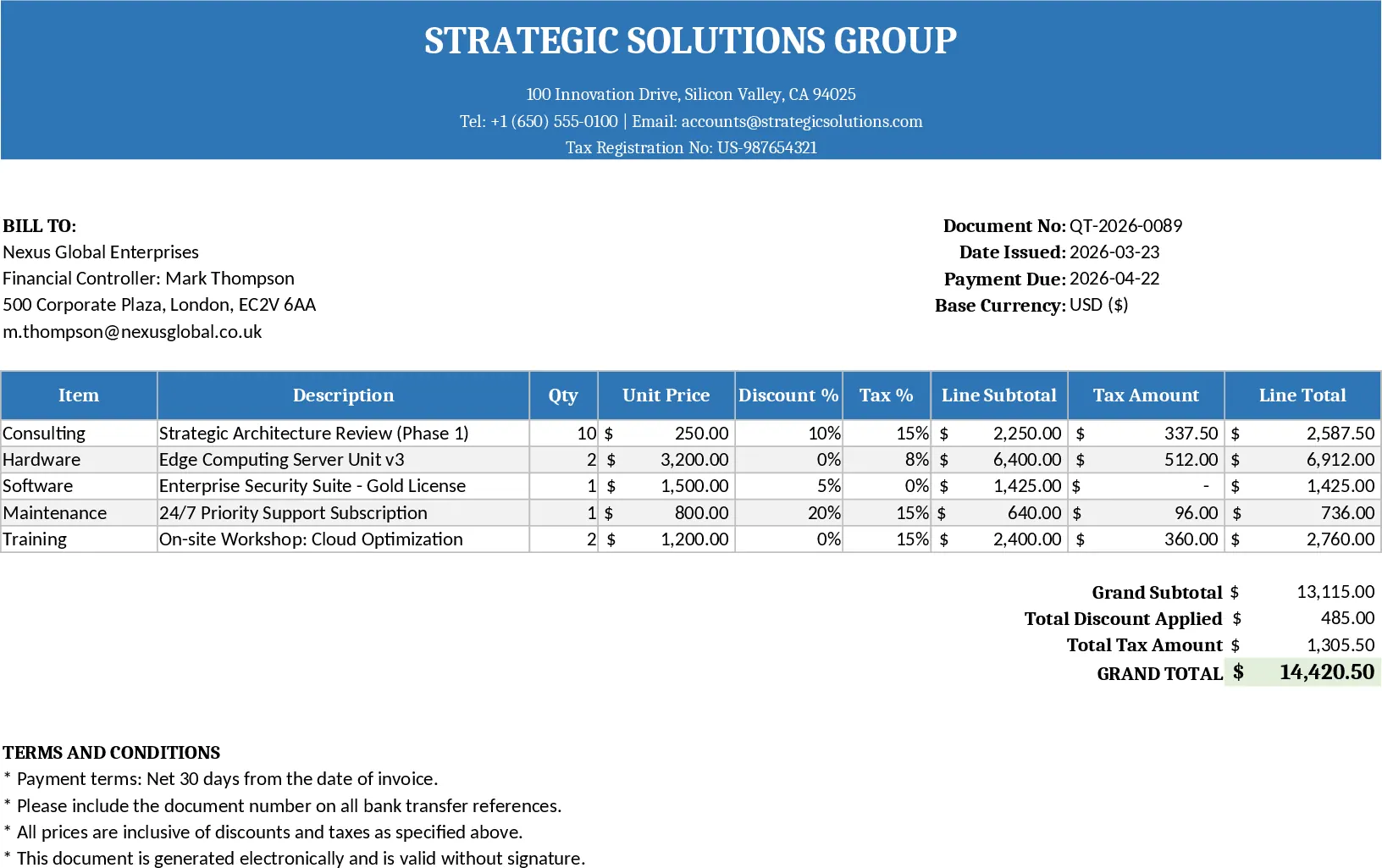
Printable Offer & Invoice Excel Template
A printable Excel template for professional quotes and invoices with auto‑calculations, tax, discounts, and ready‑to‑print layout.
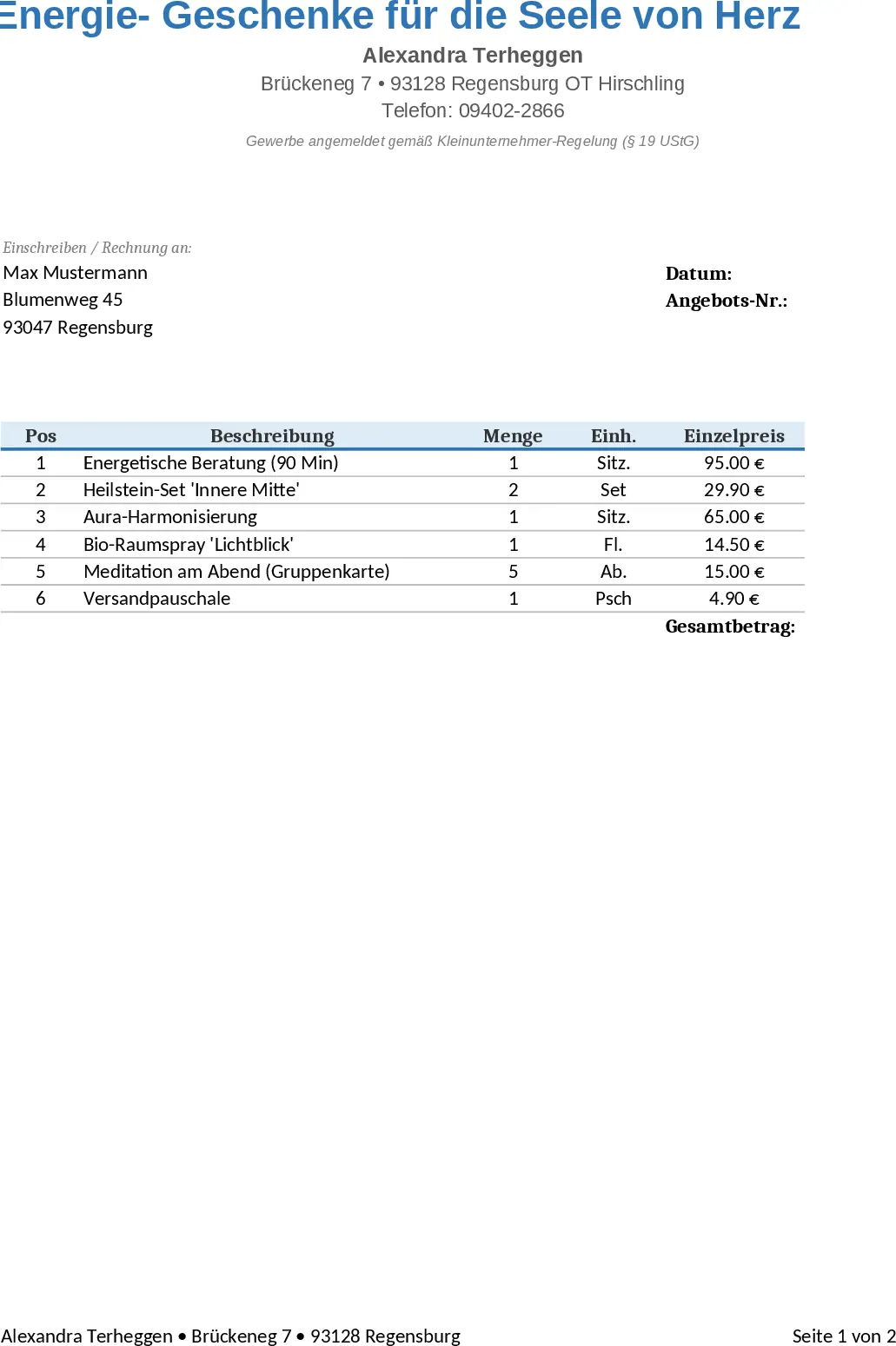
Professional Quote and Invoice Excel Template
Create printable Excel quote and invoice templates with company and client details, line items, automatic calculations, and a clean layout.