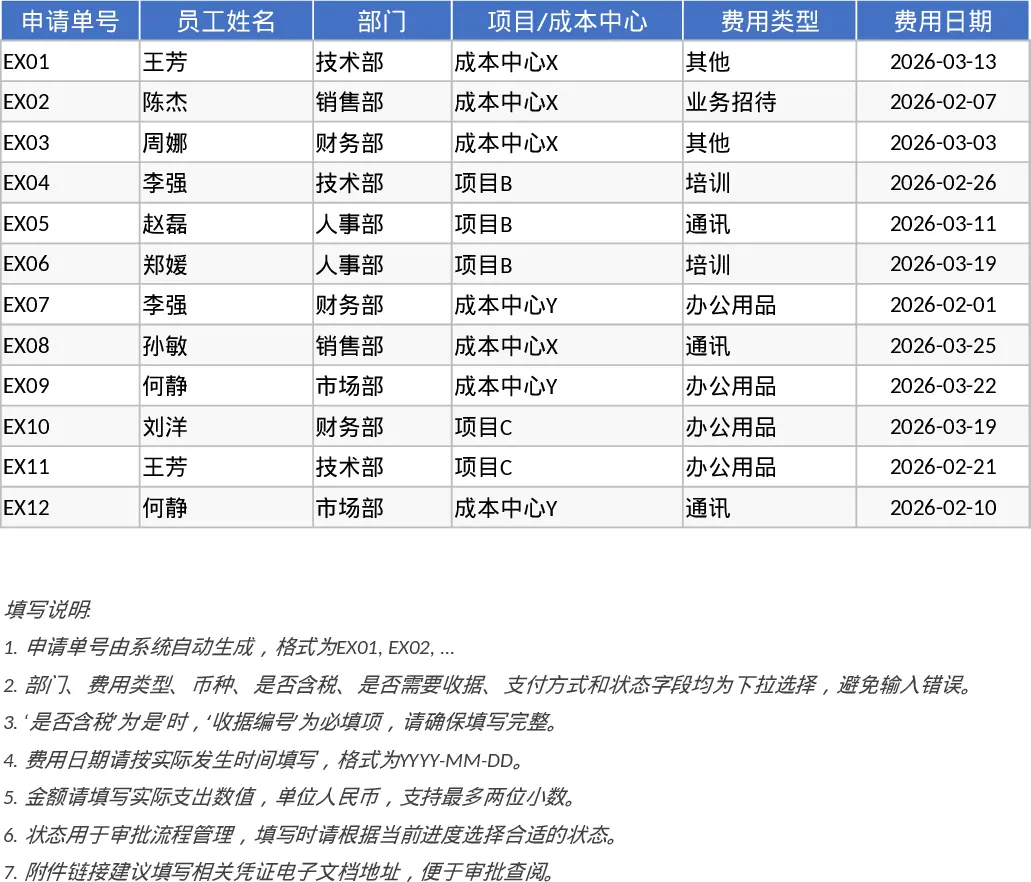
Employee Expense Reimbursement and Approval Tracker with Receipt Log Template
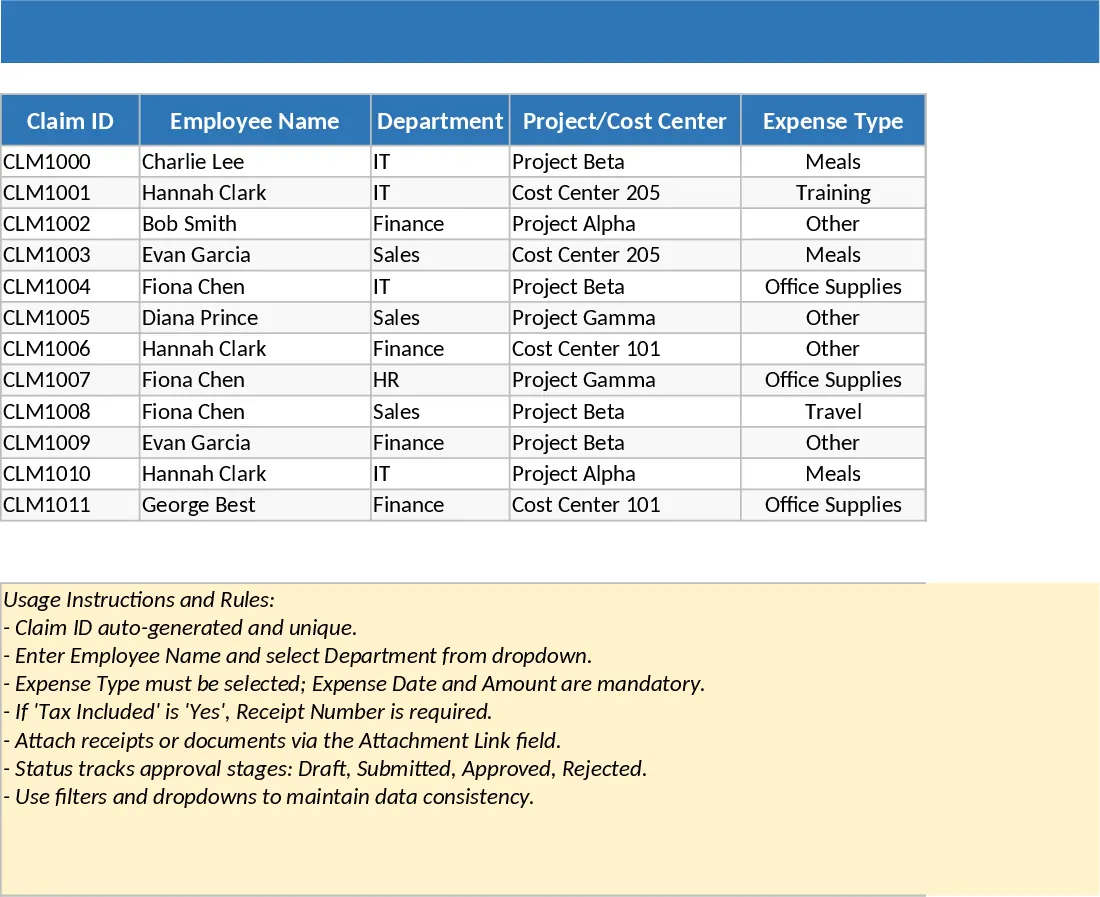
Managing employee spending shouldn't involve messy email chains or lost receipts. This template provides a structured two-sheet system to handle the entire reimbursement lifecycle from initial draft to final payment. The Expense Lines sheet serves as your primary database, capturing essential details like department, cost center, expense type, and receipt status. Built-in validation ensures that tax information and receipt numbers are provided where necessary, maintaining a clean audit trail for your finance team.
The Summary and Approval View transforms raw data into actionable insights. It features a dynamic dashboard with KPI cards that track total submitted amounts, approval rates, and average claim sizes. A dedicated pending approvals table allows managers to quickly identify which claims require immediate attention, while pivot-style summaries break down spending by month and department. This setup is ideal for small to medium businesses or department heads who need to monitor operational costs without investing in complex accounting software.
To get started, simply enter your team's spending data into the Expense Lines sheet, utilizing the dropdown menus for departments and payment methods to ensure consistency. As claims progress, update the status column to trigger changes in the summary dashboard. Finally, use the Summary sheet to review monthly trends and clear the backlog of pending approvals. This streamlined approach helps reduce administrative overhead and ensures employees are reimbursed accurately and on time.
Similar Templates Recommendation
Employee Expense Reimbursement and Approval Tracker with Dashboard and Approval Workflow Template
Track employee expense claims, manage approval workflows, and monitor departmental spending with automated KPI summaries and receipt tracking.
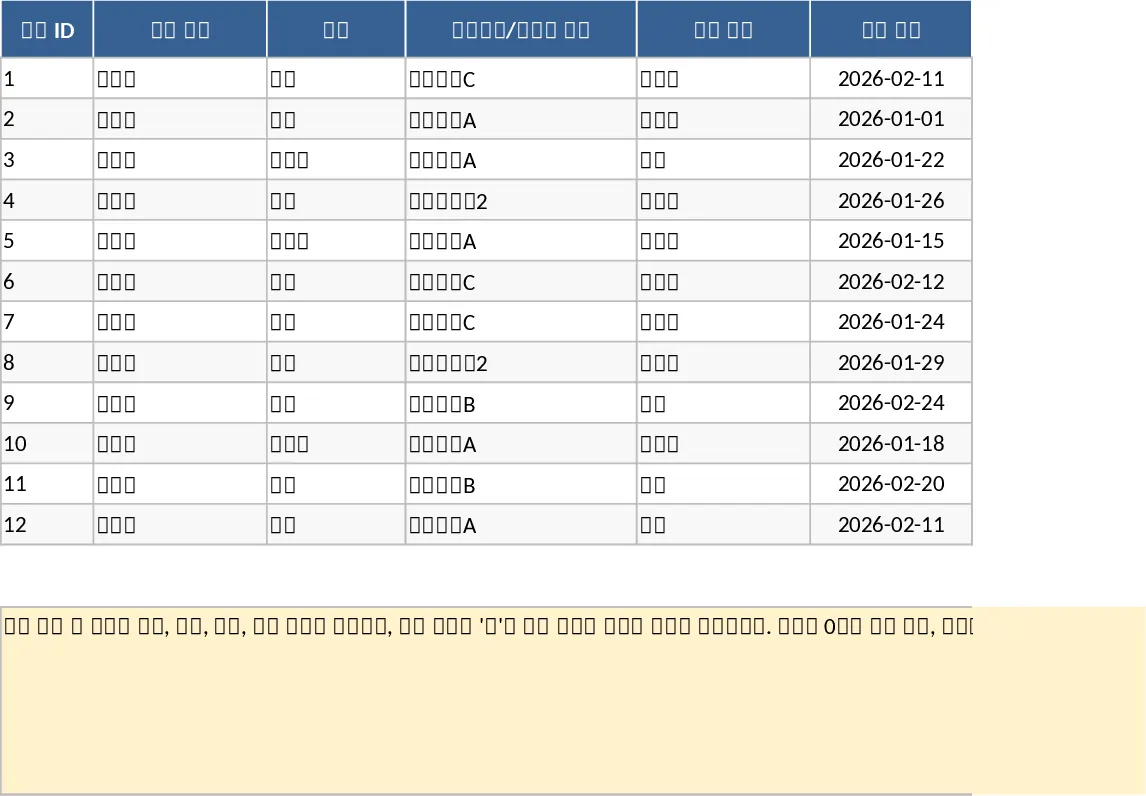
Employee Expense Reimbursement and Approval Tracker with Reimbursement Status Template
Manage employee expense claims and approval workflows while tracking departmental spending through automated KPI dashboards and pivot summaries.
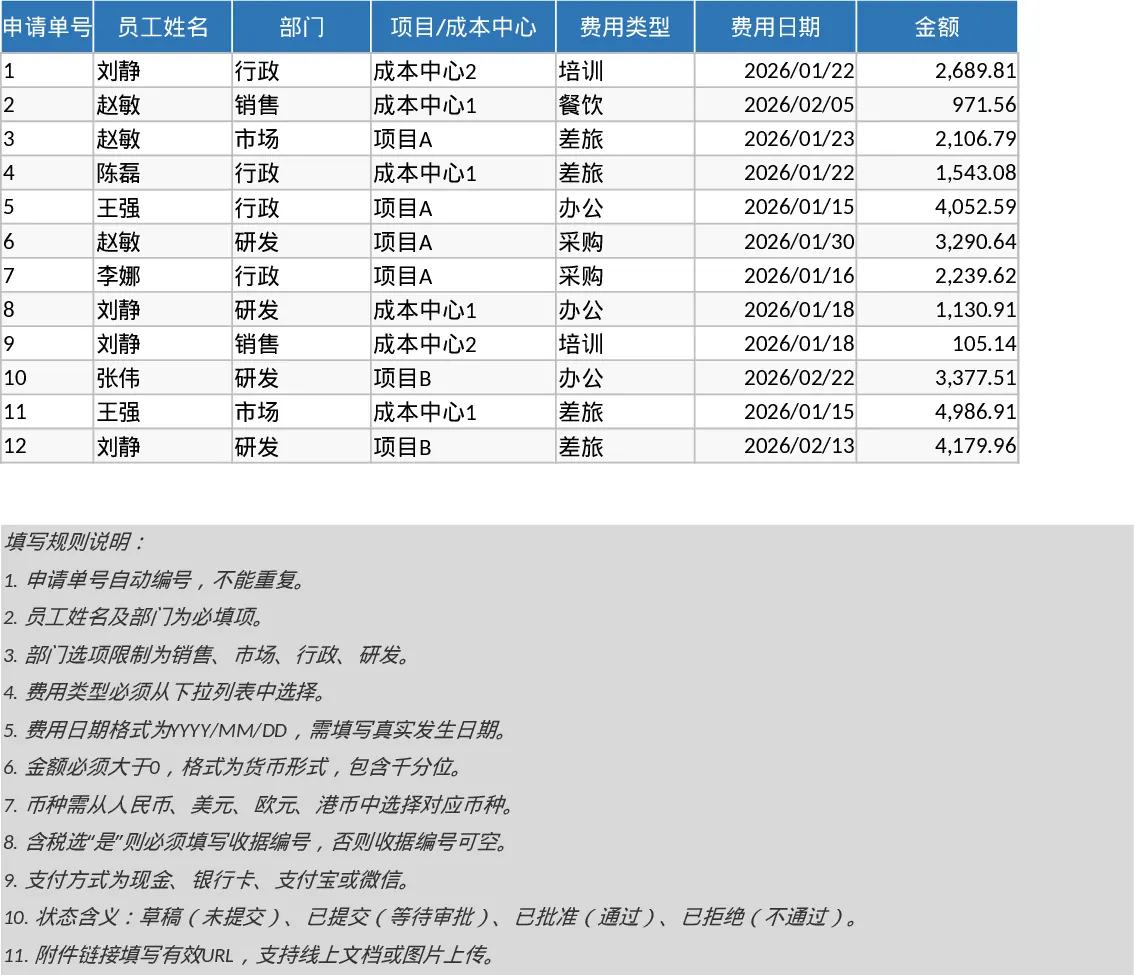
Employee Expense Reimbursement and Approval Tracker with Conditional Formatting Template
Track employee expenses, manage approval workflows, and monitor departmental spending with automated summaries and KPI dashboards.